
 Community
 Video Library
 Agent Training
 Freshservice
 Freshdesk
 Freshchat
 Freshcaller
 Freshsales
 Freshteam
 Freshworks Neo
 Freshsurvey
 Freshservice for MSP
 Freshservice IT Asset Management provides trusted visibility into IT assets, infrastructure components, and their dependencies across on-premises, cloud, virtual, and hybrid environments.
Note:
Availability: The unified Freshservice ITAM is available only for new signups after the 31 March 2026 release. If you signed up earlier, refer to the existing ITAM documentation. For FAQs on existing ITAM, see Upgrade FAQ.
Standalone offering: Freshservice ITAM is available as a standalone offering, so you can use ITAM without ITSM services. For more information, see the Freshservice pricing page.
Freshservice IT Asset Management delivers an expanded set of infrastructure management capabilities for modern hybrid IT, including IT Asset Management (ITAM), Software Asset Management (SAM), Business Service Mapping, and IP Address Management (IPAM).
What Freshservice IT Asset Management covers
Freshservice IT Asset Management focuses on the operational state and reliability of the IT environment. It helps you manage:
Identify what infrastructure resources exist across the environment.
Understand how infrastructure components are connected and dependent on one another.
Monitor the health, performance, and availability of infrastructure resources.
Detect issues early and evaluate their impact on business services.
Ensure infrastructure reliably supports ongoing business operations.
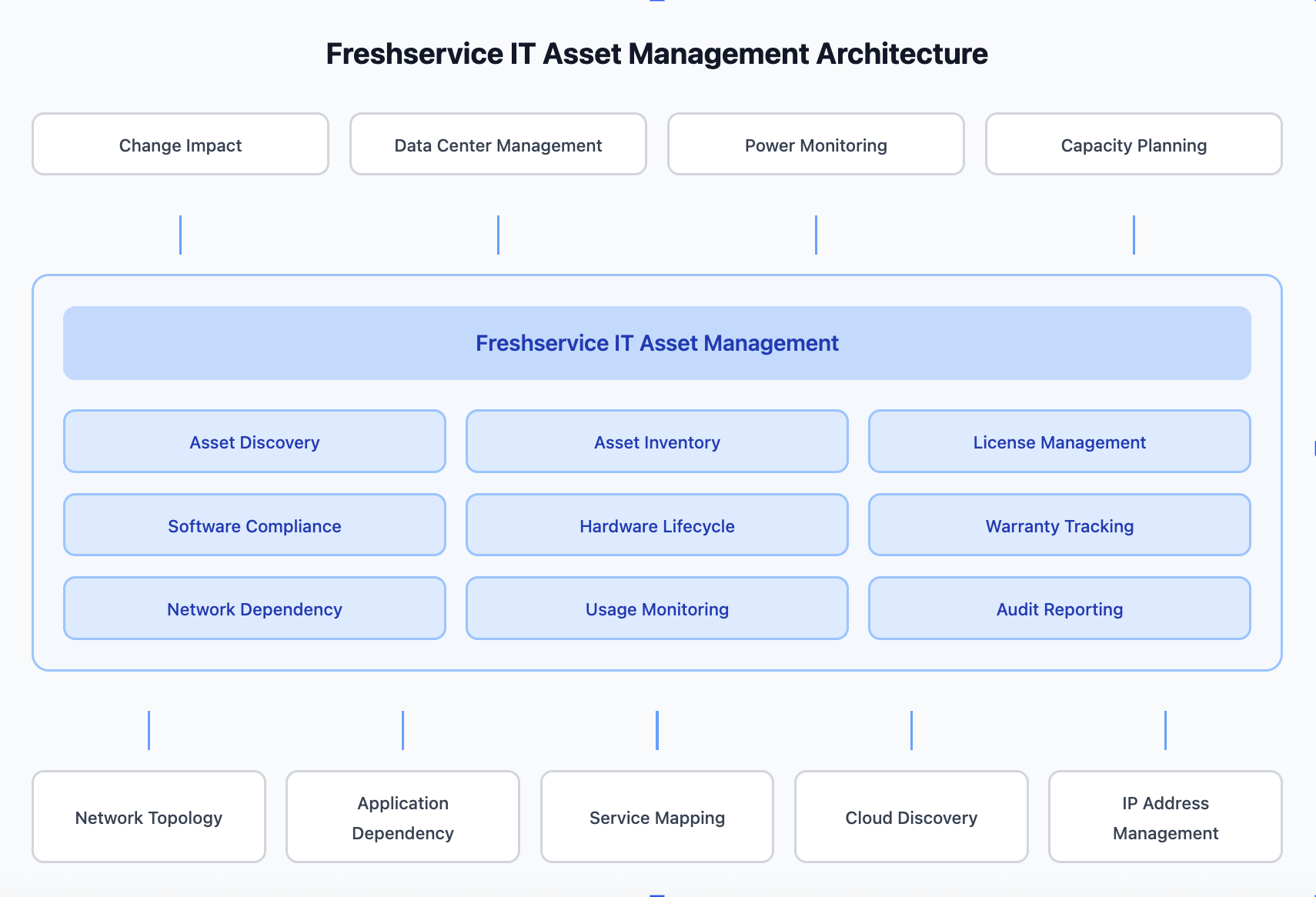
Role of IT Asset management
Freshservice IT Asset Management (ITAM) manages the lifecycle, financial, and contractual aspects of IT resources. It tracks assets from procurement through deployment, usage, and retirement, helping organizations understand ownership, cost, licensing, and compliance.
Freshservice ITAM Implementation Flow
The following articles explain how to install and configure Asset Management.