
 Community
 Video Library
 Agent Training
 Freshservice
 Freshdesk
 Freshchat
 Freshcaller
 Freshsales
 Freshteam
 Freshworks Neo
 Freshsurvey
 Freshservice for MSP
 TABLE OF CONTENTS
- Overview
- Benefits of new field types
- Rich text editor (RTE)
- Attachment
- Formula
- Extending support for new field types across the product areas
Overview
To provide greater flexibility and data accuracy, three new custom field types: Rich text editor (RTE), Attachment, and Formula are now available for Tasks. Admins can configure these fields to streamline the tasks related to Ticket, Change, Problem, or Release.
Benefits of new field types
The introduction of RTE, Attachment, and Formula fields improves data quality, communication, and automation across tasks.
Dynamic data accuracy (Formula): Real-time calculations ensure workflows and business rules always operate on up-to-date, system-generated values—eliminating manual effort and errors.
Clear and consistent communication (RTE): Rich formatting enables structured, easy-to-read inputs and ensures consistency.
Complete context (Attachment): Supporting attachments like documents can be captured upfront, reducing back-and-forth and speeding up resolution.
Faster processing: Better inputs and automated logic improve task management and help in timely completion of tasks.
Rich text editor (RTE)
The RTE field enables users to submit formatted content, including lists, links, and inline images, providing a more expressive alternative to standard text fields.
Capabilities
The RTE supports a wide range of formatting options:
Text styling: Bold, italic, underline, strikethrough, font family, size, and color.
Layout: Paragraph formatting, alignment (left, center, right, justify), lists, and indentation.
Elements: Hyperlinks, inline images, tables, and horizontal lines.
Constraints and limits
Plan availability: Supported on Pro and Enterprise plans. If downgraded to an unsupported plan, existing RTE fields are automatically deleted and cannot be restored.
Field limit: Maximum of 5 RTE fields per task.
Field size: Maximum content size is 1MB (excluding inline images)
User experience
Admin configuration
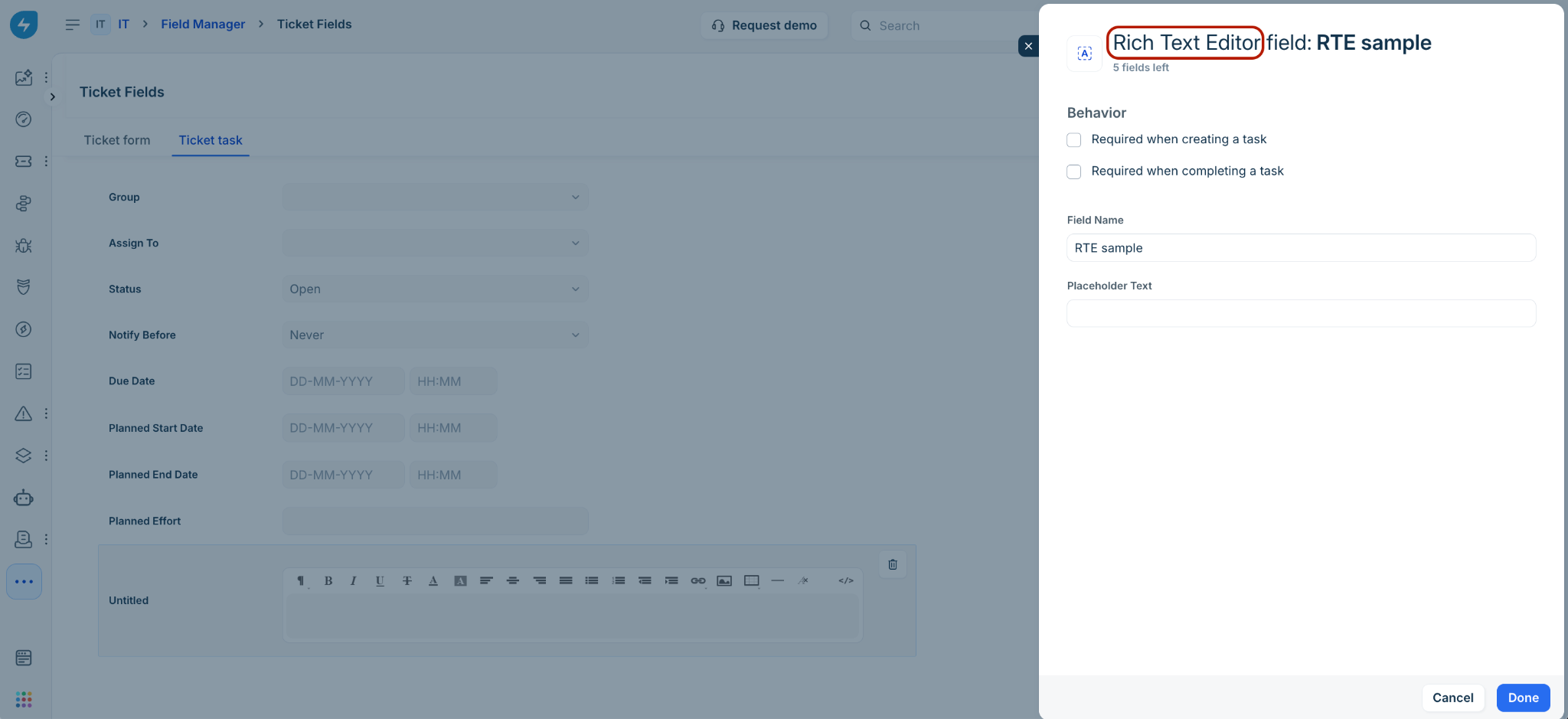
Agent–Add task
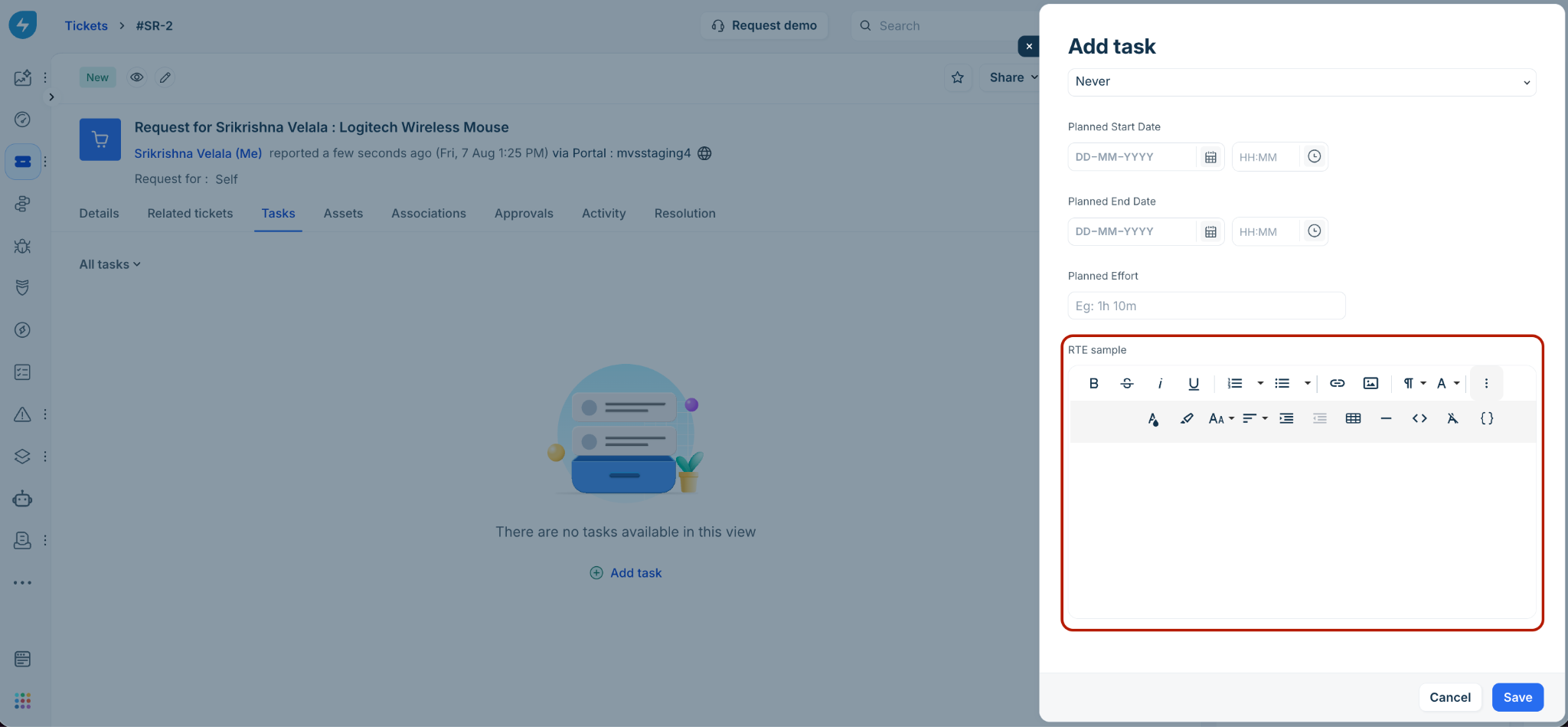
Agent–Edit task/Task details
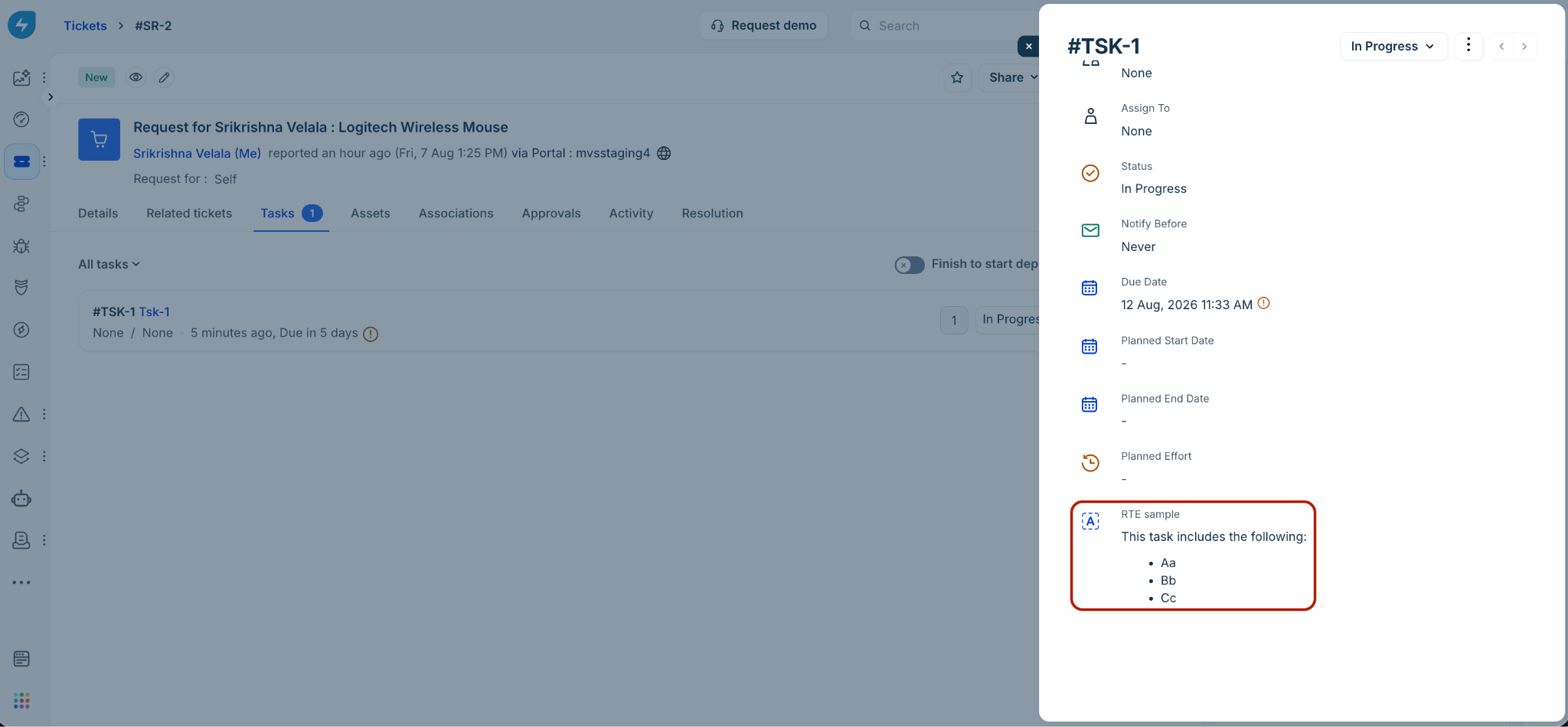
Attachment
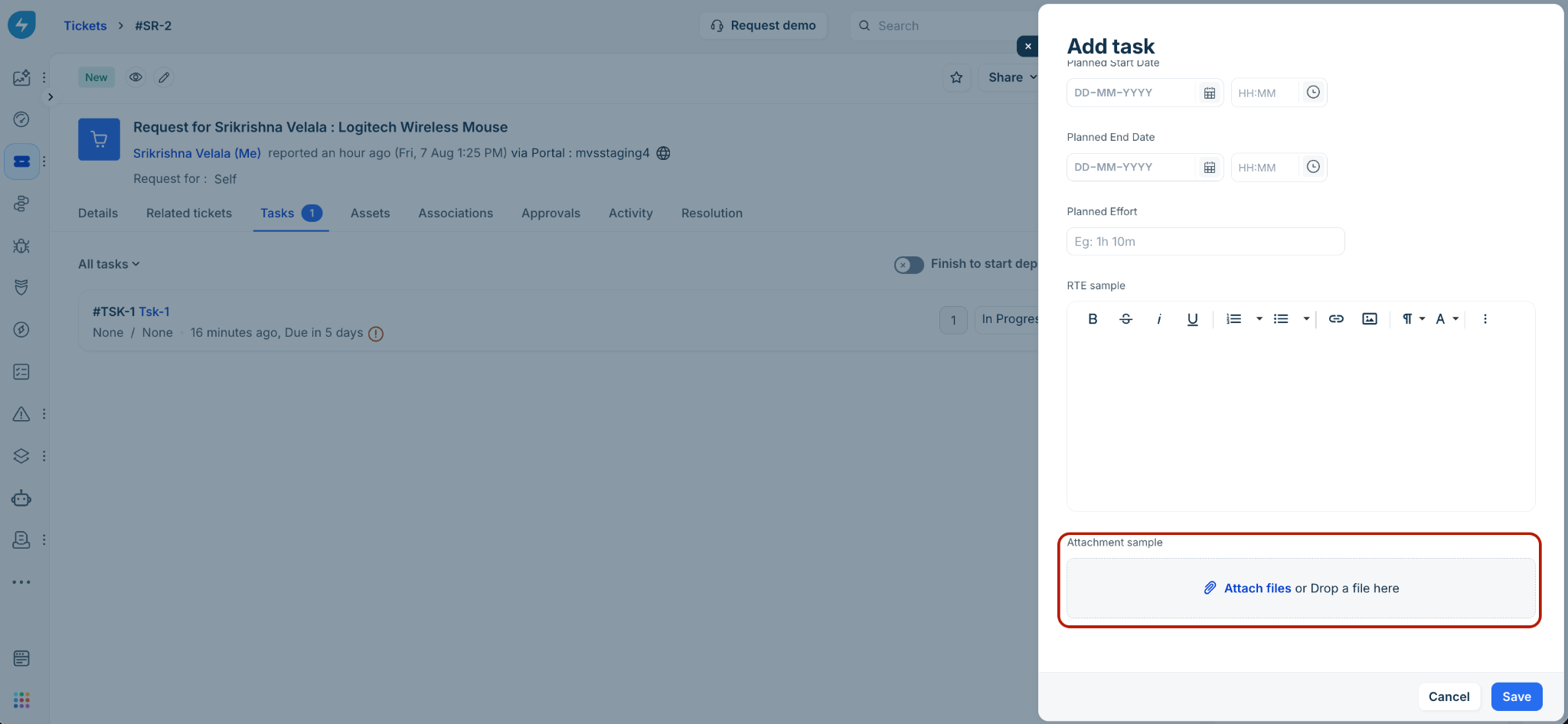
The Attachment field allows users to upload files directly within a task. Admins can control allowed file types and the number of files per field.
Capabilities
File uploads: Supports multiple file uploads per field.
File type restrictions: Admins can allow all file types or restrict uploads to specific file types (for example, .pdf, .docx, .png, .json).
Service desk vs. field settings: If certain file types are restricted at the account level (via Service Desk settings under Global Settings) those types will not be available in the field configuration as well.
Avoid conflicting configurations between Service Desk and field-level settings, as this may prevent file uploads.
Help text: Displays allowed file types below the field in admin configuration.
Constraints and limits
Max fields per task: 10.
Max files per field: 10.
Max file size: 25 MB per file.
Total attachment limit: 25 MB per task
User experience
Admin configuration
Agent–Add task
Agent–Edit task/Task details
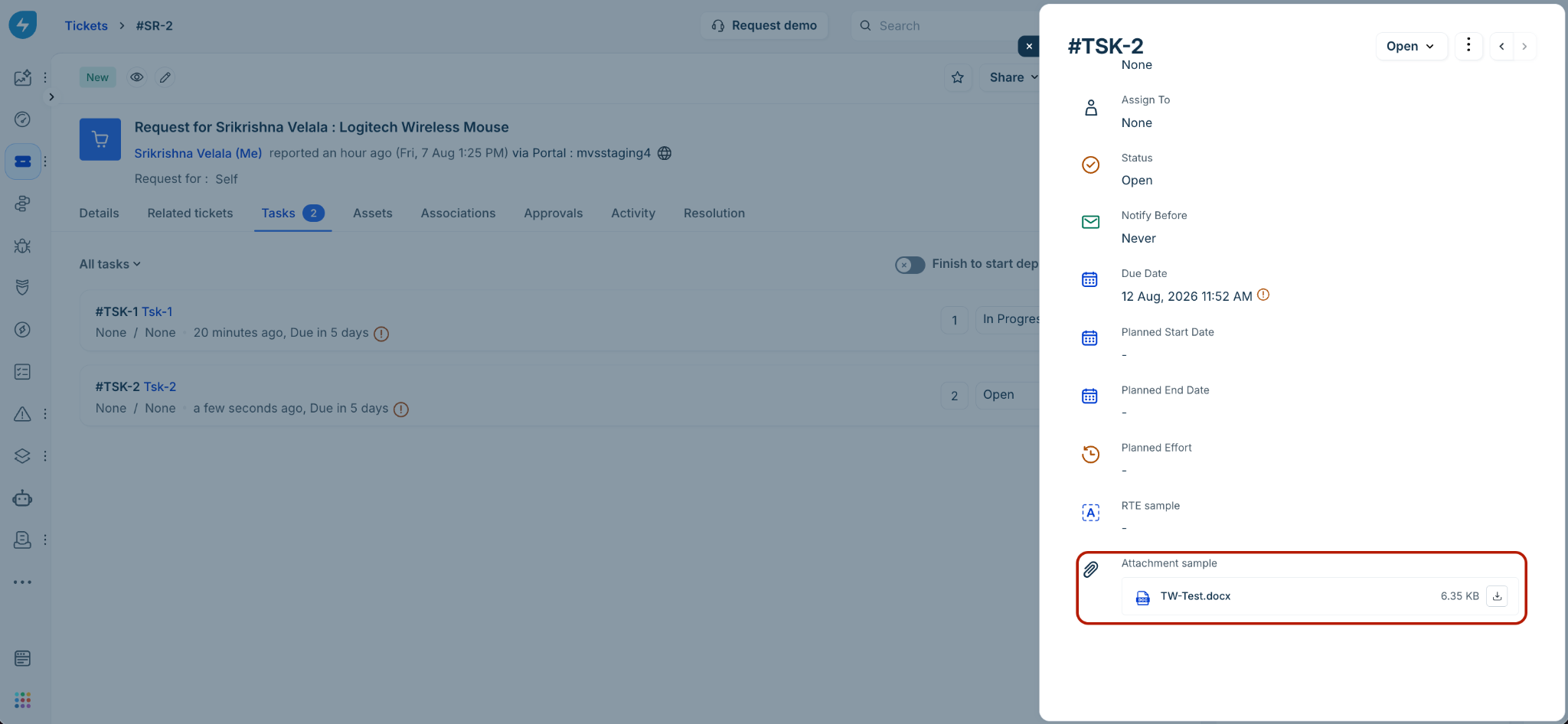
Note: Removing a file from any attachment field deletes it immediately even if changes are not saved.
Formula
Formula fields perform real-time calculations based on values from other fields.
Note: Formula field values are auto-computed and cannot be edited by agents.
Capabilities
Supported output types: String, Number, Decimal, Boolean, Date, and DateTime.
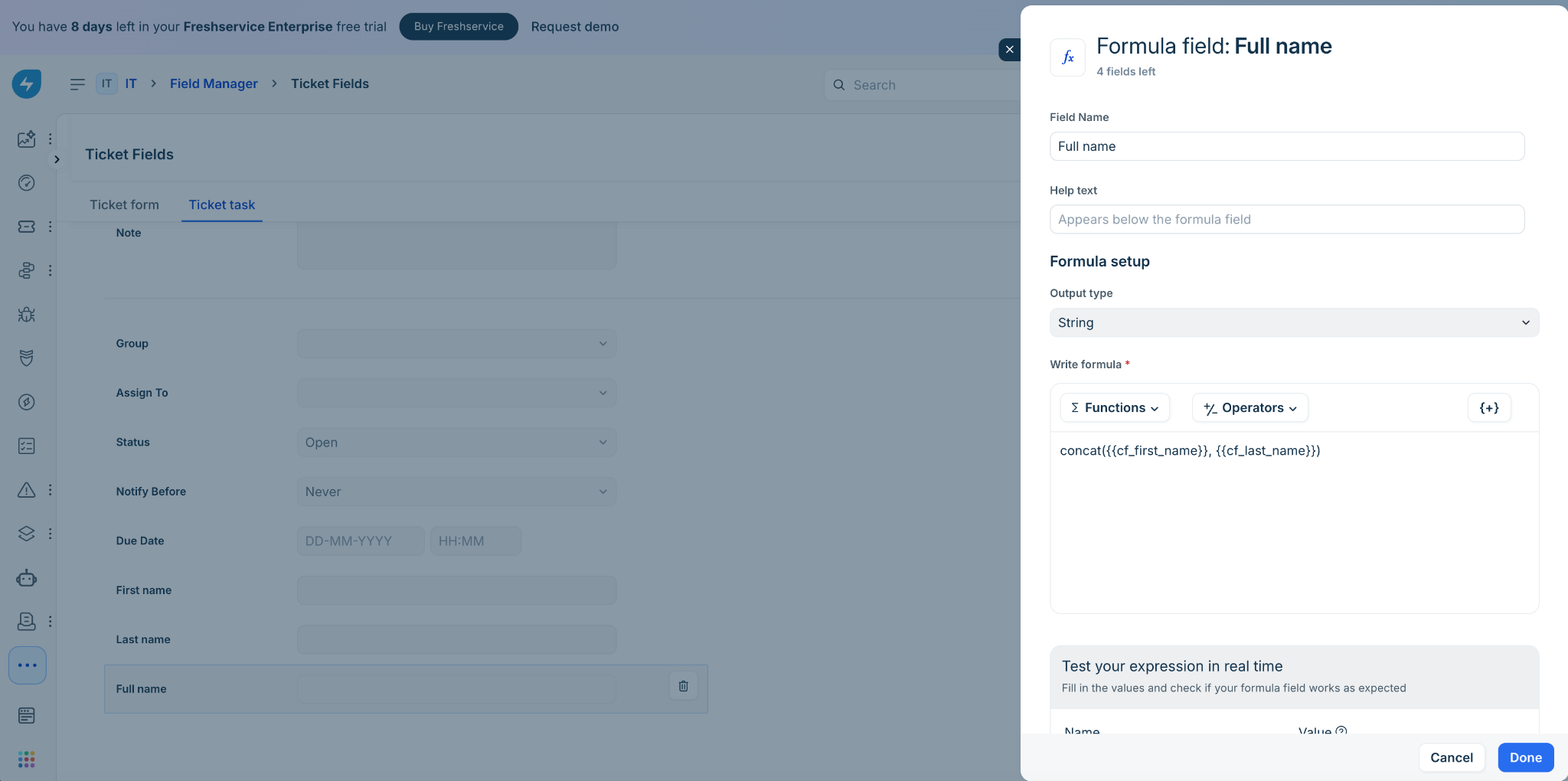
Configurable expressions: Admins can define formula labels, help text, and expressions using supported operators and functions, and test them during setup.
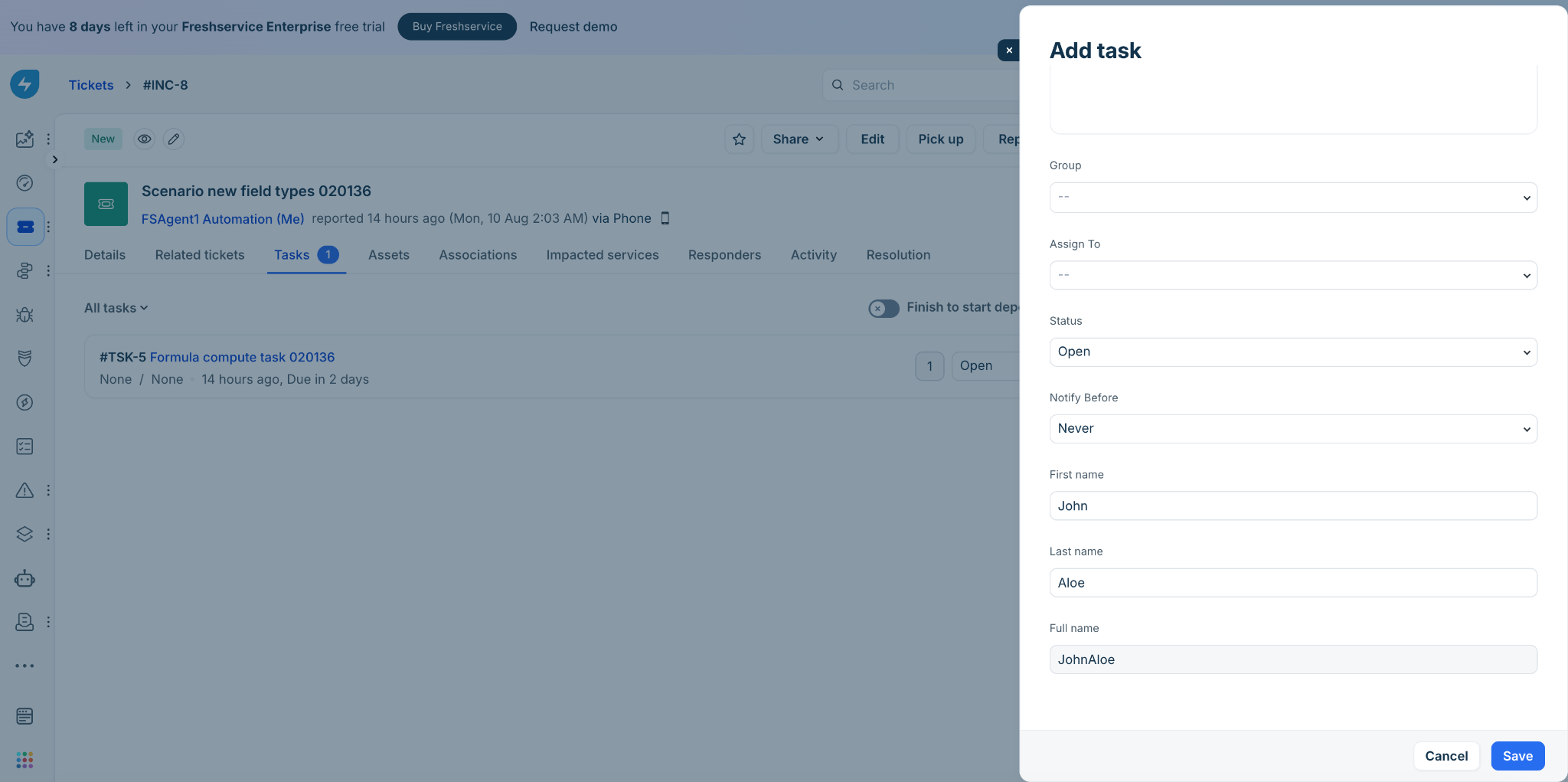
Real-time computation: Values recalculate instantly when placeholder field values change.
Constraints and limits
Field dependencies: Cannot reference RTE, Attachment, or other Formula fields in expressions.
Field limit: A maximum of 5 Formula fields can be added per task.
Formula updates: Updates to formula logic apply only to records edited after the change; existing records are not automatically recalculated.
User experience
Admin configuration
Agent–Add task
Agent–Edit task/Task details
Extending support for new field types across the product areas
Field rendering across product areas
RTE: Retains formatting (bold, lists, links, tables, and so on) and inline images.
Attachment: Displays as links and filenames (as applicable).
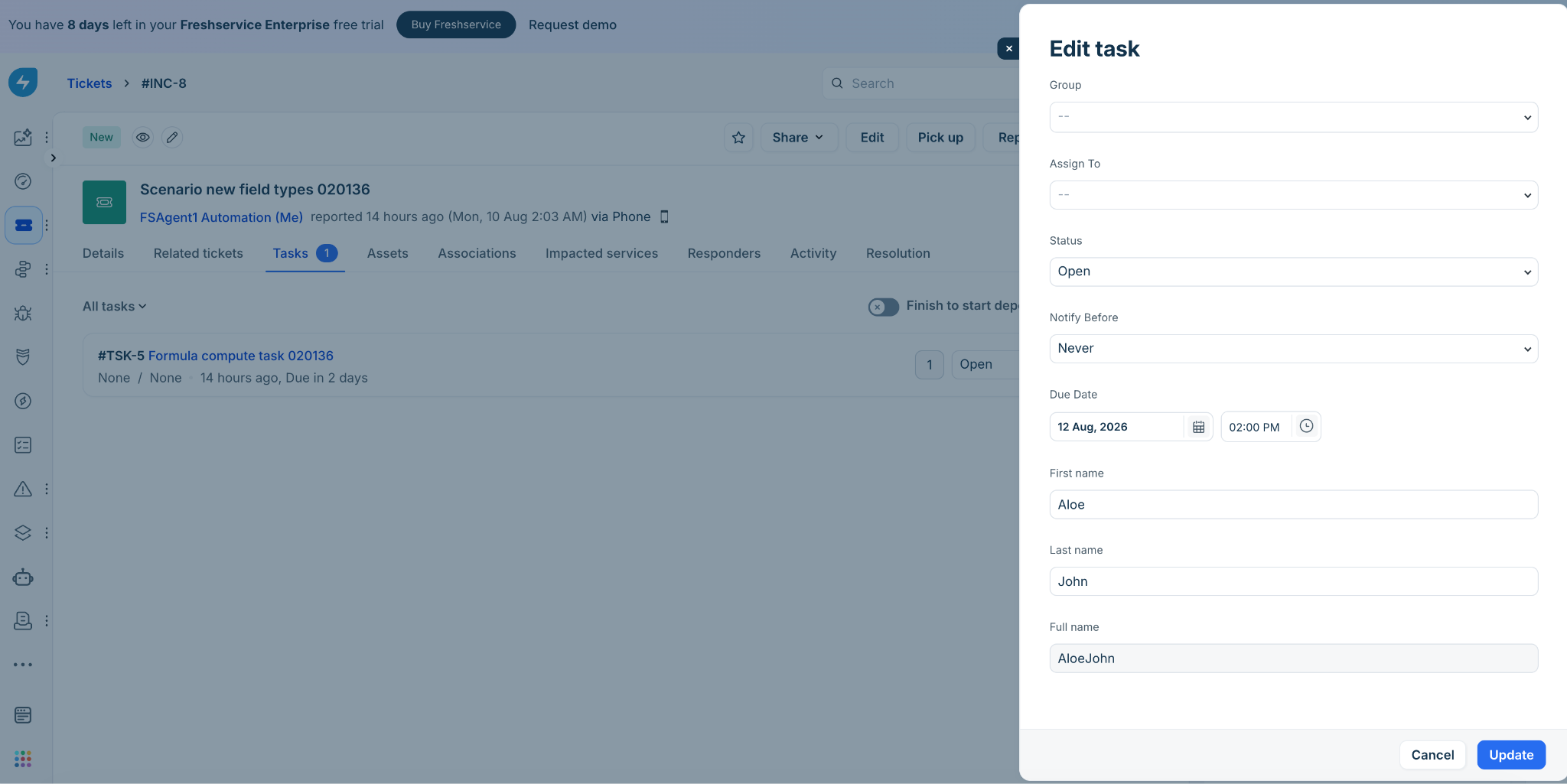
Formula: Displays computed values based on the configured output type.
Automation and execution
Workflow automation
Conditions:
RTE: Support all operators similar to the operators available for the Note field.
Attachment: Support validation of attachment presence using Is Empty and Is Not Empty operators.
Formula: Support evaluation based on computed values; available operators depend on the configured output type.
Actions: All field types can be used as placeholders in actions. The Attachment fields return links to the actual files.
Triggers: Formula fields trigger workflow re-evaluation when their values change due to task updates.
JSON parser, Web request, and Expression: Support RTE, Attachment, and Formula fields as placeholders in JSON parser. Support formula and RTE in web requests for GET; and only RTE for DELETE, PUT, POST, and PATCH requests. Support RTE fields as placeholders in Expression.
Task business rules
Conditions:
RTE: Not supported.
Attachment: Supported (Is Empty / Is Not Empty).
Formula: Supported; when used in conditions, only the Validate form on submission action is allowed to prevent cyclic dependencies between business rules and real-time formula computations.
Actions:
RTE/Attachment: Show, Hide, Enable, Disable, Mandate, Non-mandate.
Formula: Show, Hide.
Note: Formula fields trigger business rules re-evaluation in real-time as values change.
Supervisor rules
Actions:
RTE, Attachment: Supported in ‘Add task’.
Formula: Not supported in ‘Add task’ as they are automatically calculated real-time
Custom OLA policies
Conditions:
RTE: Not supported.
Attachment: Supported (Is Empty / Is Not Empty).
Formula: Supported; conditions will be based on the output type of the formula fields.
Scenario automation
RTE, Attachment: Supported in ‘Add task’.
Formula: Not supported in ‘Add task’ as they are automatically calculated real-time
Data and visibility
Search and indexing
RTE: Indexed as text (HTML tags excluded; content >1 MB not indexed).
Attachment: Searchable via filenames; file content is not indexed.
Formula: Searchable for string and numeric outputs (Date/Boolean/Decimal excluded).
Special characters: Not supported in search.
Archived/Deleted fields: Not searchable.
Analytics and reporting
Data export:
RTE: Markdown content.
Attachment: Boolean (Yes/No).
Formula: Supported.
Filtering and GroupBy:
Custom task fields are not supported
Underlying data (columns):
RTE: Markdown content.
Attachment: Boolean (Yes/No).
Formula: Supported.
Data consistency: Changes to formula logic may result in discrepancies between existing records and newly updated records.
Activity logs
Support all three field types when a field value is updated or deleted. For attachment fields, multiple files added/removed in a single action are listed as separate entries.
Formula recalculations without value change are not logged.
System updates (via workflows, business rules, APIs) are captured.
Sandbox
Supports production-to-development as well as development-to-production syncs in all available Sandbox instances.
The 3 new field types added in any of the downstream areas, such as workflows, business rules, or supervisor rules (without actually adding them in the task form) are also included in the sync. System raises these as dependencies so admins can resolve before syncing.
The sync fails if:
Field limits are exceeded.
Duplicate field labels exist.
Mobile app
RTE, Attachment, and Formula field types are supported in the Freshservice mobile app, ensuring a consistent experience across web and mobile for agents.