
 Community
 Video Library
 Agent Training
 Freshservice
 Freshdesk
 Freshchat
 Freshcaller
 Freshsales
 Freshteam
 Freshworks Neo
 Freshsurvey
 Freshservice for MSP
 TABLE OF CONTENTS
- Overview
- Benefits of new field types
- Rich text editor (RTE)
- Attachment
- Formula
- Shared fields
- Extending support for new field types across the product areas
Overview
To provide greater flexibility and data accuracy in service requests, three new custom field types—Rich text editor (RTE), Attachment, and Formula—are now available for Service Catalog items. Admins can configure these fields to streamline the service request process for both agents and requesters.
Note: The RTE, Attachment, and Formula field types will be available only for customers using the version 2 (V2) of the Requester Portal.
Benefits of new field types
The introduction of RTE, Attachment, and Formula fields improves data quality, communication, and automation across service requests.
Dynamic data accuracy (Formula): Real-time calculations ensure workflows and business rules always operate on up-to-date, system-generated values—eliminating manual effort and errors.
Clear and consistent communication (RTE): Rich formatting enables structured, easy-to-read inputs and ensures consistency across emails and fulfillment documents.
Complete request context (Attachment): Supporting attachments like documents and developer files can be captured upfront, reducing back-and-forth and speeding up resolution.
Faster processing: Better inputs and automated logic reduce rework, improve routing accuracy, and accelerate fulfillment.
Rich text editor (RTE)
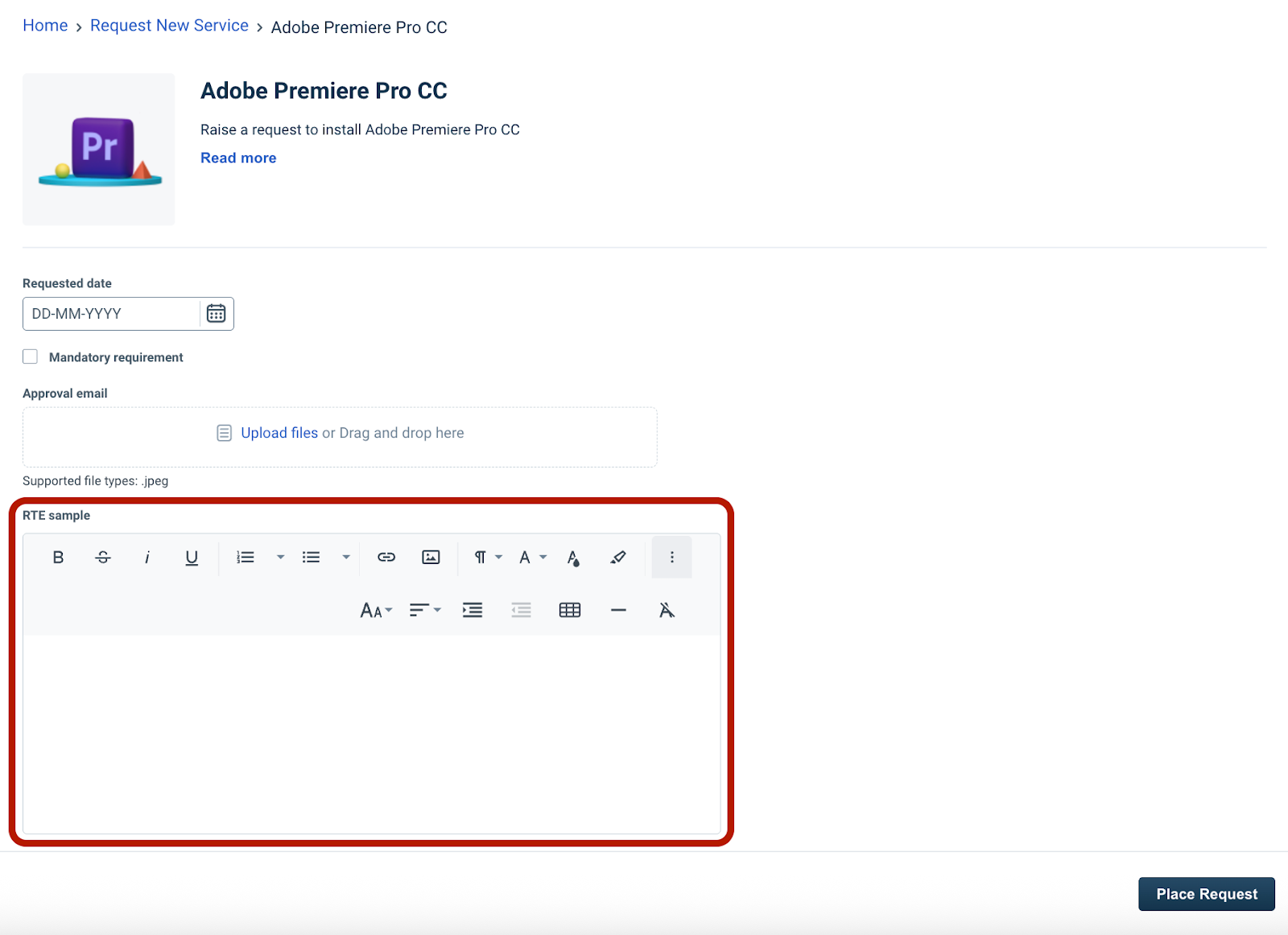
The RTE field enables users to submit formatted content, including lists, links, and inline images, providing a more expressive alternative to standard text fields.
Capabilities
The RTE supports a wide range of formatting options:
Text styling: Bold, italic, underline, strikethrough, font family, size, and color.
Layout: Paragraph formatting, alignment (left, center, right, justify), lists, and indentation.
Elements: Hyperlinks, inline images, tables, and horizontal lines.
Constraints and limits
Plan availability: Supported on Pro and Enterprise plans. If downgraded to an unsupported plan, existing RTE fields are automatically archived and can be restored upon upgrading to a supported plan.
Field limit: Maximum of 5 RTE fields per service item.
Field size: Maximum content size is 1MB (excluding inline images)
HTML support: HTML code view is not supported on the requester portal.
User experience
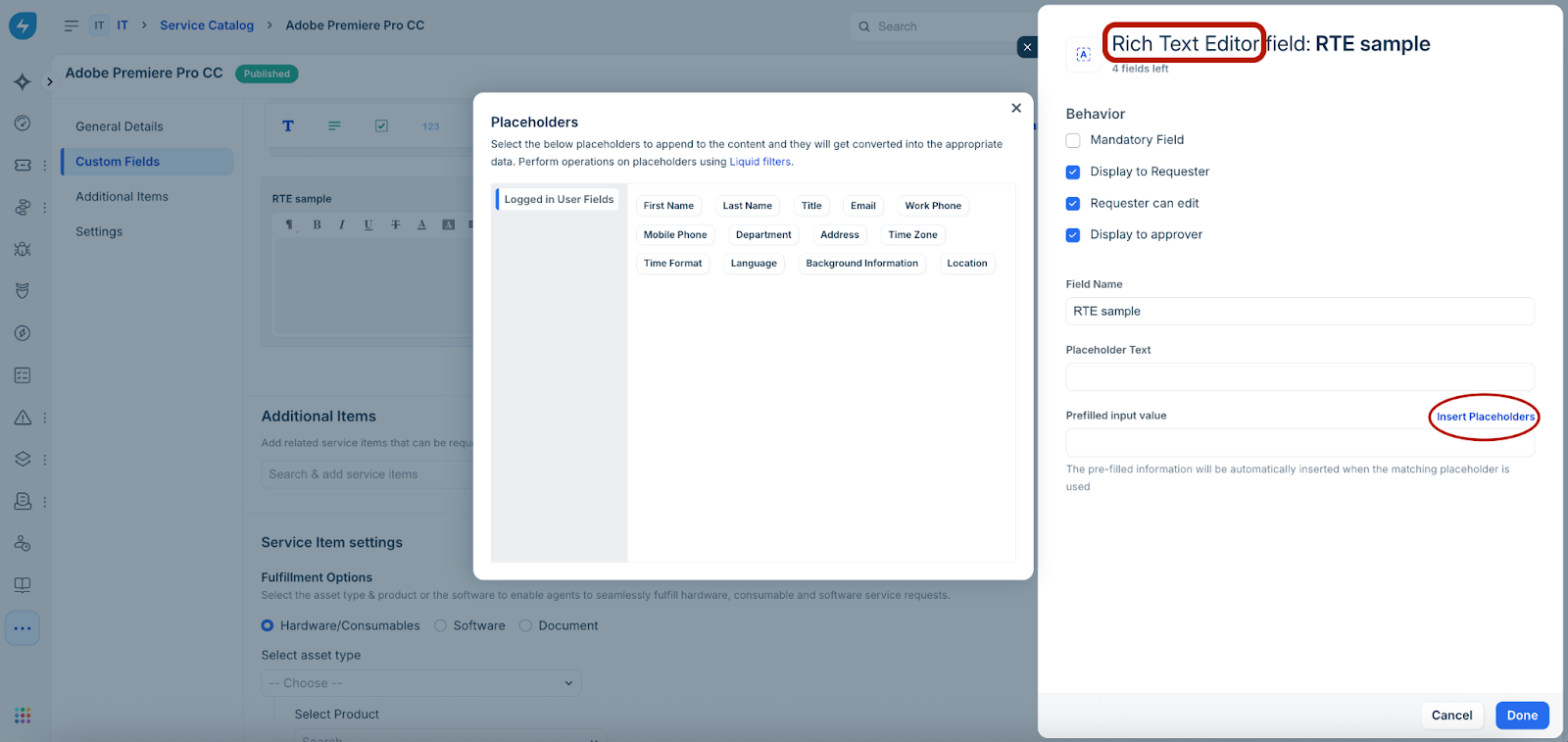
Admin configuration
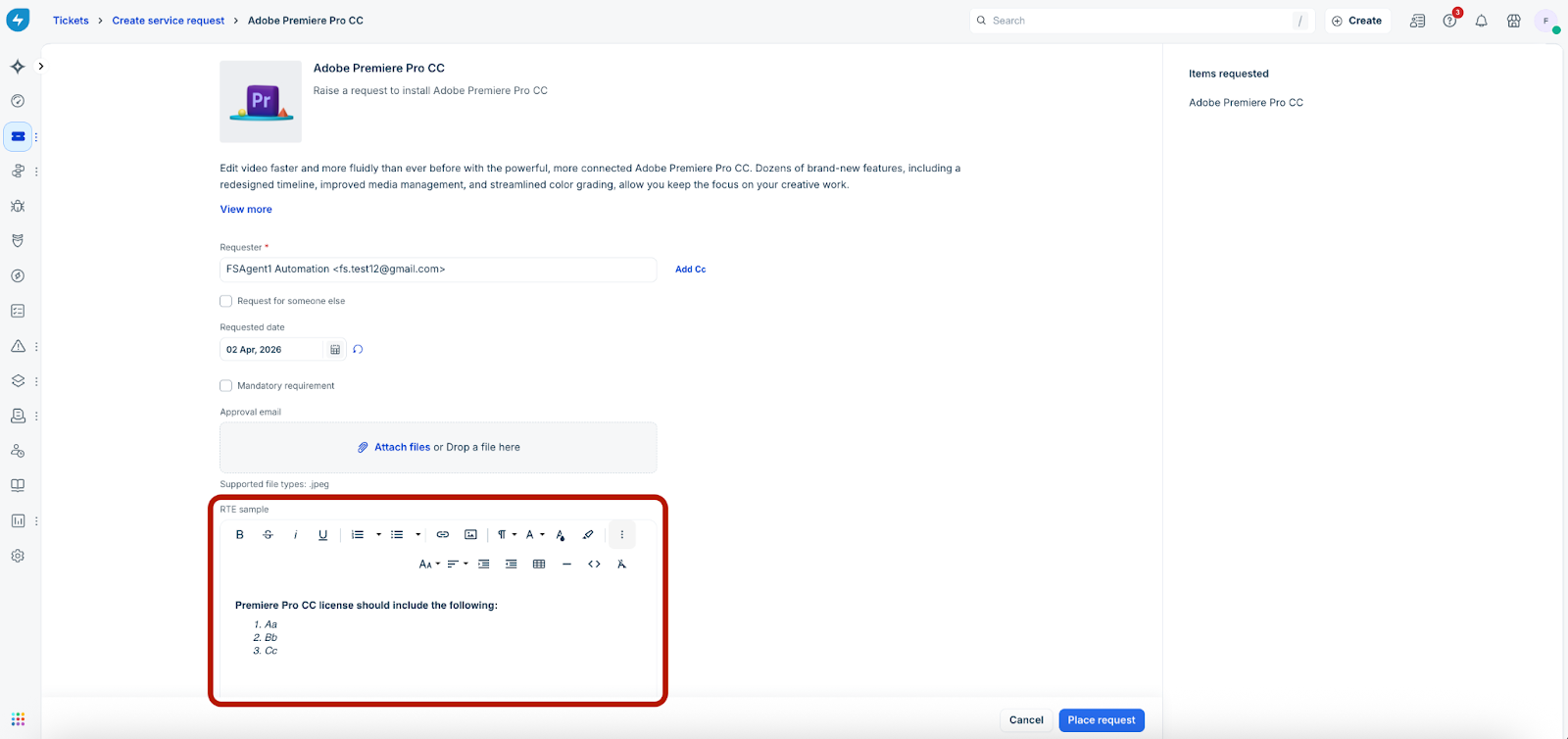
Agent–Create Service Request
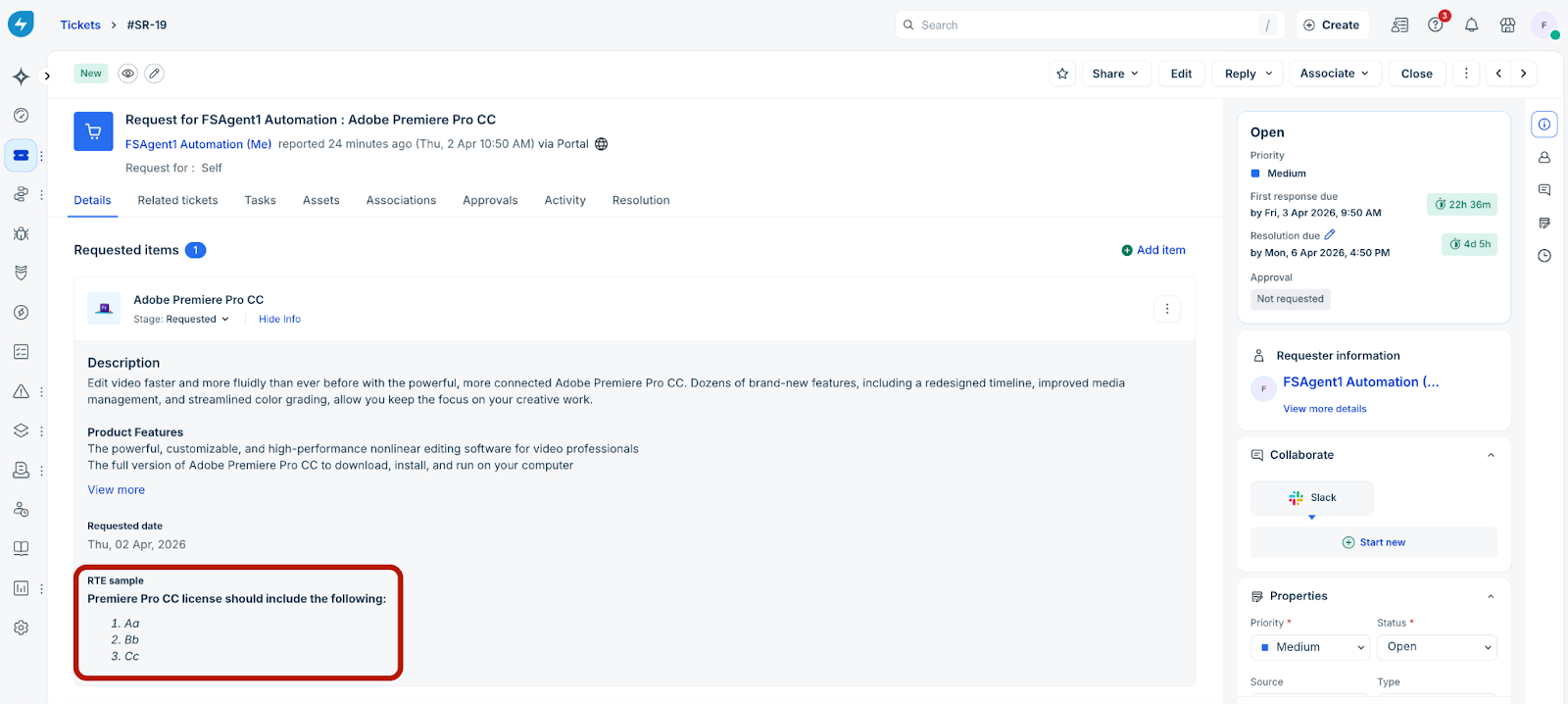
Agent–Ticket details
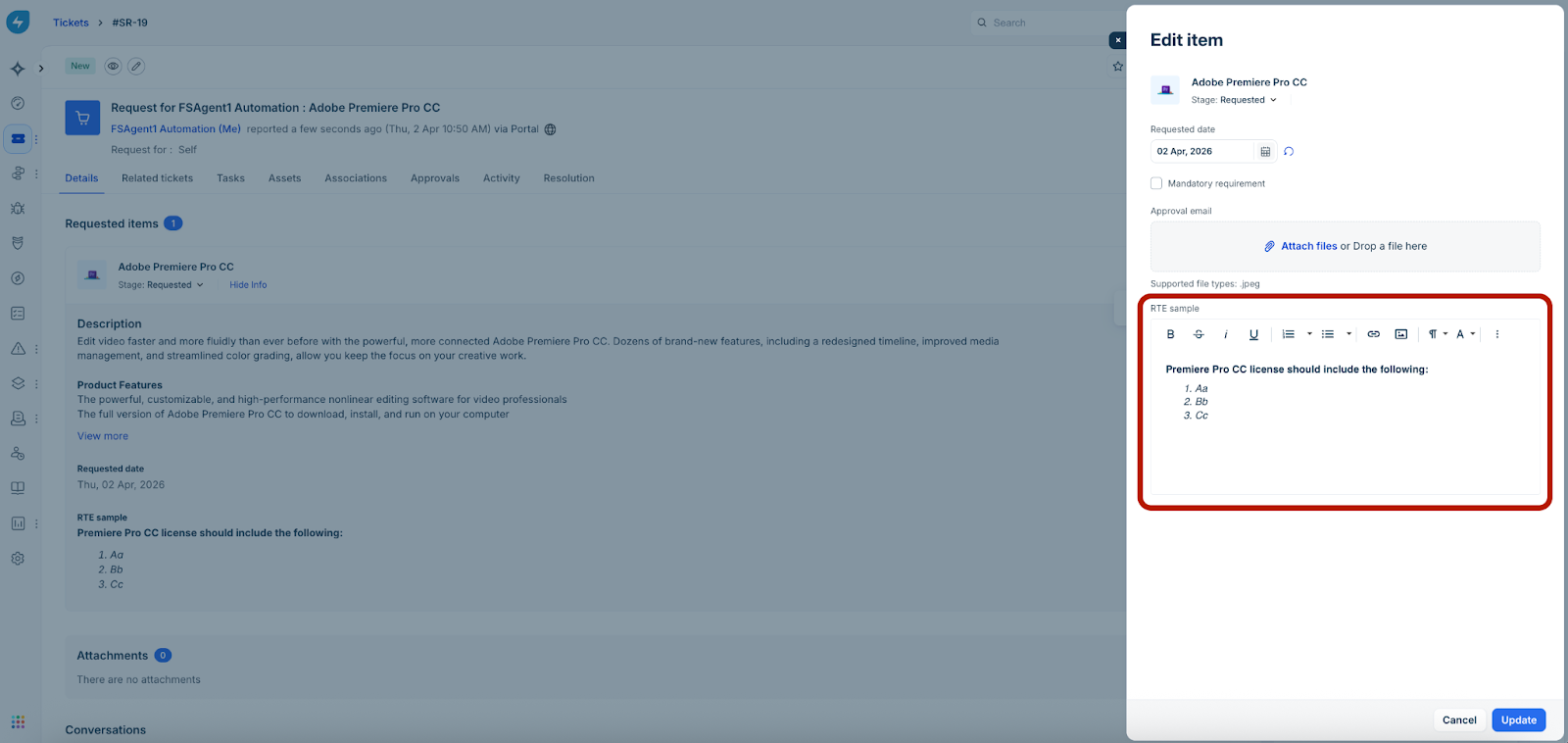
Agent–Edit item
Requester–Create Service Request
Attachment
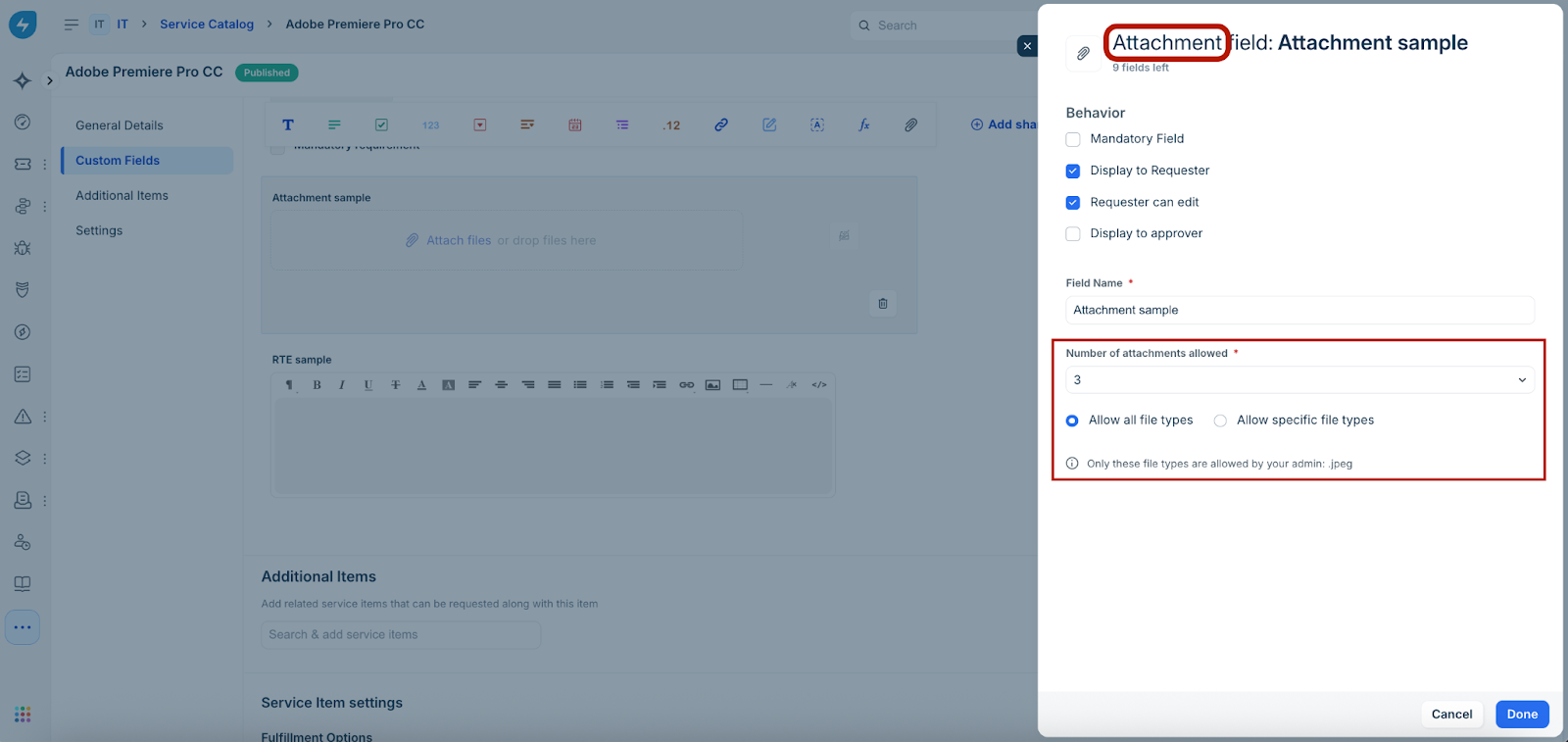
The Attachment field allows users to upload files directly within a service request. Admins can control allowed file types and the number of files per field.
Capabilities
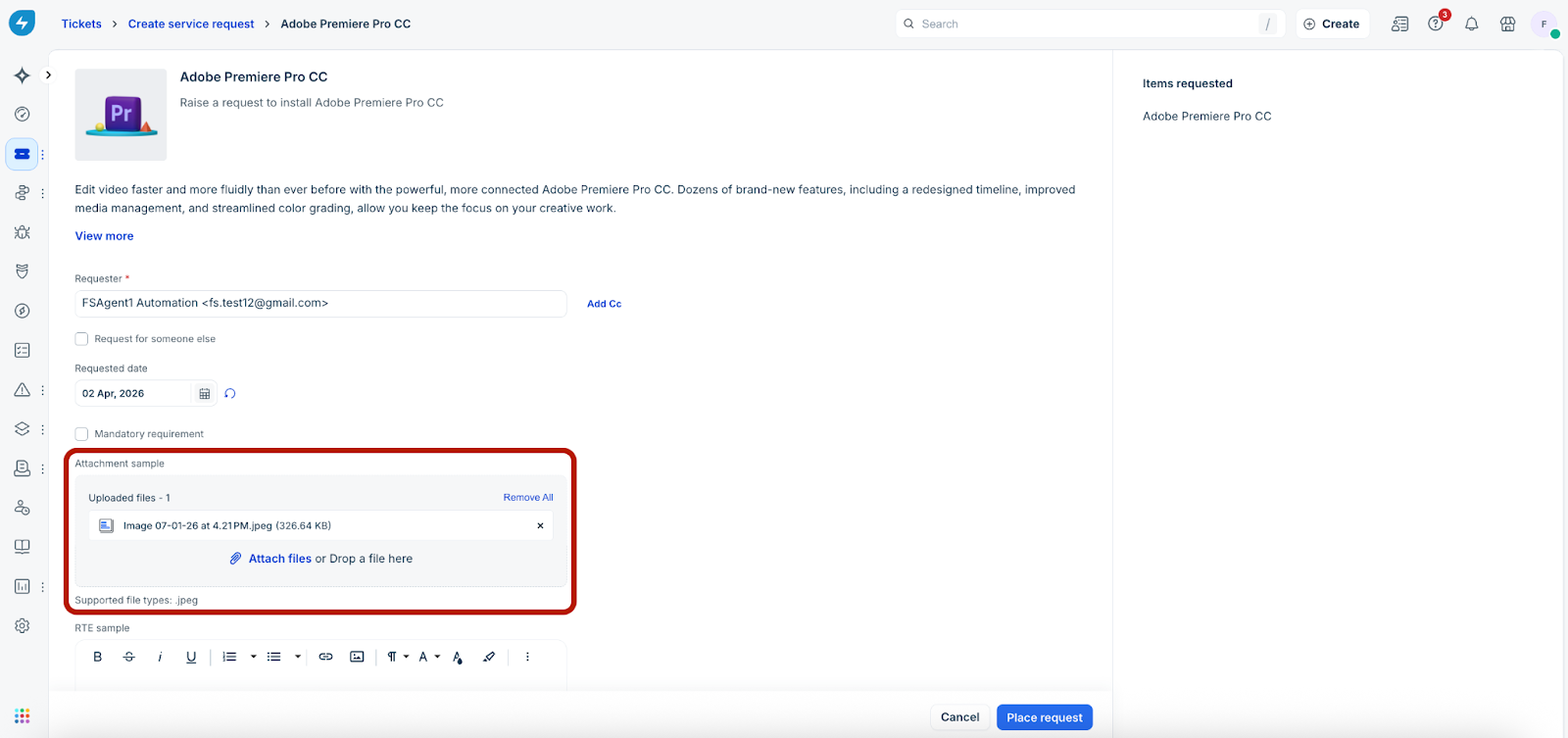
File uploads: Supports multiple file uploads per field.
Rendering in documents/emails:
Emails and canned responses → files appear as links.
Documents and print → only filenames are displayed.
File type restrictions: Admins can allow all file types or restrict uploads to specific file types (e.g., .pdf, .docx, .png, .json).
Service desk vs. field settings: If certain file types are restricted at the account level (via Service Desk settings under Global Settings) those types will not be available in the field configuration as well. The same restriction applies to Shared fields too.
Avoid conflicting configurations between Service Desk and field-level settings, as this may prevent file uploads.
Help text: Displays allowed file types below the field in both admin configuration and end-user forms.
Constraints and limits
Max fields per service item: 10.
Max files per field: 10.
Max file size: 25 MB per file.
Total attachment limit: 25 MB per Service Request (multiple service requests can be raised in a single ticket). Includes default and custom field attachments.
Field deletion: When a custom attachment field is deleted, associated files are moved to the service request's default attachments section, even if default attachments are disabled for the service item.
User experience
Admin configuration
Agent–Create Service Request
Agent–Ticket details
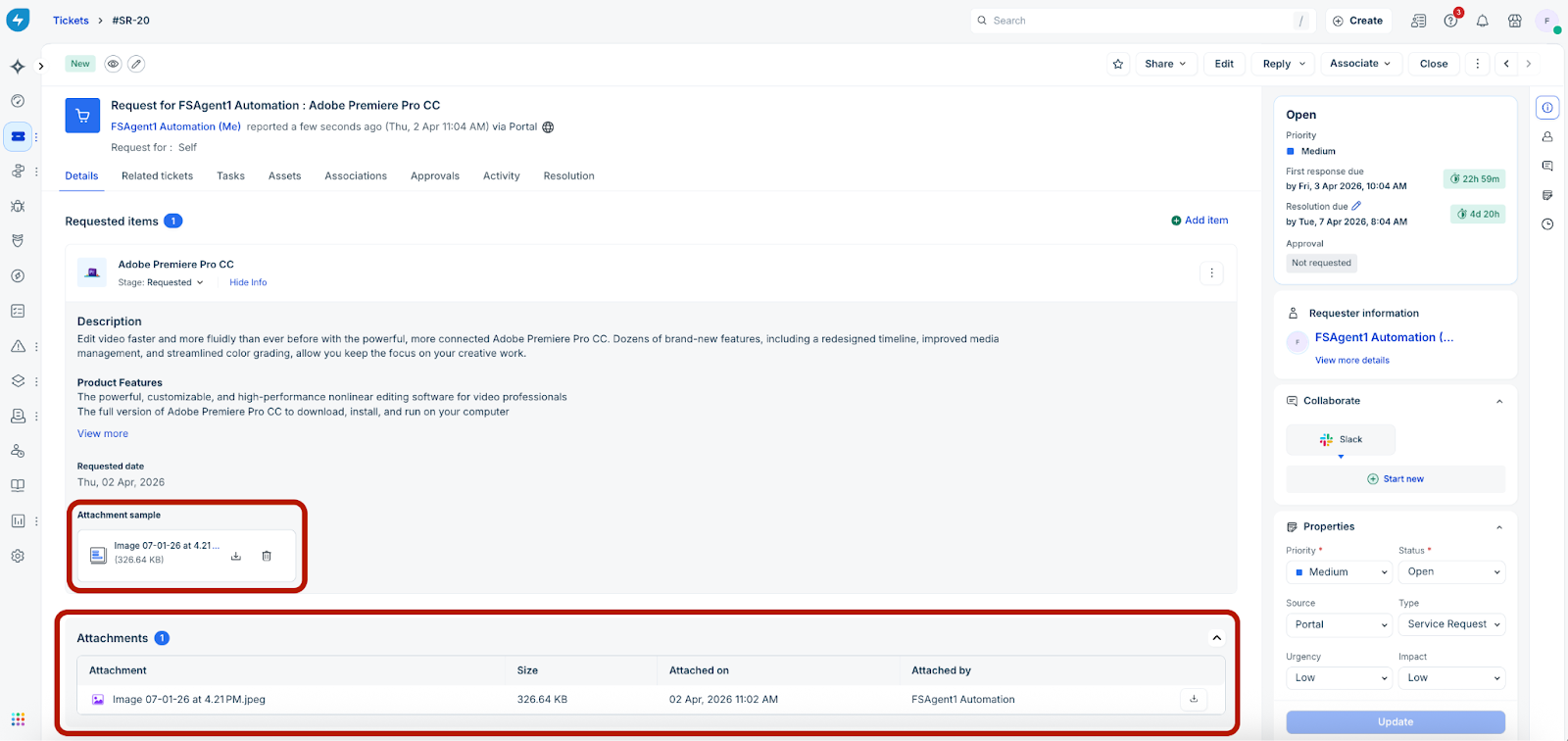
Note: Files uploaded via attachment fields also appear in the unified ticket attachment list.
Agent–Edit item
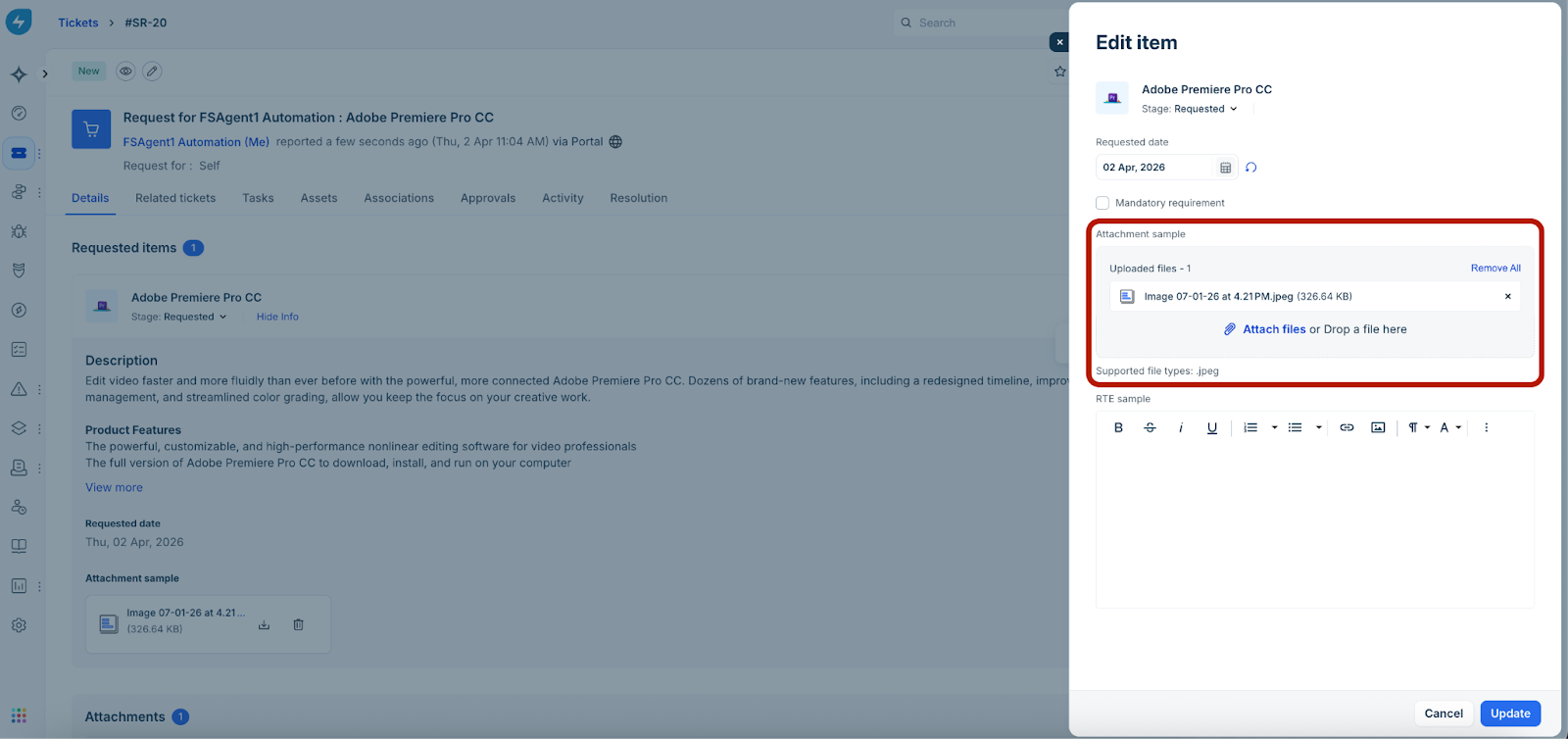
Note: Removing a file from any attachment field deletes it immediately even if changes are not saved at the form level.
Requester–Create Service Request
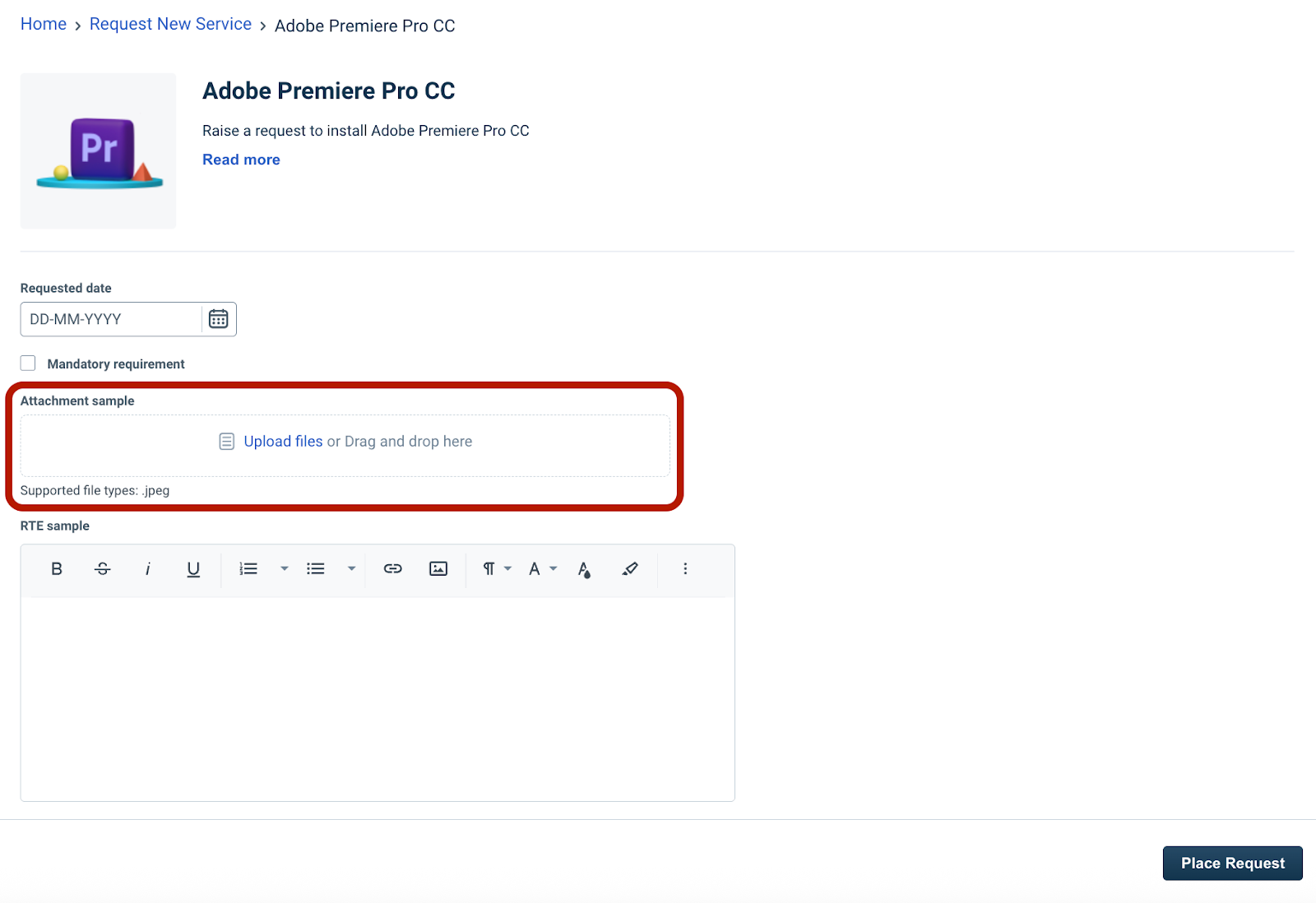
Formula
Formula fields perform real-time calculations based on values from other fields within the same form.
Note: Formula field values are auto-computed and cannot be edited by agents or requesters.
Capabilities
Supported output types: String, Number, Decimal, Boolean, Date, and DateTime.
Configurable expressions: Admins can define formula labels, help text, and expressions using supported operators and functions, and test them during setup.
Real-time computation: Values recalculate instantly on the forms when placeholder field values change.
Rendering: Displays computed values in ticket details page, forms, emails, canned responses, and documents based on the configured output type.
Constraints and limits
Field dependencies: Cannot reference RTE, Attachment, or other Formula fields in expressions.
Field limit: A maximum of 5 Formula fields can be added per service item.
Formula updates: Updates to formula logic apply only to records edited after the change; existing records are not automatically recalculated.
User experience
Admin configuration
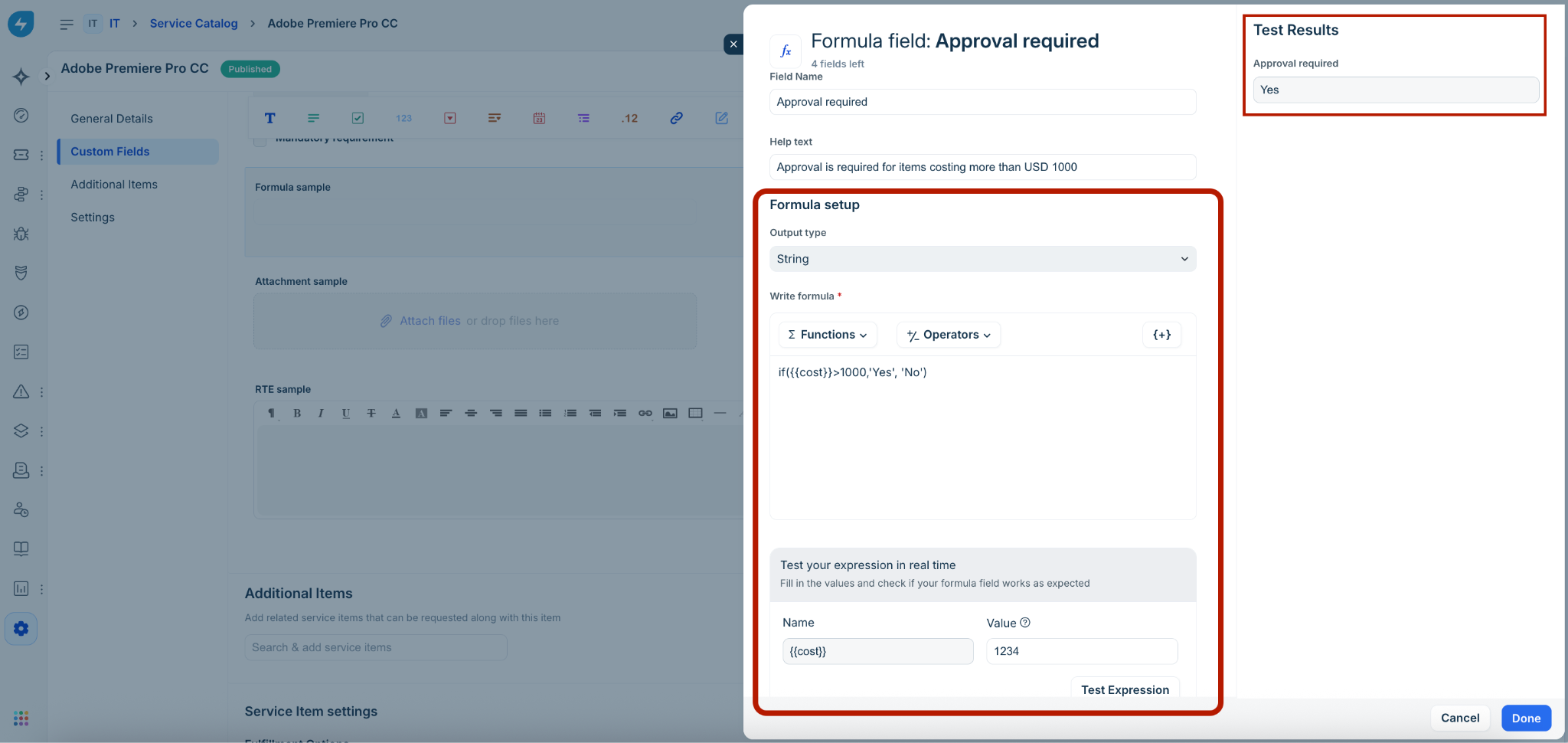
Agent–Create Service Request
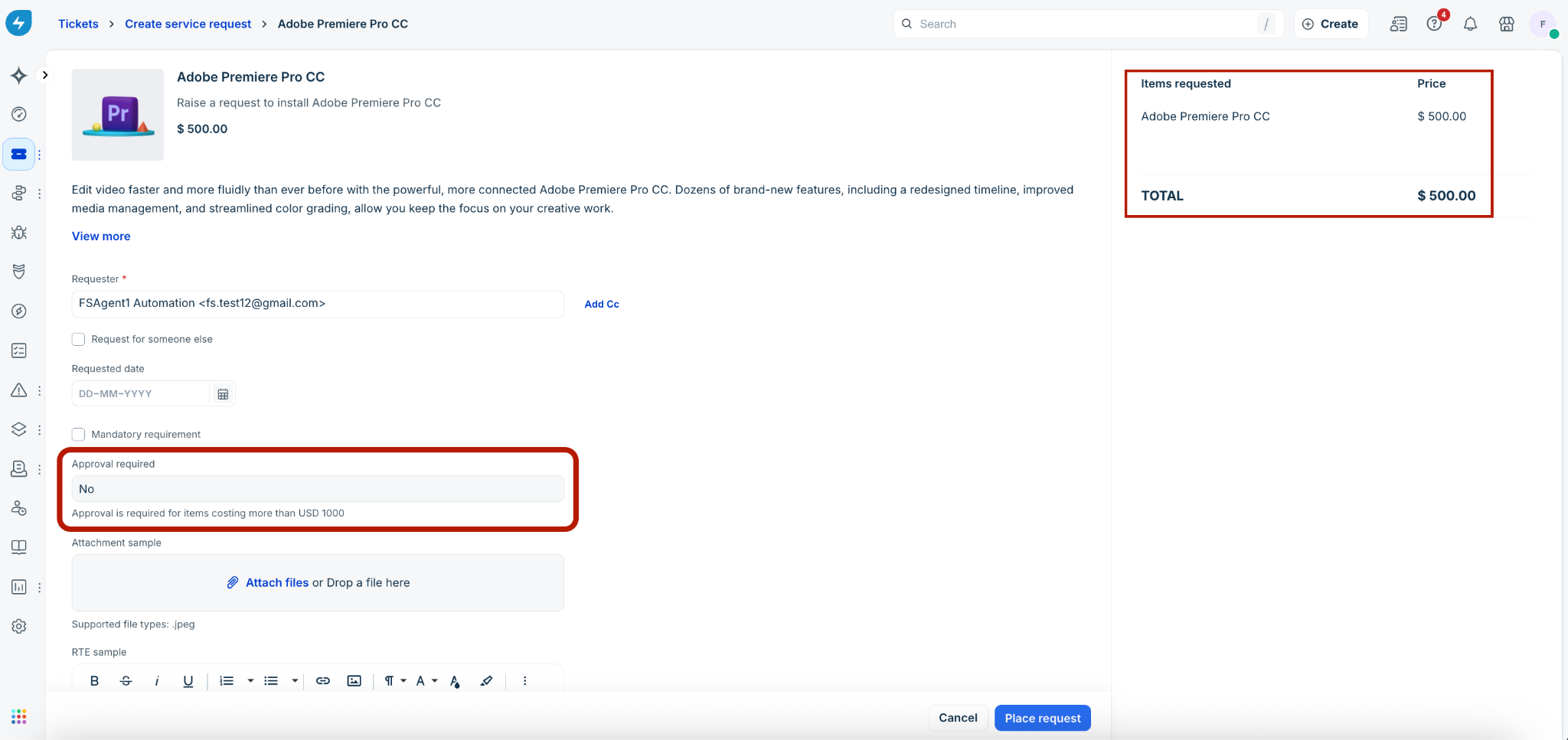
Agent–Ticket details
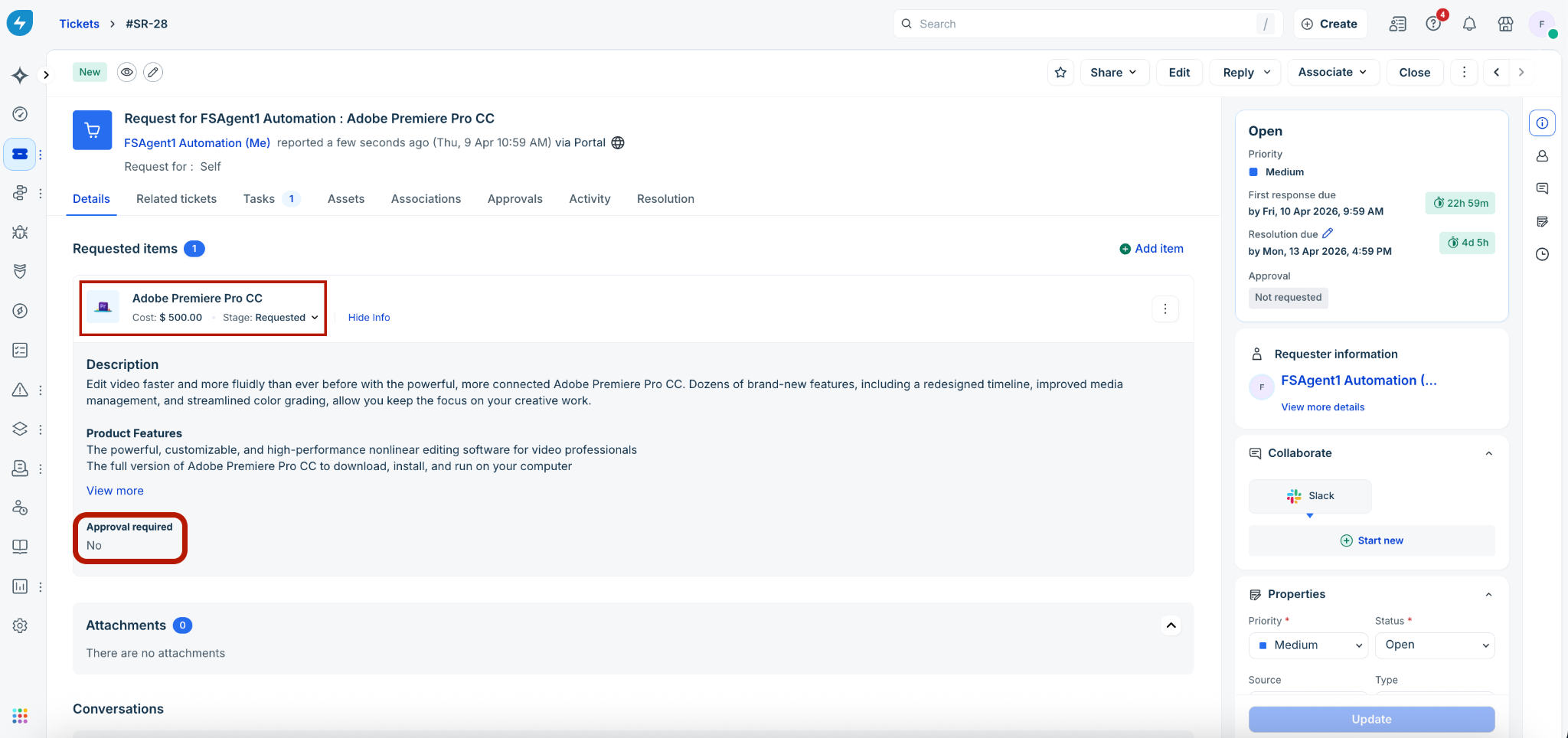
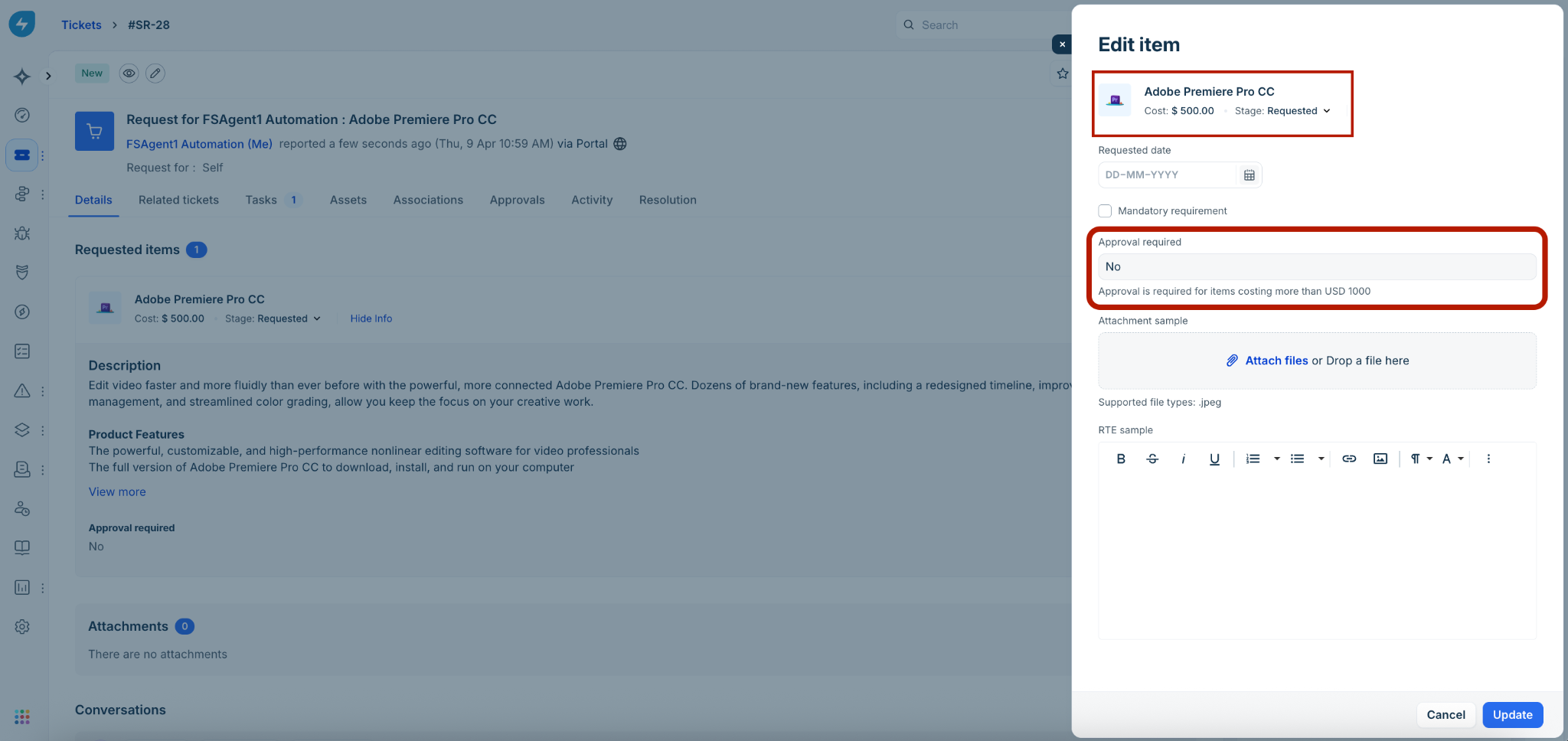
Agent–Edit item
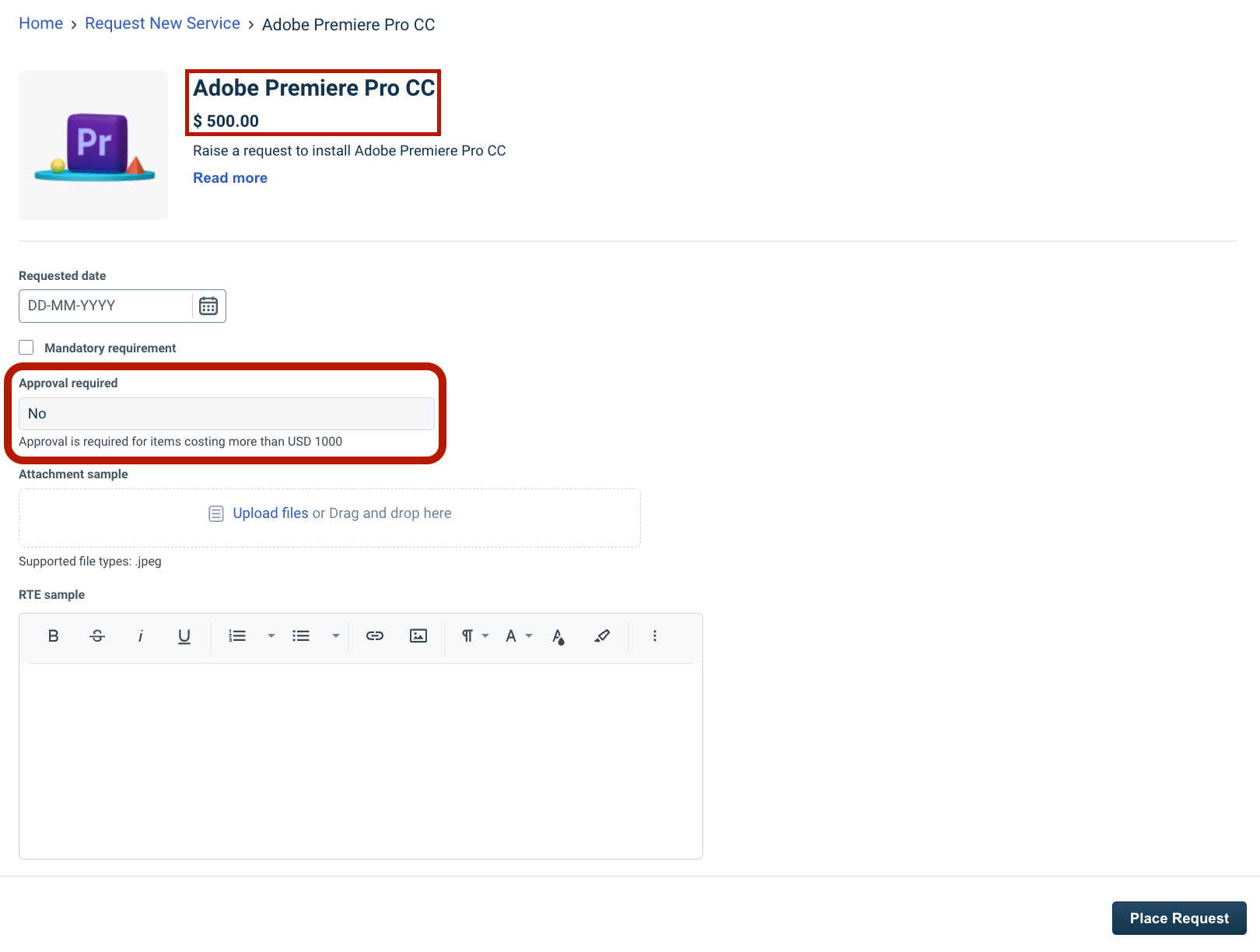
Requester–Create Service Request
Shared fields
Service catalog shared fields support RTE and Attachment field types.
Formula fields are not supported for shared fields due to field dependency constraints.
Extending support for new field types across the product areas
Field rendering across product areas
RTE: Retains formatting (bold, lists, links, tables etc) and inline images.
Attachment: Displays as links in emails and responses, and as filenames in documents and print.
Formula: Displays computed values based on the configured output type.
Automation and execution
Workflow automation
Conditions:
RTE: Support all operators similar to the operators available for the Description field.
Attachment: Support validation of attachment presence using Is Empty and Is Not Empty operators.
Formula: Support evaluation based on computed values; available operators depend on the configured output type.
Actions: All field types can be used as placeholders in actions such as ‘Send Email’ and ‘Webhooks’. The Attachment fields return links to the actual files.
Triggers: Formula fields trigger workflow re-evaluation when their values change due to ticket updates.
Business rules
Conditions:
RTE: Not supported.
Attachment: Supported (Is Empty / Is Not Empty).
Formula: Supported; when used in conditions, only the Validate form on submission action is allowed to prevent cyclic dependencies between Business Rules and real-time formula computations.
Actions:
RTE/Attachment: Show, Hide, Enable, Disable, Mandate, Non-mandate.
Formula: Show, Hide.
Note: Formula fields trigger business rules re-evaluation in real-time as values change on the form.
Scenario automation
All three fields can be selected as placeholders (via all fields or all visible fields) in these scenario automation actions:
Send email to group
Send email to agent
Send email to requester
Communication and output
Email notifications
All three field types are supported via placeholders (All fields / All visible fields).
Size limits: Emails containing RTE fields may not be delivered if they exceed platform size limits. This can also occur when bundled service items collectively exceed the allowed content size.
Canned responses
All three field types are supported via placeholders (All fields / All visible fields).
Document generation in service item fulfillment
All three field types are supported via placeholders (All fields / All visible fields / Custom fields).
Ticket print
All three field types are supported.
RTE images are auto-resized to fit page width.
Attachment fields display filenames only.
Data and visibility
Search and indexing
RTE: Indexed as text (HTML tags excluded; content >1 MB not indexed).
Attachment: Searchable via filenames; file content is not indexed.
Formula: Searchable for string and numeric outputs (Date/Boolean excluded).
Special characters: Not supported in search.
Scope: Available only in agent-facing search (not requester portal).
Archived/Deleted fields: Not searchable.
Analytics and reporting
Data export:
RTE → Markdown content.
Attachment → Boolean (Yes/No).
Formula → Supported.
Filtering:
Formula → Supported (based on output type).
Attachment → Boolean (Yes/No).
RTE → Not supported.
Underlying data (columns):
RTE → Markdown content.
Attachment → Boolean (Yes/No).
Formula → Supported.
Data consistency: Changes to formula logic may result in discrepancies between existing records and newly updated records.
Activity logs
Support all three field types when a field value is updated or deleted. For attachment fields, multiple files added/removed in a single action are listed as separate entries.
Formula recalculations without value change are not logged.
System updates (via workflows, business rules, APIs) are captured.
Audit logs
Captures configuration changes related to RTE, Attachment, and Formula fields.
Tracks actions such as field creation, updates, and deletion.
Updates:
RTE: Field label and placeholder updates.
Attachment: File limit and file type updates.
Formula: Field label and help text updates, formula expression updates.
Employee journeys and onboarding
Journey forms
Service Item prefills: Supported for RTE and Attachment using reference values. Not supported for formula fields as the values are auto-computed.
Onboarding forms
RTE → Rendered as plain text (no formatting).
Attachment → Fully supported.
Formula → Hidden.
AI agents
Service items with RTE or Attachment fields are not supported via AI agents in conversational way → redirected to the requester portal.
Of the 3 new field types, if only Formula fields are configured (with no RTE or Attachment fields) in a service item, then request submissions are supported in a conversational way via AI agents.
These rules apply to AI agents across the requester portal, Microsoft Teams, and Slack.
Sandbox
Fully supported with parity to production.
Supports production-to-development as well as development-to-production syncs in all available Sandbox instances.
The 3 new field types added in any of the impact areas, such as workflows, business rules, or shared fields are also included in the sync.
The sync fails if:
Field limits are exceeded.
Duplicate field labels exist.
Mobile app
RTE, Attachment, and Formula field types are supported in the Freshservice mobile app, ensuring a consistent service request experience across web and mobile for agents and requesters.