Community
 Video Library
 Agent Training
 Freshservice
 Freshdesk
 Freshchat
 Freshcaller
 Freshsales
 Freshteam
 Freshworks Neo
 Freshsurvey
 Freshservice for MSP
 Note: Available only for new signups after the 31 March, 2026 release. If you signed up earlier, refer to the existing ITAM documentation.
Applicable plan: Growth, Pro, Enterprise
Google Cloud Platform (GCP) discovery provides an automated inventory of your cloud infrastructure and identifies virtual machines, Kubernetes clusters, databases, networks, and load balancers, and importing them as manageable assets.
Prerequisites
You need the following before the installation:
A user account with the built-in GCP View role before you can begin a GCP discovery job.
A Google Cloud Engine JSON key saved to your local machine.
A custom IAM role or service account with permissions for Compute, Container, and SQL Admin APIs.You can create a custom IAM role with these permissions or ensure they are included in existing roles granted to your account or service account.
bigquery.datasets.get
bigquery.models.getMetadata
bigquery.models.list
bigquery.tables.get
bigquery.tables.list
cloudsql.instances.list
compute.addresses.list
compute.backendServices.get
compute.disks.get
compute.disks.list
compute.firewalls.list
compute.globalForwardingRules.list
compute.images.get
compute.images.list
compute.instances.list
compute.machineTypes.get
compute.networks.list
compute.regions.list
compute.subnetworks.get
compute.targetSslProxies.get
container.clusters.list
container.configMaps.list
container.cronJobs.list
container.daemonSets.list
container.deployments.list
container.endpoints.list
container.ingresses.list
container.namespaces.get
container.namespaces.list
container.nodes.list
container.persistentVolumes.list
container.pods.list
container.replicaSets.list
container.replicationControllers.list
container.resourceQuotas.list
container.services.list
container.statefulSets.list
resourcemanager.projects.get
Google Cloud Platform Discovery Items
The following table outlines the objects the system discovers and their resulting location.
Additional discovered items include Storage, Networking, and comprehensive Kubernetes mentioned below:
Storage:
Cloud Device
Cloud Disk
Networking:
VPCs (VRF Groups)
VPC Firewall Rules
GCP Load Balancer
Databases:
Cloud SQL
GCP BigQuery Table
Kubernetes:
Kubernetes Cluster
Kubernetes Config Map
Kubernetes Container
Kubernetes Daemon Set
Kubernetes Deployment
Kubernetes Ingress
Kubernetes Ingress Rule
Kubernetes Namespace
Kubernetes Node
Kubernetes Persistent Volume
Kubernetes Pod
Kubernetes Quota
Kubernetes Replica Set
Kubernetes Replication Controller
Kubernetes Service
Kubernetes Service Port
Kubernetes Stateful Set
Kubernetes Volume
Create a new GCP Discovery job
To set up a new discovery job for your Google Cloud environment, follow these steps:
Go to Admin > Asset Management > Scan and discover and click the Discovery Jobs tab.
Select Cloud from the list of discovery jobs and click Add new.
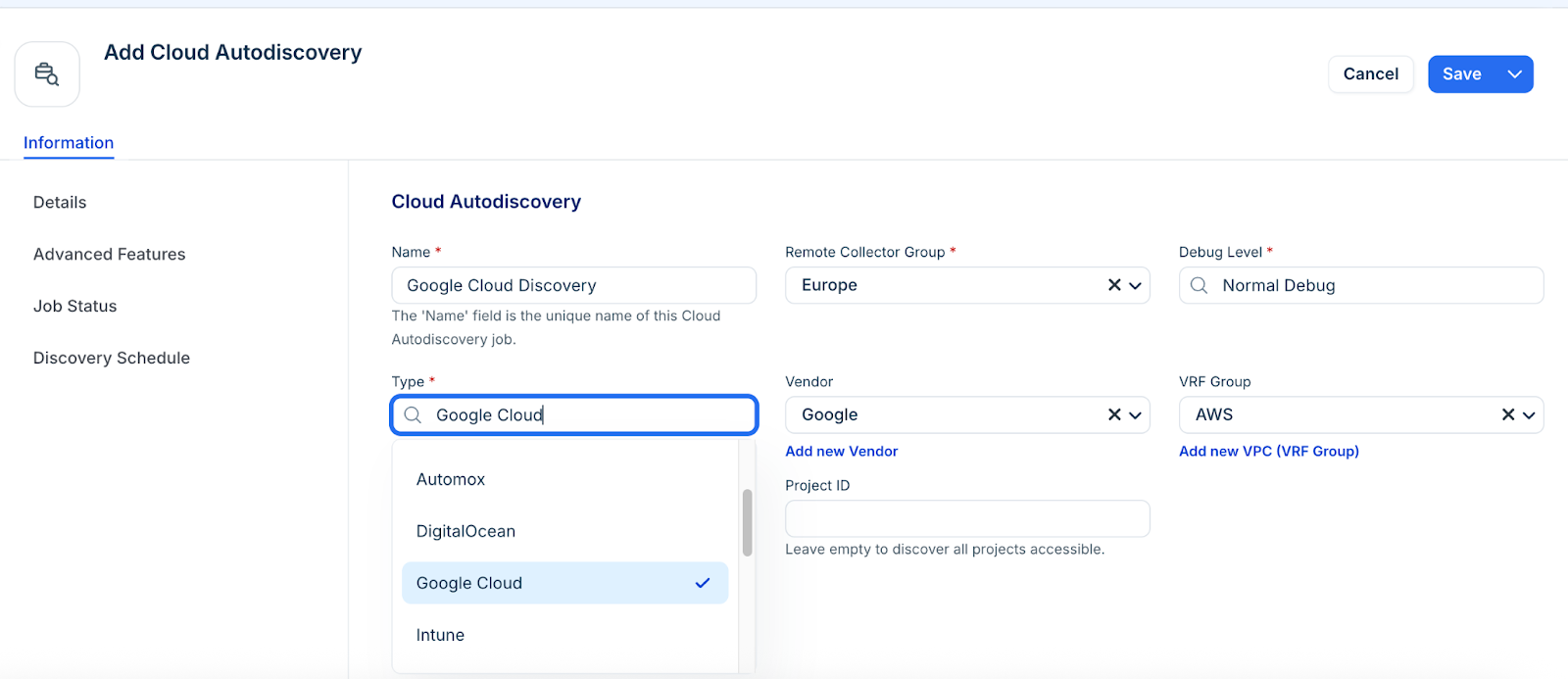
Select Google Cloud as the discovery from the Type drop-down.
Leave the Project ID field blank to discover all accessible projects, or enter a specific ID to limit the scope.
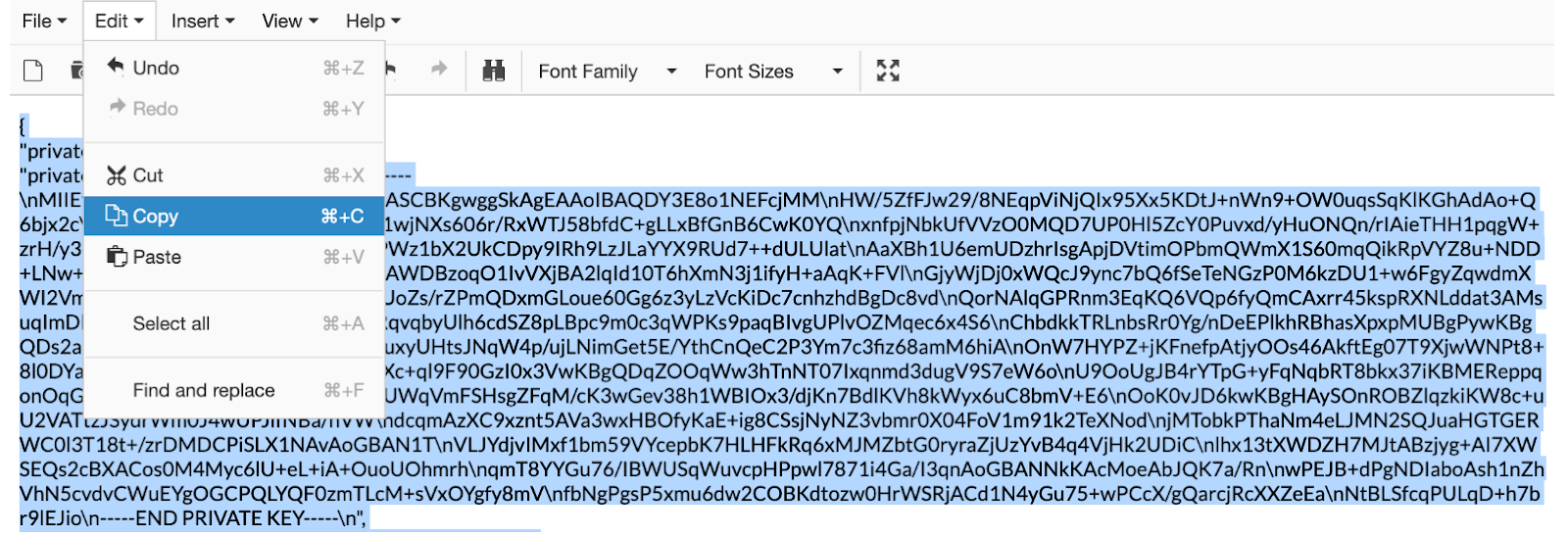
Do these steps to add your Google Cloud Engine JSON credentials:
Locate and save your Google Cloud Engine JSON key to your local machine.
Open the key in a text editor and copy its contents.
Paste the copied JSON text into the Credentials JSON field.
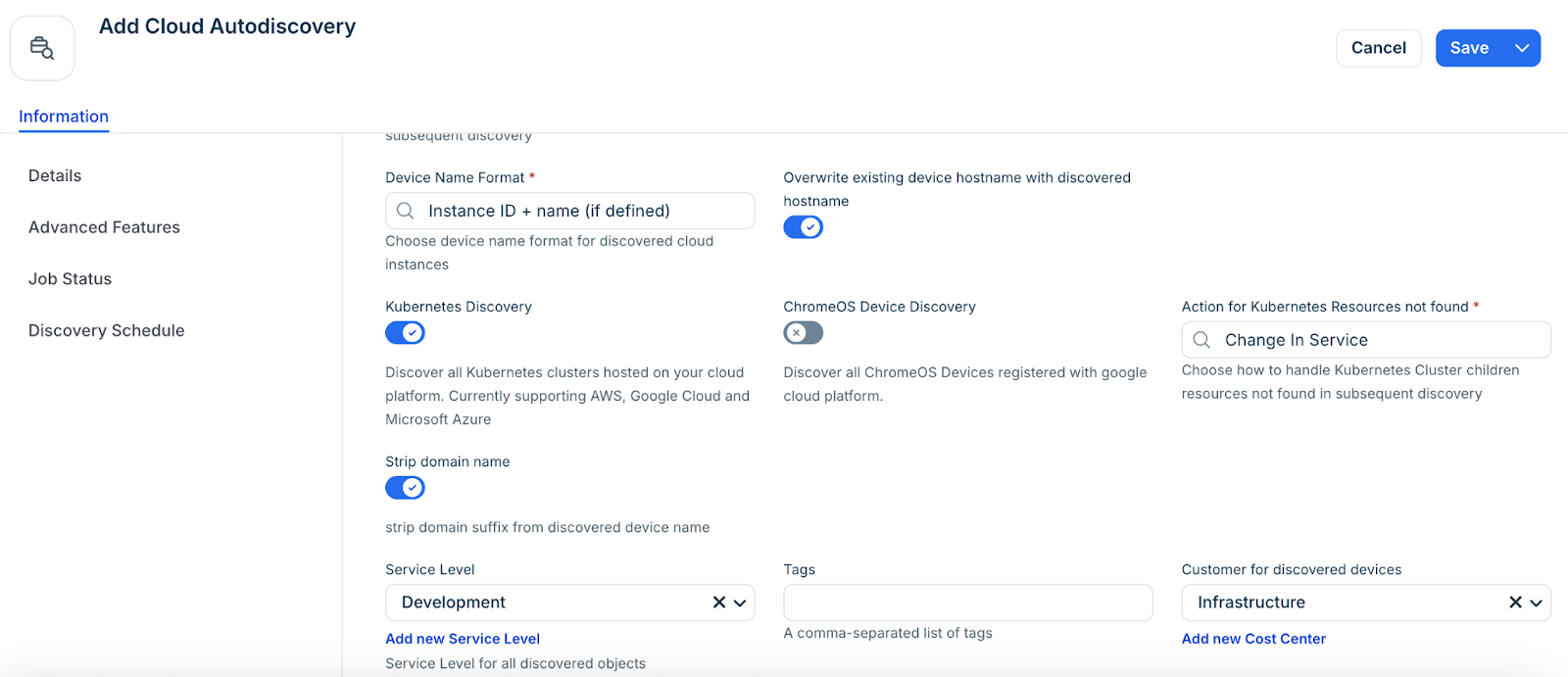
Configure the following options as required:
Kubernetes Discovery: Enable this to discover GKE clusters.
Strip Domain Name: Select this to remove the domain suffix (everything after the first period) from device names.
Select an option from the Service Level drop-down, or add a new Service level category. For example, you can set it so that the Development, Deployment, or Production service level is applied to discovered items.
Select a customer for discovered devices to add another specialized classification or create a new by using the Add new Cost Center option.
In the Discovery Schedule section, click Add new to create an autodiscovery for the job. You can create multiple schedules.
Click Save.
Locate GCP Account Tags
Go to Admin > Asset Management > Discover Hub > Cloud Accounts and select your GCP account. The available discovered account-level tags will be listed under the Custom Fields section.