
 Community
 Video Library
 Agent Training
 Freshservice
 Freshdesk
 Freshchat
 Freshcaller
 Freshsales
 Freshteam
 Freshworks Neo
 Freshsurvey
 Freshservice for MSP
 Note: Available only for new signups after the 31 March, 2026 release. If you signed up earlier, refer to the existing ITAM documentation.
The UCS discovery communicates with your Cisco UCS (Unified Computing System) Manager to discover cluster device information or ACI (Application Centric Infrastructure) Fabric to discover your SDN.
UCS discovery jobs include network connectivity information beyond the original chassis and blade relationship data. This provides a comprehensive overview of the entire cluster connectivity, complete with port-channel aggregation information.
Set up a Cisco UCS discovery
To set up discovery for your cluster, follow these steps:
Go to Admin > Asset Management > Scan and discover and click the Discovery Jobs tab.
Select UCS from the list of discovery jobs and click Add new or Import.
Enter one or more IPs or FQDNs for the Cisco UCS Manager or ACI Fabric.
Scroll to the credentials section and enter the username and password for the device.
Configure the following job options:
Hostname to use: Select the Discovered Name or Serial # format for newly discovered devices.
Give precedence to hostname: Select this to force an overwrite of the existing hostname for devices that already exist.
VRF Group for discovered devices: Select the VRF group where the system should place discovered devices.
In the schedule section, create a run schedule for the job. You can create multiple schedules using the + Add new button.
Click Save.
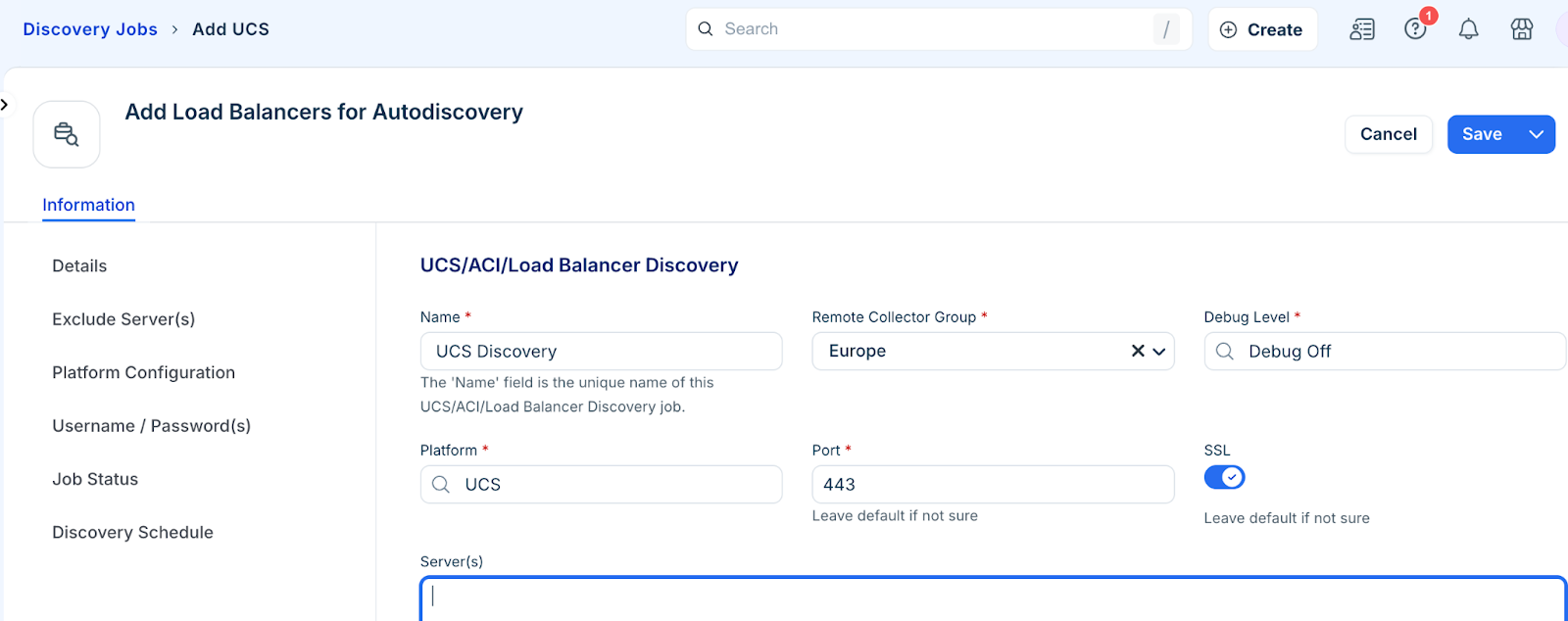
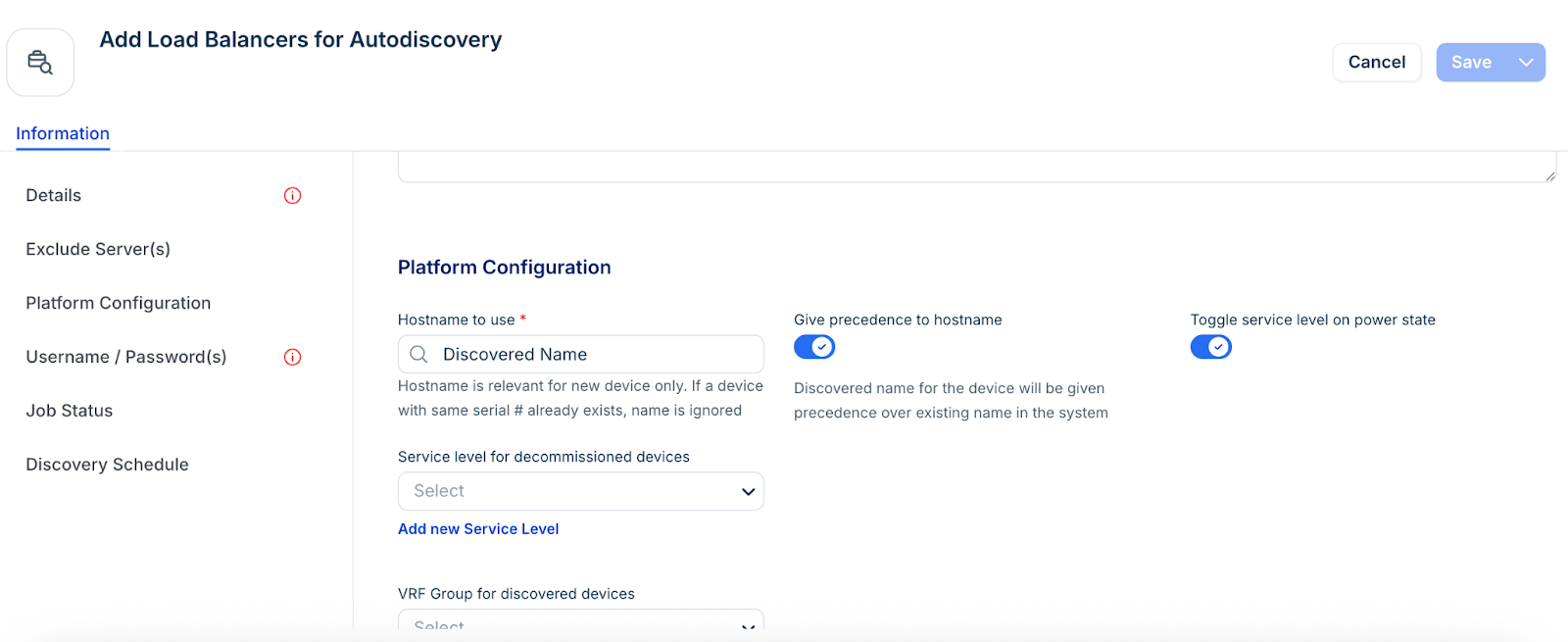
The system creates the discovery job and displays it in your job list.
Note: Newly created jobs do not run on the day they are created. This prevents an unintentionally large number of jobs from running simultaneously during initial setup. To run a job immediately after creation, click Run Now on the job details page.