
 Community
 Video Library
 Agent Training
 Freshservice
 Freshdesk
 Freshchat
 Freshcaller
 Freshsales
 Freshteam
 Freshworks Neo
 Freshsurvey
 Freshservice for MSP
 TABLE OF CONTENTS
View and manage agent associations and proficiency
Skillset proficiencies determine agent expertise for ticket assignment. Tiers include Expert, Intermediate, and Beginner.
View skillset details
Click any published skillset from the list view to open the Skillset details slider.
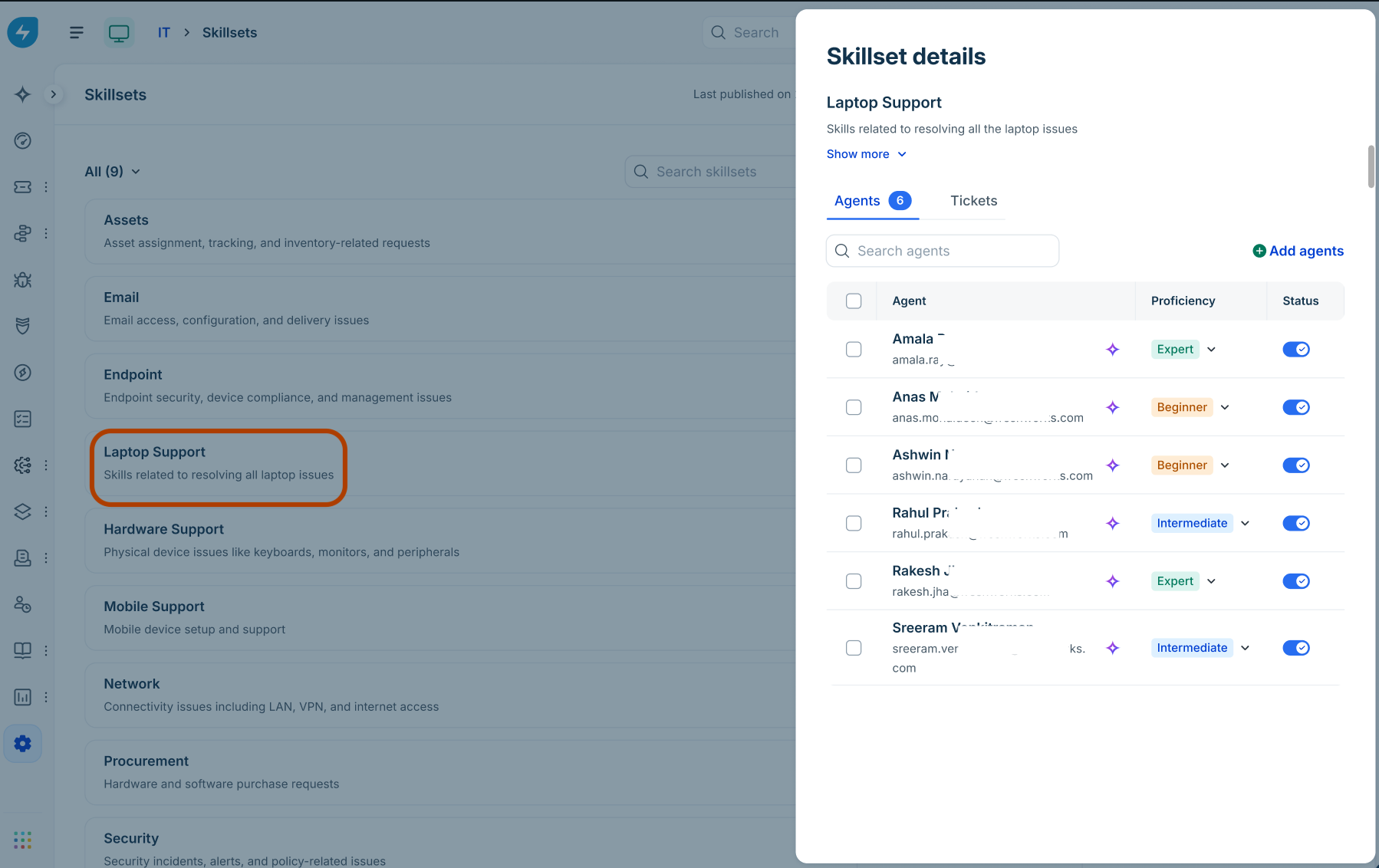
Agents tab (AI-mapped vs. manually mapped)
AI-mapped agents: Agents automatically identified by Freddy AI based on historical ticket resolutions.
Constraint: AI-mapped agents cannot be deleted from a skillset. To prevent ticket assignment to an AI-mapped agent, toggle their Status switch to disabled.
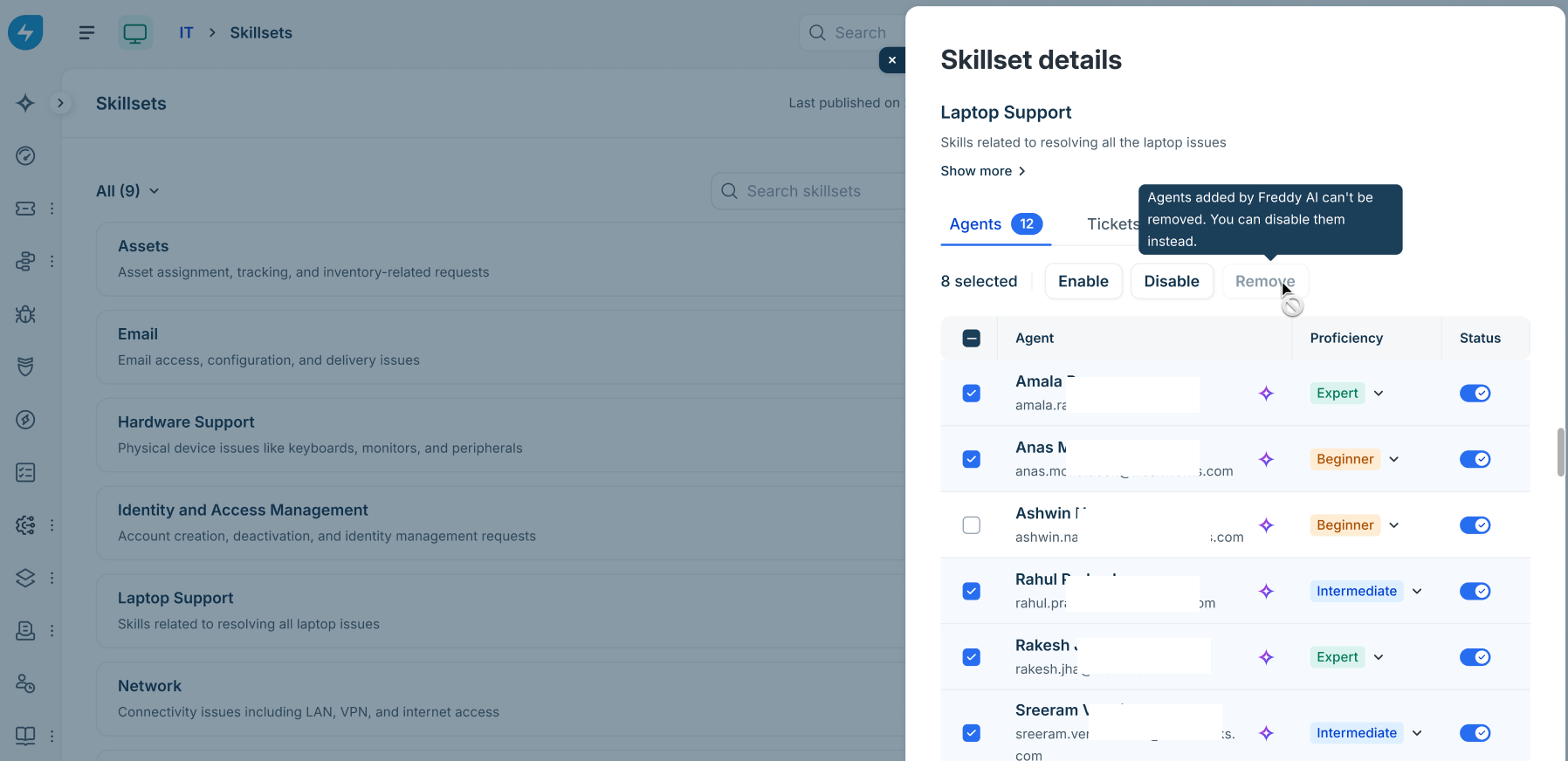
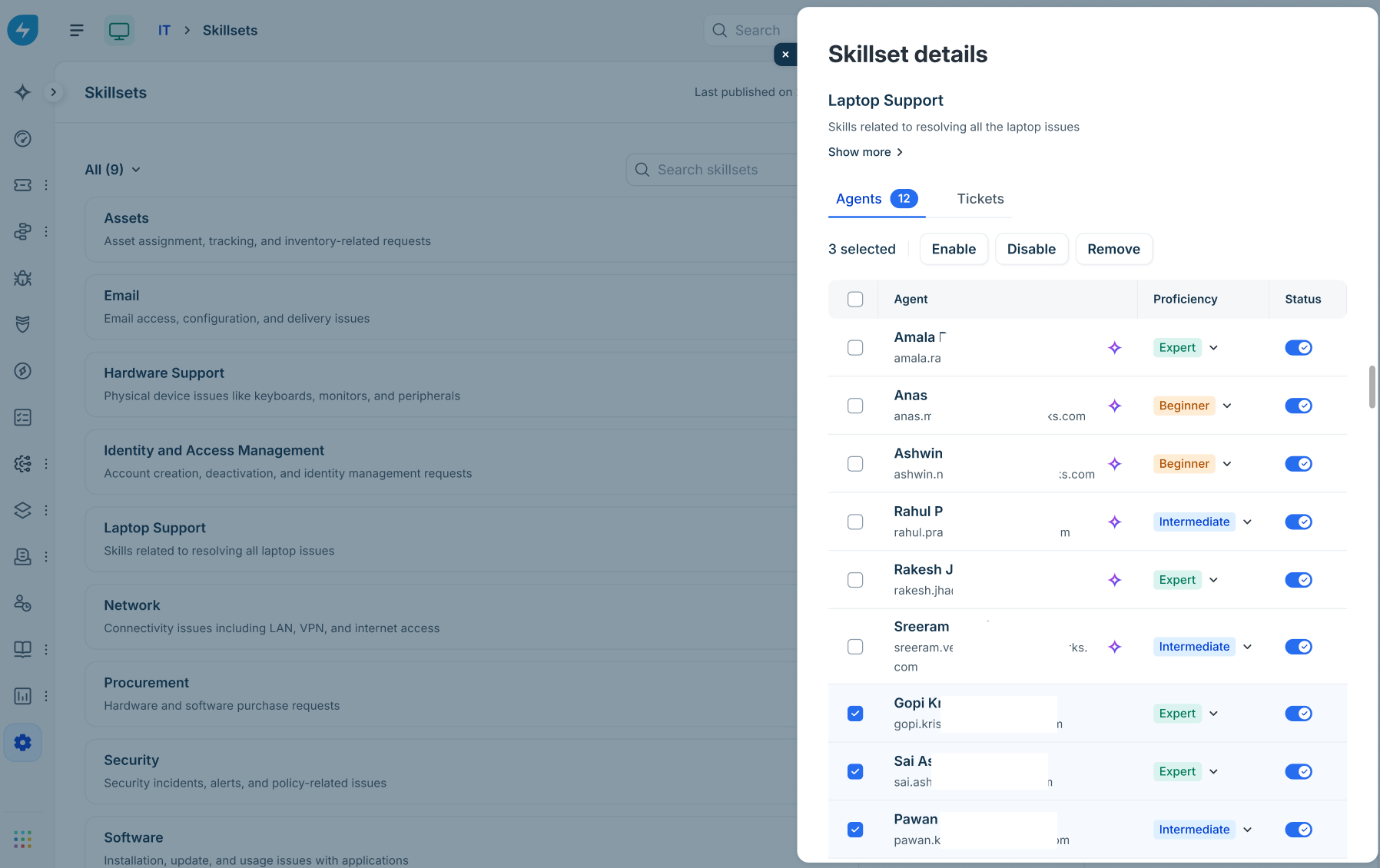
Manually added agents: Agents manually added by administrators.
Action: Can be enabled, disabled, or permanently removed using the Remove button.
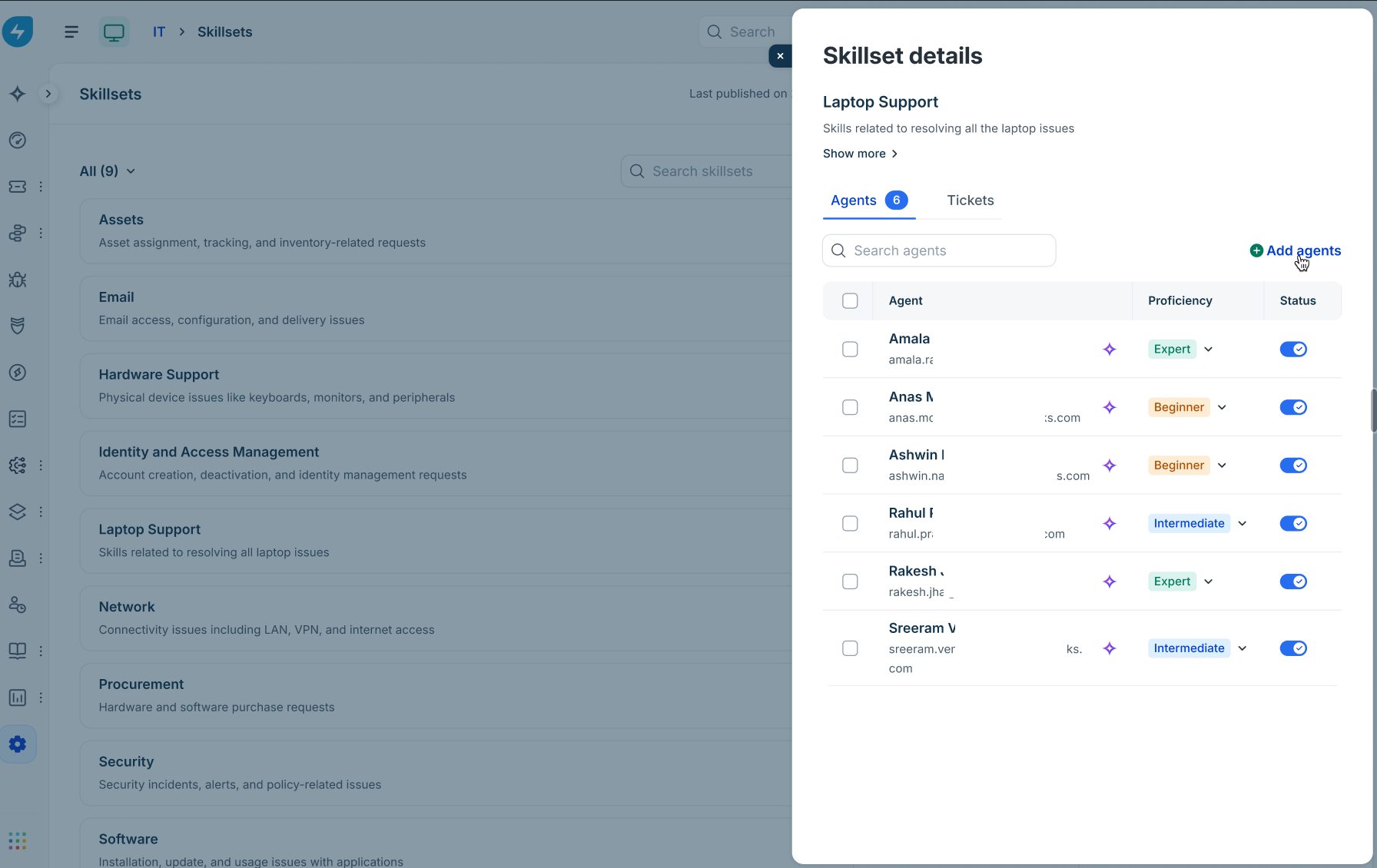
Add agents manually
In the Skillset details slider, select + Add agents.
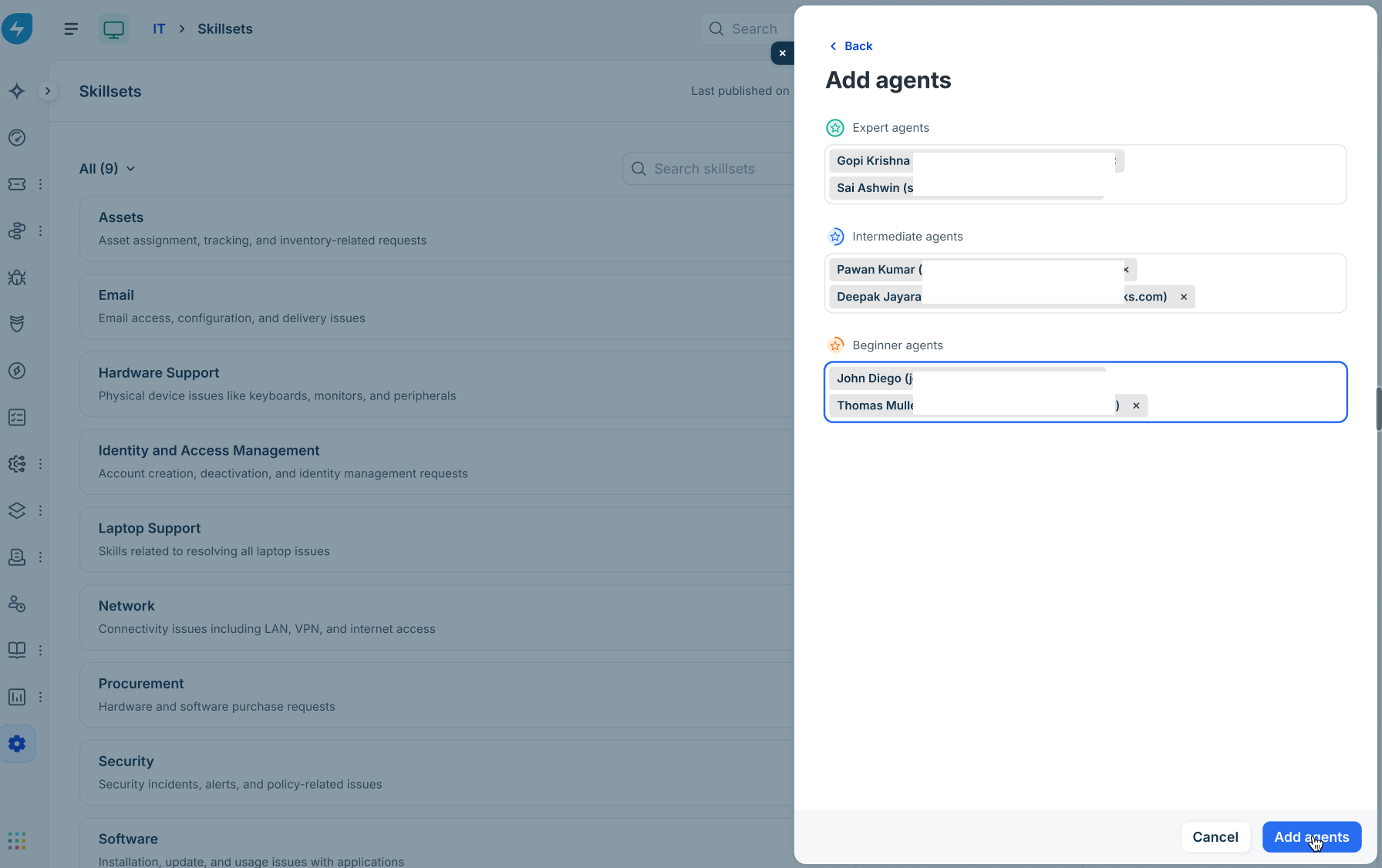
Use the respective search fields to add agents into specific proficiency tiers:
Expert agents
Intermediate agents
Beginner agents
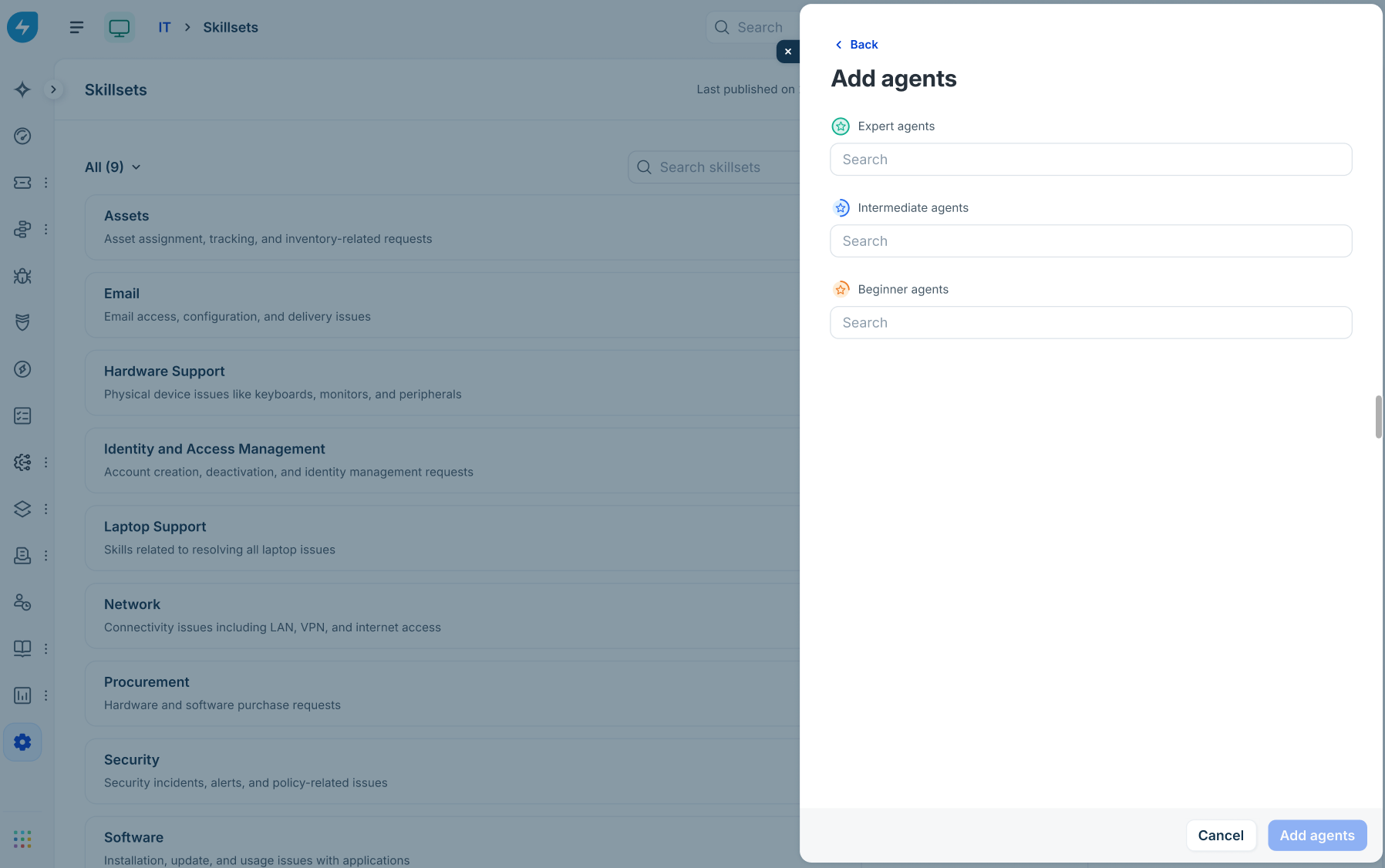
Click Add agents.
Update agent proficiency inline
Locate the agent in the Agents list.
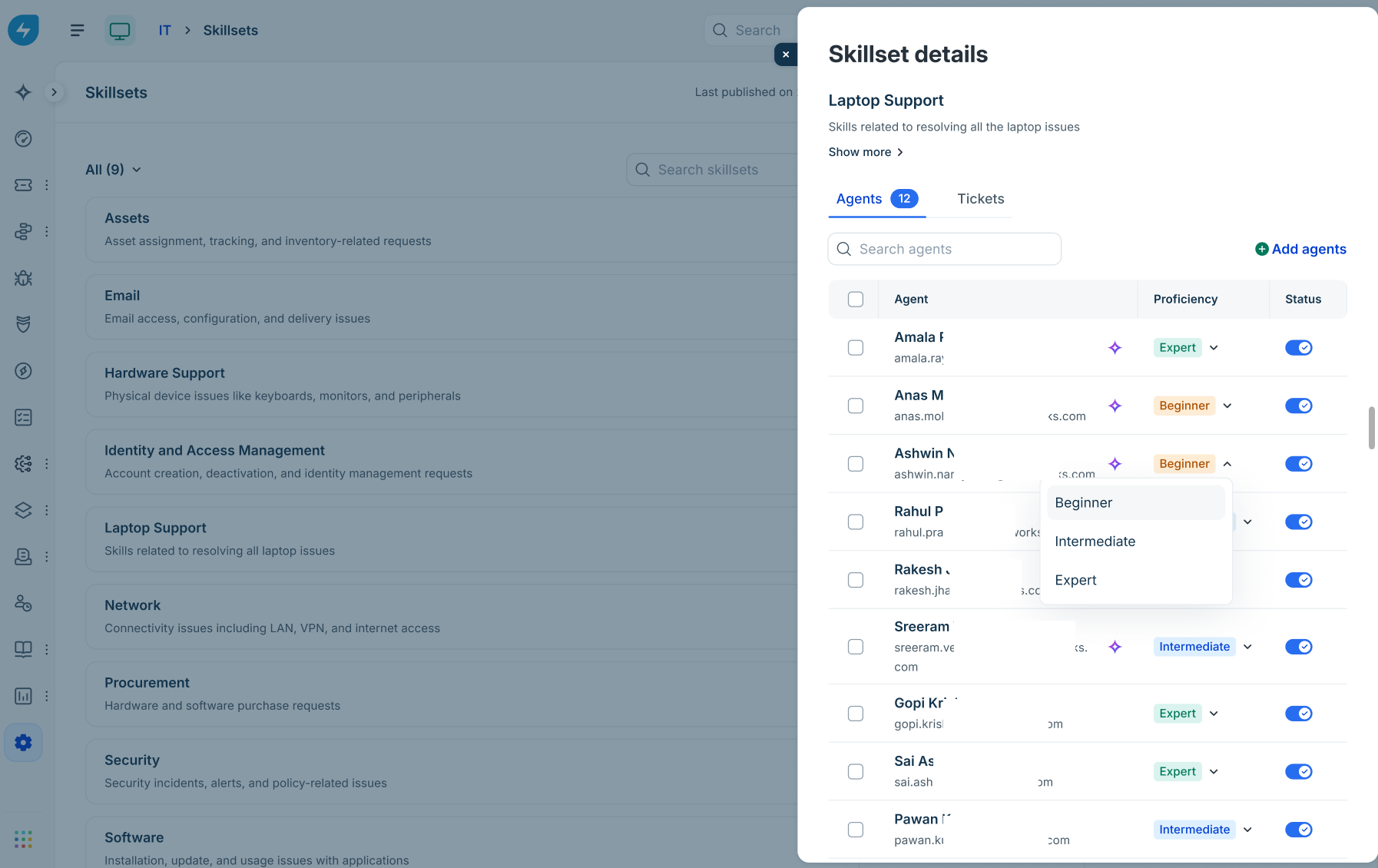
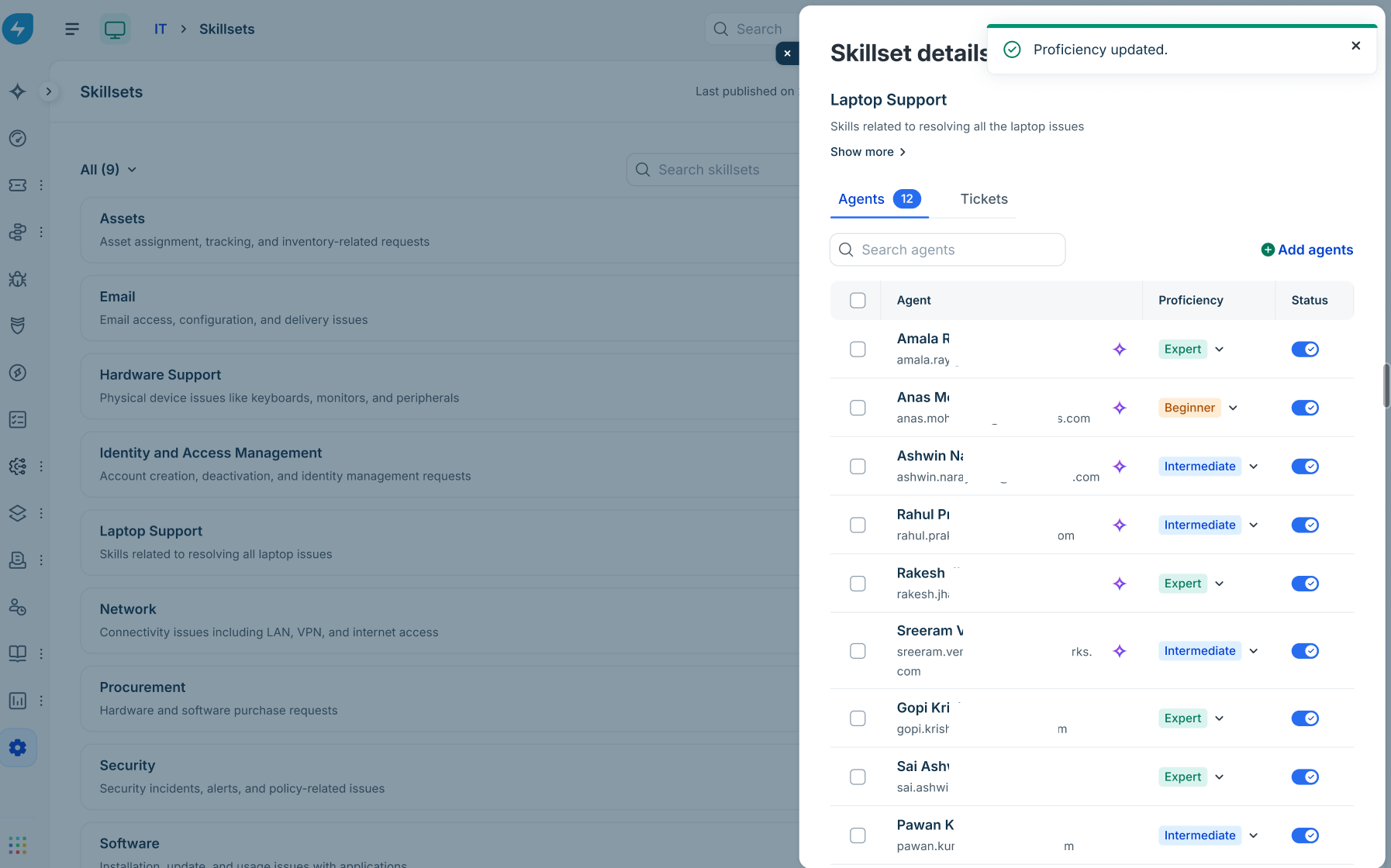
Click the Proficiency dropdown next to their name and select Expert, Intermediate, or Beginner. A confirmation message ("Proficiency updated") is shown.
Manage skillsets in agent profiles
Administrators can also manage skillsets directly from individual agent profiles:
Go to Admin > Global Settings > User Management > Agents.
Select an agent to open their profile page and click the Skillsets tab.
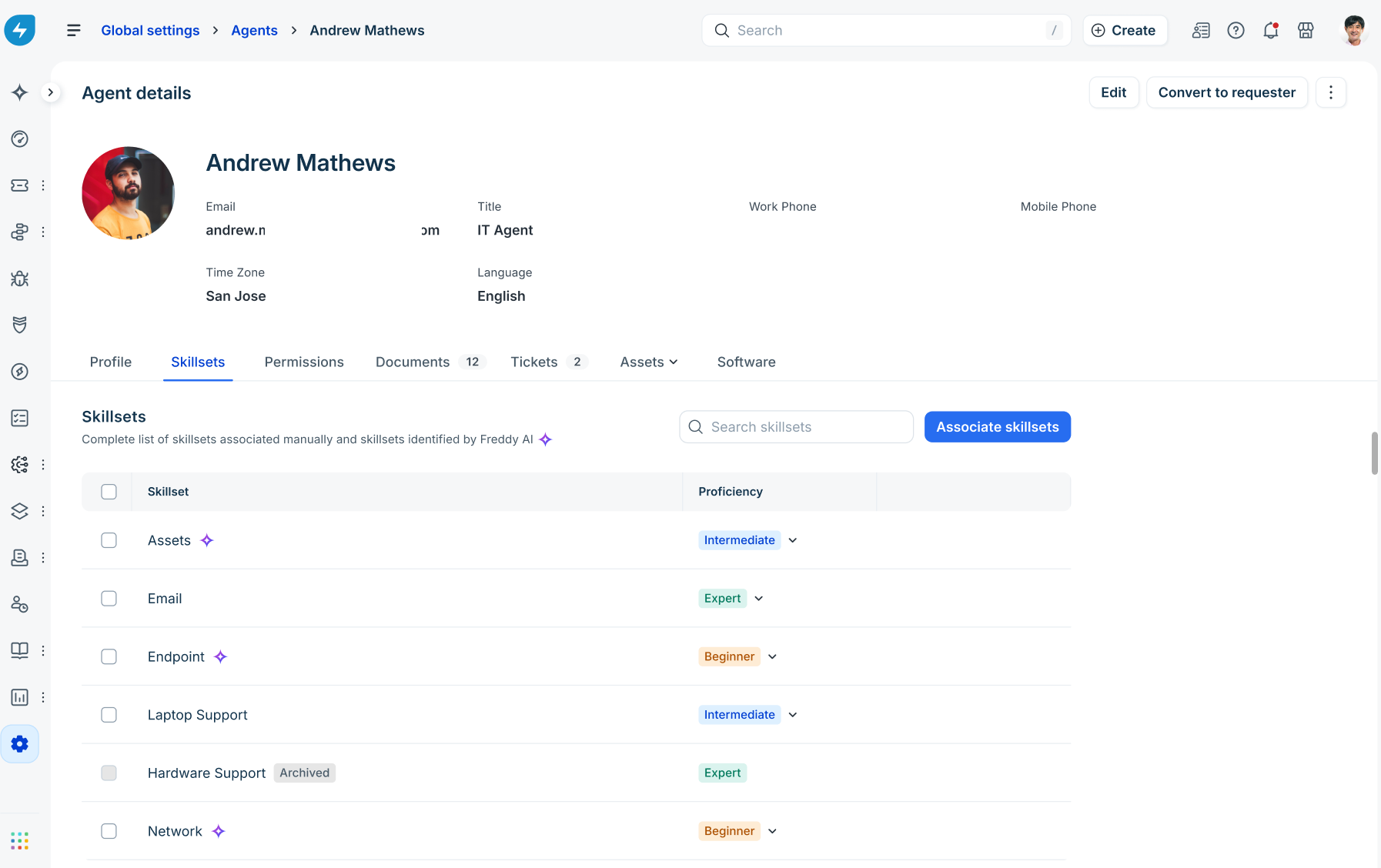
View all manually associated and Freddy AI-identified skillsets, update proficiency levels, or click Associate skillsets to assign new skills.