Community
 Video Library
 Agent Training
 Freshservice
 Freshdesk
 Freshchat
 Freshcaller
 Freshsales
 Freshteam
 Freshworks Neo
 Freshsurvey
 Freshservice for MSP
 TABLE OF CONTENTS
Feedback on AI ticket routing
Feedback helps train Freddy AI to improve ticket assignment accuracy over time. Both administrators and agents can provide routing feedback.
Feedback from skillset details
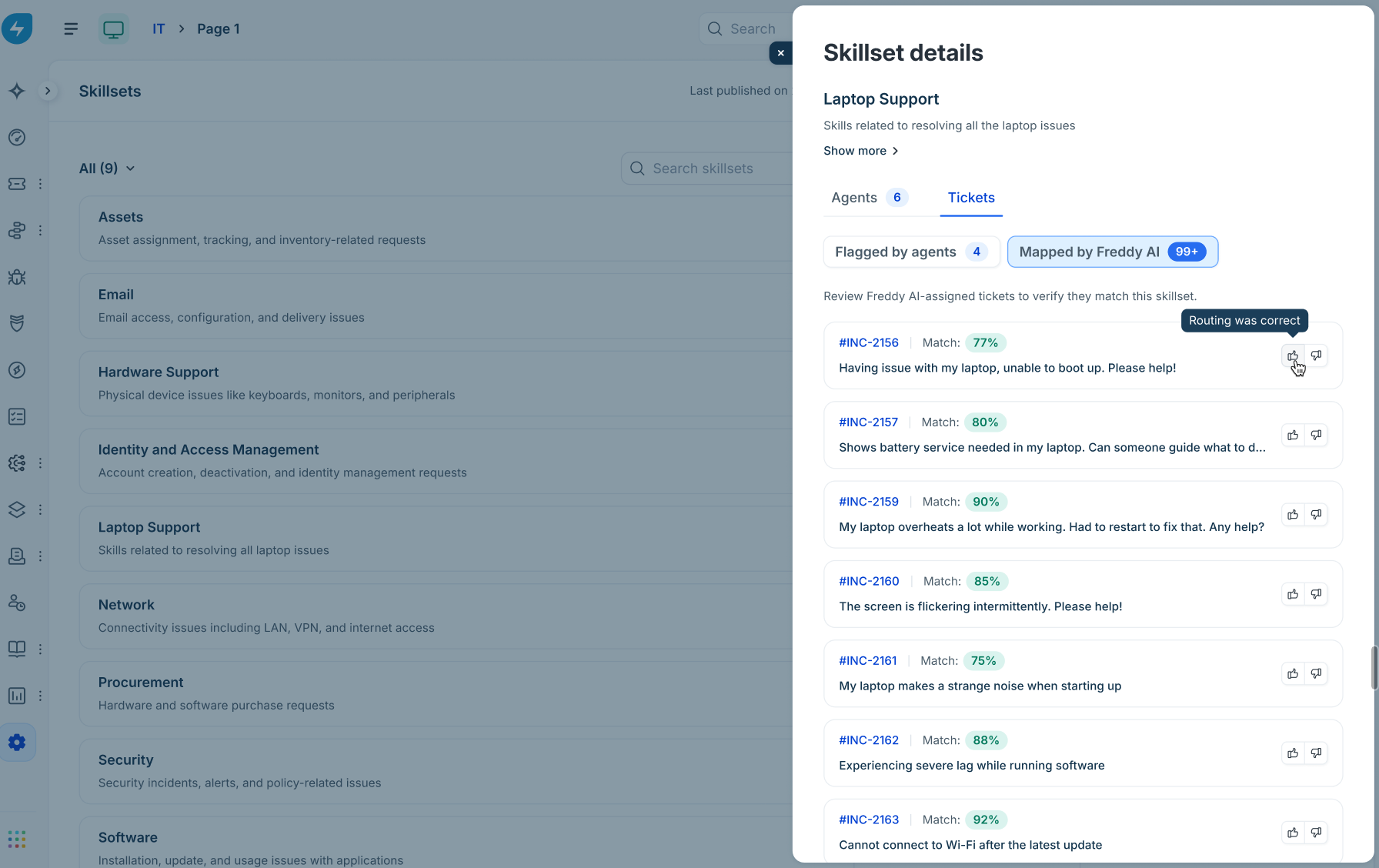
Open a Skillset details slider and select the Tickets tab.
Review the mapped tickets listed under Mapped by Freddy AI.
Click Thumbs Up ("Routing was correct") or Thumbs Down ("Routing was incorrect").
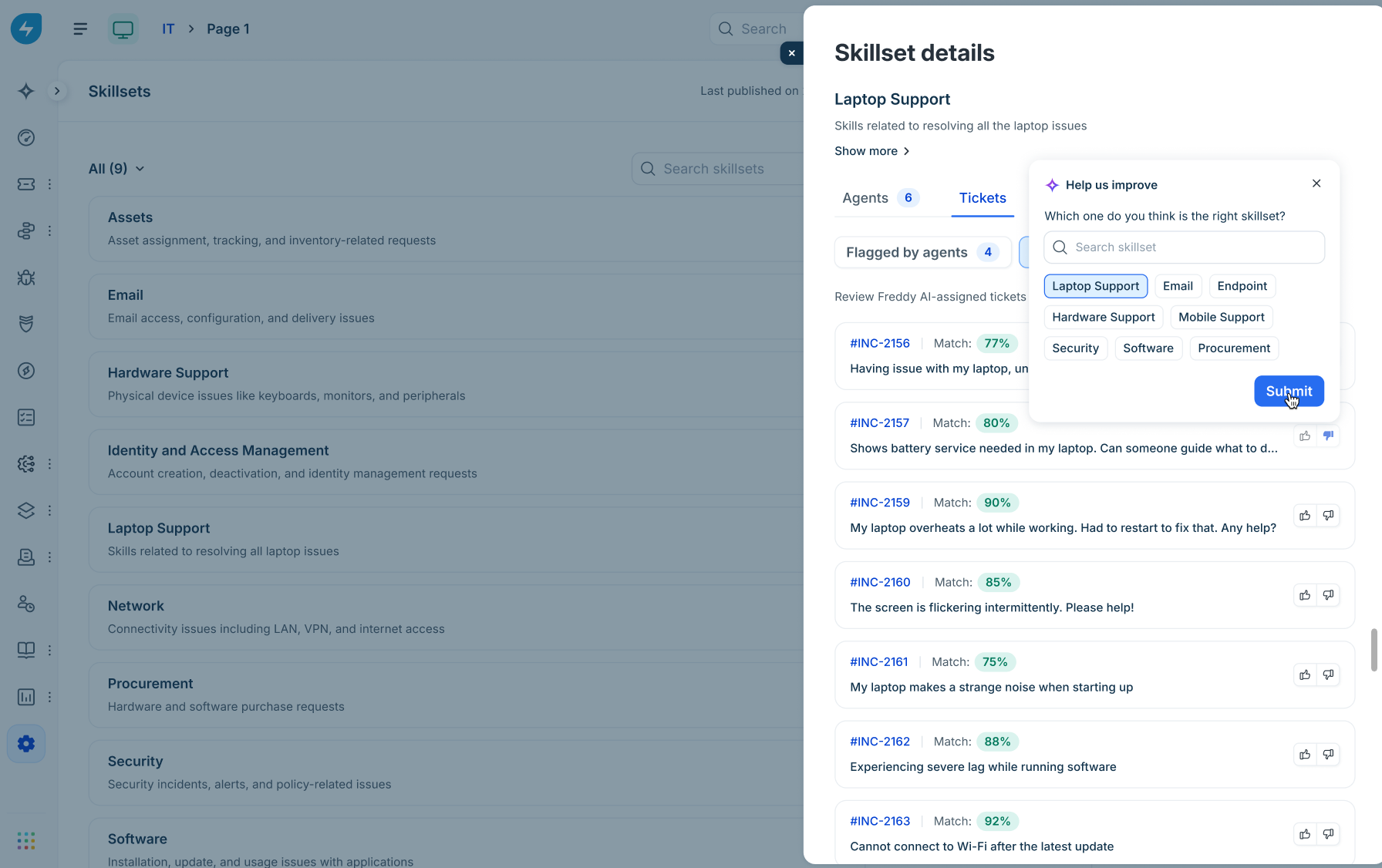
If you click Thumbs Down, a "Help us improve" pop-up is shown. Select the correct skillset from the tag options and click Submit.
Feedback from the ticket details page
Go to Tickets > List.
Open any ticket. The matched skillset badge (for example, Network, Laptop Support, or Others) is shown above the ticket subject.
Click or hover over the skillset badge to view:
Overall match percentage.
Input contribution breakdown.
A link to View skillset.
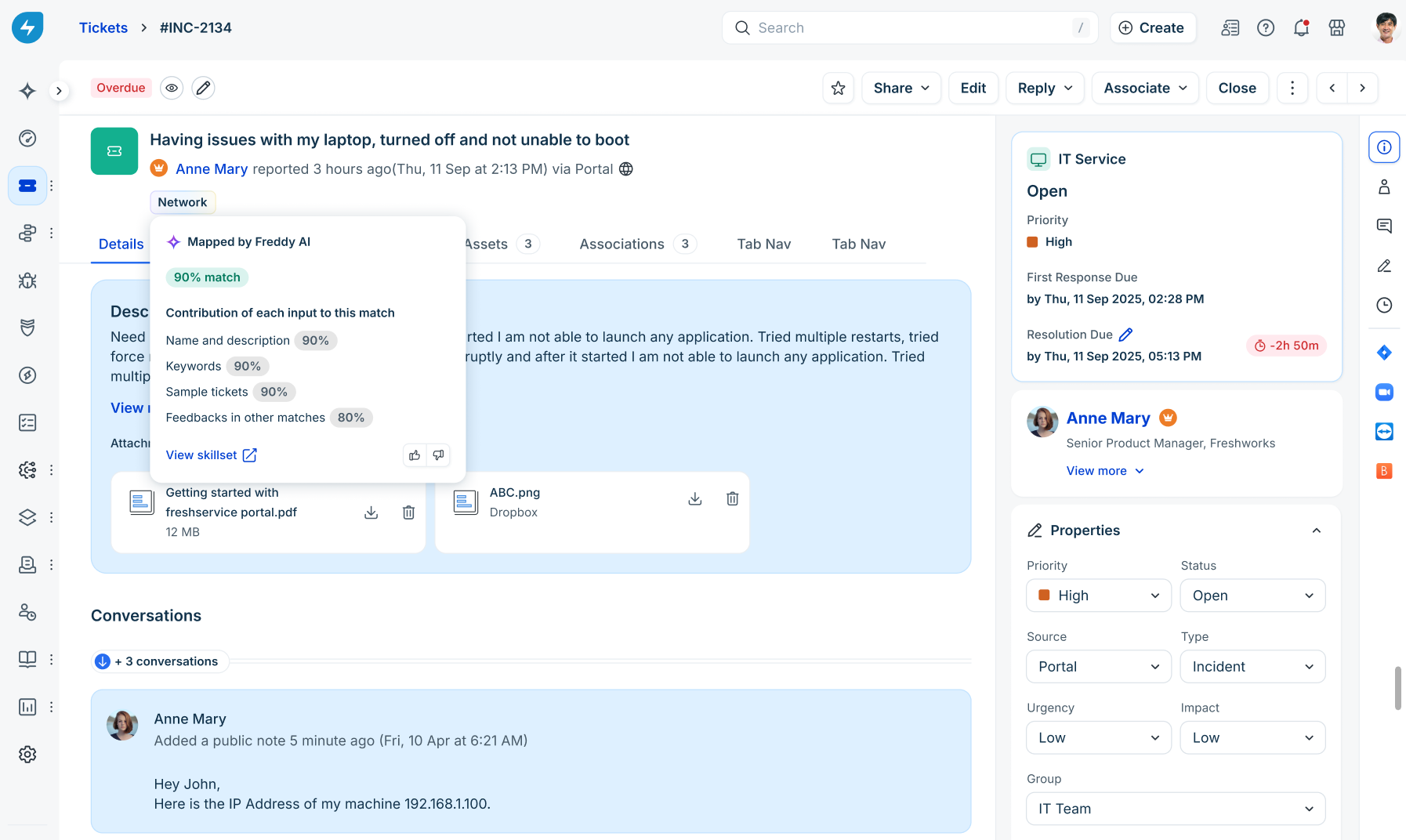
Click the inline Thumbs Up or Thumbs Down icons on the pop-up to submit feedback.
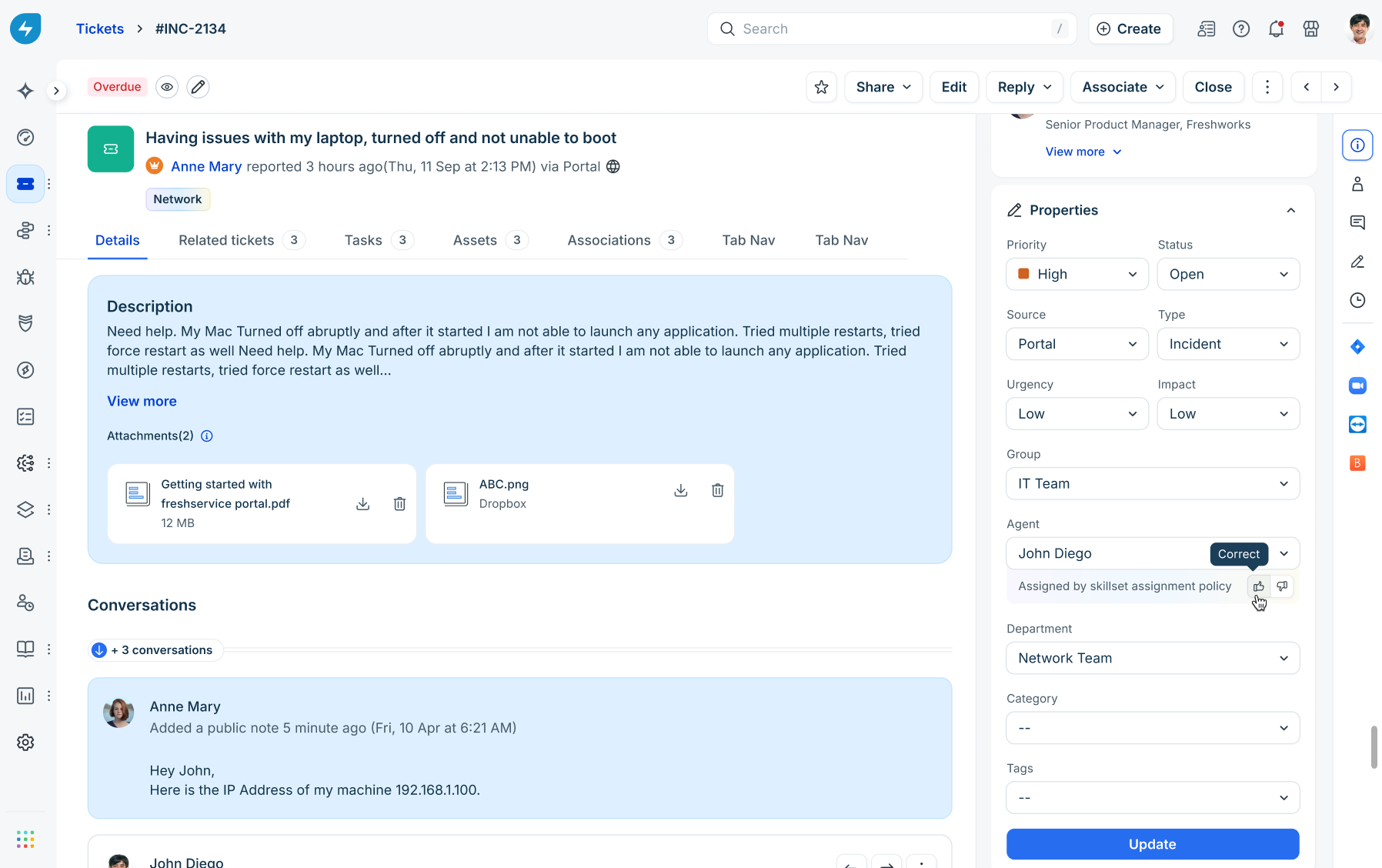
In the right-hand Properties pane under Agent, view the routing note "Assigned by skillset assignment policy" and submit thumbs up/down feedback directly.