
 Community
 Video Library
 Agent Training
 Freshservice
 Freshdesk
 Freshchat
 Freshcaller
 Freshsales
 Freshteam
 Freshworks Neo
 Freshsurvey
 Freshservice for MSP
 FireHydrant is an incident management platform that helps application development and site reliability engineering teams quickly detect, respond to, and resolve service outages or operational incidents. It provides structured workflows, automated runbooks, and collaboration tools so teams can coordinate effectively during incidents and reduce downtime.
FireHydrant extends Freshservice’s incident management capabilities by adding a best-in-class layer that enables faster, organization-wide incident response and seamless team collaboration. Freshservice remains the system of record, while FireHydrant automatically engages the right resources with the right context at the right time.
Note: The Freshservice and FireHydrant integration is an administrative process. Only users with Account Admin permissions in Freshservice and "Manage Integrations" permissions in FireHydrant can complete the installation. After the integration is complete, the FireHydrant widget is displayed on all the incidents. Individual agents do not need to perform this manual installation or configuration.
Install and set up FireHydrant for Freshservice
Integrating FireHydrant with Freshservice allows IT Operations teams to streamline incident management by synchronizing incident data and providing real-time visibility within the service desk.
Prerequisites
Before starting the integration, ensure you meet the following requirements:
Freshservice Permission: You must be an Account Administrator in Freshservice.
FireHydrant Permission: You must have "Manage Integrations" access in FireHydrant.
Follow these steps to install and set up FireHydrant for Freshservice:
Log in to your Freshservice instance.
Go to Admin > Automation & Productivity > Apps.
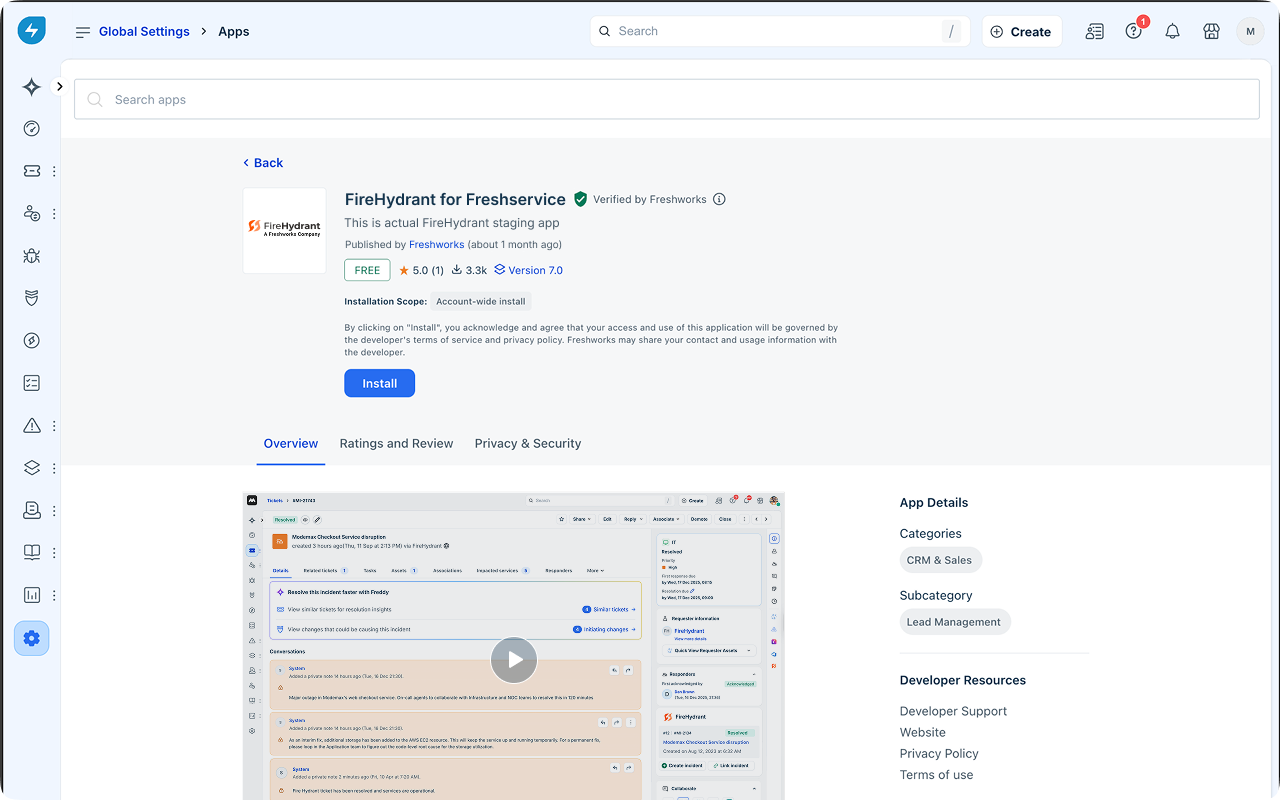
Search for FireHydrant for Freshservice app and select the app.
Click Install.
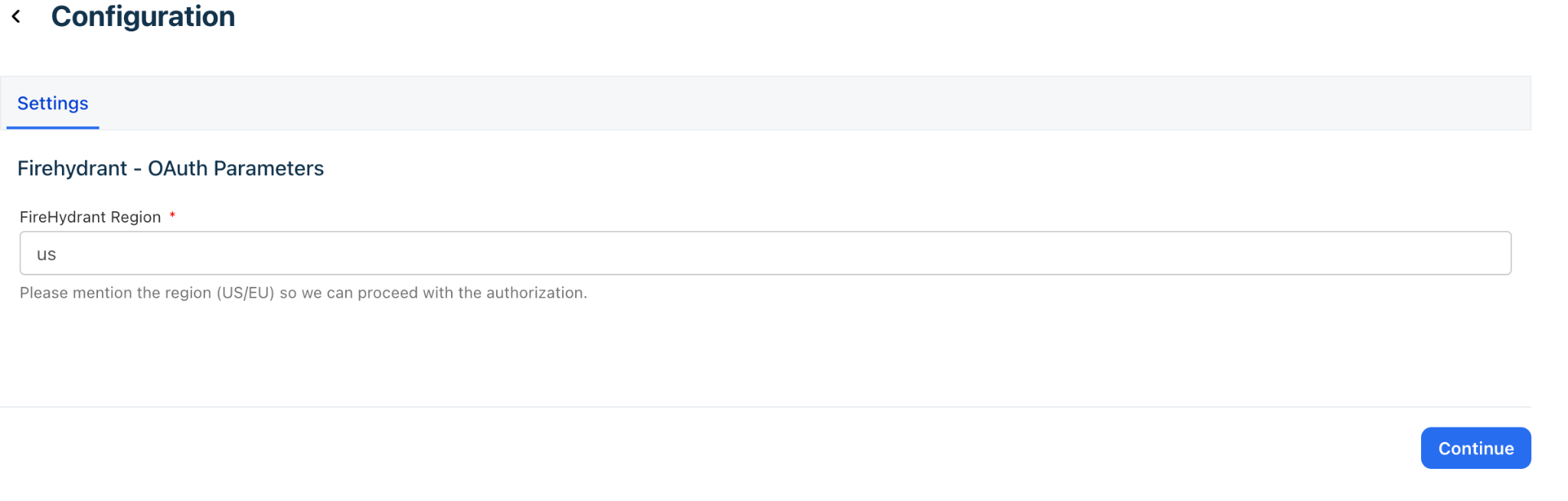
Select your region and click Continue.
Click Authorize on the dialog box.
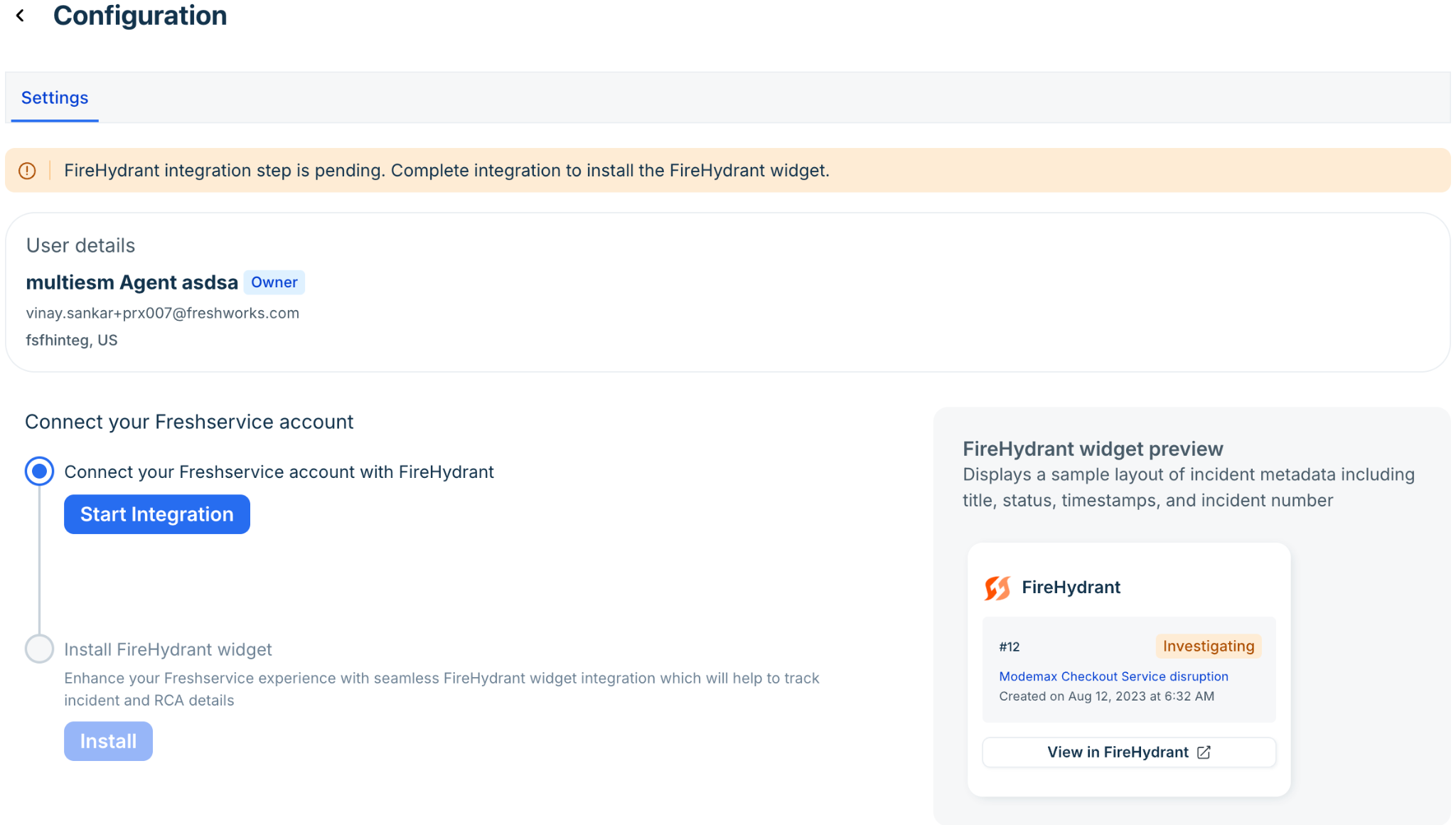
You are redirected to the Configuration page.Click Start Integration.
A popup box appears to inform you that you are about to exit Freshworks ecosystem and enter into an external website.Click Continue on the popup box.
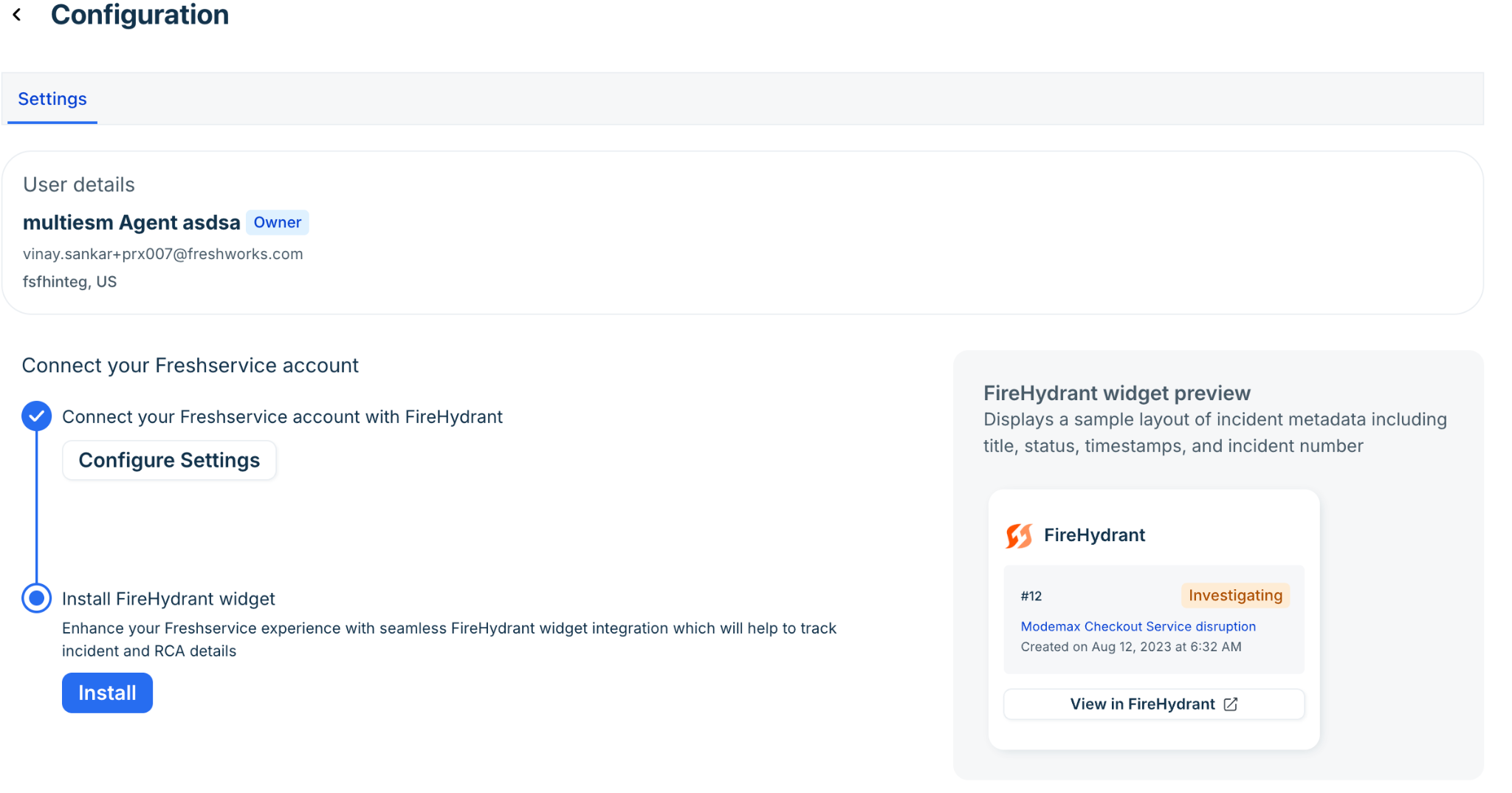
Click Install.

After the installation is complete, the FireHydrant app appears on the Manage apps page.