
 Community
 Video Library
 Agent Training
 Freshservice
 Freshdesk
 Freshchat
 Freshcaller
 Freshsales
 Freshteam
 Freshworks Neo
 Freshsurvey
 Freshservice for MSP
 TABLE OF CONTENTS
- Overview
- Prerequisites
- Granular article statuses
- Advanced filtering options
- Manage article review dates
- Best practices for article health
Overview
Managing the health and accuracy of your knowledge base is crucial for providing reliable support. Several enhancements to the article lifecycle have been introduced, offering more granular visibility into the editorial process and greater flexibility in managing expired content.
Prerequisites
Ensure you have the necessary roles and permissions configured to access the Knowledge Base module and the Knowledge Base admin settings.
Granular article statuses
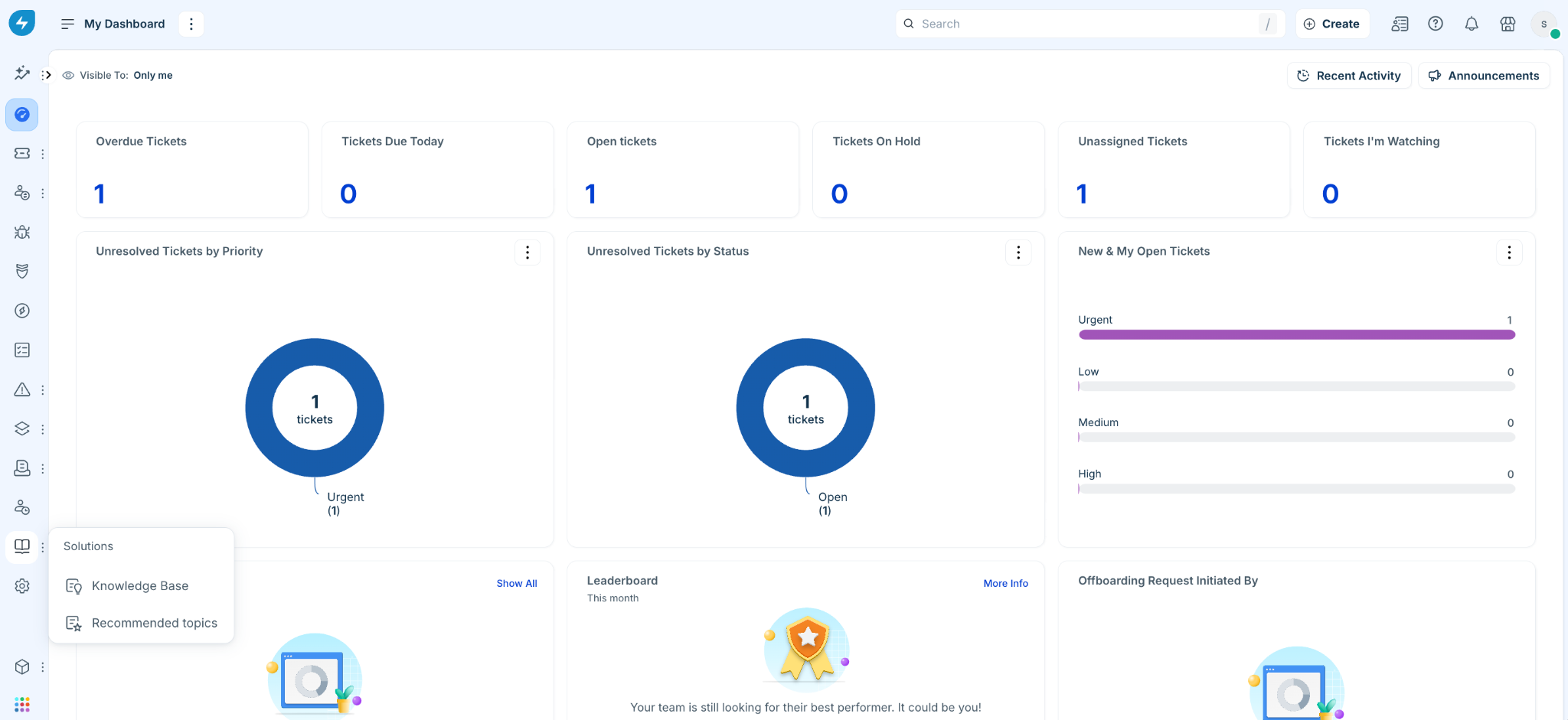
To access the knowledge base module:
Log in to your Freshservice account.
Go to Solutions > Knowledge Base.
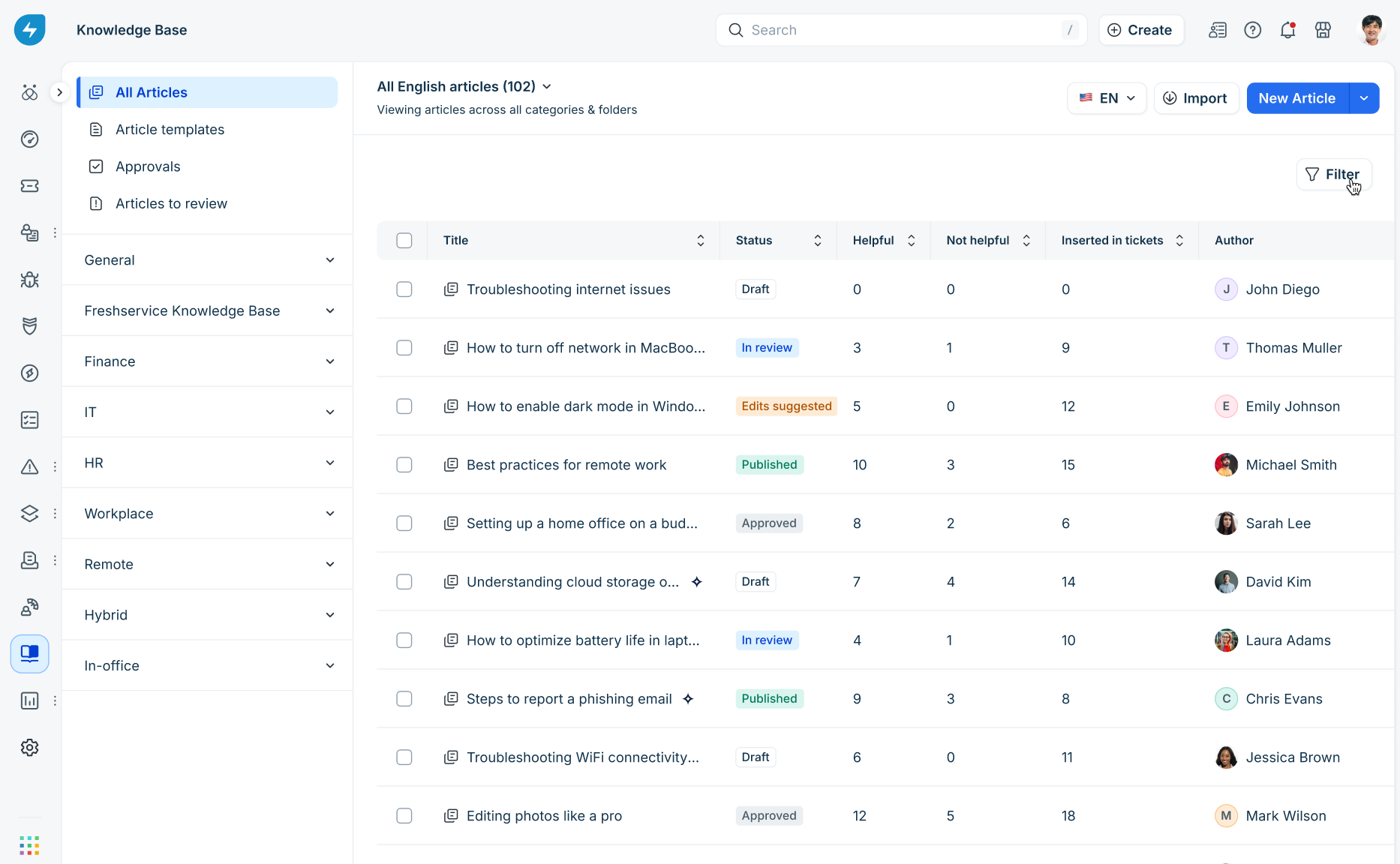
To help teams track the progress of an article more effectively, you can now see the following interim statuses:
Draft: The article has been drafted.
In Review: The article has been submitted for approval.
Edits Suggested: The approver has requested changes before publication.
Approved: The article has been reviewed and is ready to be published by the author.
Published: The article is live and visible to your requestors.
Advanced filtering options
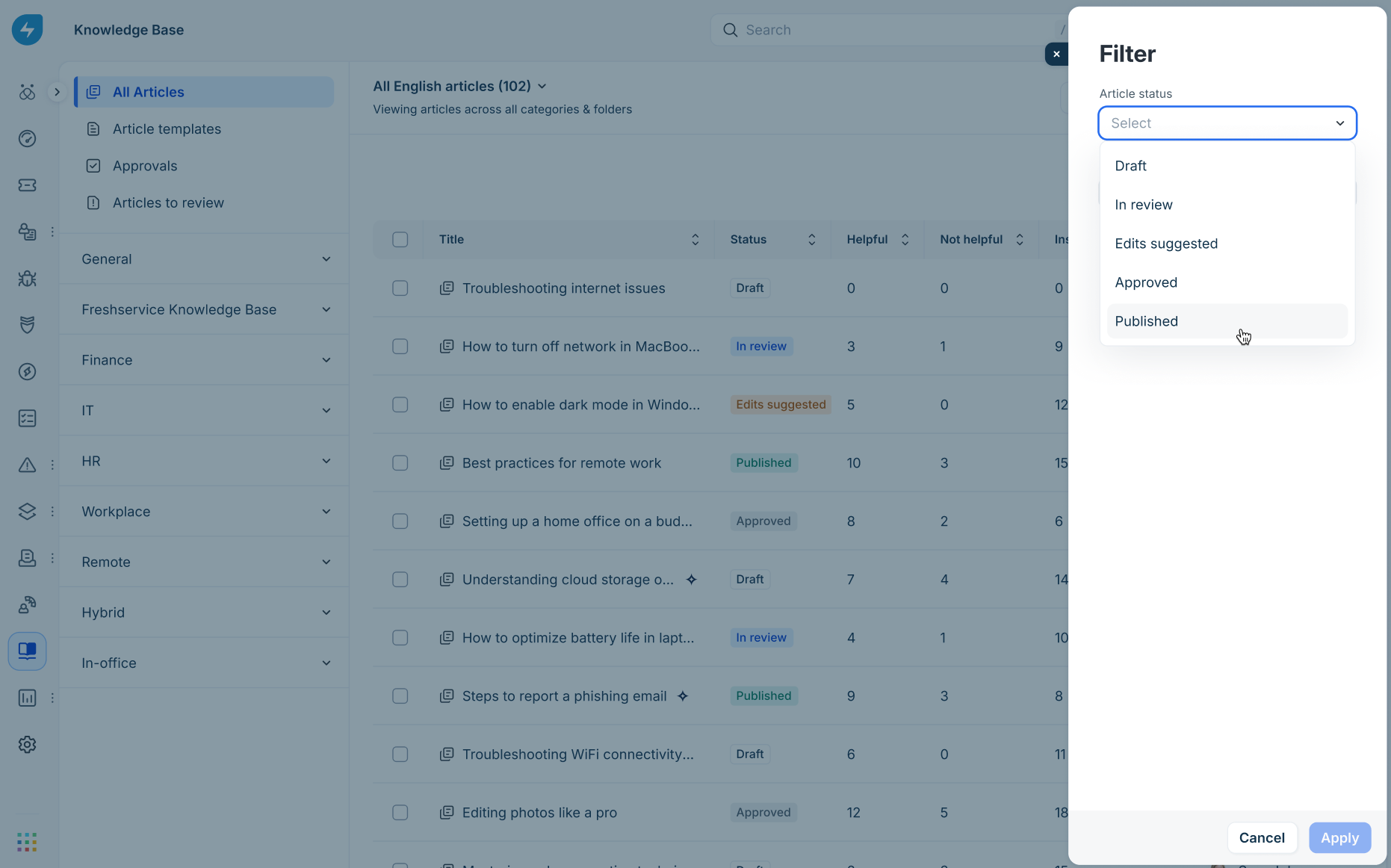
Quickly find the articles you need with our expanded filtering tools in the Knowledge Base list view:
Filter by status: Isolate articles based on their current stage in the lifecycle (for example, see all articles currently "Published").
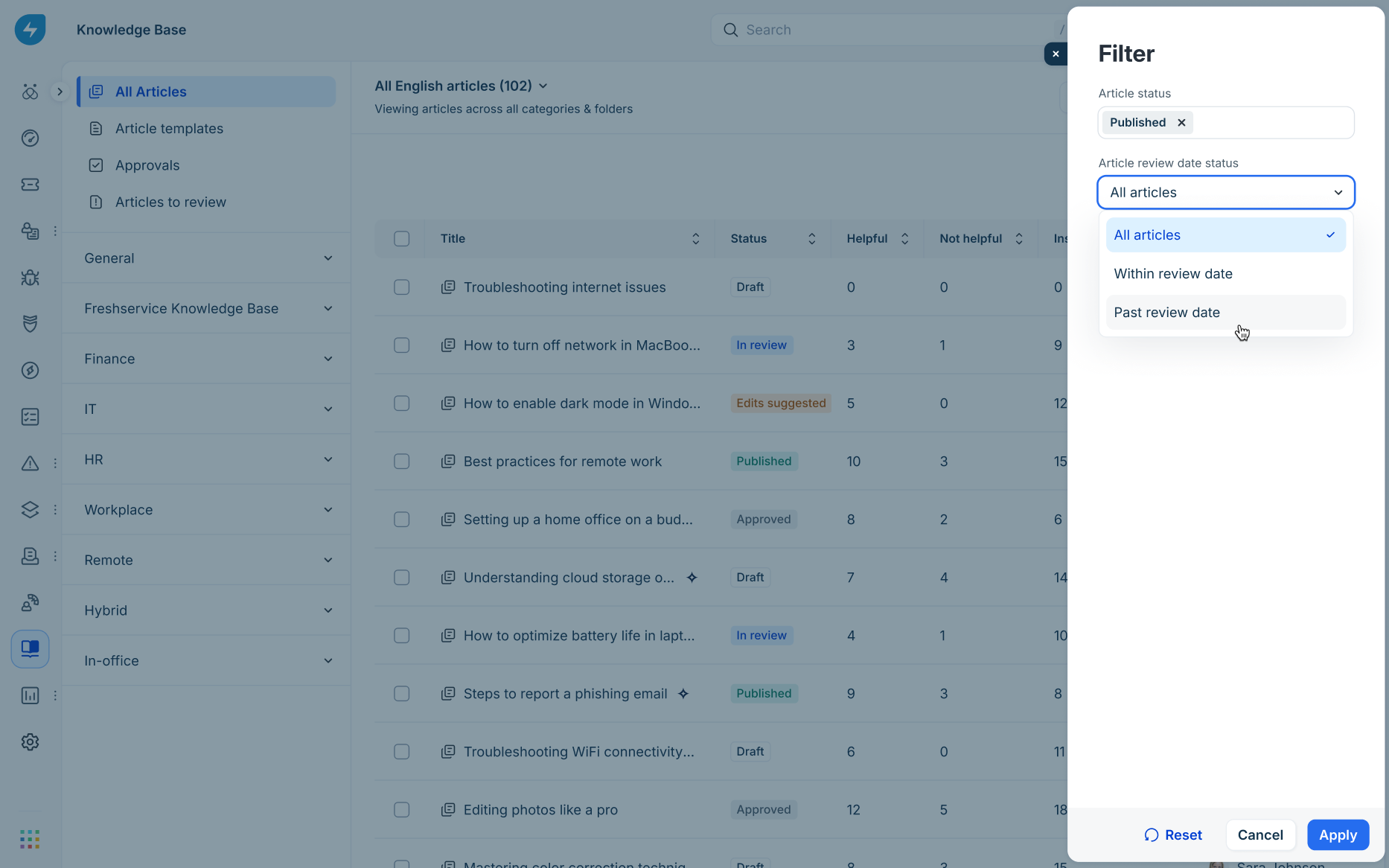
Filter by review date: Easily identify articles that are Within review date or Past review date.
Author and category filters: Further filters for specific authors and article categories are planned to be added in future releases to streamline workflows.
Manage article review dates
To ensure your content stays fresh, we’ve improved how articles are handled once they pass their set review date.
Configurable post-expiry behavior
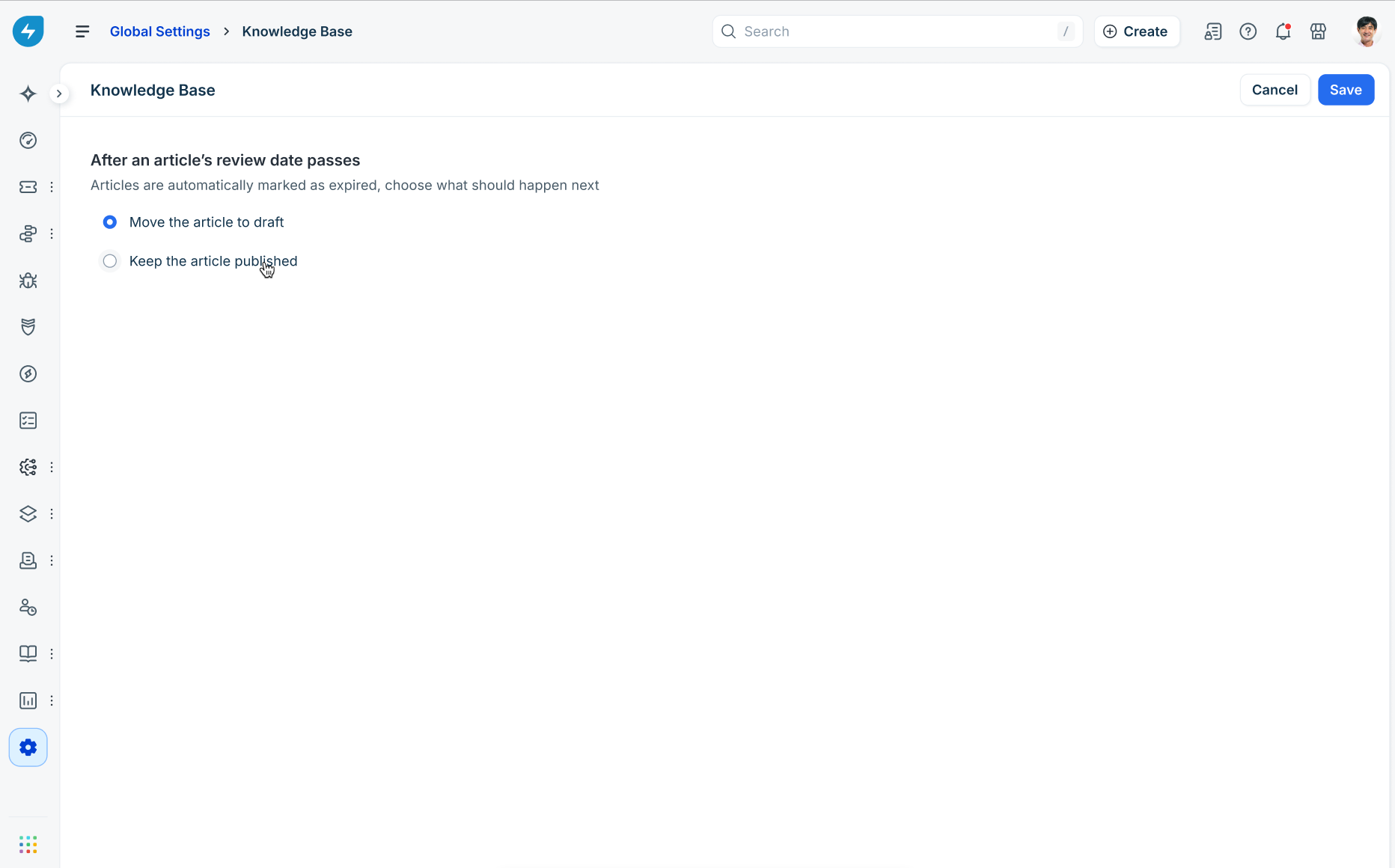
In the Admin > Knowledge Base, administrators can now choose what happens automatically when an article’s review date passes:
Move the article to draft (default): The article is hidden from end-users until it is updated and re-published. This is the current behavior.
Keep the article published: The article remains visible to users, but is flagged for internal review.
In-App notifications and renewals
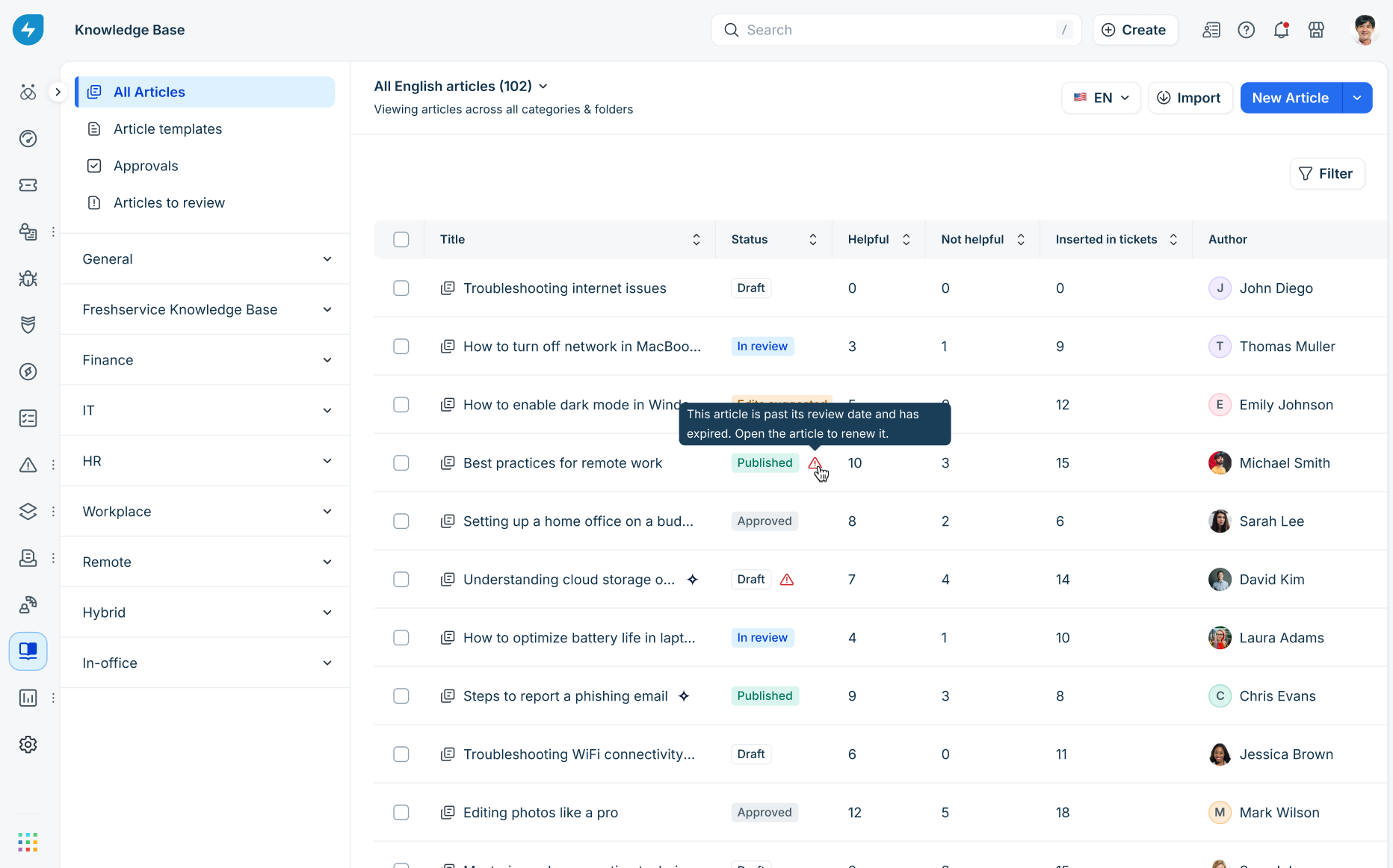
Review nudges: A visual warning icon will appear next to the article status in the list view if it has expired.
Author alerts: Authors will receive multiple reminder notifications leading up to the review date, rather than just a single alert 24 hours prior.
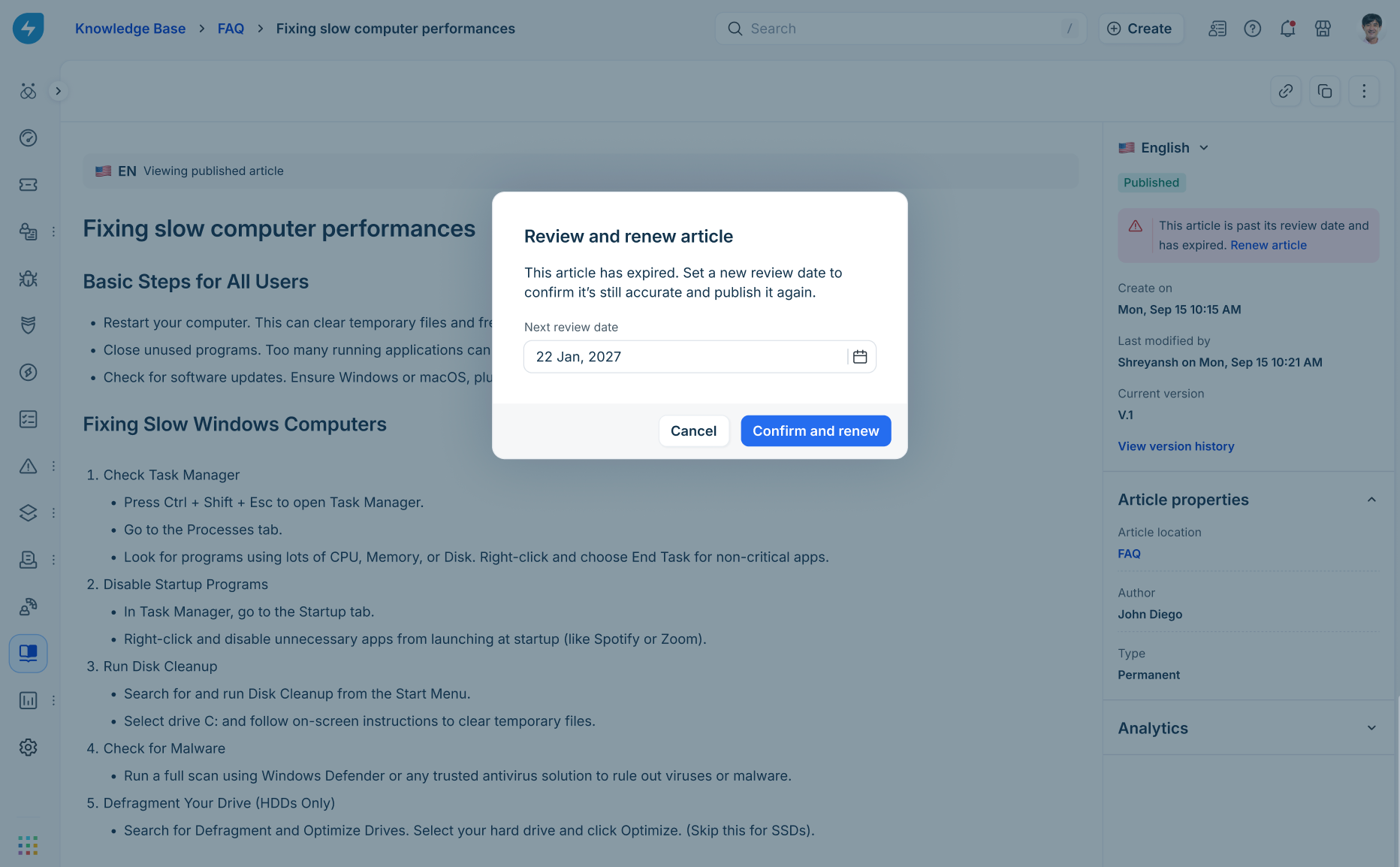
Quick renewal: From within the article editor, authors can easily "Renew" an article by confirming the content is still accurate and setting a new review date.
Best practices for article health
Set realistic review intervals: Depending on the topic, schedule reviews every 3, 6, or 12 months.
Act on "Edits Suggested" promptly: Keeping the momentum during the review phase ensures your knowledge base remains agile.
Use filters for periodic audits: We recommend Knowledge Managers regularly filter for "Past review date" articles to ensure no outdated information is being served to customers.