Community
 Video Library
 Agent Training
 Freshservice
 Freshdesk
 Freshchat
 Freshcaller
 Freshsales
 Freshteam
 Freshworks Neo
 Freshsurvey
 Freshservice for MSP
 Note: Available only for new signups after the 31 March, 2026 release. If you signed up earlier, refer to the existing ITAM documentation.
DB2 database discovery is supported specifically for *nix targets. It retrieves comprehensive instance details, connection information, and schema data by querying administrative views and table functions. This integration ensures that your database inventory accurately reflects active instances and their respective configurations within your infrastructure.
Prerequisites
Review the following requirements to ensure your environment is prepared for successful DB2 detection and cataloging.
You need the following before the installation:
Administrator privileges to manage discovery settings.
A separate set of credentials for the DB2 database instance.
Valid credentials for the target *nix server.
One of the following overall authorities: SYSMON, SYSMAINT, SYSCTRL, or SYSADM.
Permissions for DB2 Discovery
For discovery to return detailed information about your database instance, you need the following permissions:
1. Privileges for ENV_SYS_INFO:
SELECT or CONTROL privilege on the ENV_SYS_INFO administrative view.
EXECUTE privilege on the ENV_GET_SYS_INFO table function.
2. Privileges for SNAPAPPL_INFO:
SELECT or CONTROL privilege on the SNAPAPPL_INFO administrative view
EXECUTE privilege on the SNAP_GET_APPL_INFO_V95 table function or DATAACCESS authority.
3. Privileges for ENV_INST_INFO:
SELECT or CONTROL privilege on the ENV_INST_INFO administrative view
One of the following authorities: DATAACCESS, DBADM, SQLADM, ACCESSCTRL, or SECADM.
4. Privileges for DBCFG:
SELECT or CONTROL privilege on the DBCFG administrative view
One of the following authorities: DATAACCESS, DBADM, or SQLADM.
5. Privileges for CONTAINER_UTILIZATION:
SELECT or CONTROL privilege on the CONTAINER_UTILIZATION administrative view.
One of the following authorities: DATAACCESS, DBADM, SQLADM, ACCESSCTRL, or SECADM.
6. Privileges for Monitoring:
EXECUTE privilege on the MON_GET_CONNECTION.
One of the following authorities: DATAACCESS, DBADM, or SQLADM.
7. Privileges for Routines:
EXECUTE privilege on the GET_DBSIZE_INFO, WLM_SET_CONN_ENV, MON_GET_CONTAINER, and MON_GET_TABLESPACE routines.
One of the following authorities: DATAACCESS, DBADM, or SQLADM.
Additional SELECT privileges:
SELECT privilege on the SYSIBM.SYSTABLESPACES
SELECT privilege on the SYSIBM.SYSDUMMY1
SELECT privilege on the SYSIBM.SYSVERSIONS
Required authorities:
One of the following authorities is required for overall access:
SYSMON
SYSMAINT
SYSCTRL
SYSADM
Set up a PostgreSQL Discovery job
Follow these steps to establish a connection to your DB2 environment and configure a discovery job:
Go to Admin > Asset Management > Scan and discover and click the Discovery Jobs tab.
Select Hypervisors/*nix/win Autodiscovery from the list of discovery jobs and click Add new.
Select *nix job type as your target platform.
Enable the Collect database server information toggle.
Fill out both sets of credentials:
Database Username / Password(s): Credentials to authenticate to the Oracle database.
Discovery Target(s) Credential(s): Credentials to authenticate to the host server.
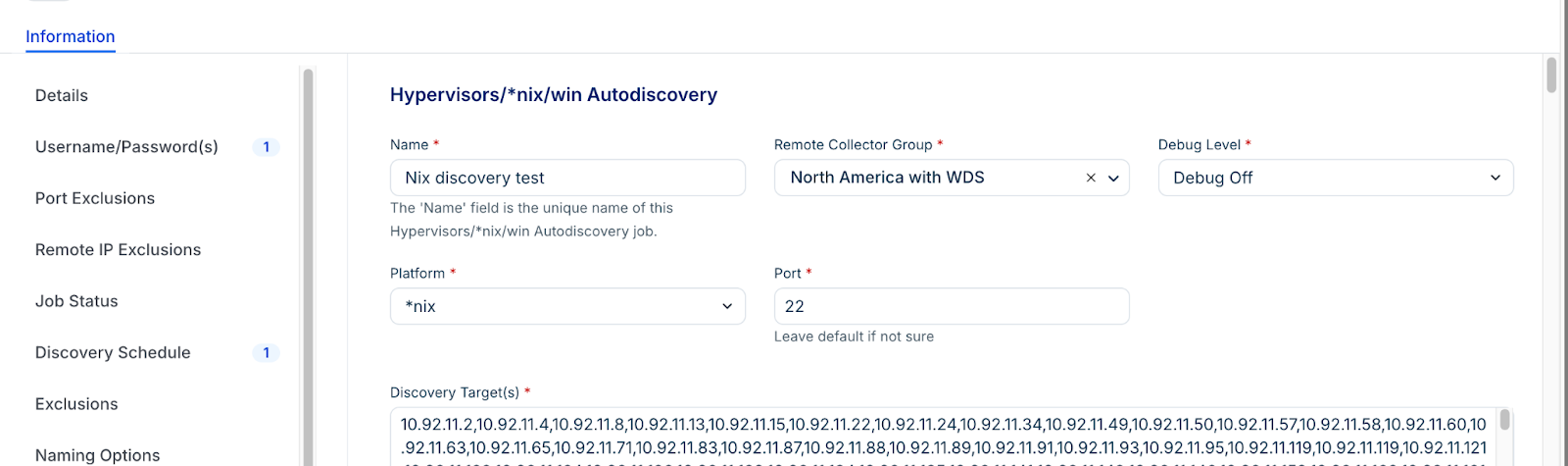
Note: You can enter multiple credentials in a preferred order. The job tries each credential in order and stops at the first successful authentication. Subsequent runs start with the last successful credential.
Click Save.
Click Run Now on the job details page to test the connection.
View discovery results
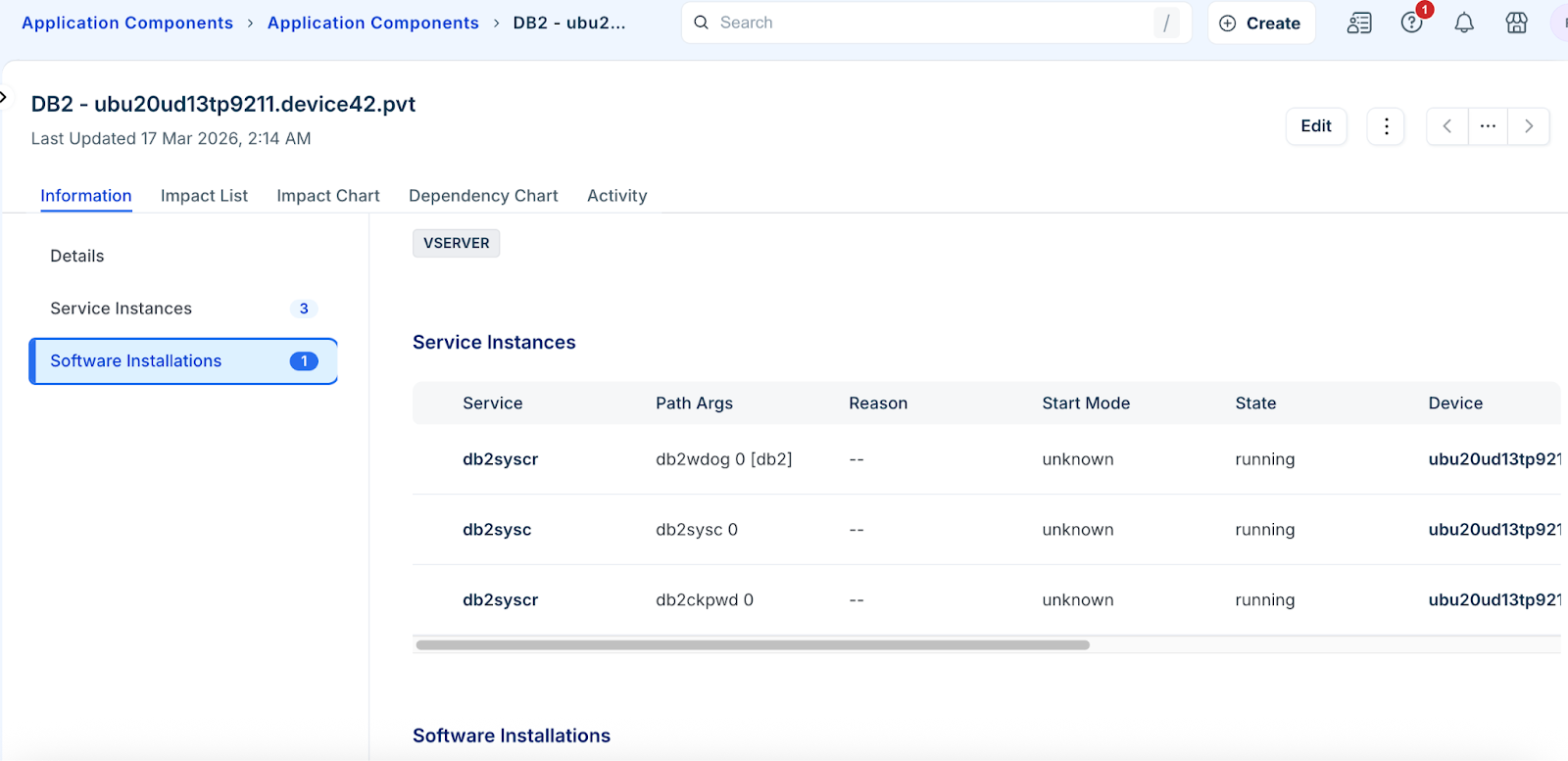
Locate and analyze the details of your discovered DB2 instances through the application components.
Application components
View the high level service details and dependency maps for your environment.
Navigate to Applications > Application Components.
Search for DB2 to filter the list.