Community
 Video Library
 Agent Training
 Freshservice
 Freshdesk
 Freshchat
 Freshcaller
 Freshsales
 Freshteam
 Freshworks Neo
 Freshsurvey
 Freshservice for MSP
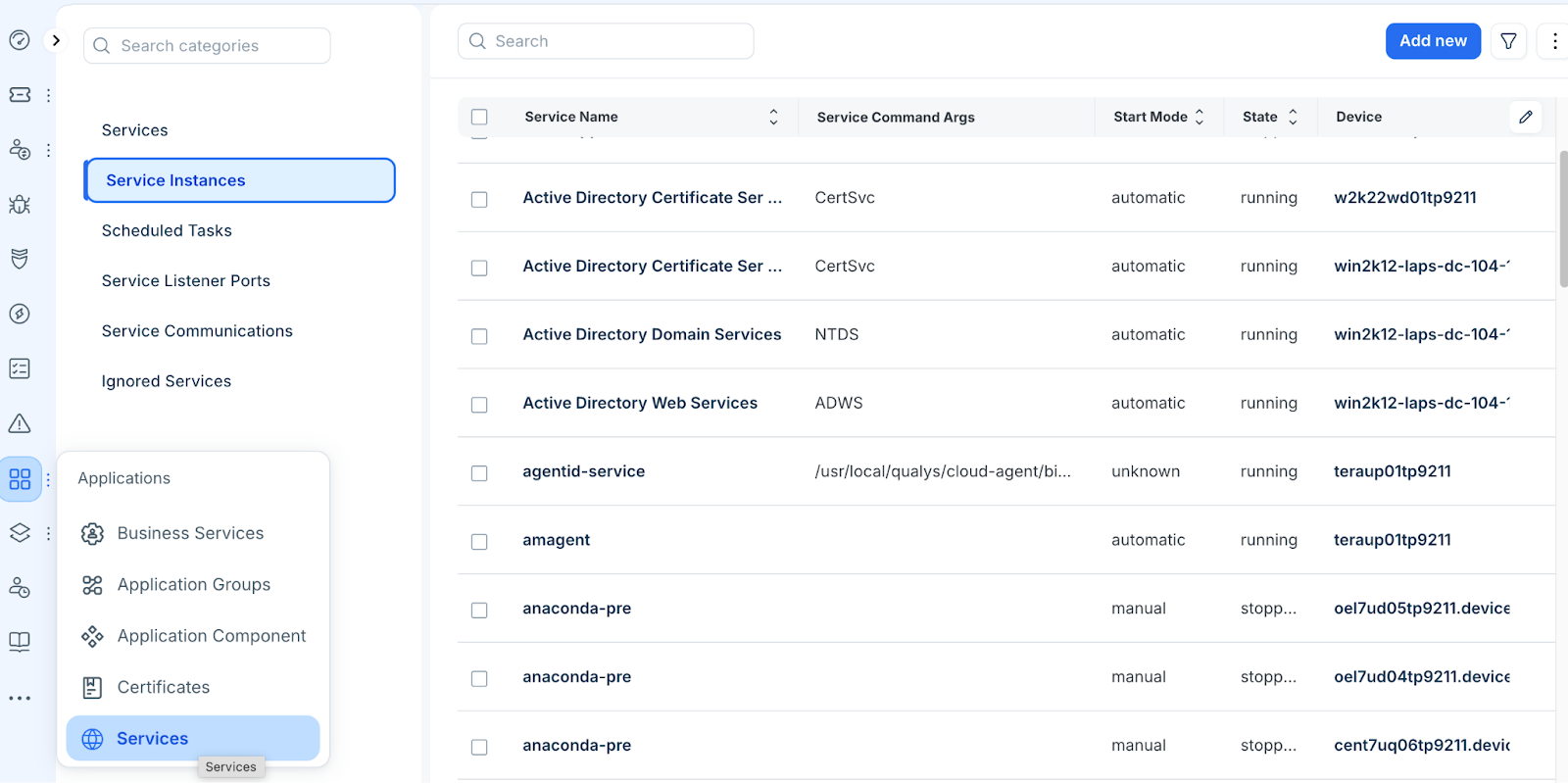
 Service instances represent the individual running processes discovered on your devices and form the foundation for identifying what software is running where.
Each discovered service is stored as an entry in the Service Instance list page. A Service Instance record includes:
Device: The host server where the service is running.
State: The current operational status
Service Path: The executable location on the host file system.
Listener Addresses and Ports: The network entry points used by the process.
To access service instances, go to Applications > Services > Service Instances, click a Service Name to view or edit that instance.
Add a Service Instance
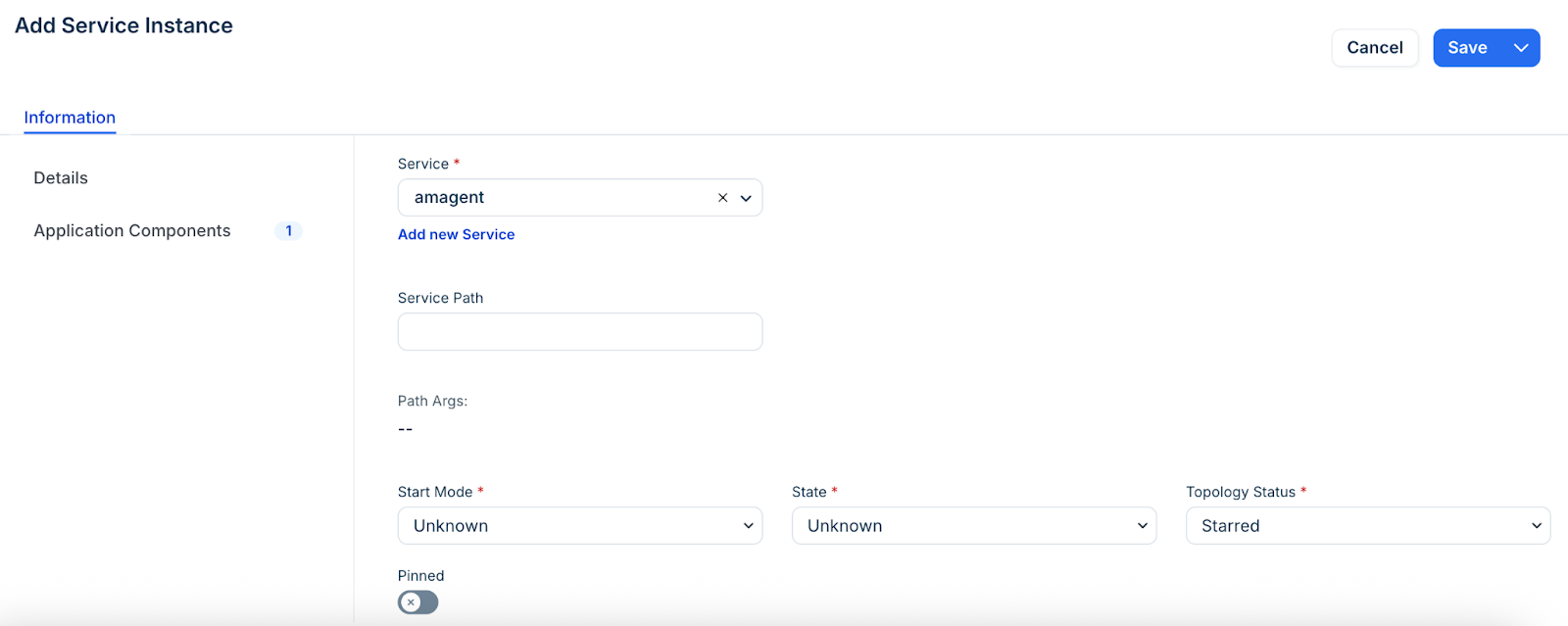
Create a new service record if a process needs to be tracked manually. Follow these steps:
Click Add new to create a new instance.
Enter a name for the instance.
Define the Start Mode, State, and Topology Status.
Enter any additional metadata required for the instance and click Save.
Manage service instance actions
Perform bulk operations on multiple service records simultaneously.
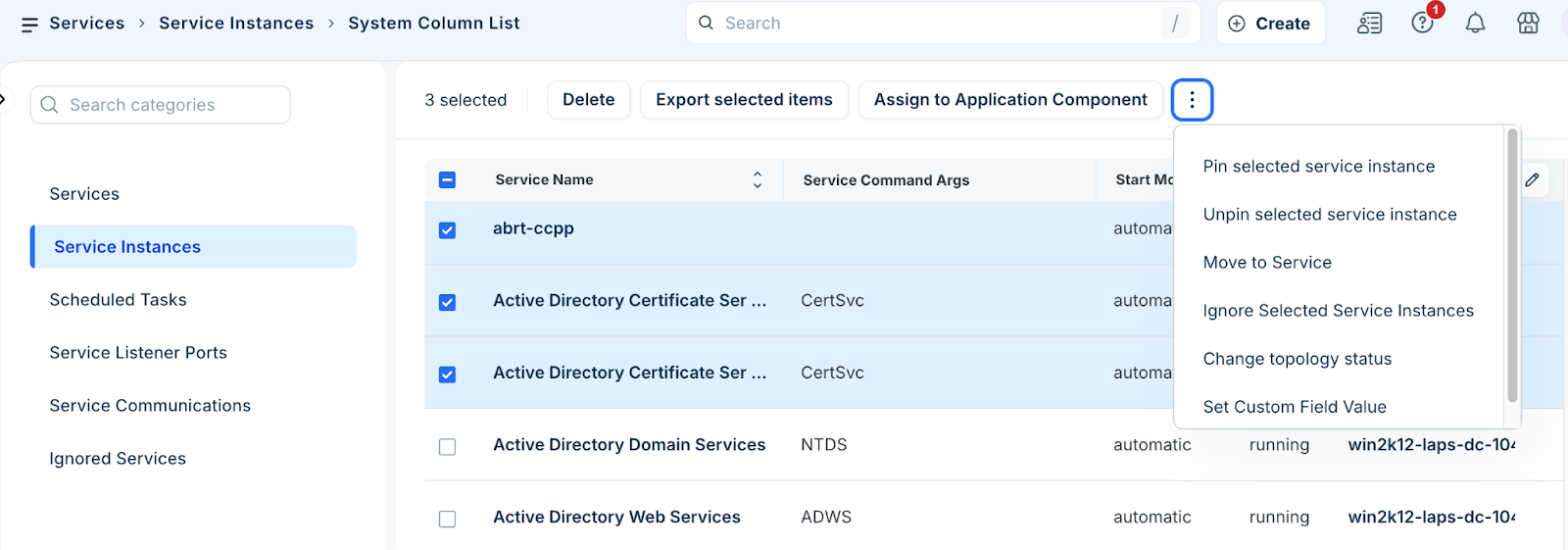
Select one or more instances from the Service Instances list.
Click the more option and select the relevant action, such as; delete or export records.
Application Dependency Mapping and Service Instances
Application Dependency Mapping (ADM) workflow creates Application Components from discovered data and services. Application Components are building blocks for creating Application Groups, and eventually, a Business Service.
Use service command arguments for templates
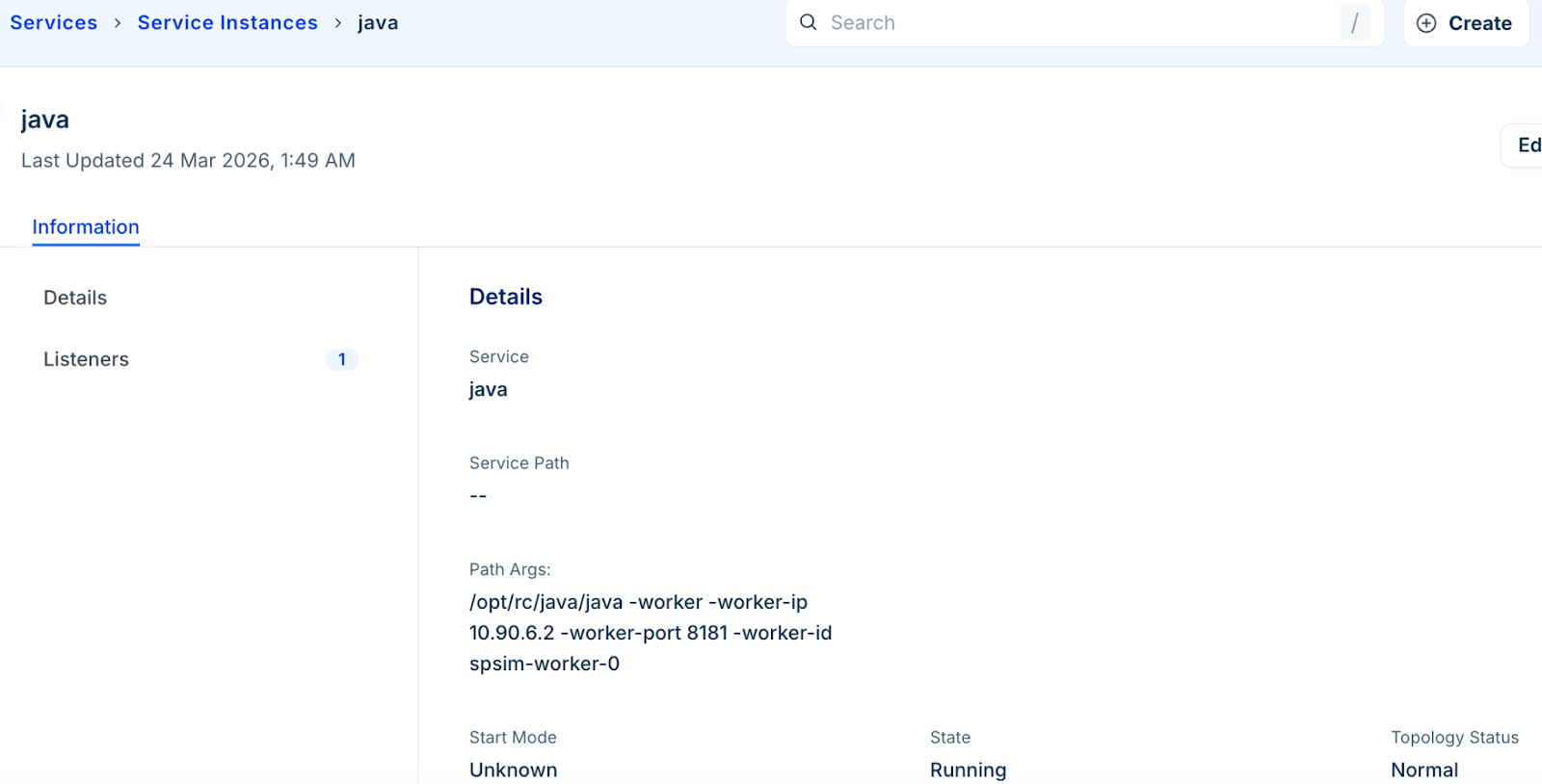
If an application is not automatically captured as a component, you can use the Path Args from a specific instance to create an Application Component Template. Follow these steps:
Locate a running service instance and copy its Path Args value.
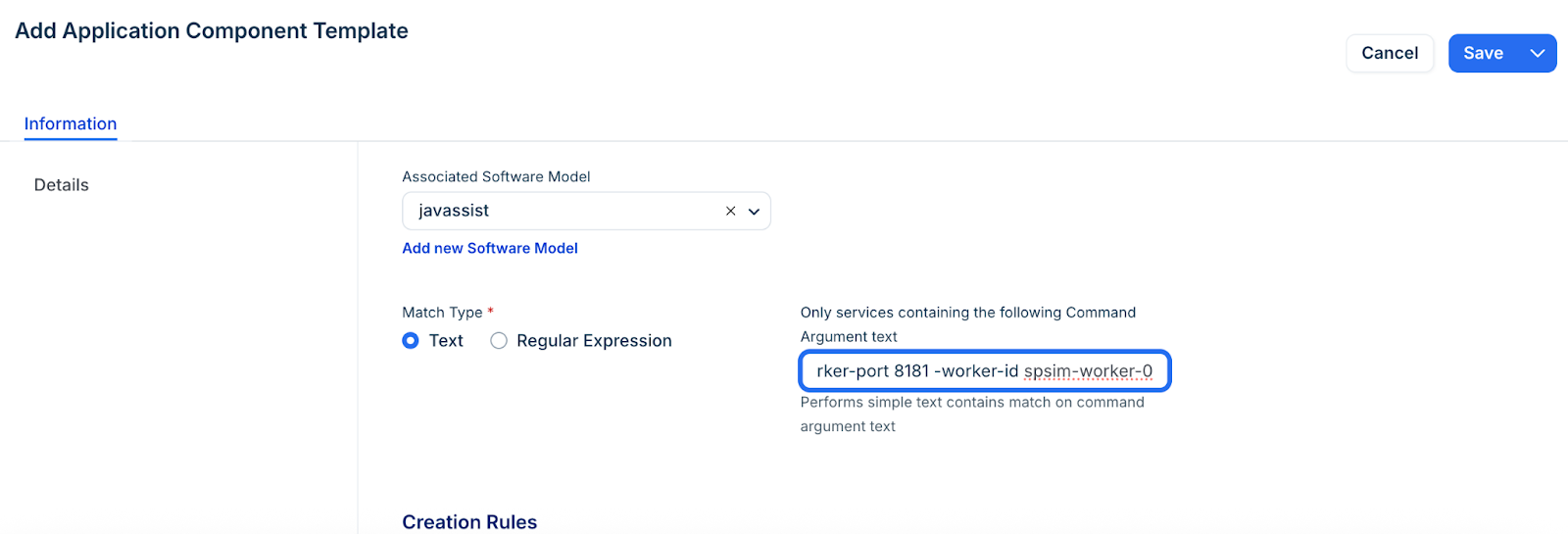
Go to Applications > Application Component > Application Component Templates.
Click Add new to create a new template and use the copied command arguments as the match criteria. This is particularly useful for Java.exe applications, where the command line switches contain the specific launch details required to identify the service uniquely.