
 Community
 Video Library
 Agent Training
 Freshservice
 Freshdesk
 Freshchat
 Freshcaller
 Freshsales
 Freshteam
 Freshworks Neo
 Freshsurvey
 Freshservice for MSP
 NMAP (Network Mapper) discovery identifies services running on ports across your network. By combining NMAP data with NetFlow data, Freshservice automatically creates a comprehensive map of services and application dependencies to enhance your asset inventory.
NMAP is primarily utilized for security scanning and identifying active services and their corresponding ports. While NMAP and NetFlow can be used independently, using them together provides robust service dependency mapping. However, for complete visibility into application configurations (such as Oracle instances or named pipes), it is recommended to use these in conjunction with point-in-time discovery.
Create an NMAP discovery job
To configure NMAP discovery, follow these steps:
Step 1: Add a new discovery job
Go to Admin > Asset Management > Scan and discover and click the Discovery Jobs tab.
Select NMAP from the list of discovery jobs and click Add new.
Fill in the following required job details:
Name: Enter a unique identifier for the job.
Remote Collector: Select the appropriate Remote Collector from the dropdown.
Target Host(s) and Network(s): Input a comma-separated list of your discovery targets.
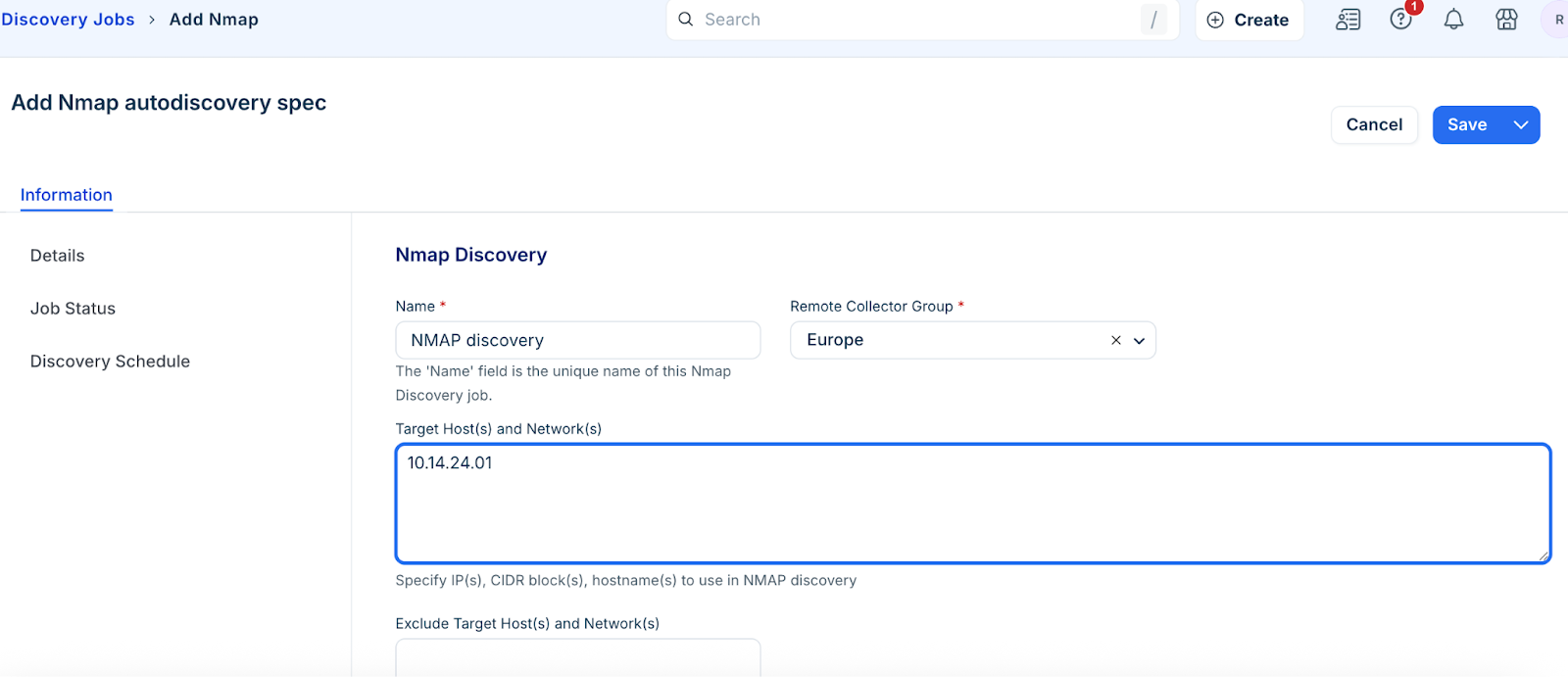
Step 2: Configure discovery options
To refine the scan, you can optionally configure the following:
Exclude Target Host(s) and Network(s): List specific targets to skip.
OS Detection: Enable this to detect operating systems and versions.
Service and Version Detection: Enable this to identify running services.
Nameserver for reverse DNS: Provide the IP or FQDN of your nameserver if required.
Enter VRF Group for discovered IP addresses and subnets.
Add relevant Tags to categorize the discovered devices for easier searching.
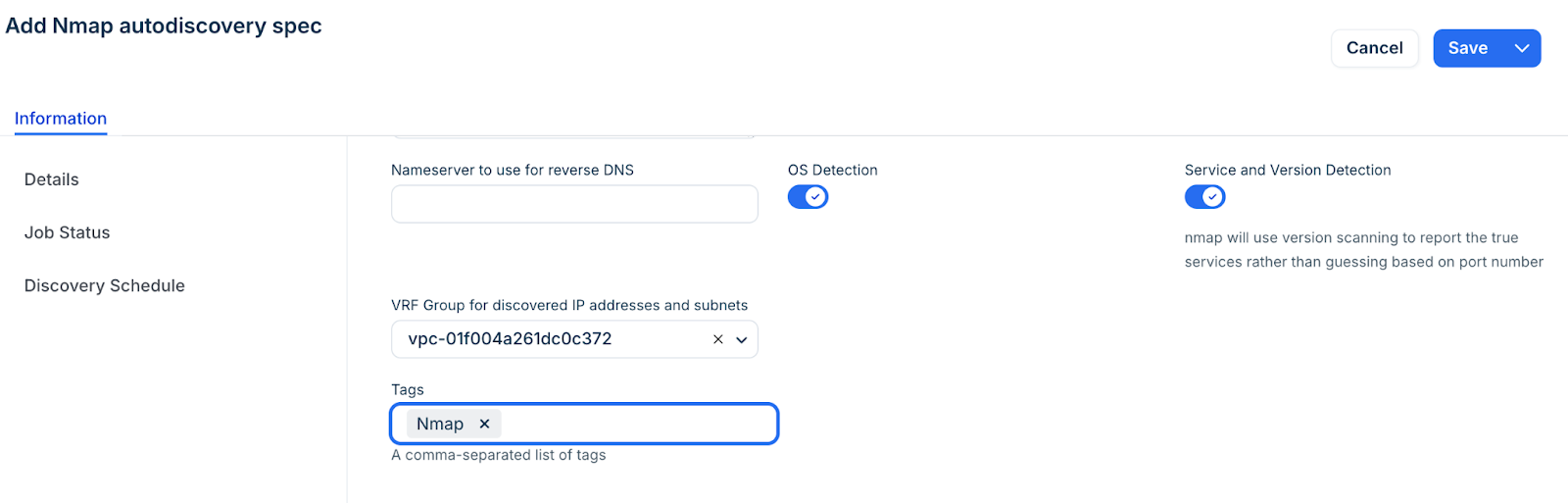
Step 3: Run or schedule the discovery job
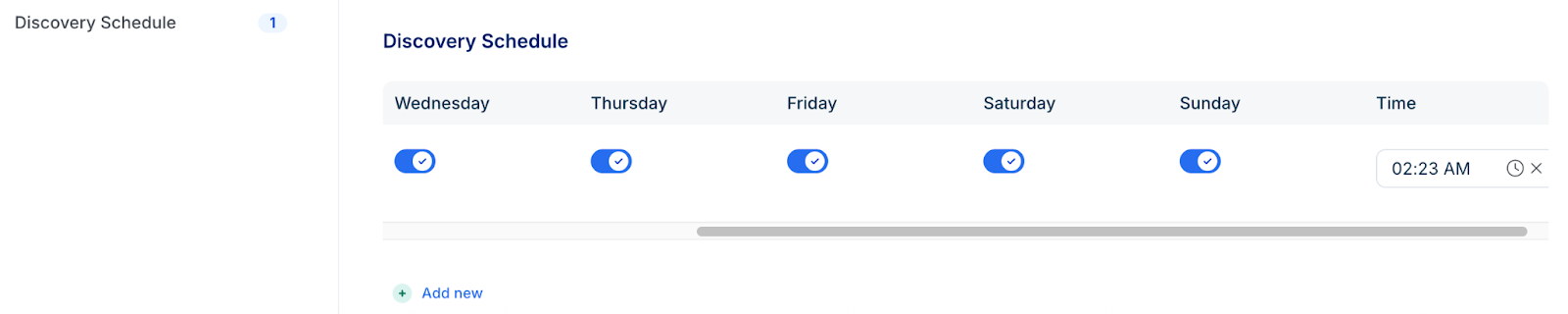
In the Discovery Schedule section, click Add new to set a recurring interval. You can add multiple schedules.
Click Save.
To start the discovery immediately, click Run Now on the Discovery Jobs tab or the job summary page.
Note: Newly created jobs will not run on the first day of creation to prevent a high volume of simultaneous tasks. If you would like to run a job after its initial creation, click Run Now.
NMAP and NetFlow Discovery Notes
While NMAP and NetFlow provide a strong baseline for dependency mapping, be aware of the following limitations when used without point-in-time discovery:
Application Context: NMAP can identify services but may not recognize how multiple services (like Oracle processes and configuration files) combine to form a single application.
Detection Accuracy: Service version numbers identified by NMAP are estimates and may require manual verification.
Firewall Restrictions: Restrictive firewall rules may prevent NMAP from identifying active services.
Visibility Gaps: NetFlow cannot see internal application interactions within a single server or interactions that do not pass through a router. Additionally, many hypervisors do not support NetFlow for virtual switching.
To overcome these gaps, it is best practice to use NMAP and NetFlow in conjunction with point-in-time discovery.