
 Community
 Video Library
 Agent Training
 Freshservice
 Freshdesk
 Freshchat
 Freshcaller
 Freshsales
 Freshteam
 Freshworks Neo
 Freshsurvey
 Freshservice for MSP
 To show more columns in the dashboard view, you can utilize the Show Underlying Data feature of the widget. Simply click on the gear icon in the dashboard's top-right corner. This will allow you to add more rows as per your requirement. Search and select the desired columns to be displayed in the expanded view.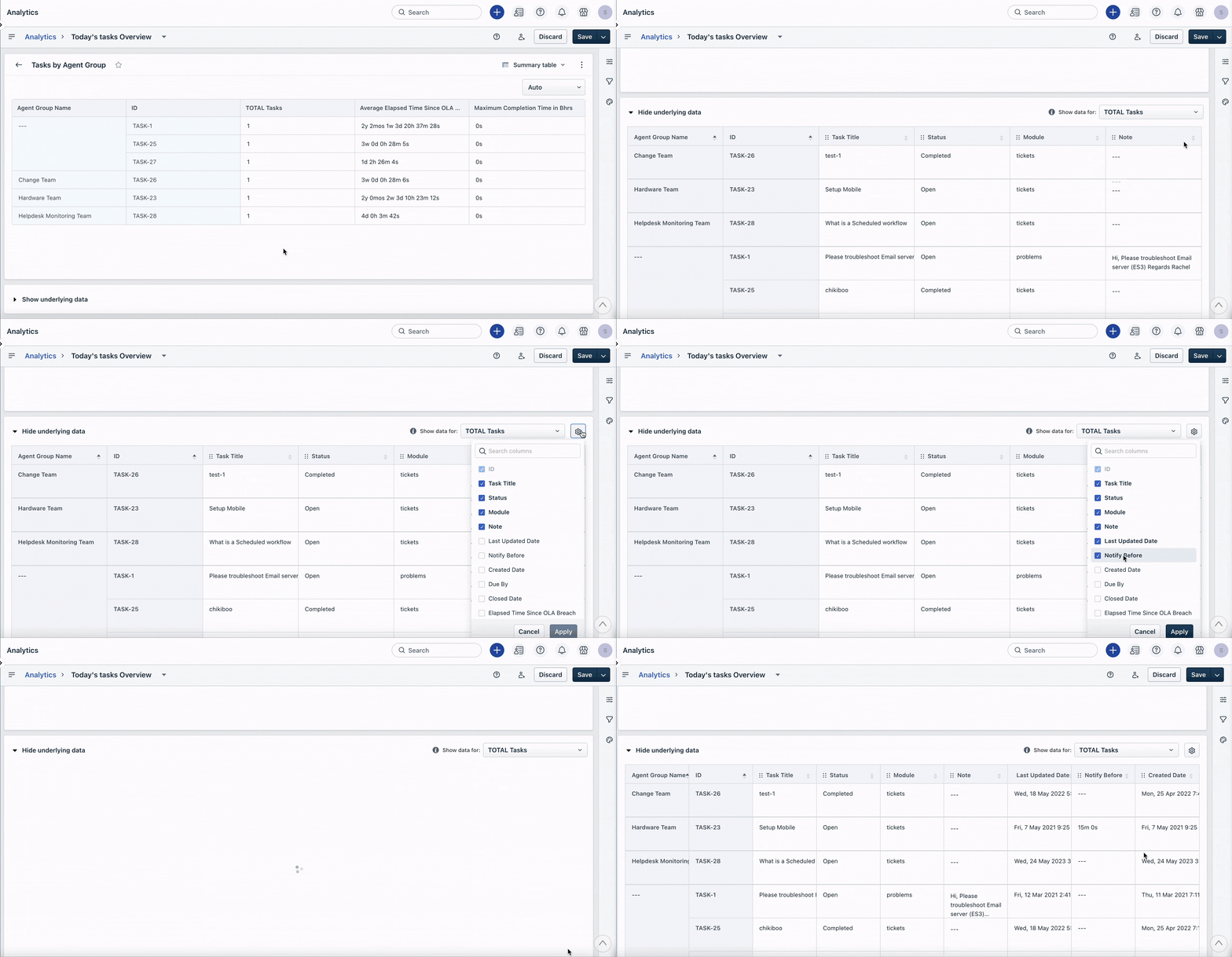
How can we display more columns simultaneously in the Analytics dashboard view?