
 Community
 Video Library
 Agent Training
 Freshservice
 Freshdesk
 Freshchat
 Freshcaller
 Freshsales
 Freshteam
 Freshworks Neo
 Freshsurvey
 Freshservice for MSP
 TABLE OF CONTENTS
Integrate skillsets with ticket assignment policies
To enforce skillset-based ticket routing, skillsets must be linked to Ticket Assignment Policies.
Go to Admin > Workspace settings > Service Management > Ticket Assignment Policies.
Click Create policy or edit an existing policy.
Under Consider an agent's load and skillsets while assigning tickets, enable the Skillsets toggle.
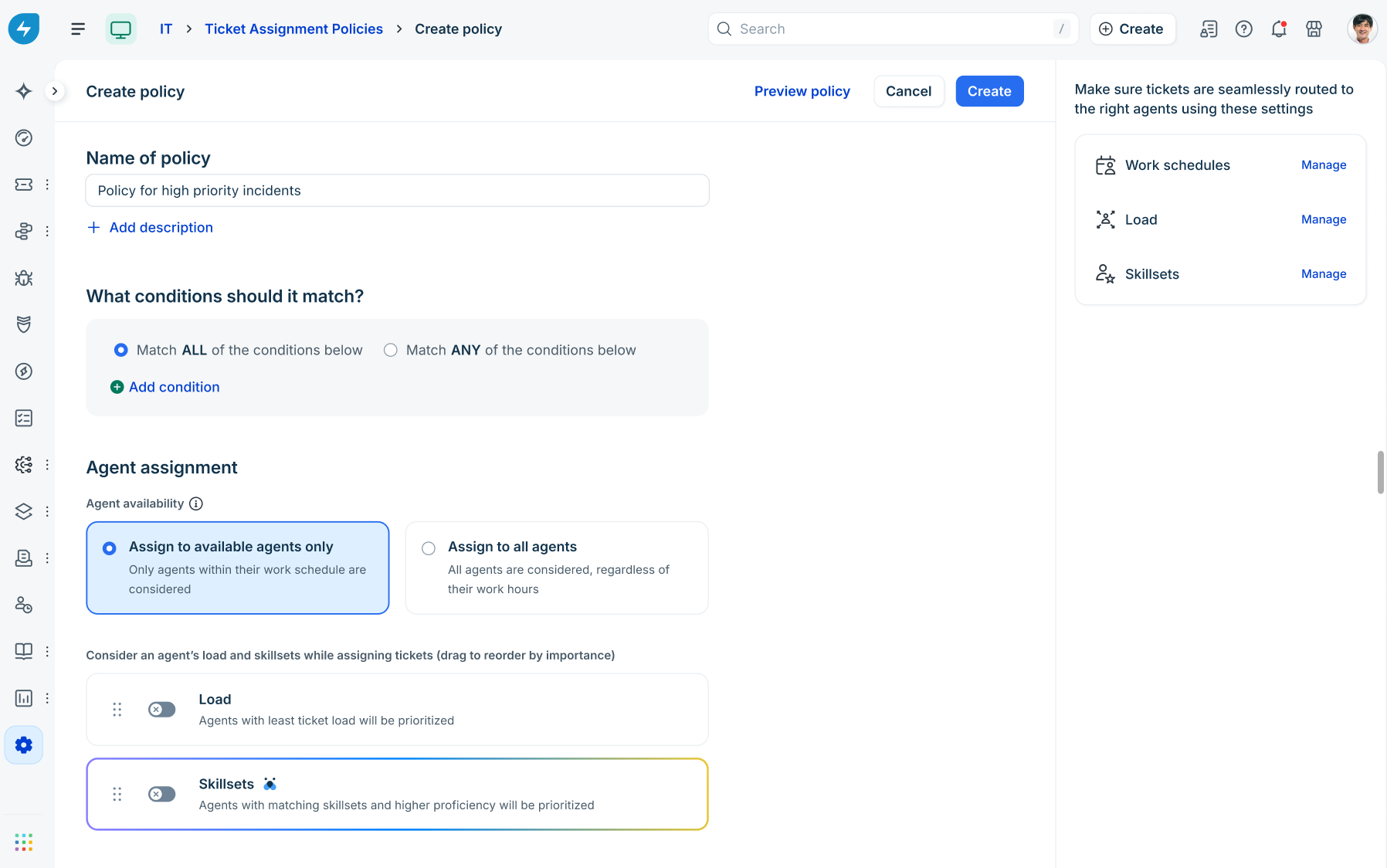
Drag the handle next to Skillsets to reorder its priority relative to Load.
Click Manage next to Skillsets on the right pane to open a slider where you can view agent skill counts and manage agent associations directly.
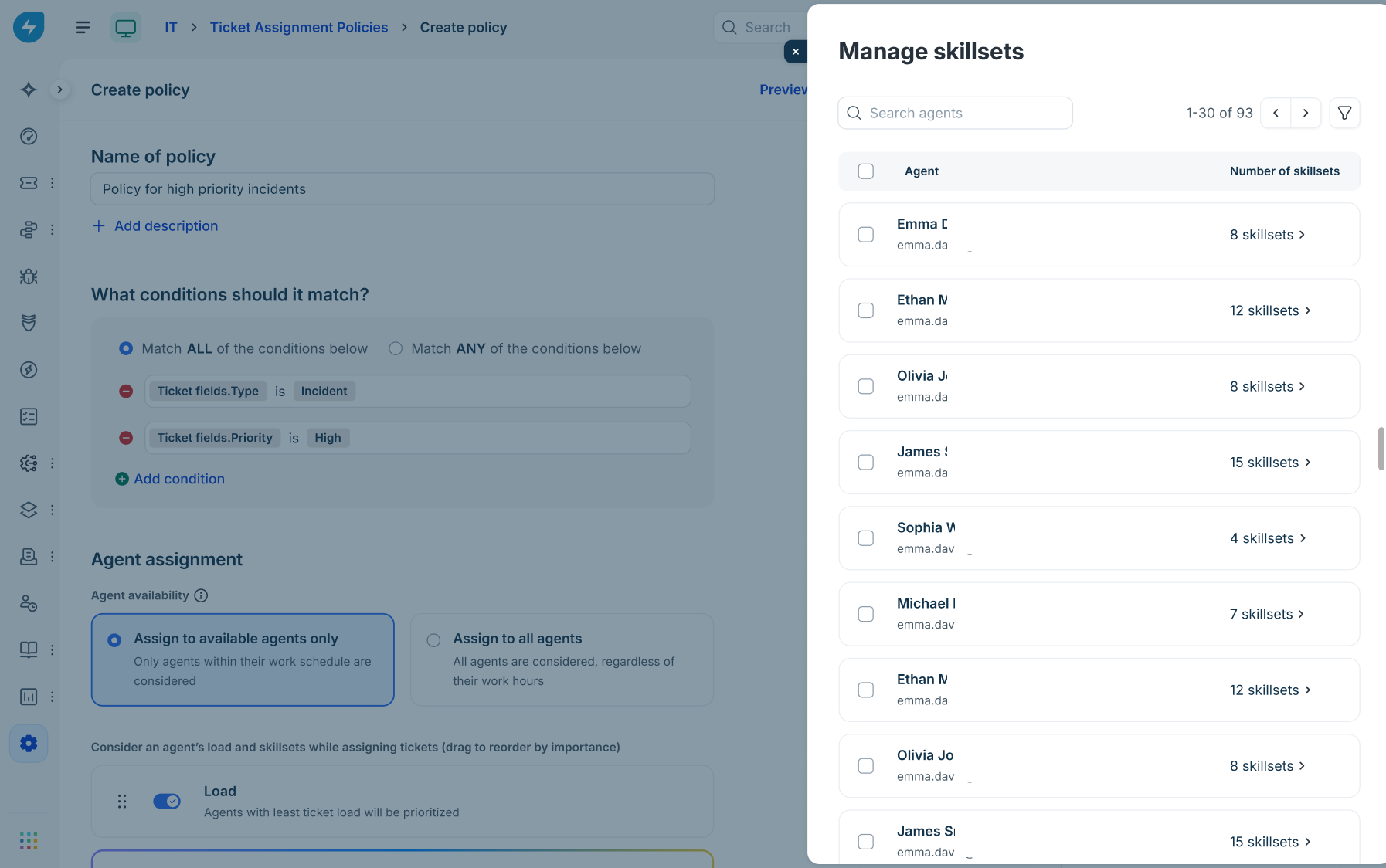
Click skillsets count next to an agent.
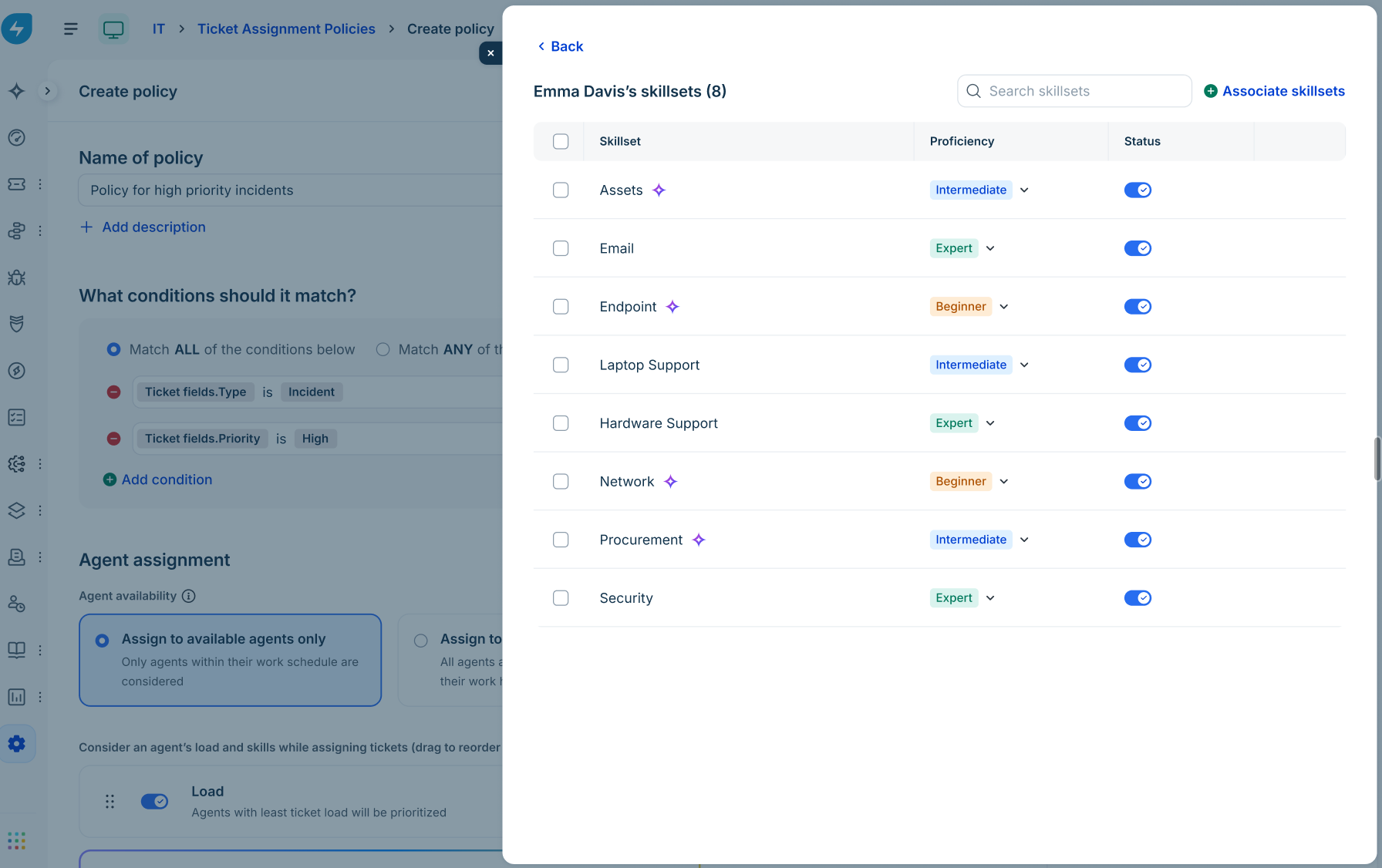
Update and save the changes.
Policy system status alerts:
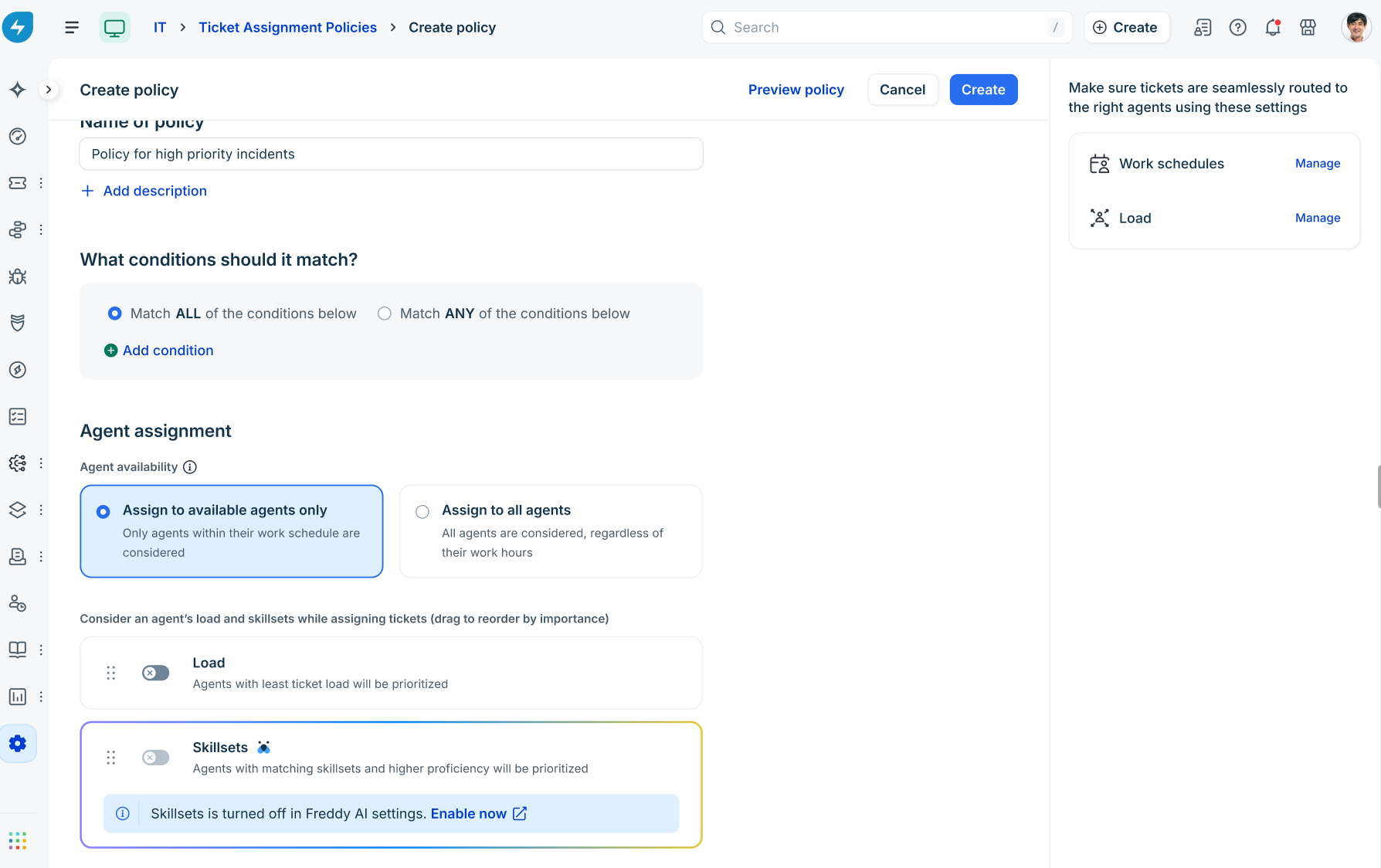
Turned off alert: If skillsets are disabled globally, a banner indicates: "Skillsets is turned off in Global Settings > Freddy AI. Ask your admin to enable it” or "Skillsets is turned off in Freddy AI settings. Enable now."
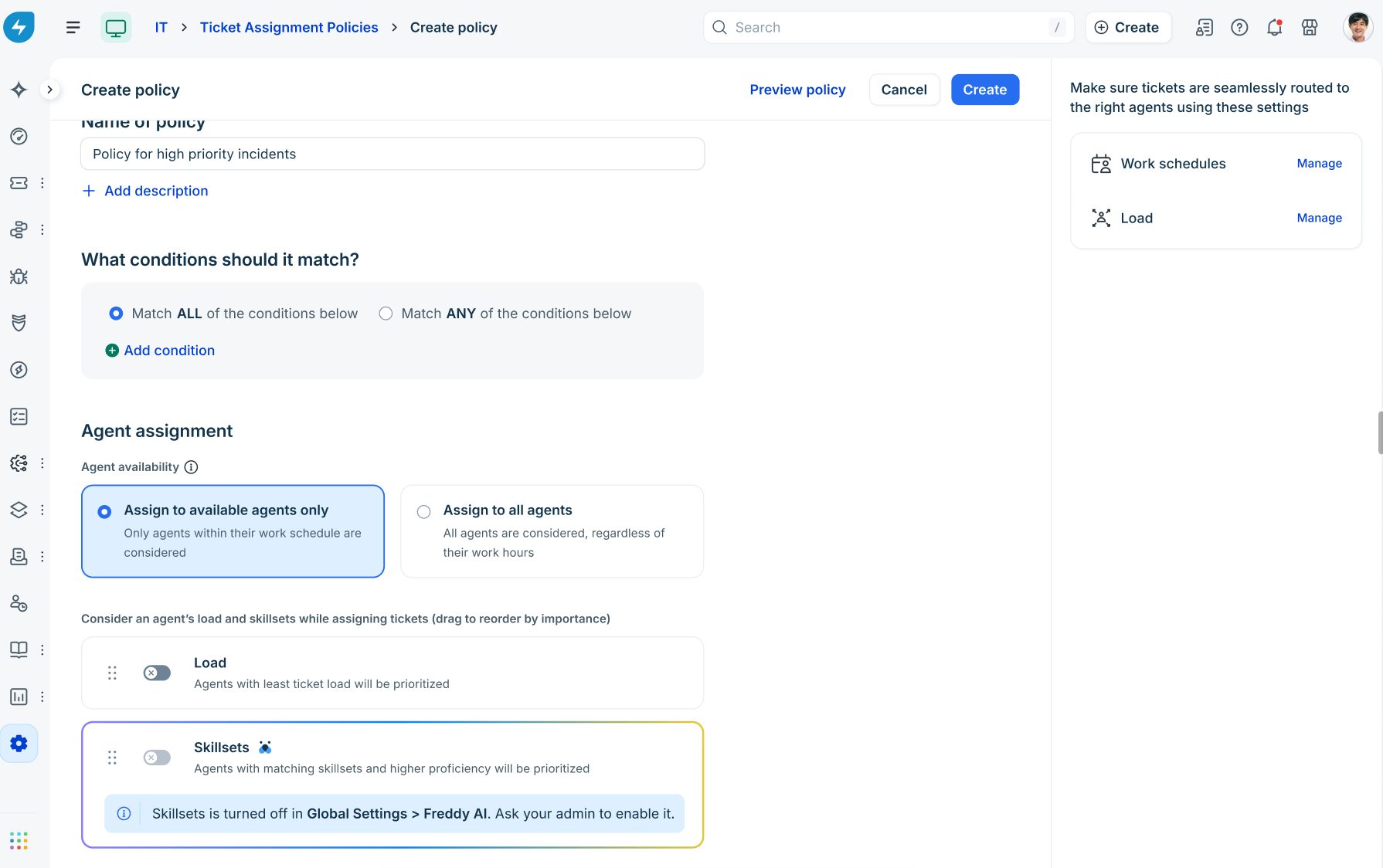
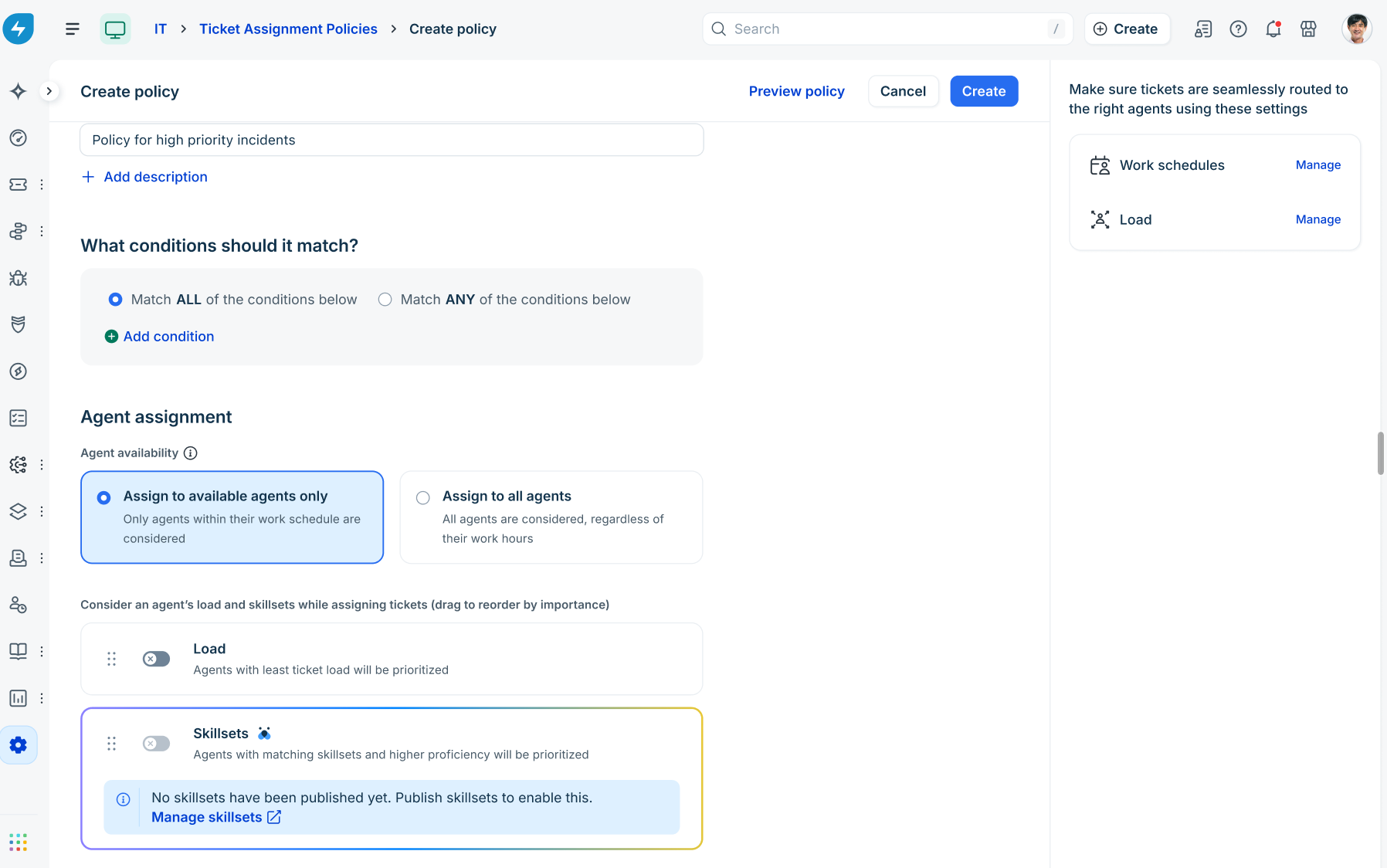
Not published alert: If skillsets are defined but not published, a banner indicates: "No skillsets have been published yet. Publish skillsets to enable this."
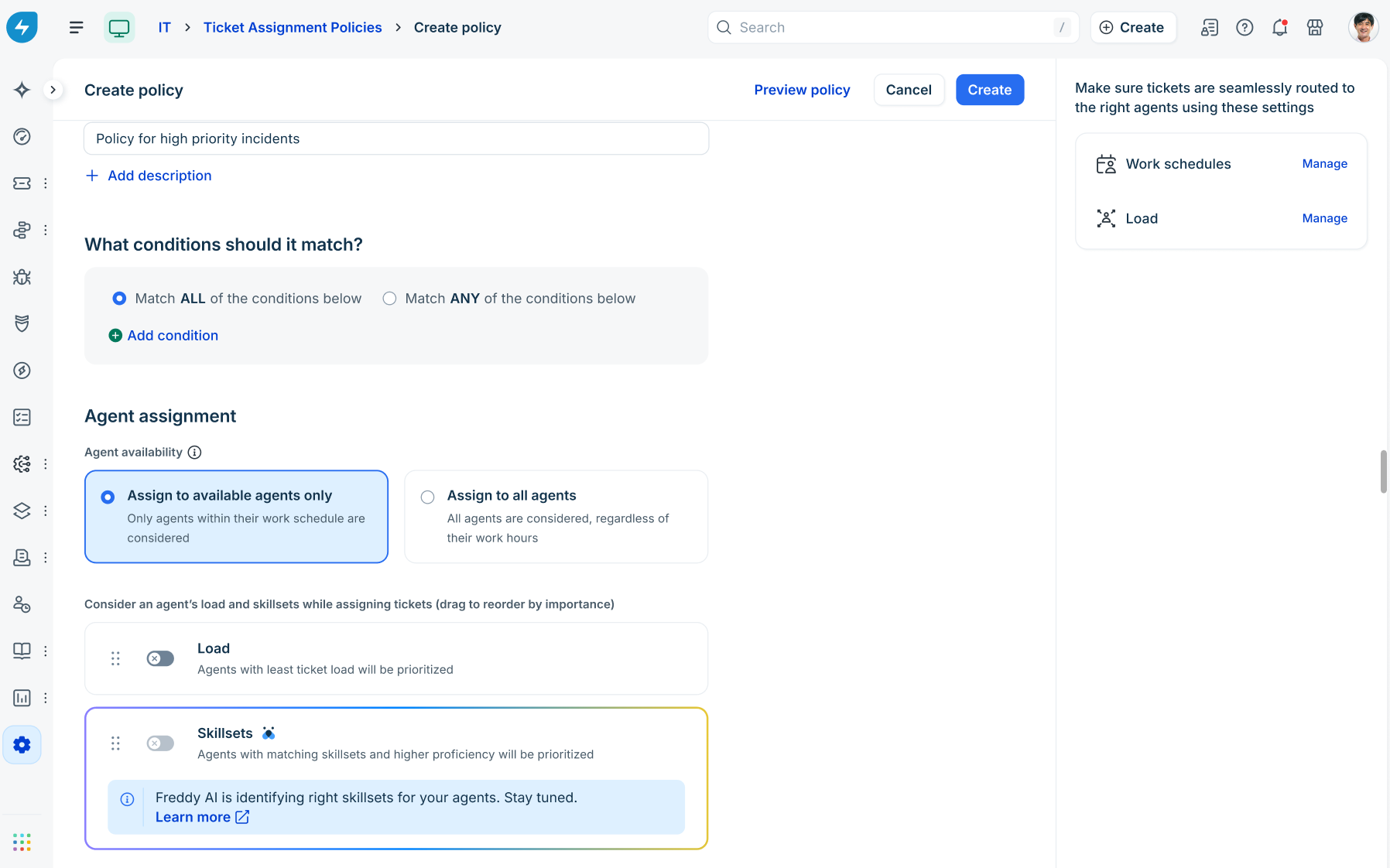
Learning alert: If historical analysis is ongoing, a banner indicates: "Freddy AI is identifying right skillsets for your agents. Stay tuned."
Filter tickets by skillset
Agents and supervisors can filter ticket views based on assigned skillsets.
Go to Tickets > List.
Click the Advanced filter tab.
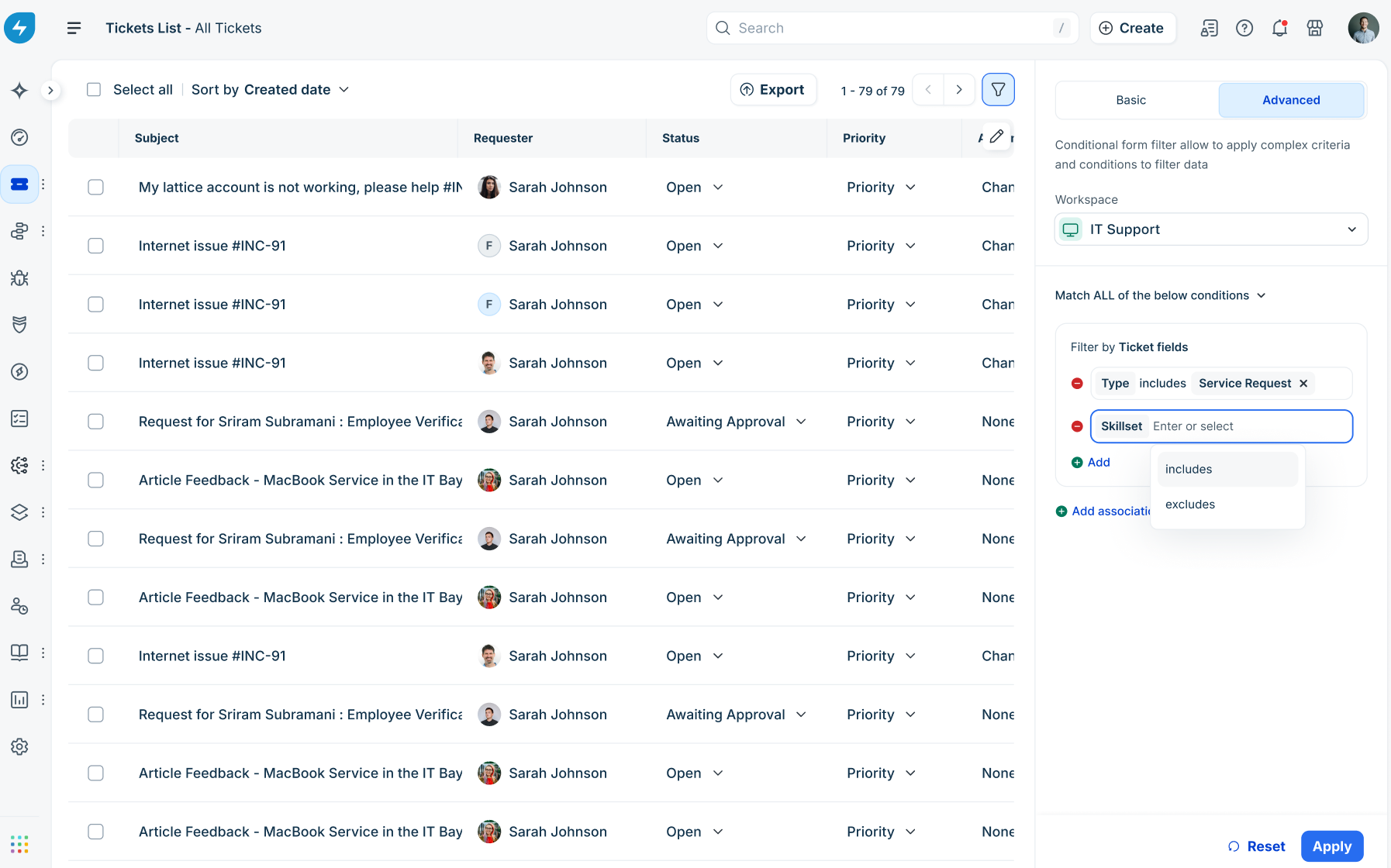
Under Filter by Ticket fields, click + Add condition and select Skillset.
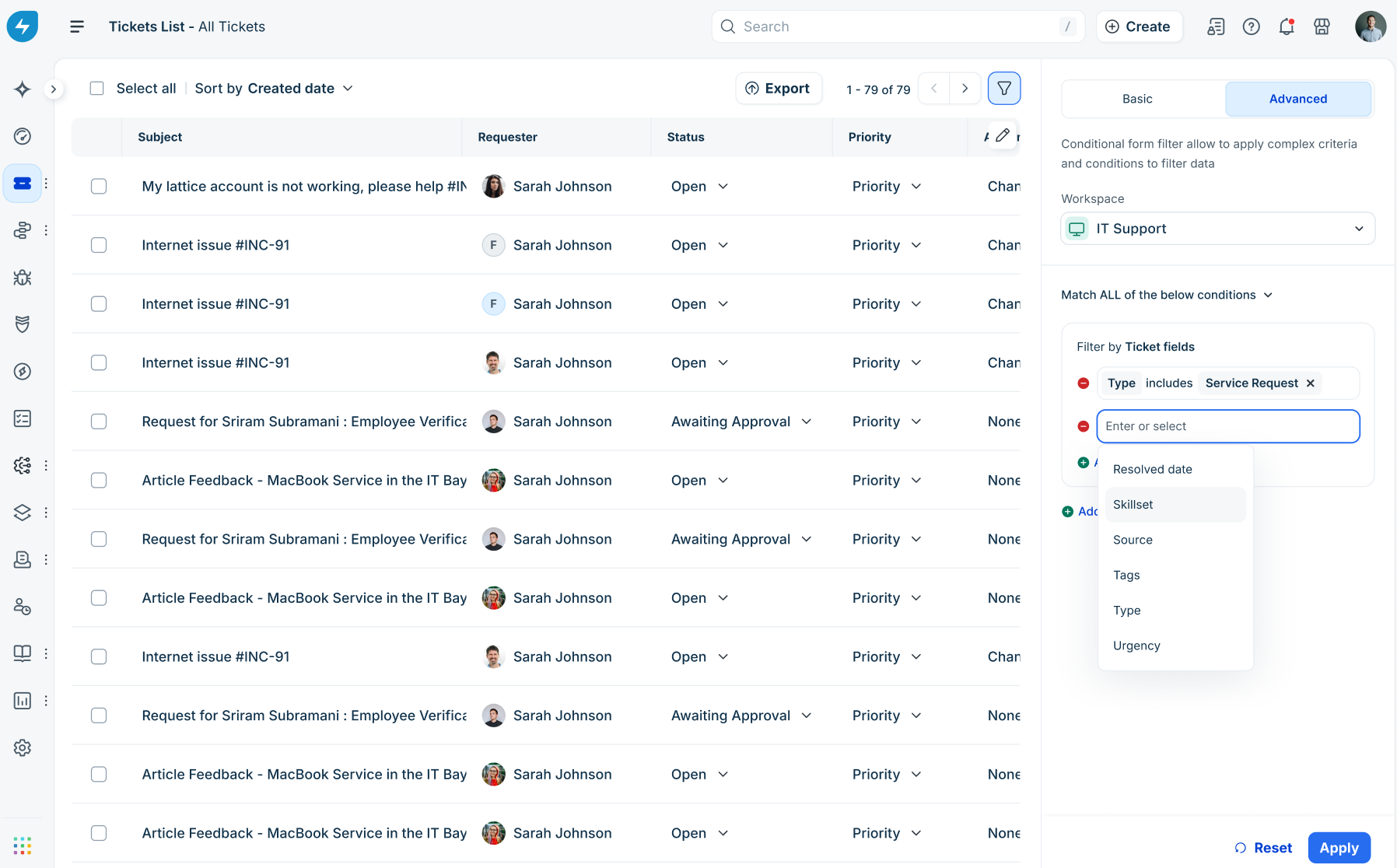
Choose an operator:
includes: Displays tickets matching selected skillsets.
excludes: Omits tickets matching selected skillsets.
In the selection field, choose one or more published skillsets, or select Unmapped to filter tickets assigned to the default Others skillset or without any skillset mapping.
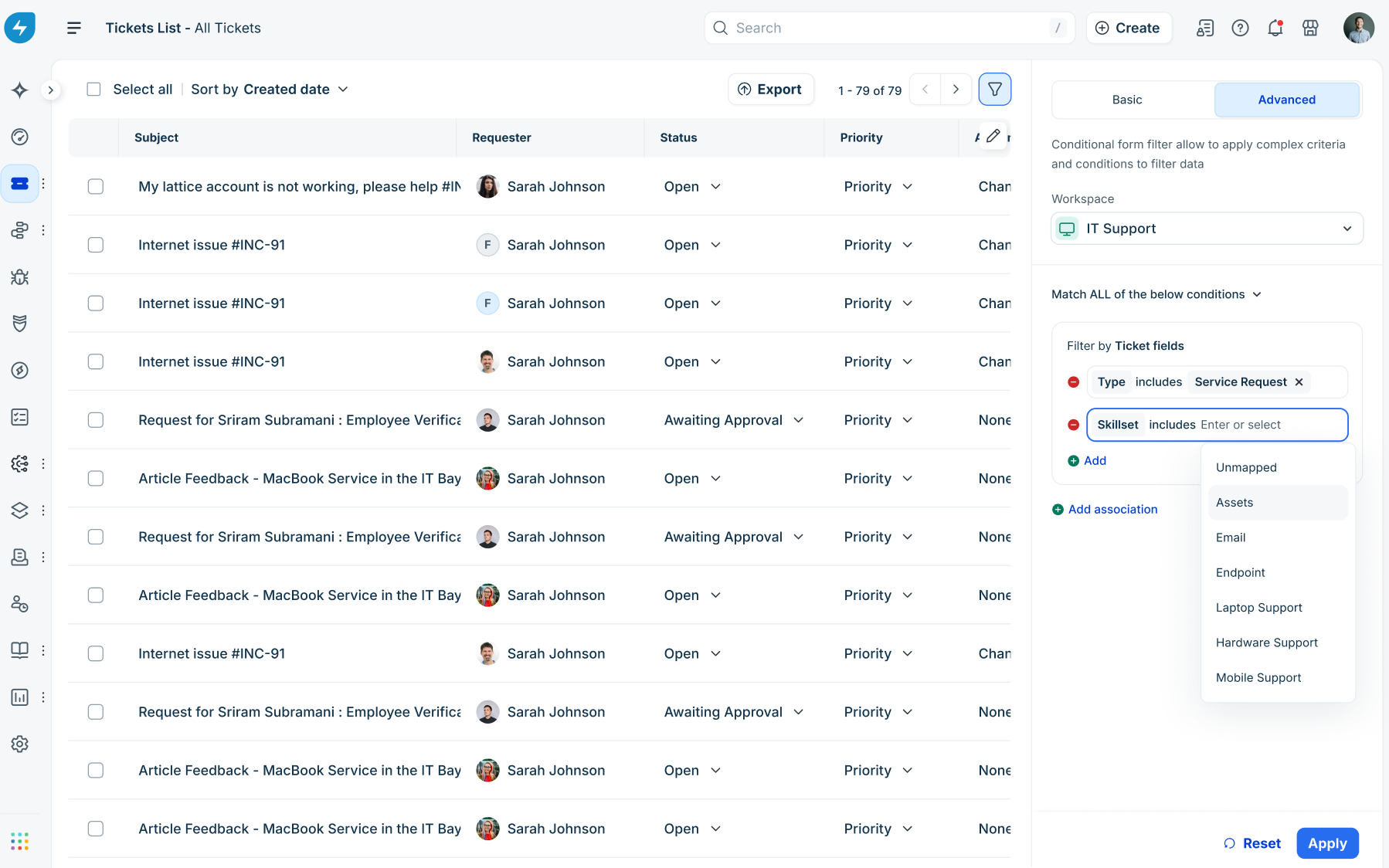
Click Apply.