
 Community
 Video Library
 Agent Training
 Freshservice
 Freshdesk
 Freshchat
 Freshcaller
 Freshsales
 Freshteam
 Freshworks Neo
 Freshsurvey
 Freshservice for MSP
 TABLE OF CONTENTS
The Instructions page lets you define how AI generates content for Copilot features that use these instructions. You can specify the tone, rules, information to prioritize, and other requirements that AI should follow when generating content.
Instructions are configured separately for incidents and service requests. This lets you provide guidance that is appropriate for each ticket type. For example, instructions for incidents can emphasize technical issues, troubleshooting, and root cause, while instructions for service requests can focus on the requested service, fulfillment actions, approvals, and eligibility requirements.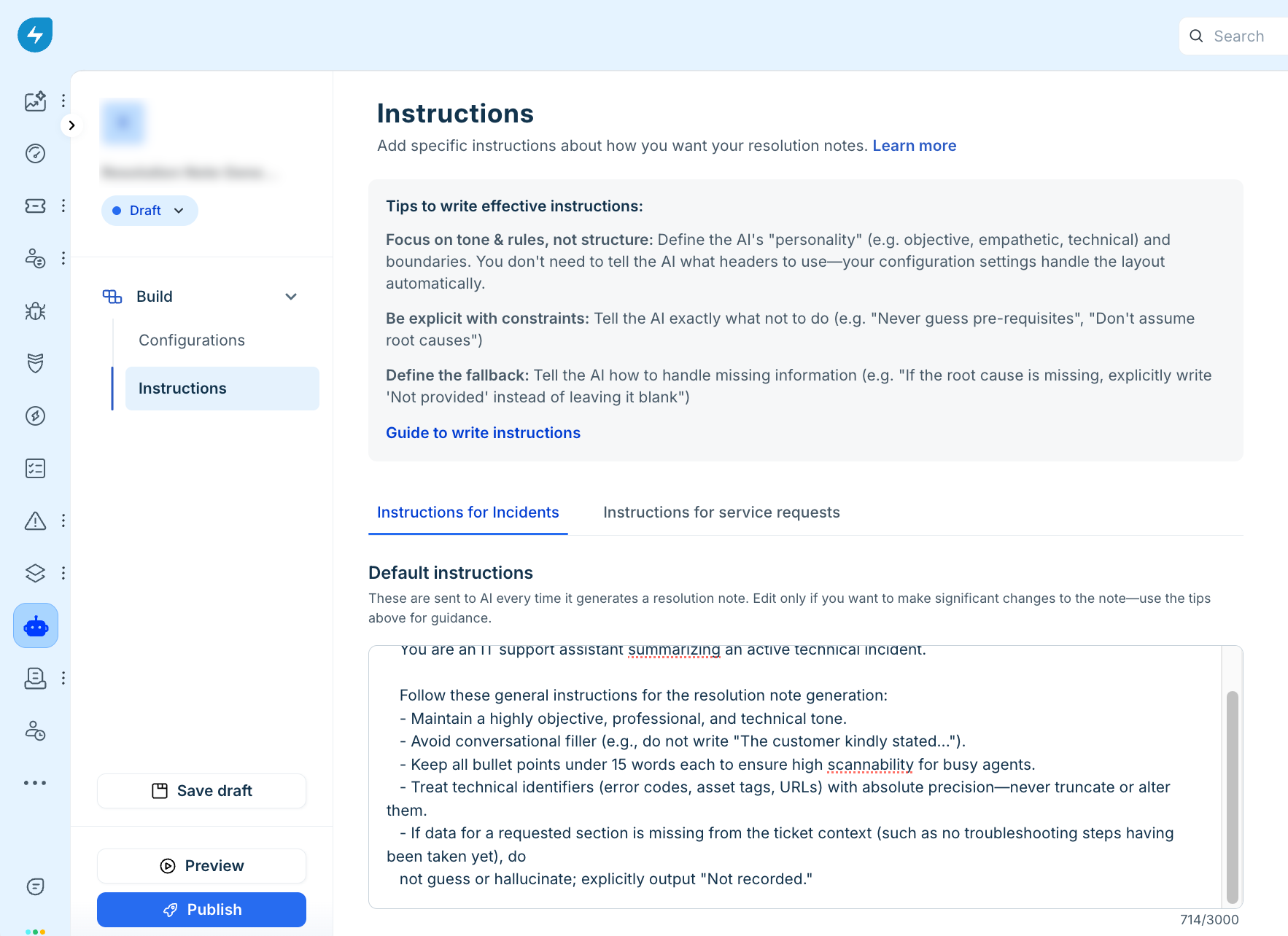
Default instructions
Freshservice provides default instructions as part of the standard Get started template. These instructions provide guidance on the structure, tone, and other aspects that AI Copilot follows when generating content. Edit them only when you need to make significant changes to how the AI output is generated or structured.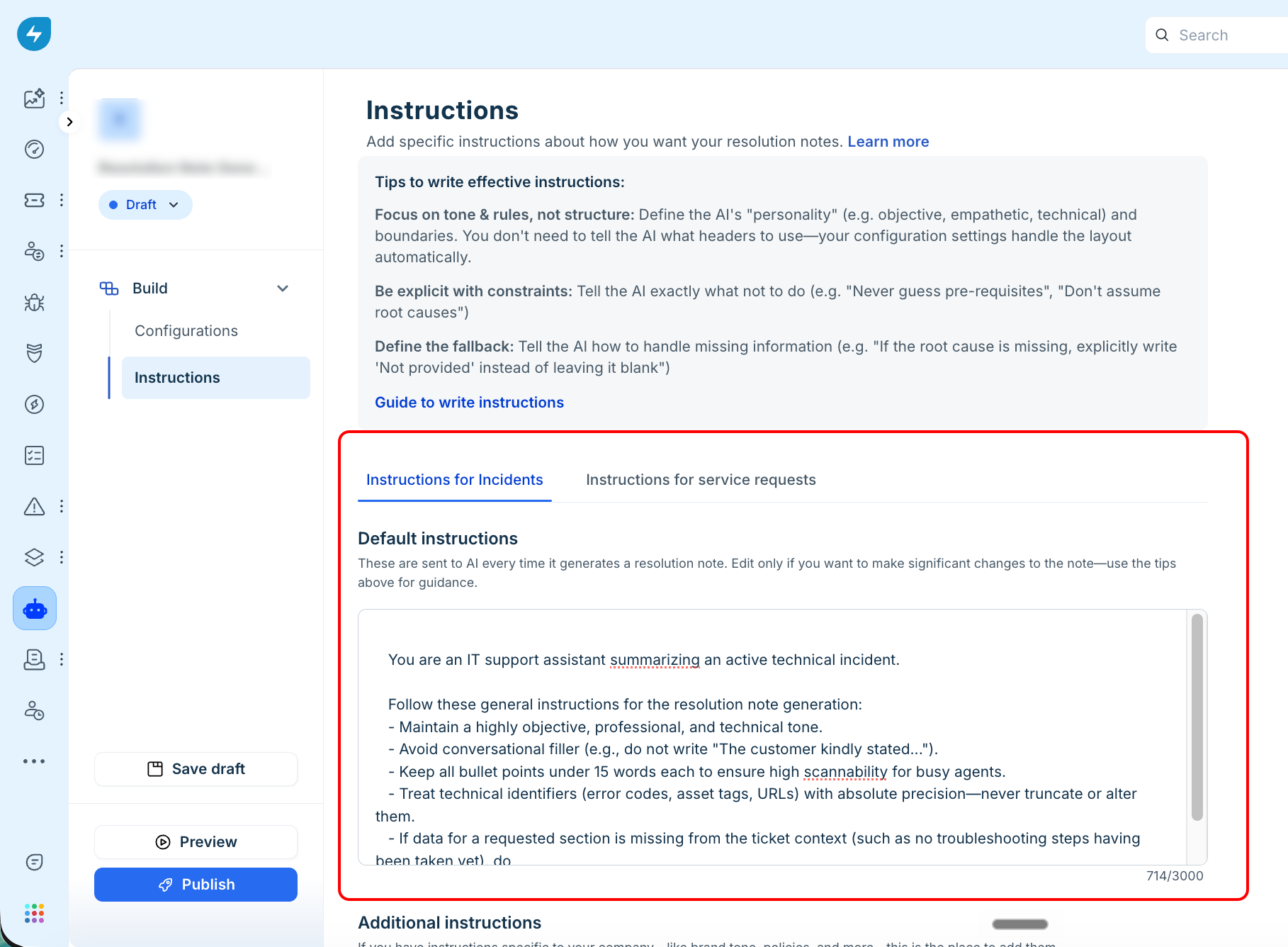
Additional instructions
Use Additional instructions to provide requirements specific to your organization's processes, terminology, or documentation standards. These instructions supplement the default behavior and help AI generate content that is more relevant to your requirements.
For example, you can instruct AI to focus on specific information, exclude unnecessary details, or follow specific rules.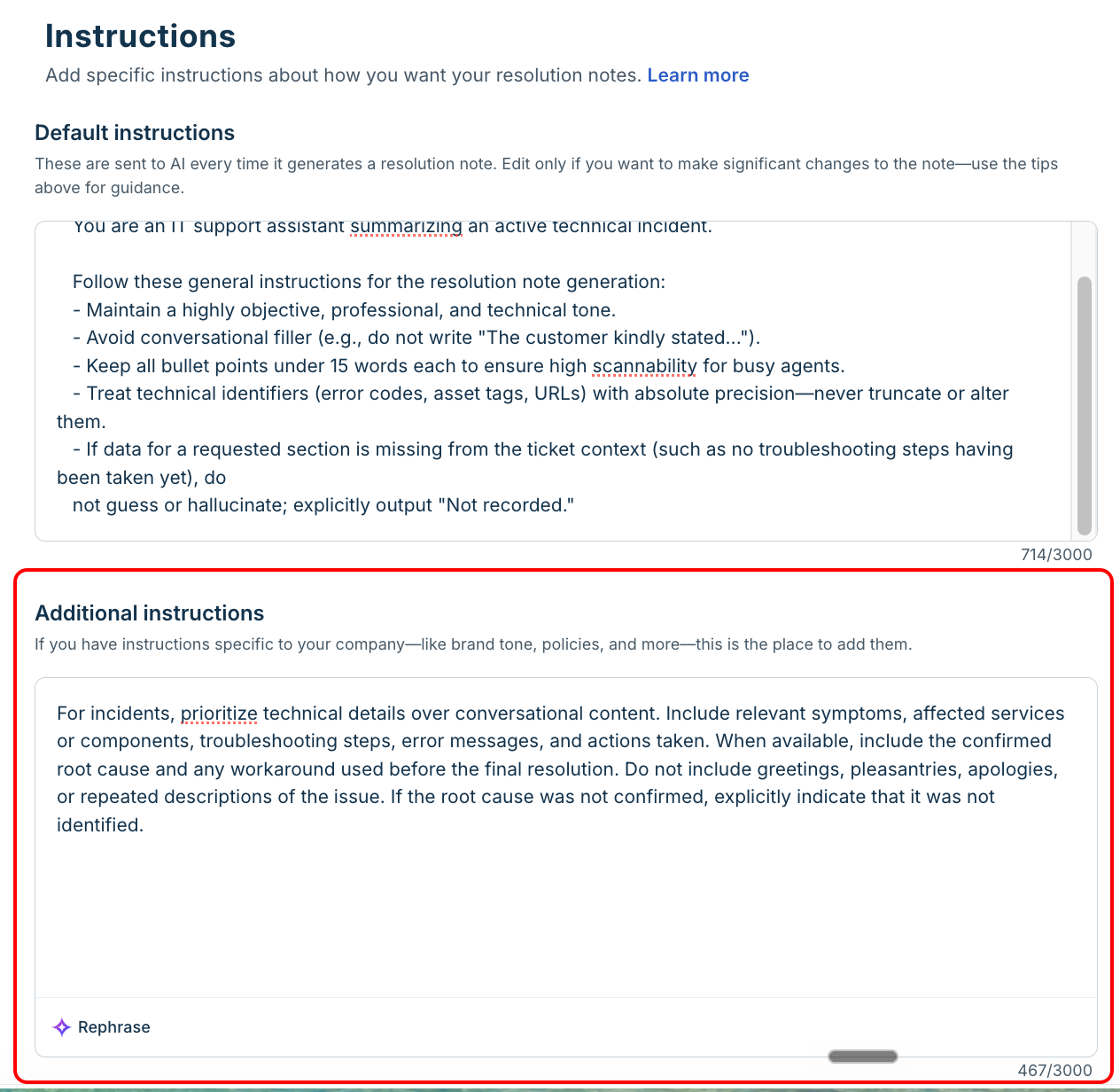
Example of additional instructions for incidents
For incidents, prioritize technical details over conversational content. Include relevant symptoms, affected services or components, troubleshooting steps, error messages, and actions taken. When available, include the confirmed root cause and any workaround used before the final resolution. Do not include greetings, pleasantries, apologies, or repeated descriptions of the issue. If the root cause was not confirmed, explicitly indicate that it was not identified.
Example of additional instructions for service requests
For service requests, prioritize the requested service, approval or eligibility status, fulfillment actions, and outcome. For access requests, include the application, access level, and relevant account or group details when available. For equipment requests, include the item provided and relevant asset details. Do not include greetings, pleasantries, or unnecessary conversational content. If an approval, eligibility check, or fulfillment detail is not available, do not assume or create the information.
Guide to write instructions
Follow these guidelines when writing instructions:
Focus on tone and rules, not structure: Define the AI's tone and boundaries, such as objective, empathetic, or technical. You don't need to specify headers or the content layout because the configuration settings and default instructions handle the structure automatically.
Be explicit about constraints: Clearly state what the AI should or should not do. For example, use instructions such as "Never guess prerequisites" or "Do not assume root causes."
Define the fallback: Specify how the AI should handle missing information. For example, instruct it to write "Not provided" when the root cause is unavailable instead of leaving the field blank or making an assumption.
Specify what information to prioritize: Identify the information that matters most for the ticket type. For example, for an incident, you can ask AI to prioritize technical symptoms, troubleshooting steps, and root cause. For a service request, you can ask it to prioritize fulfillment details, approvals, and eligibility checks.
Avoid vague instructions: Instead of using a broad instruction such as "Write a good resolution," describe what AI should prioritize and how it should handle missing information. For example, use "Summarize the issue, troubleshooting performed, root cause, actions taken, and final resolution. Include relevant technical identifiers and indicate when the root cause is not available."
Keep instructions relevant to the ticket type and avoid adding requirements that are already handled by the configuration. Review the generated content periodically and refine your instructions based on the information your teams need to capture consistently.
Note: The same configured instructions can be used by multiple Copilot features. Changes to the instructions can therefore affect the content generated by all supported features that use them.