Community
 Video Library
 Agent Training
 Freshservice
 Freshdesk
 Freshchat
 Freshcaller
 Freshsales
 Freshteam
 Freshworks Neo
 Freshsurvey
 Freshservice for MSP
 Note: AI Agent Studio is available to all Growth, Pro, and Enterprise customers as a promotional offer until December 31, 2026. Learn more.
In Freshservice, Freddy AI Agent (Classic) and AI Agent Studio represent two distinct generations of AI support capabilities. You can deploy and manage both Freddy AI Agent (Classic) and AI Agent Studio within the same Freshservice account simultaneously.
Prerequisites
Ensure you meet the following requirements before setting up AI Agent Studio and Freddy AI Agent (Classic):
Ensure you have administrator privileges in Freshservice.
Ensure your account is on a Growth, Pro, or Enterprise plan.
Verify access to your organization's collaboration channels, such as Slack or Microsoft Teams.
Overview
You can configure AI Agent Studio and Freddy AI Agent (Classic) simultaneously in your account to run different agents across different communication channels, such as Slack and Microsoft Teams. With this setup, you can deploy a new AI agent created using AI Agent Studio on one channel while keeping a Classic agent active on another.
Note: To prevent overlapping automations, a single channel (such as Slack, Microsoft Teams, or a Support Portal) can only host one agent at a time. For example, when an AI agent built in AI Agent Studio is active on a channel, that same channel is disabled for Freddy AI Agent.
Configure Freddy AI Agent (Classic) settings
Follow these steps to check and configure the operational status of your classic agents across channels. To configure the classic agent settings, follow these steps:
Follow these steps to configure the AI agent:
Go to Admin > Freddy.
In the Freddy AI Agent (Classic) section, review the toggles for Freddy AI Agent (Classic) for collaboration apps and Freddy AI Agent (Classic) for Support Portal to verify their current operational statuses.
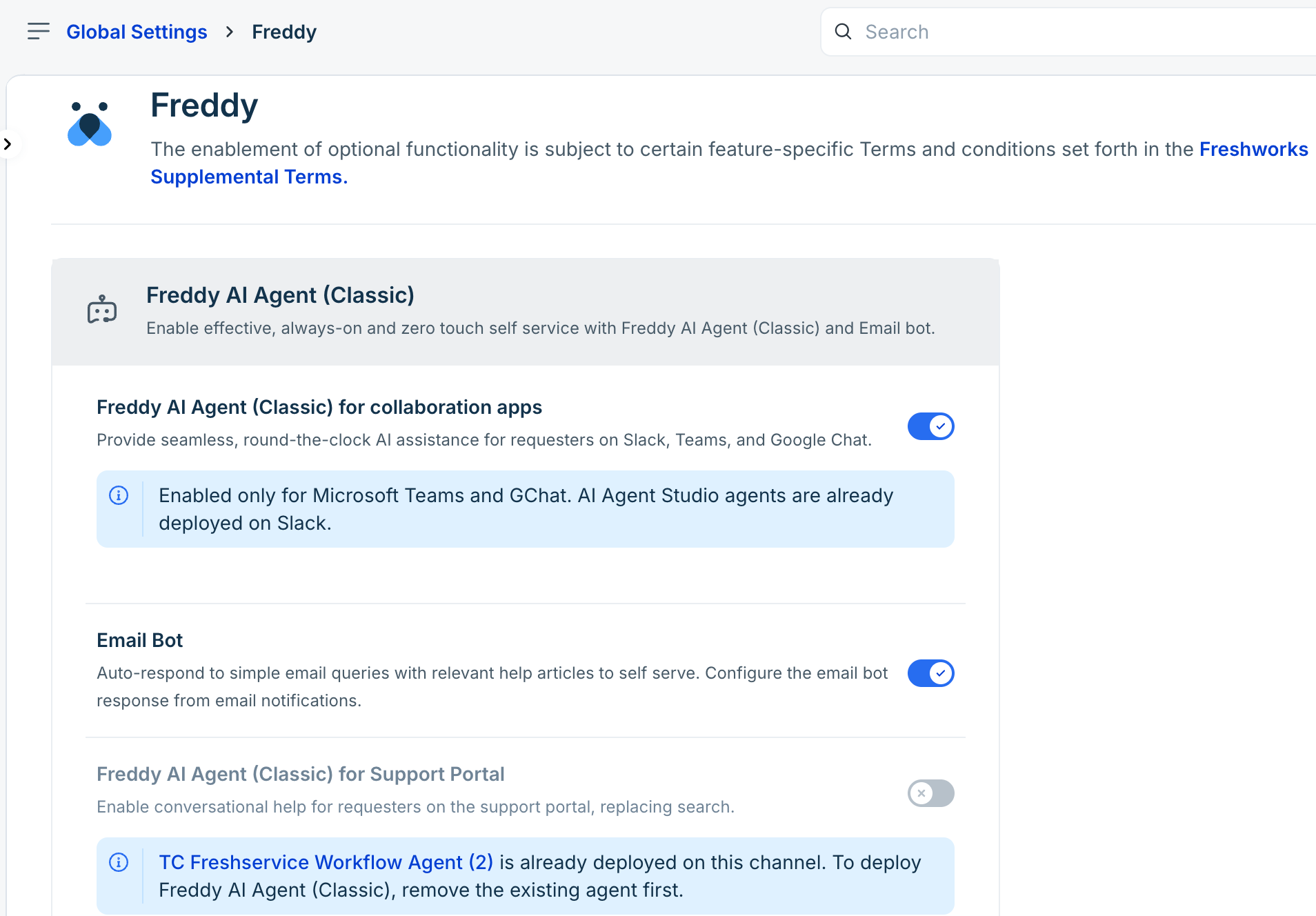
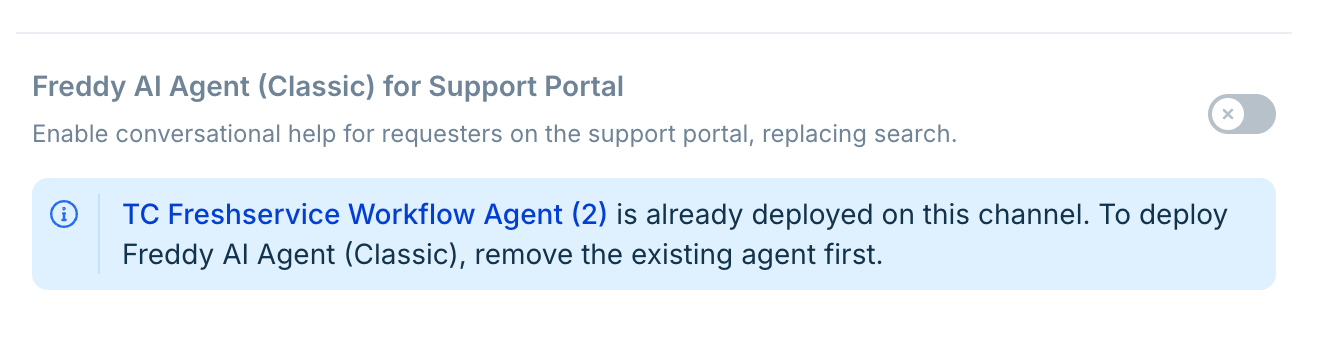
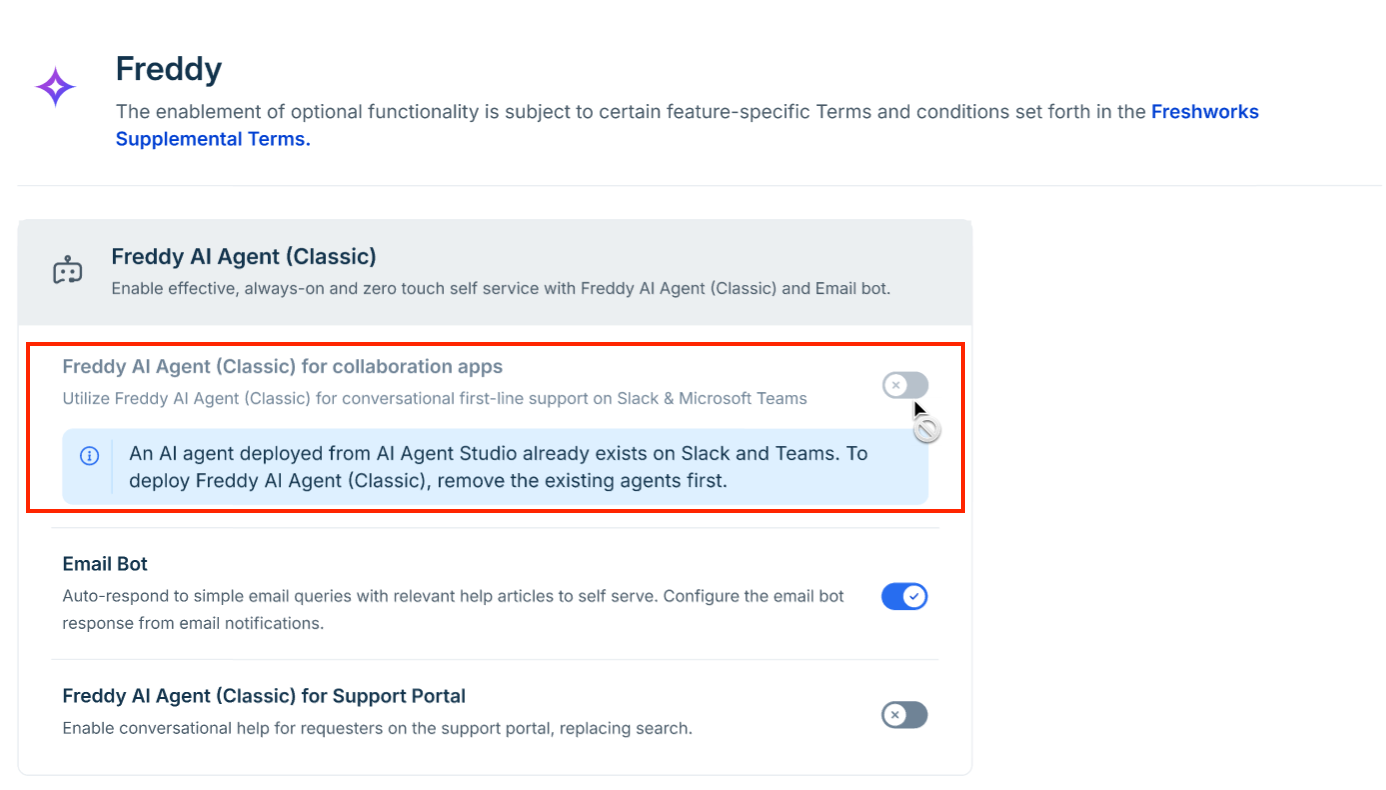
Review the info message below the toggle if the control is grayed out to confirm whether an active deployment from AI Agent Studio is blocking classic activation on Slack and Microsoft Teams. For example, the image below shows the Support portal Freddy AI Agent (Classic) as disabled, as the AI Agent Studio agent is already active.
Common configuration scenarios and use cases
Review these common configuration scenarios to understand how channel availability changes based on your configuration.
Scenario 1: Classic Agent active on Slack and Microsoft Teams
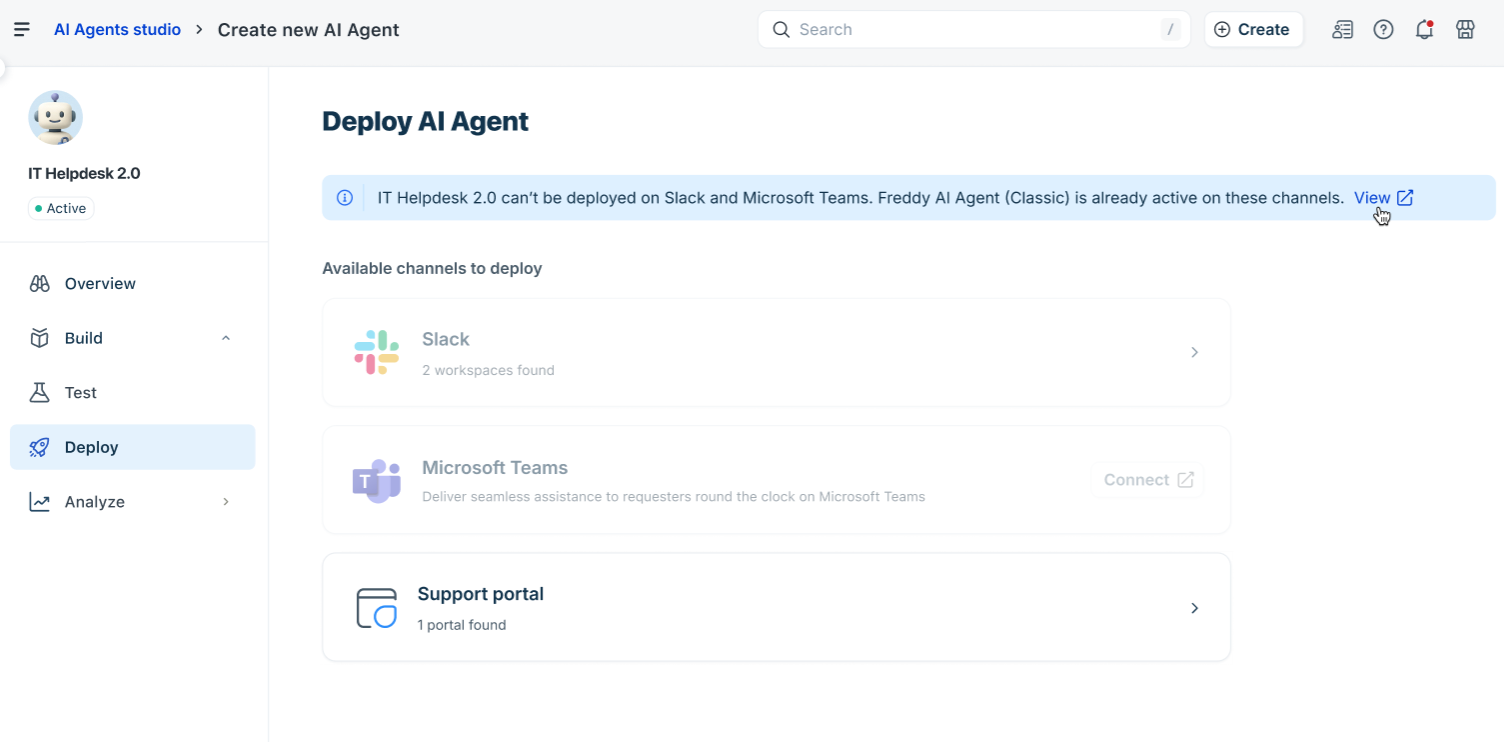
If your organization is already using the legacy Freddy AI Agent (Classic) on your primary channels, Freshservice automatically prevents newly created agents in AI Agent Studio from overriding those active channels.
Configuration: An administrator enables the Freddy AI Agent (Classic) for Slack and Microsoft Teams toggle within the configuration settings.
Result: When navigating to Agent Studio > Deploy, the options for Slack and Microsoft Teams are disabled.
Scenario 2: AI Agent Studio deployed on collaboration channels
When you build and launch an agent using AI Agent Studio on your channel, the system locks those specific channels in the Classic agent interface to prevent overlapping bot responses.
Configuration: One or more agents built in AI Agent Studio are deployed on Slack and Microsoft Teams, respectively.
Result: When navigating to Admin > Freddy AI Agent (Classic), the Freddy AI Agent (Classic) for collaboration apps toggle cannot be enabled.
Scenario 3: Impact on Servicebot settings for Slack and Microsoft Teams
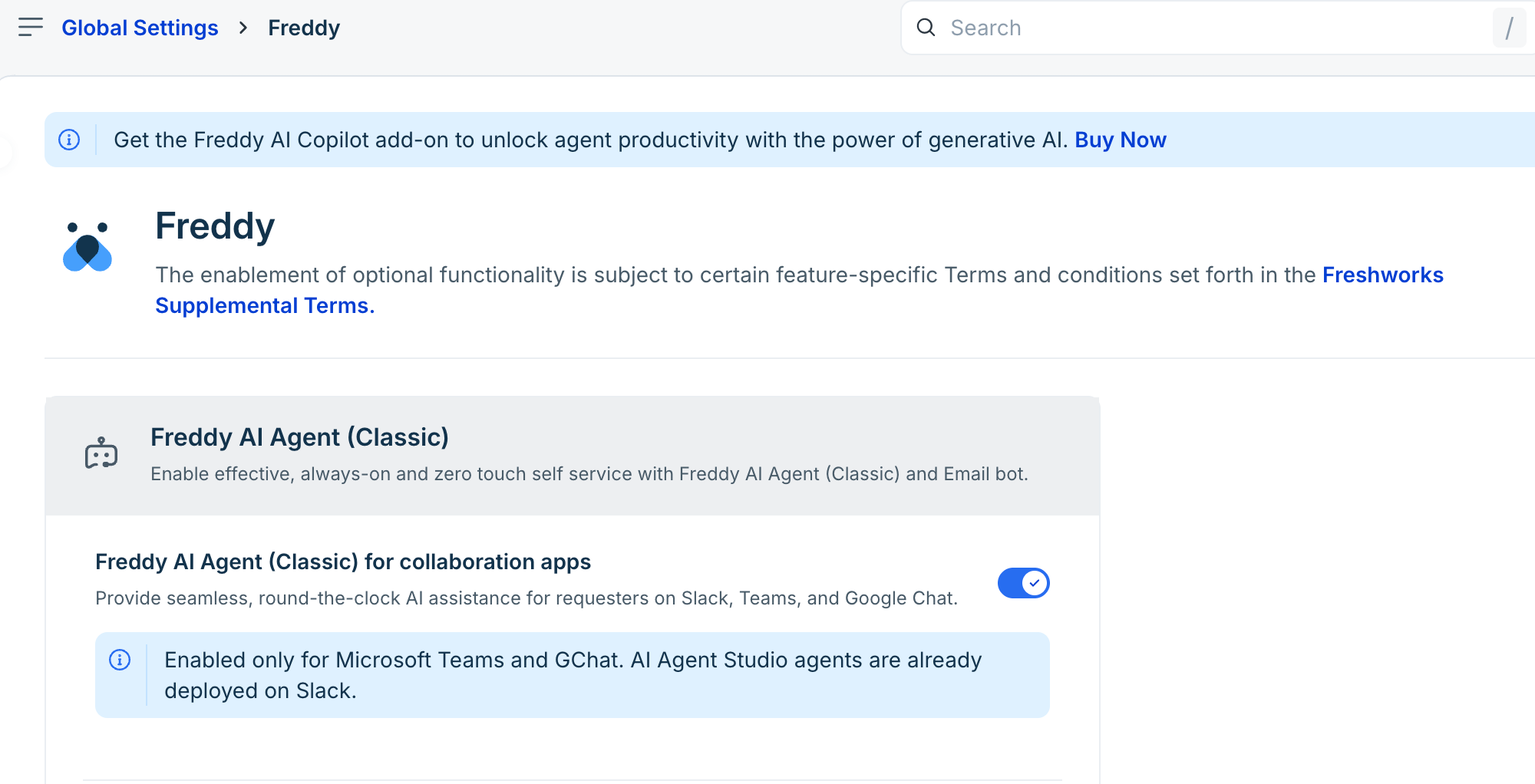
When you deploy an agent built in AI Agent Studio on Slack, only the Slack channel is locked in Freddy AI Agent (Classic). Your Microsoft Teams channel remains available, allowing you to deploy the classic agent on Teams if you wish.
Configuration: Admin enabled an agent built in AI Agent Studio on Slack.
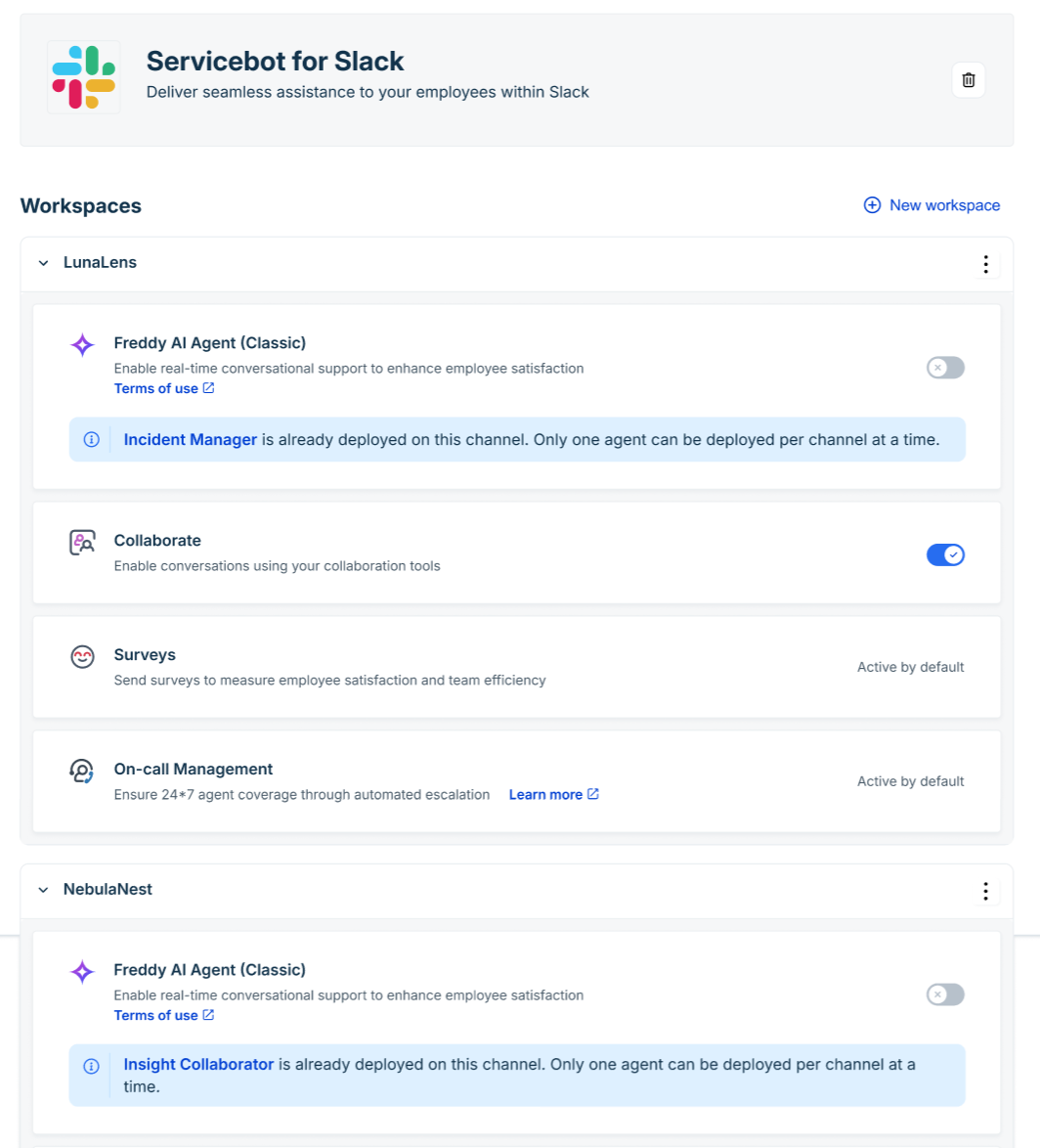
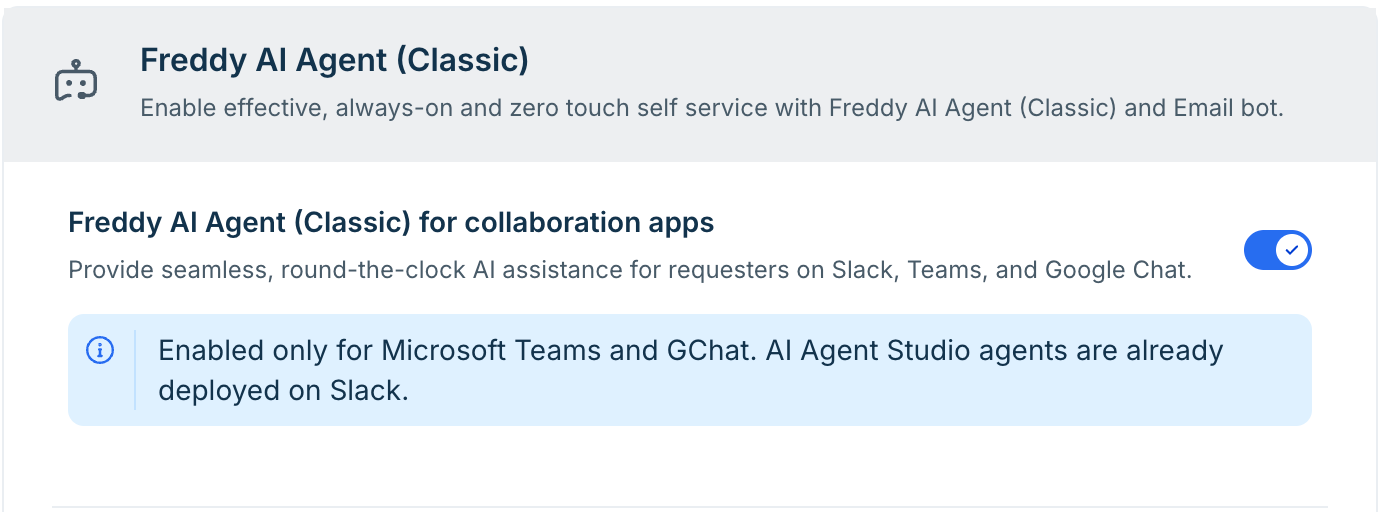
Result: Under Admin > Freddy, the collaboration apps toggle remains enabled only for Microsoft Teams. Slack is disabled because AI Agent Studio is already deployed on it, and an information banner displays that the agent is already deployed on Slack.
Scenario 4: Multi-workspace configurations for Slack
If your organization connects multiple Slack workspaces to a single Freshservice account, channel availability is evaluated independently for each workspace.
Configuration: An administrator configures multiple Slack workspaces that are connected to the same Freshservice account.
Result: Channel availability applies directly at the individual workspace level. If Workspace A and Workspace B already have an active deployment, they remain locked in Freddy AI Agent (Classic). However, the system allows the classic agent deployment on Workspace C.