
 Community
 Video Library
 Agent Training
 Freshservice
 Freshdesk
 Freshchat
 Freshcaller
 Freshsales
 Freshteam
 Freshworks Neo
 Freshsurvey
 Freshservice for MSP
 Note: Available only for new signups after the 31 March, 2026 release. If you signed up earlier, refer to the existing ITAM documentation.
The management console menu is presented when you log in to the Freshservice VM. This menu allows administrators to manage server settings, network connectivity, and database maintenance directly from the command-line interface.
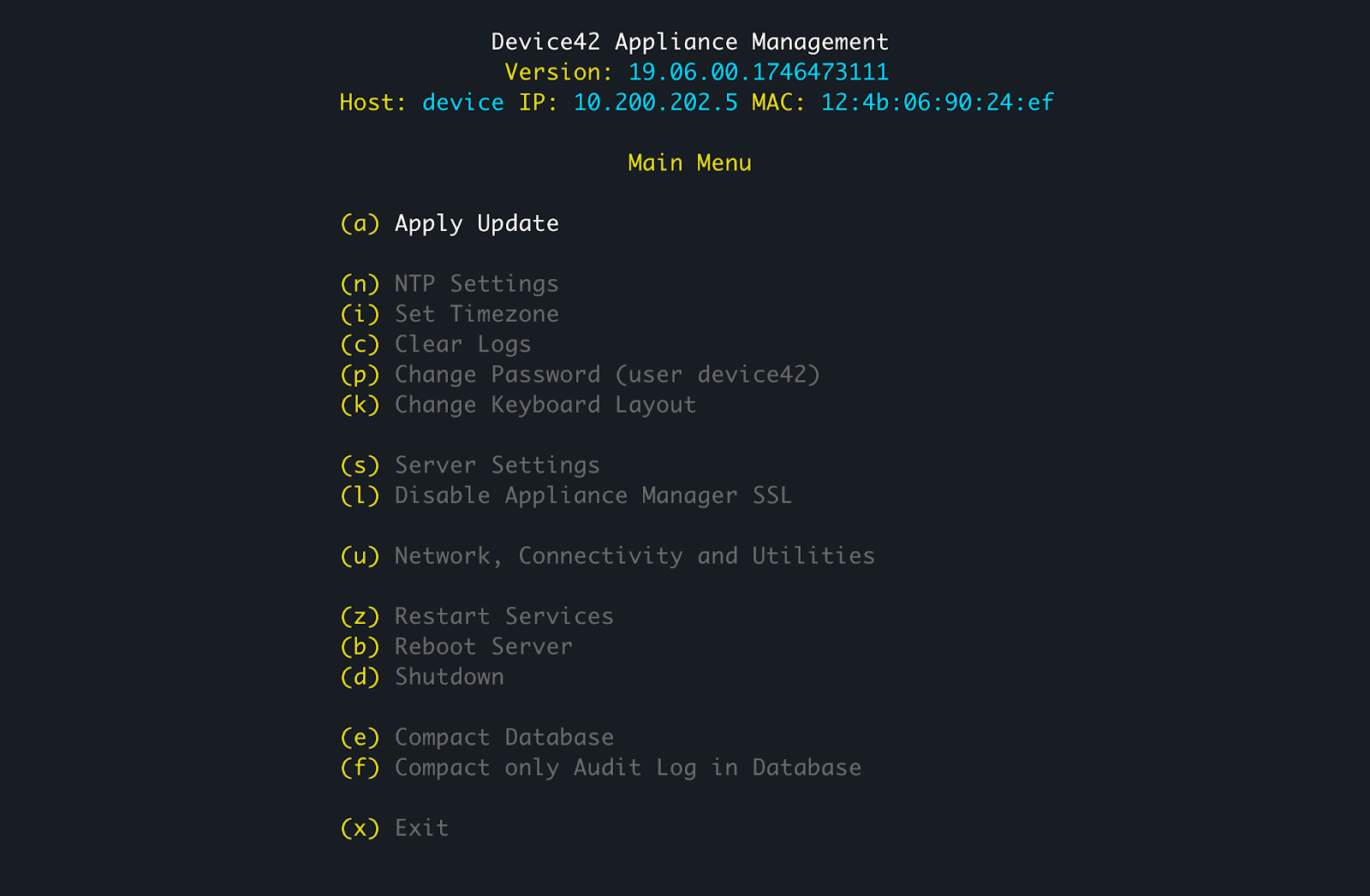
The following options are available in the appliance management menu:
(a) Apply Update: Apply software updates to the appliance.
(n) NTP Settings: Configure Network Time Protocol settings.
(i) Set Timezone: Adjust the system timezone.
(c) Clear Logs: Remove system log files.
(p) Change Password (user device42): Update the password for the user.
(k) Change Keyboard Layout: Configure the keyboard input settings.
(s) Server Settings: Manage core server configurations.
(l) Disable Appliance Manager SSL: Turn off SSL for the Appliance Manager.
(u) Network, Connectivity and Utilities: Access network configuration and diagnostic tools.
(z) Restart Services: Restart application services.
(b) Reboot Server: Restart the virtual machine.
(d) Shutdown: Power off the server.
(e) Compact Database: Perform maintenance to reduce database size.
(f) Compact only Audit Log in Database: Reduce the size of the audit log specifically.
(x) Exit: Close the console menu.