Community
 Video Library
 Agent Training
 Freshservice
 Freshdesk
 Freshchat
 Freshcaller
 Freshsales
 Freshteam
 Freshworks Neo
 Freshsurvey
 Freshservice for MSP
 Ignored services allow you to filter out specific communication processes so they do not clutter your inventory or dependency maps. Ignored services is categorized into two states:
Active: Services are not captured during the discovery process.
Inactive: Service remains in the ignored list for tracking purposes but is still captured during discovery.
Any services identified as ignored during a scan are automatically added to the Ignore Service list.
View ignored services
To access the list of excluded processes to modify their tracking status, follow these steps:
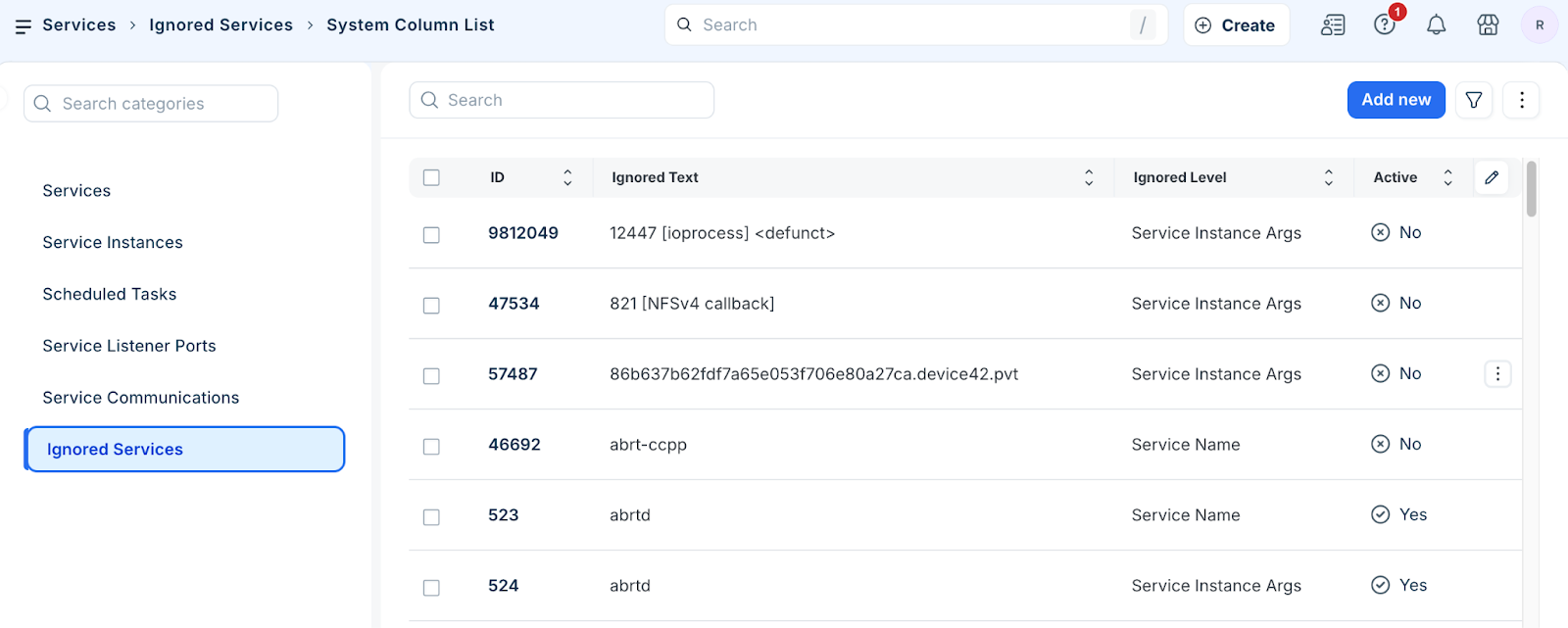
Go to Applications > Services > Ignored Services to open the list.
Review the identified services and their current status (Active or Inactive).
Click on a specific Ignored Service ID to edit the details of an existing entry.
Perform bulk actions
Apply status changes or management tasks to multiple records at once.
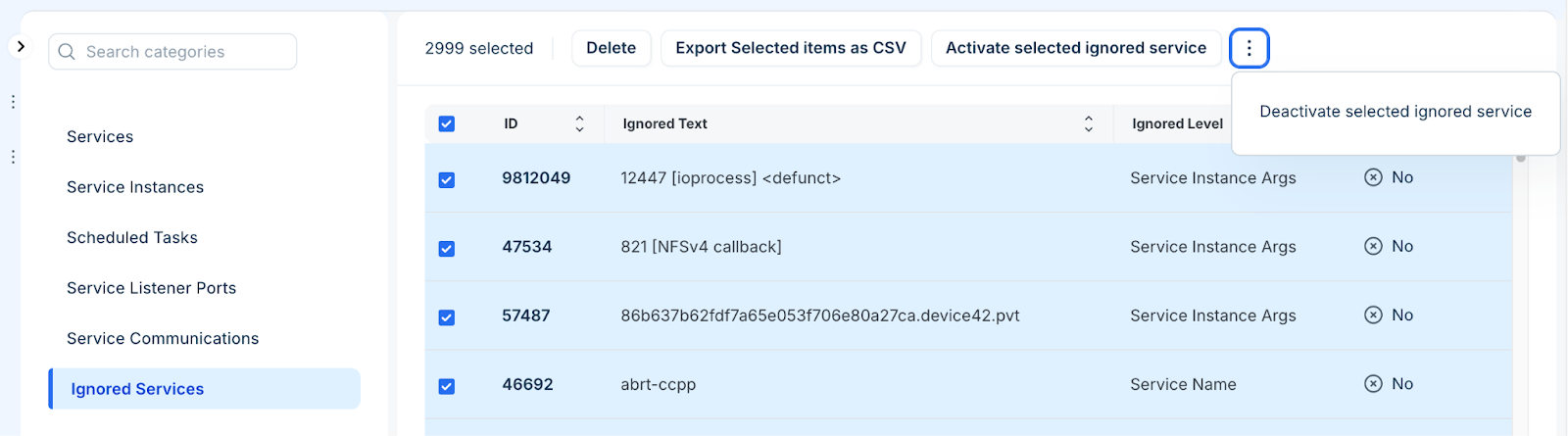
Select one or more entries from the Ignored Services list page.
Select one of actions that you want to perform.:
Activate selected ignored service: Prevents the selected services from being captured in future discoveries.
Deactivate selected ignored service: Allows the selected services to be captured while keeping them on the list.
Delete: Removes the service from the ignored list.
Export Selected items as CSV: Export the list of selected ignored services.
Add an ignored service
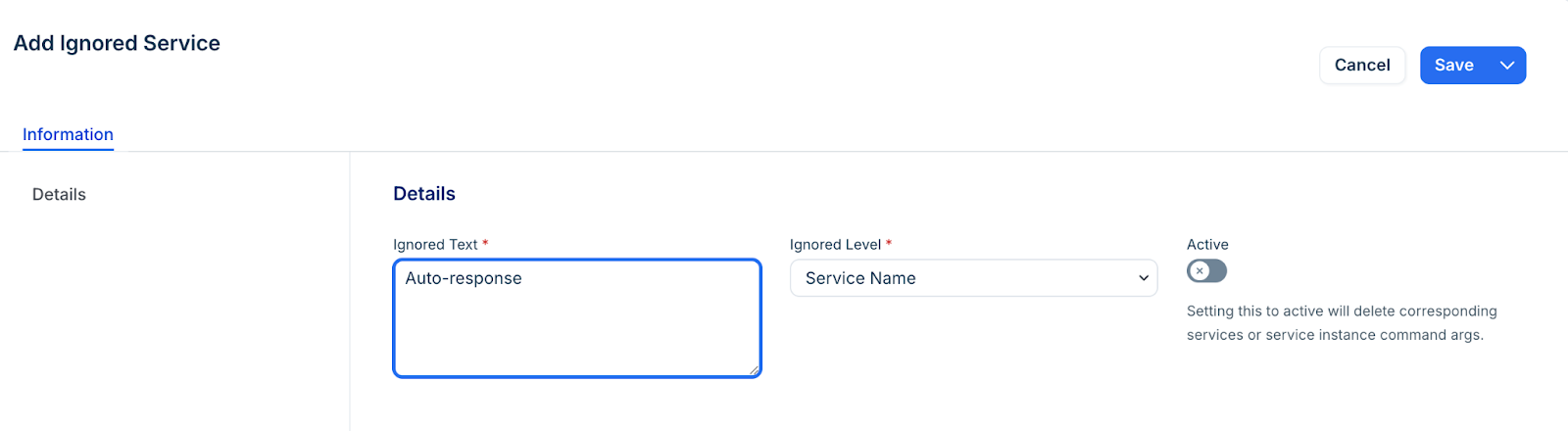
To define a new exclusion rule to prevent specific text patterns from being discovered, follow these steps:
Click Add new.
Enter the Ignored Text (the name or string associated with the service).
Select the Ignored Level to define the scope of the exclusion.
Enable the Active option to ensure the service is not captured in the next discovery run.
Note: When a service is marked as Active in the ignored list, it will no longer appear in your All Services or Service Instances views following the next discovery cycle. This is a primary method for cleaning up Application Dependency Mapping (ADM) visualizations by removing ubiquitous monitoring tools or system-level listeners that do not contribute to functional application logic.Click Save.