
 Community
 Video Library
 Agent Training
 Freshservice
 Freshdesk
 Freshchat
 Freshcaller
 Freshsales
 Freshteam
 Freshworks Neo
 Freshsurvey
 Freshservice for MSP
 Application Dependency Mapping (ADM) in Device42 discovers running services and imports detailed configuration information for supported applications. This capability enables deeper visibility into application components and their configurations across your environment.
Note: ADM discovers all running services, not just those listed here. For unlisted applications, you can use Application Component Templates to automate Application Component creation with custom logic.
Supported applications
The following table lists applications with enhanced discovery support, including the services detected and configuration data captured.
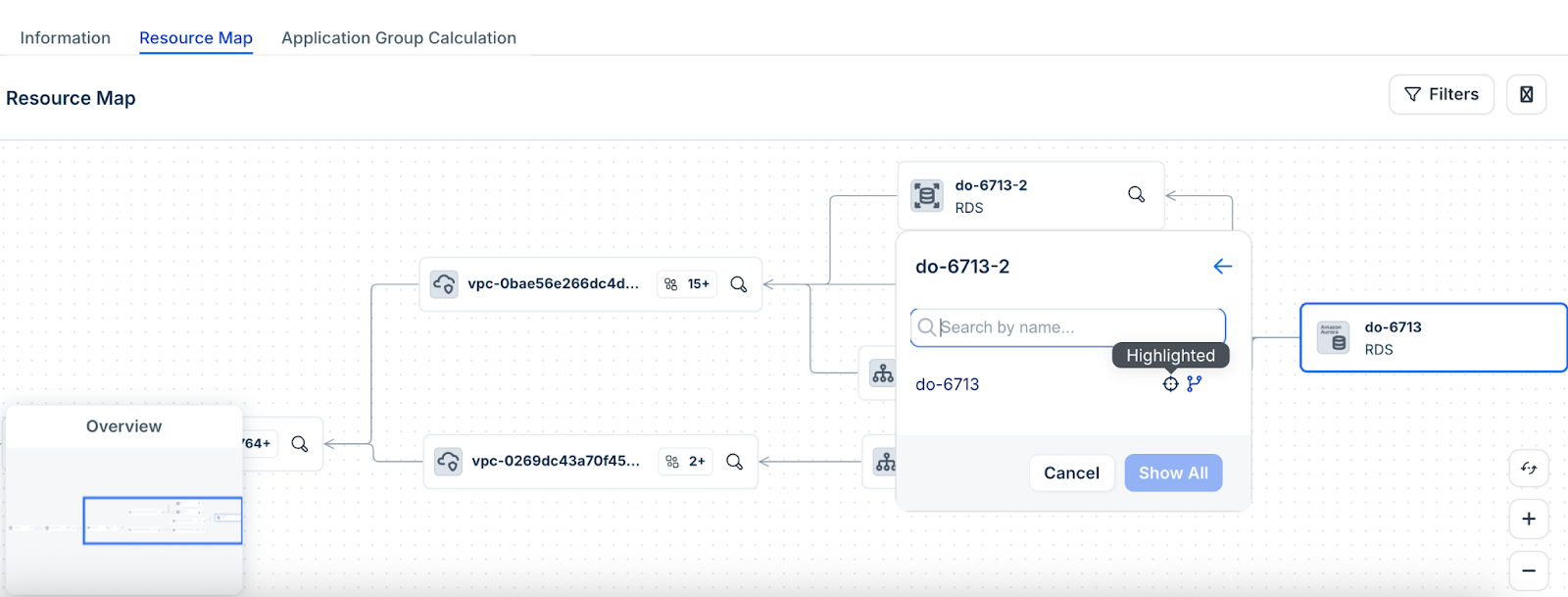
Access and explore Application Dependencies using Resource Maps
After you have discovered your cloud databases, follow these steps:
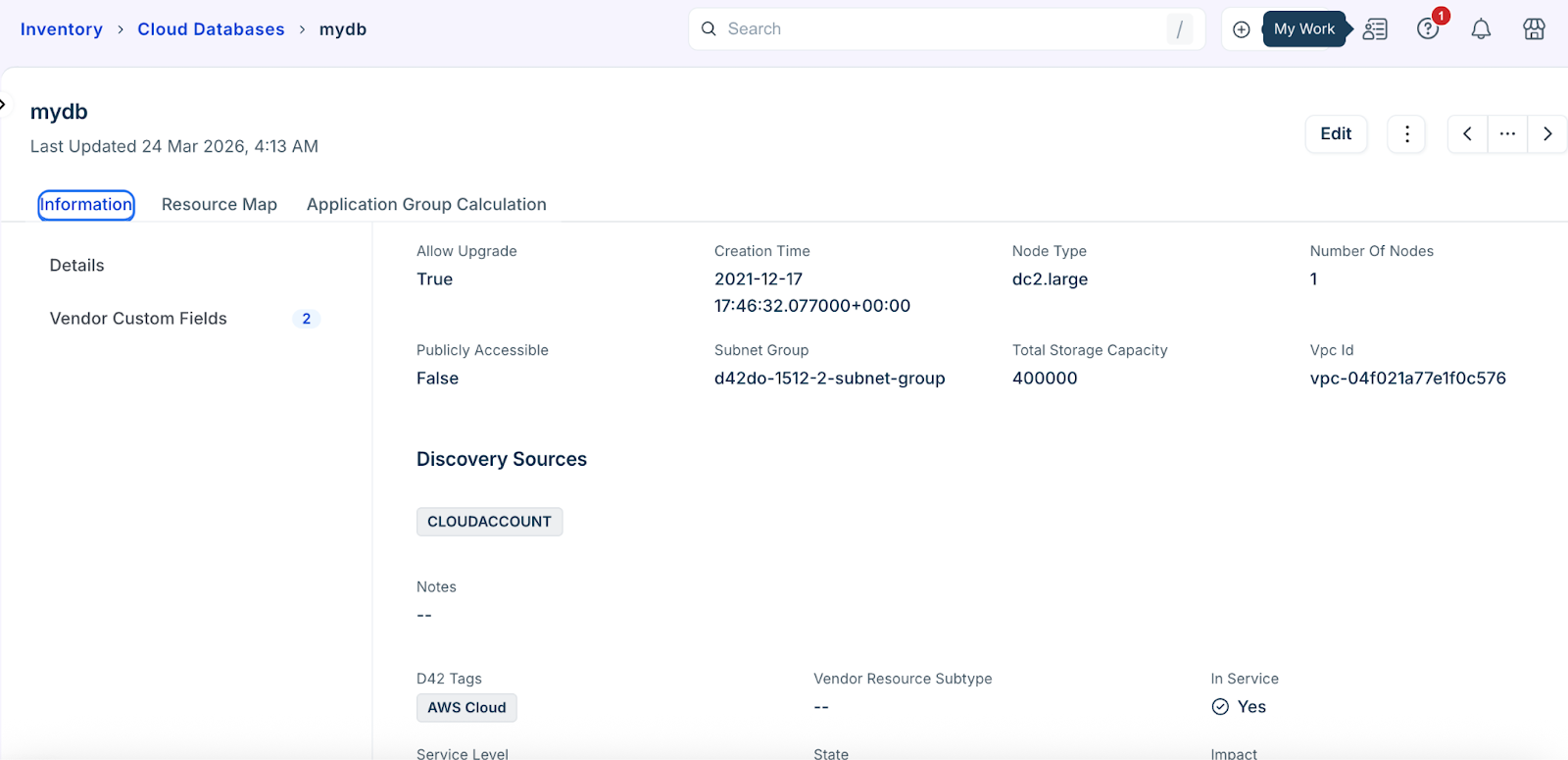
In the side bar click IT Asset Management > Inventory > Databases > Cloud Databases.
Select the database you would like to use as your starting point. Open the database to view the discovered information.
Go to the Resource Map tab to view relational data.
Click the search icon in the resource block to explore related resources.
Enter the resource name that you want to search.
Hover to the right of a list item's name to access the following additional actions:
Highlight items on the map (crosshair icon)
Display items on the map (branch icon)
Use cases
The following use cases demonstrate how ADM detected application data and resource maps support visibility, troubleshooting, and operational decision-making:
Identify application configurations without manual access
Troubleshoot issues using centralized configuration data
Audit application environments and dependencies
Improve visibility into complex, multi-tier applications
Limitations
The following limitations apply when configuring and exploring ADM detected applications and database relationships:
Currently supports DB-to-DB connections only
Only AWS is currently supported
When connecting using a VPN, the results may be limited