
 Community
 Video Library
 Agent Training
 Freshservice
 Freshdesk
 Freshchat
 Freshcaller
 Freshsales
 Freshteam
 Freshworks Neo
 Freshsurvey
 Freshservice for MSP
 SaaS discovery identifies organization-wide software-as-a-service application metadata, usage patterns, and user assignments. By connecting with identity providers, Freshservice maintains an up-to-date inventory of your SaaS subscriptions to help identify underutilized assets and manage access levels.
Note: Available only for new signups after the 31 March, 2026 release. If you signed up earlier, refer to the existing ITAM documentation.
Supported Identity Providers
SaaS discovery from the following identity providers are supported:
Azure Active Directory
Okta
G Suite (Google Workspace)
Required permissions for SaaS Discovery in Azure
For Azure AD discovery, the following permissions require read access with admin consent:
User.Read.All
User.ReadBasic.All
Directory.Read.All
Application.Read.All
The Group and Team permissions are used to get usernames.
Group.Read.All
GroupMember.Read.All
Team.ReadBasic.All
TeamMember.Read.All
The AuditLog permissions are used to determine the last time users logged in.
AuditLogsQuery
AuditLog.Read.All
AuditLogsQuery-Entra.Read.All
AuditActivity.Read
Create a SaaS discovery job
To set up your SaaS discovery, follow these steps:
Step 1: Add a new discovery job
Go to Admin > Asset Management > Scan and discover and click the Discovery Jobs tab.
Select SaaS Discovery from the list and click Add new.
Enter a Name for the job and select your Remote Collector.
Select the identity provider Type (Azure AD, Okta, or Gsuite).
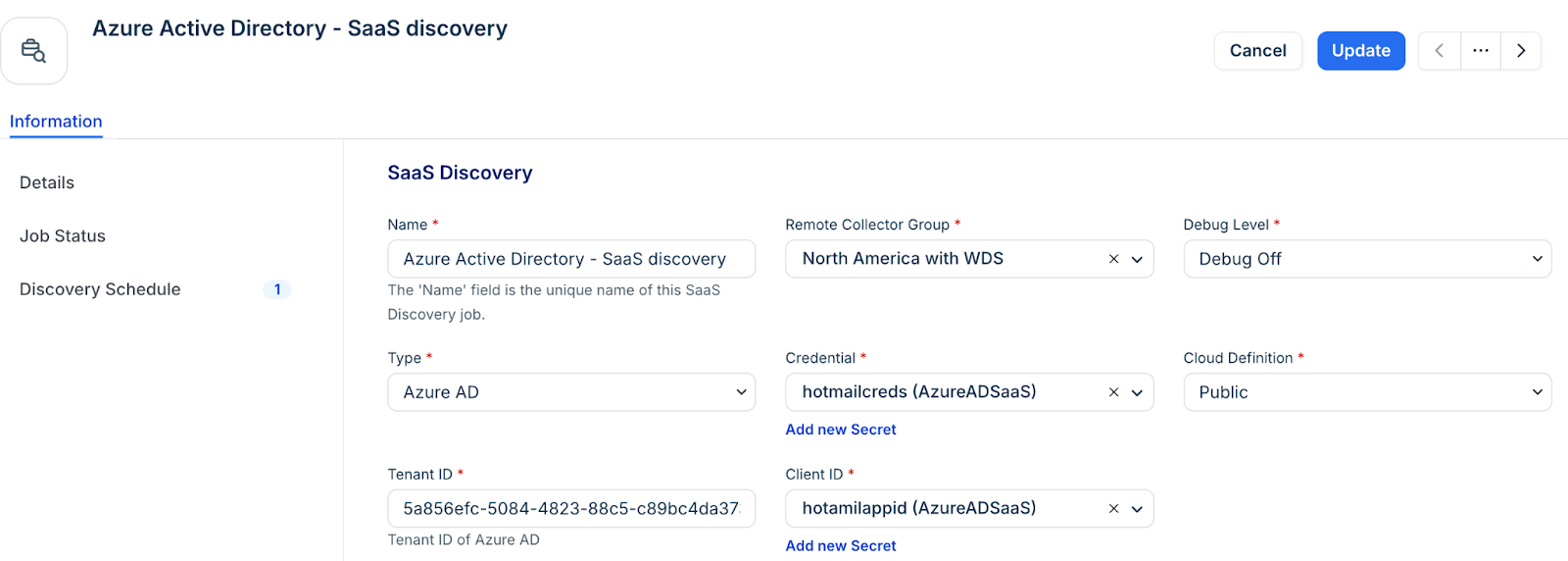
Step 2: Authenticate and configure
Enter the authentication details specific to your provider. For example, Tenant ID for Azure or URL for Okta.
Note: Ensure the credentials used have the necessary read permissions mentioned in the prerequisites.
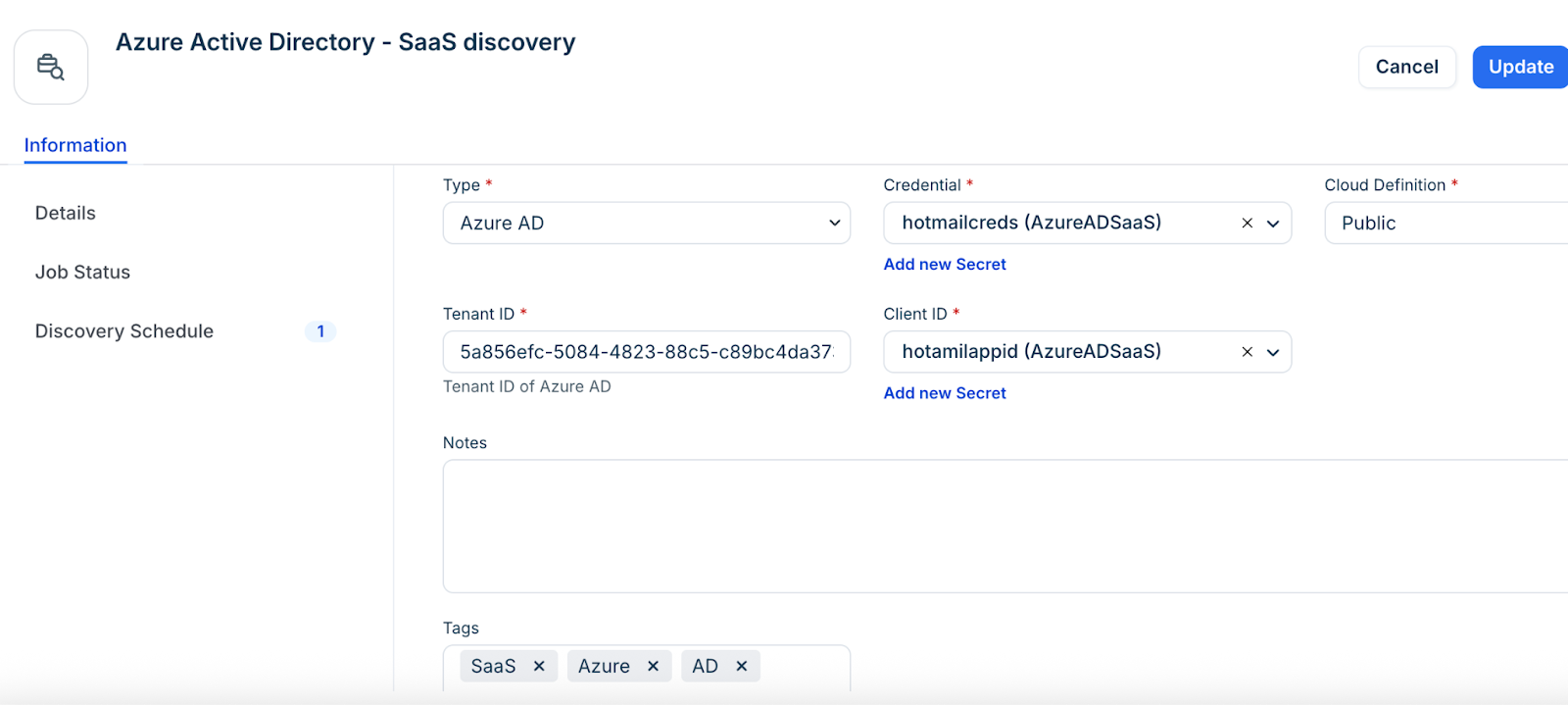
Step 3: Schedule and run
In the Discovery Schedule section, click + Add New to set a recurring interval for automated updates.
Click Save.
To start the discovery immediately, click Run Now on the job details.
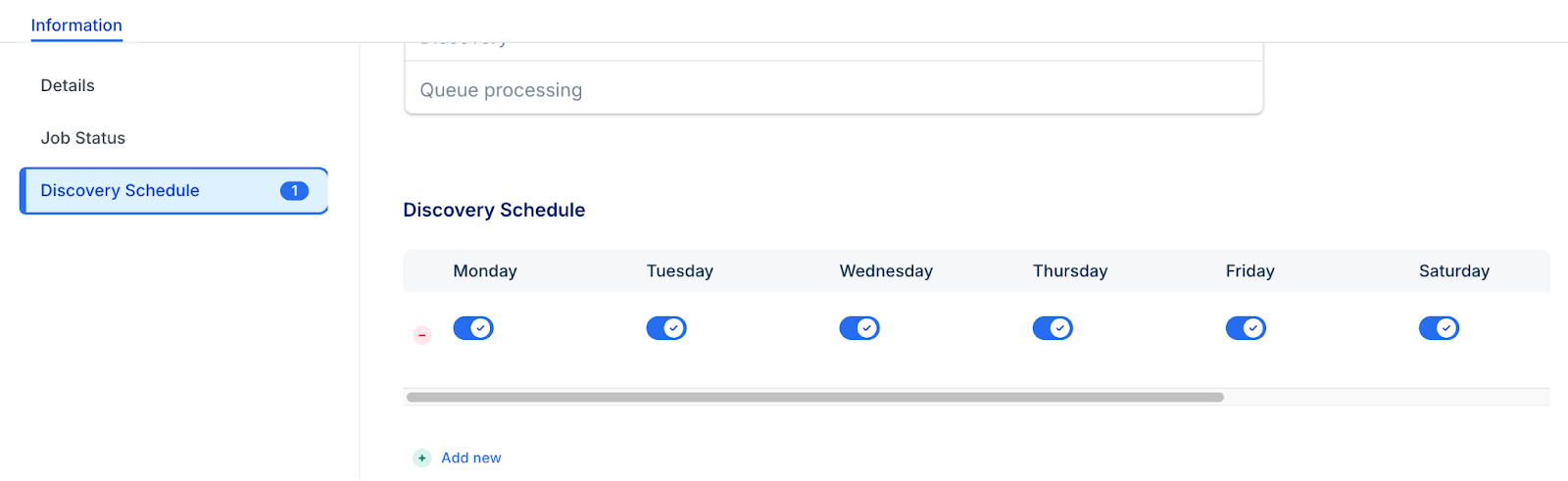
SaaS Discovery items and Data Mapping
The discovery process collects and maps data across different sections of your inventory:
SaaS subscription metadata, such as application name, application ID, discovery source, and account status
End users of the SaaS application
The last time the SaaS application was used by the end users
Role-based permissions and access levels