
 Community
 Video Library
 Agent Training
 Freshservice
 Freshdesk
 Freshchat
 Freshcaller
 Freshsales
 Freshteam
 Freshworks Neo
 Freshsurvey
 Freshservice for MSP
 TABLE OF CONTENTS
- Overview
- About the integration
- Prerequisites for integration
- How to install the app
- Metrics and health data available through the integration
- How to add device and run remediations
Overview
Freshservice integration with ControlUp enables proactive digital experience management by integrating real-time endpoint and application performance insights directly into Freshservice.
The integration allows IT teams to detect, investigate, and remediate device and application issues from within Freshservice, reducing mean-time-to-resolution (MTTR) and improving employee productivity.
About the integration
This section provides an overview on the key benefits, focus areas, and scope of integration.
Key benefits
The ControlUp Integration for Freshservice app enables:
Reduced IT downtime through proactive incident detection and resolution.
Enhanced employee productivity to ensure a seamless digital work environment.
Improved IT service management efficiency with automated incident detection and remediation.
Improved IT compliance to maintain system health and security across devices.
Focus areas
The ControlUp and Freshservice integration is built for proactive IT service management, which ensures endpoint issues are automatically captured and addressed focusing on:
Employee-centricity: Focuses on identifying and resolving performance issues before they impact employees. With this integration, agents can quickly resolve performance issues, often before they even impact employees. This employee-centric approach minimizes impact and ensures faster incident resolution.
Physical endpoints management: Focuses on ensuring optimum device health through automated monitoring and remediation.
Scope of integration
The scope of incident management and reporting limits to integration with the following operating systems.
Windows
macOS
Linux
IGEL OS
HP ThinPro
Stratodesk NoTouch
10ZiG
ChromeOS
Prerequisites for integration
Ensure you have the following, as part of the prerequisites for integration:
An active ControlUp account.
Account administrator privileges within Freshservice to initiate the integration.
How to install the app
For this integration, install the ControlUp app on your Freshservice instance.
To install the ControlUp app, follow these steps:
Log in to your Freshservice account.
Go to Admin > Automation & Productivity > Extensibility > Apps.
Or, click the Marketplace Apps icon on the top-right corner, and select Marketplace Apps.
Search and select the ControlUp Integration for Freshservice app using the Search apps option.
Click Install on the installation page.
On the Configuration page, enter the ControlUp organization name as it appears in your ControlUp URL in the Organization Name field. For example, if your ControlUp URL is ‘https://app.controlup.com/acme/employee’, then you should enter ‘acme’.
Enter the Freshservice API key in the Integration User API Key field.
Note: The Script Keyword and Maximum Number of Recently Viewed Devices fields are optional.
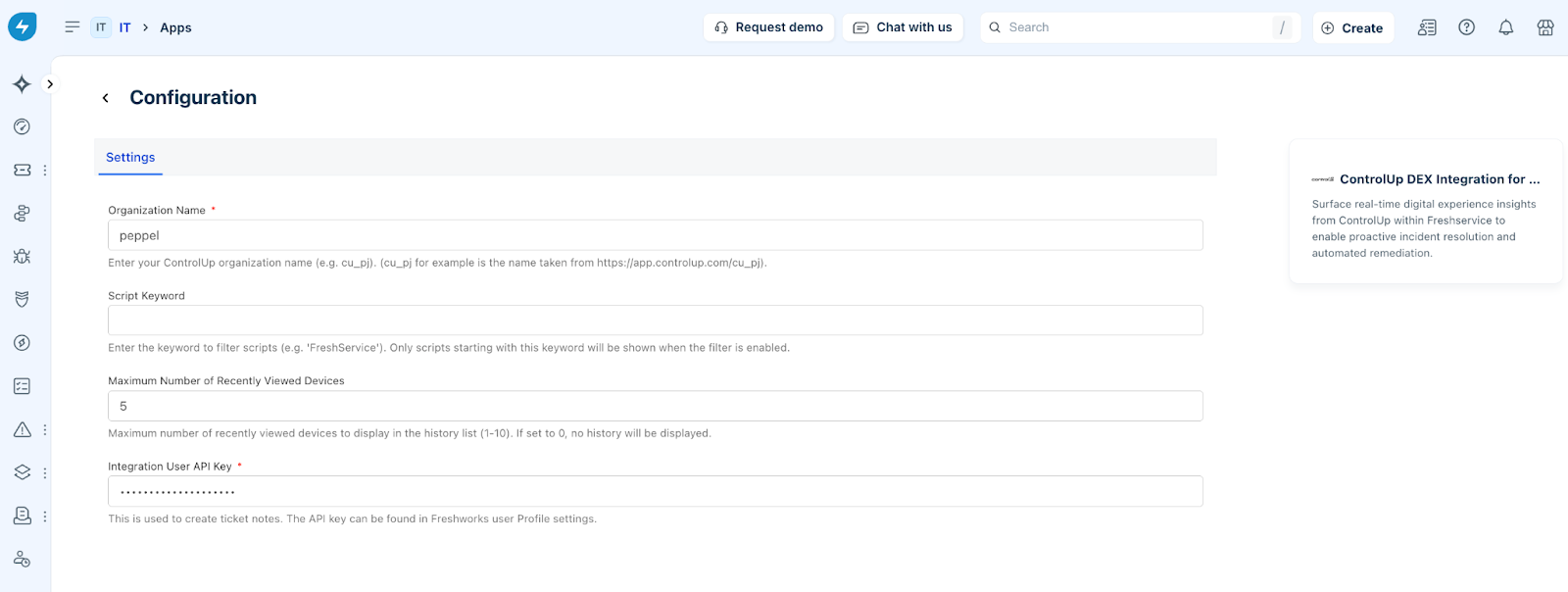
Click Install.
Metrics and health data available through the integration
Device information and actions
The following table describes all the device details (metrics and health) available through the ControlUp integration, and device actions that can be performed.
Note: Online devices display a green dot as an indication that the device is online, whereas offline devices display a red dot. Any action (such as, running scripts or remote control) cannot be performed on offline devices.
Sample illustrations
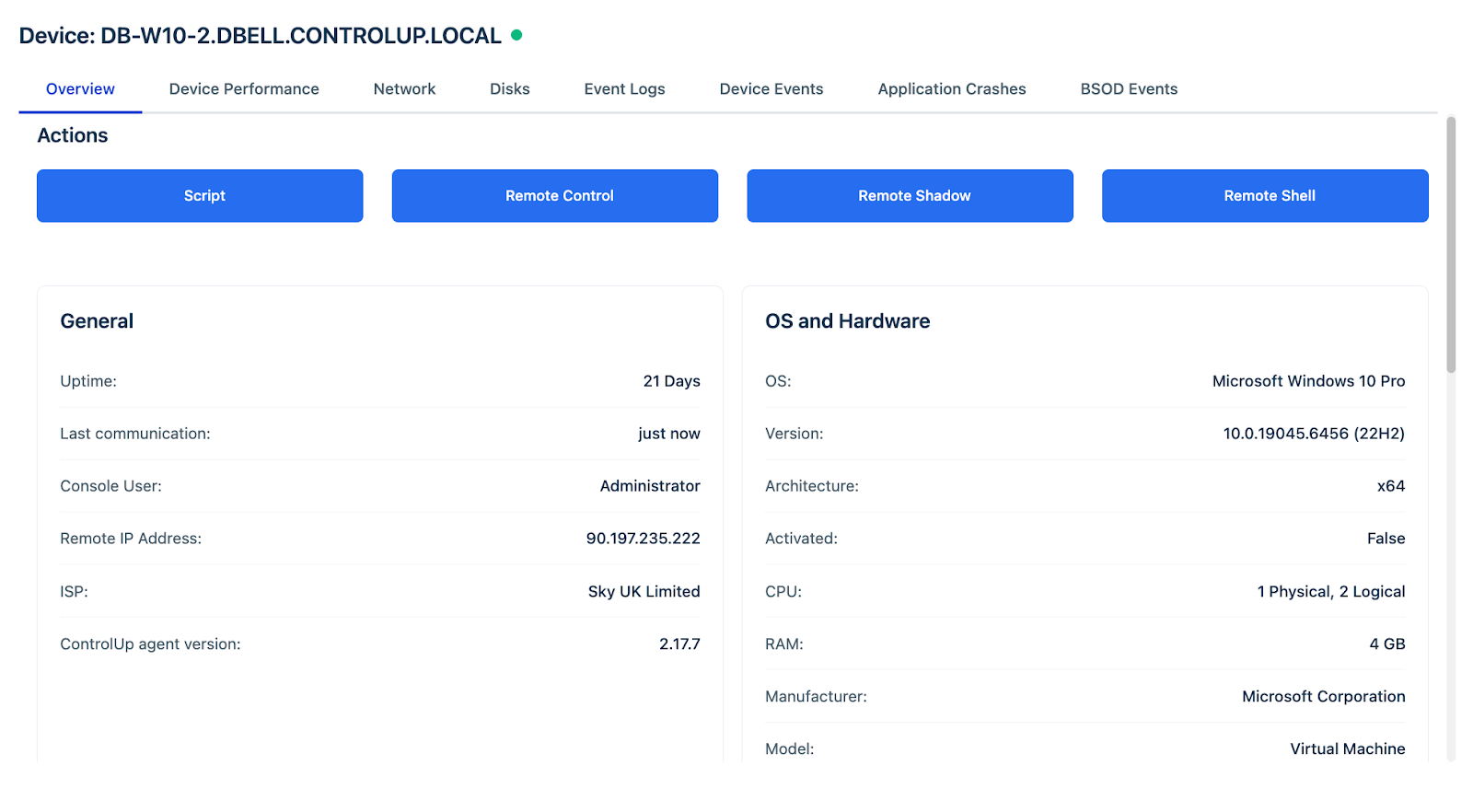
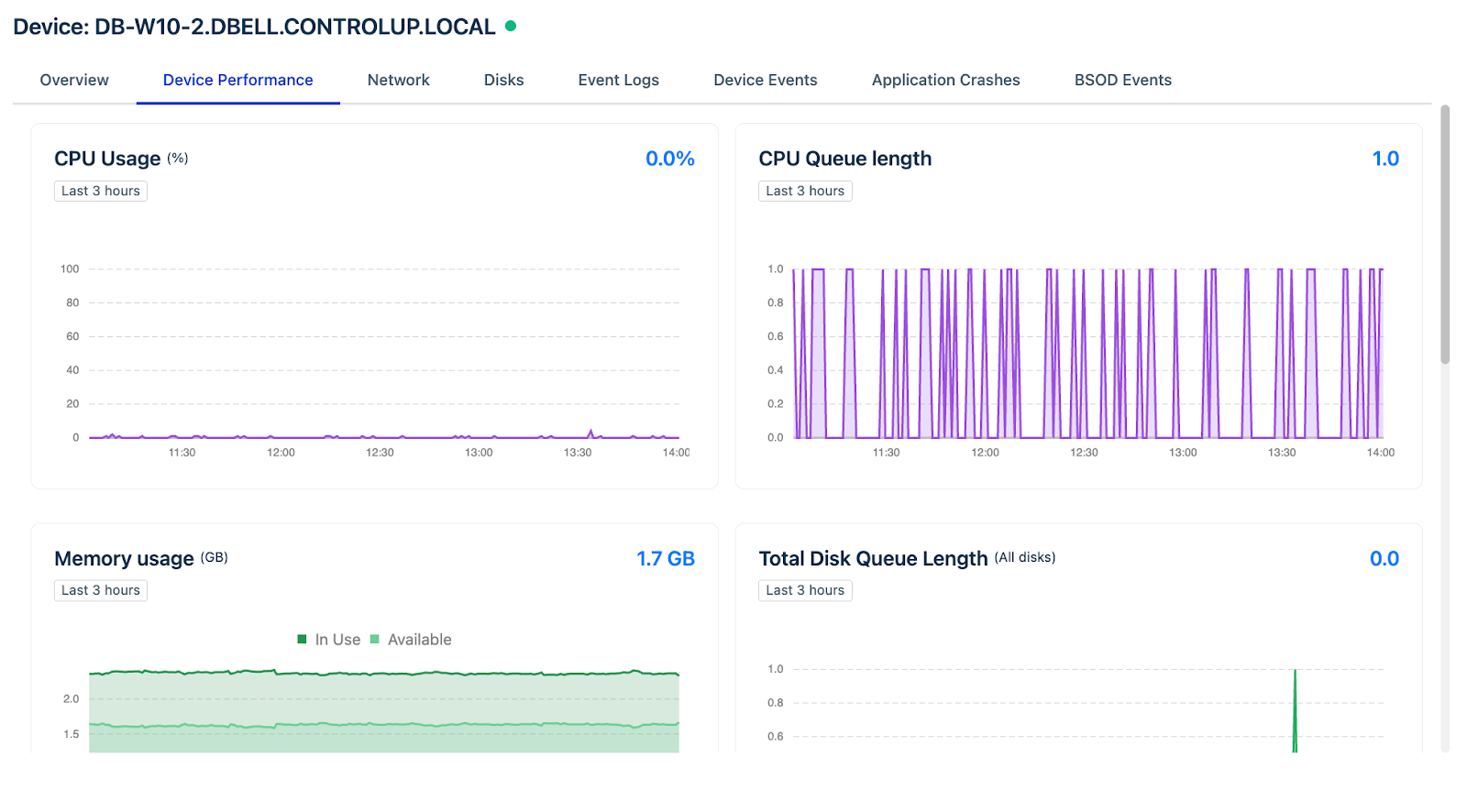
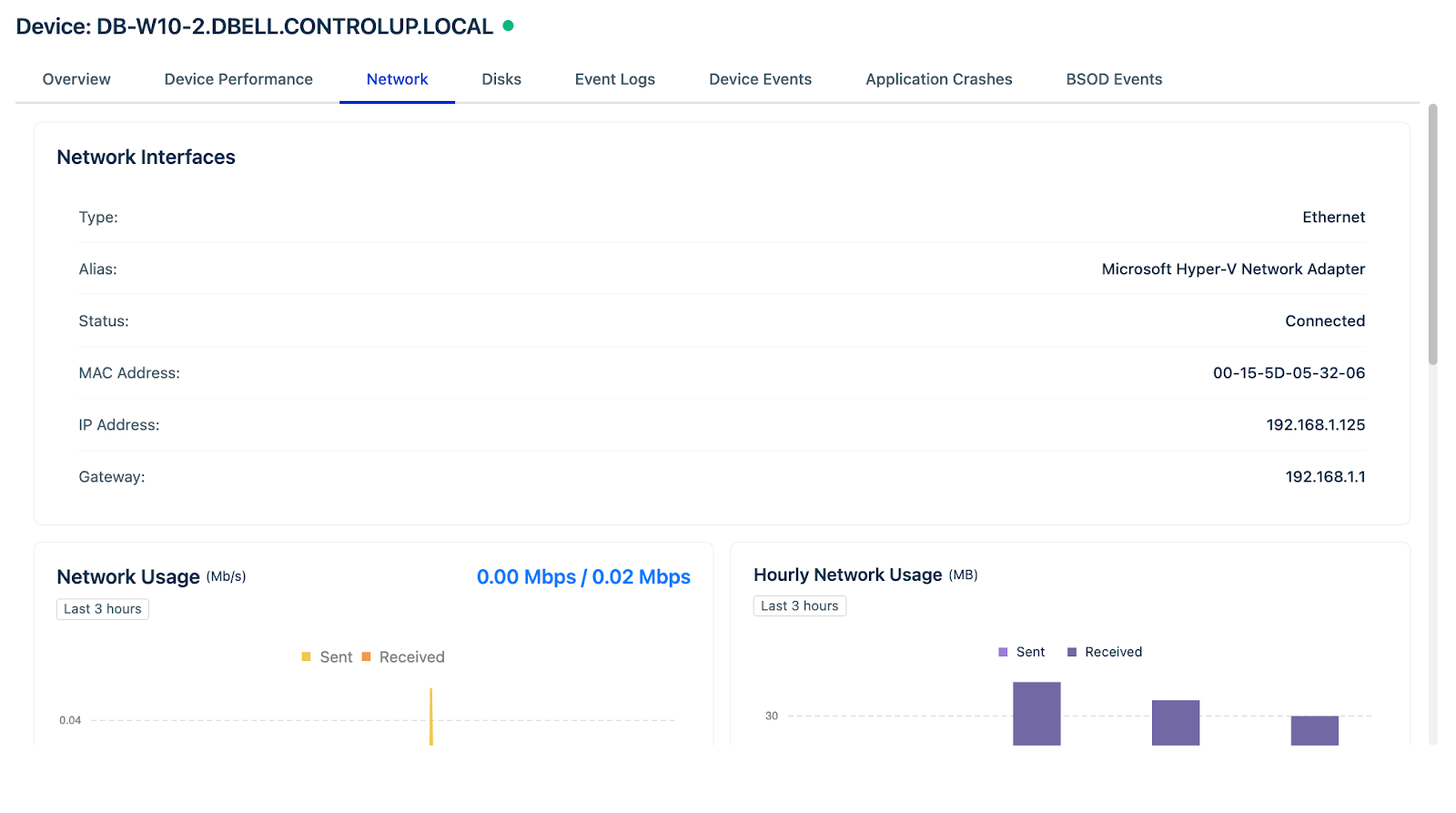
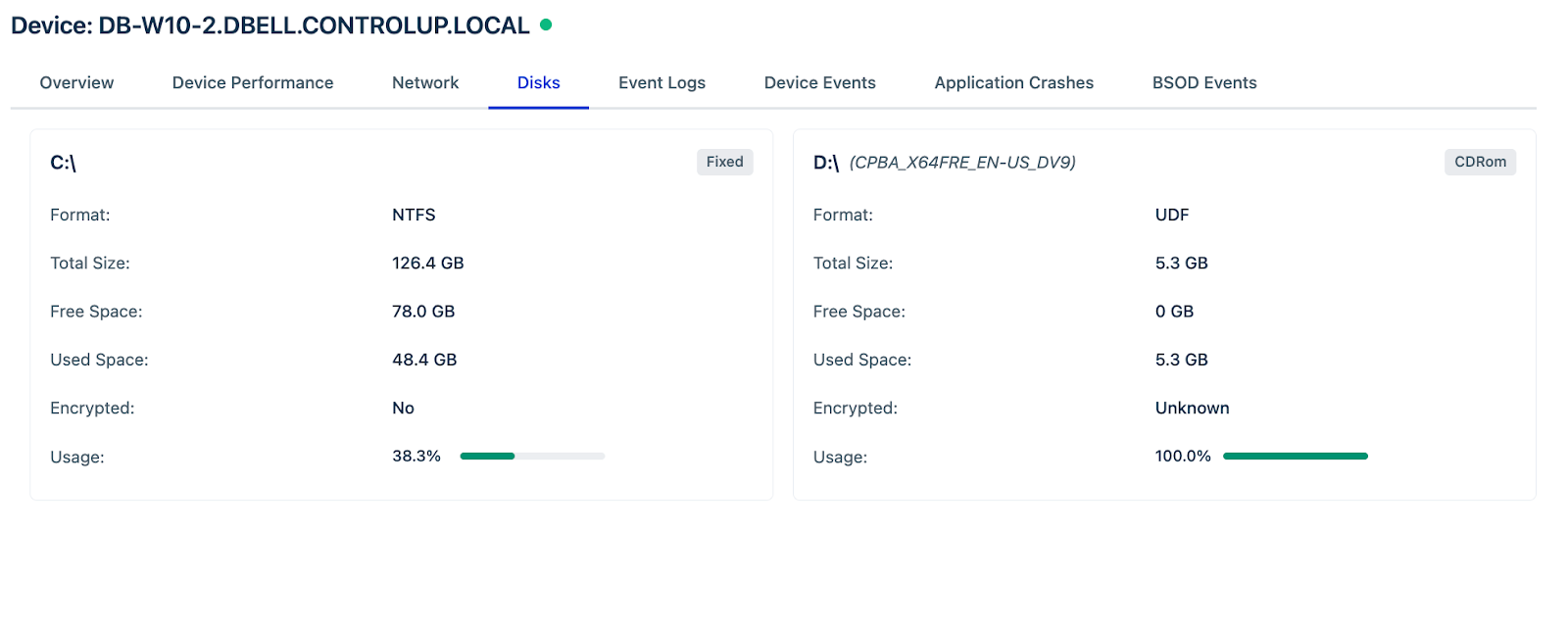
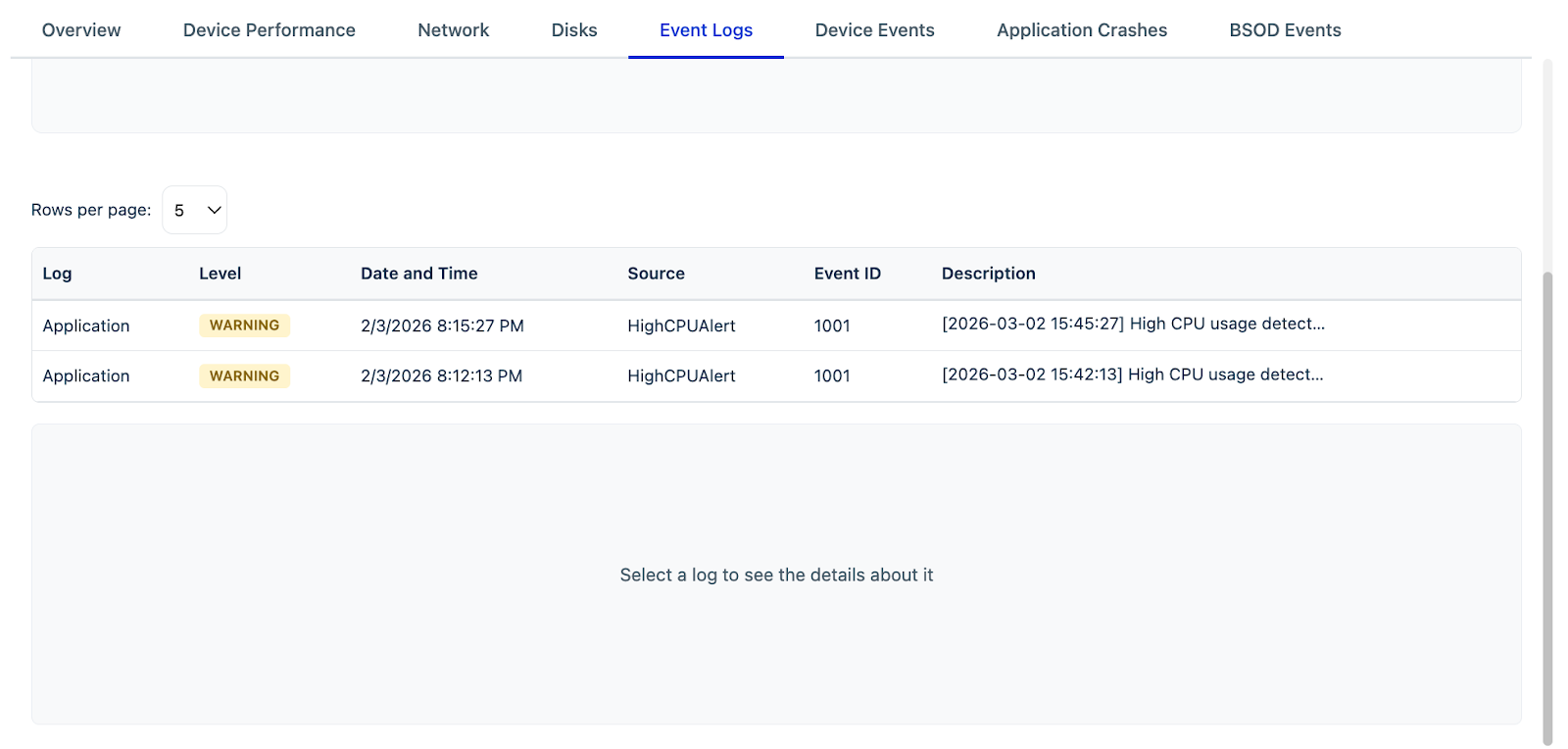
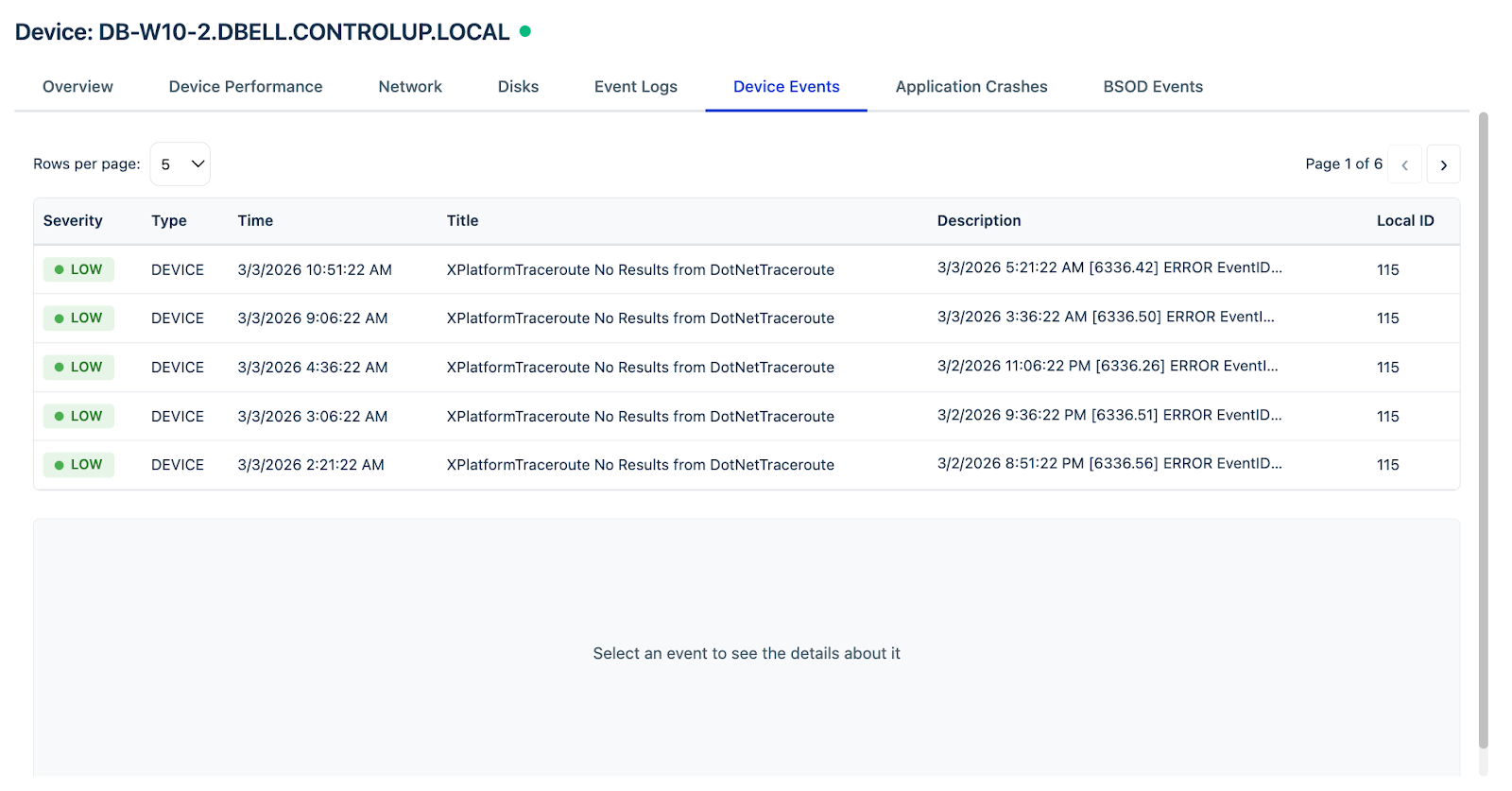
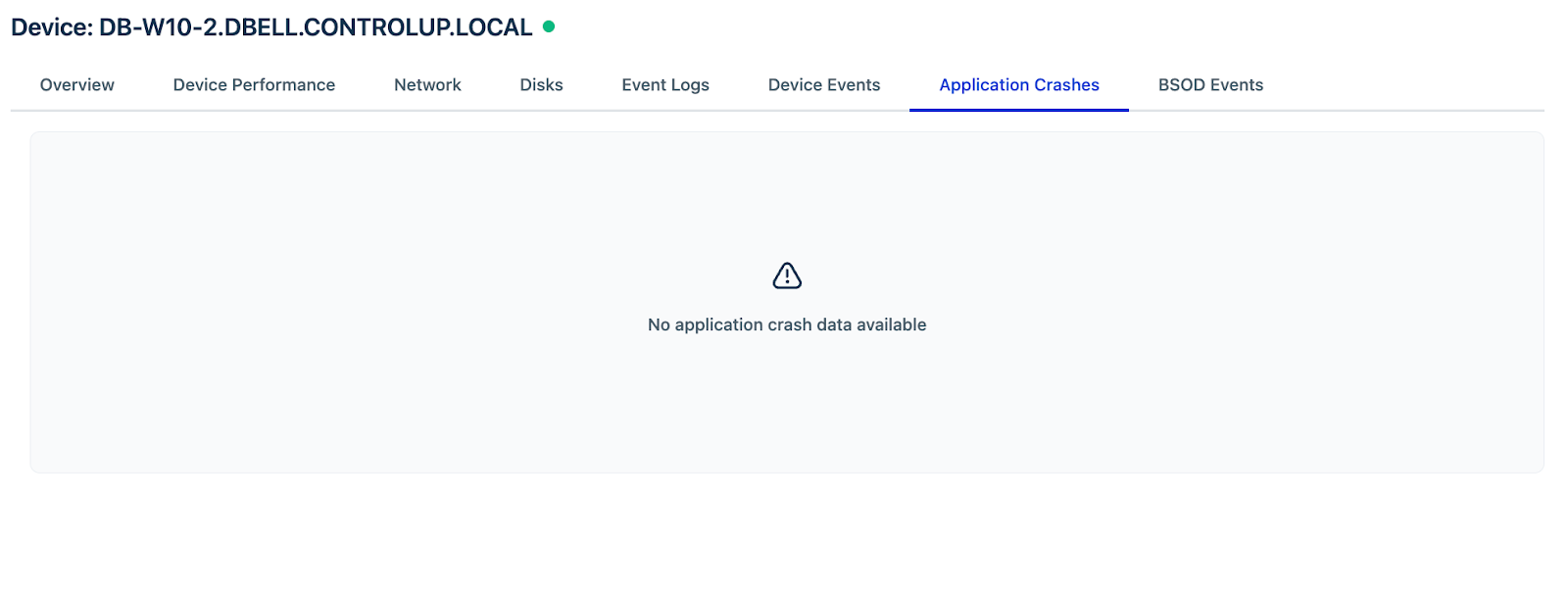
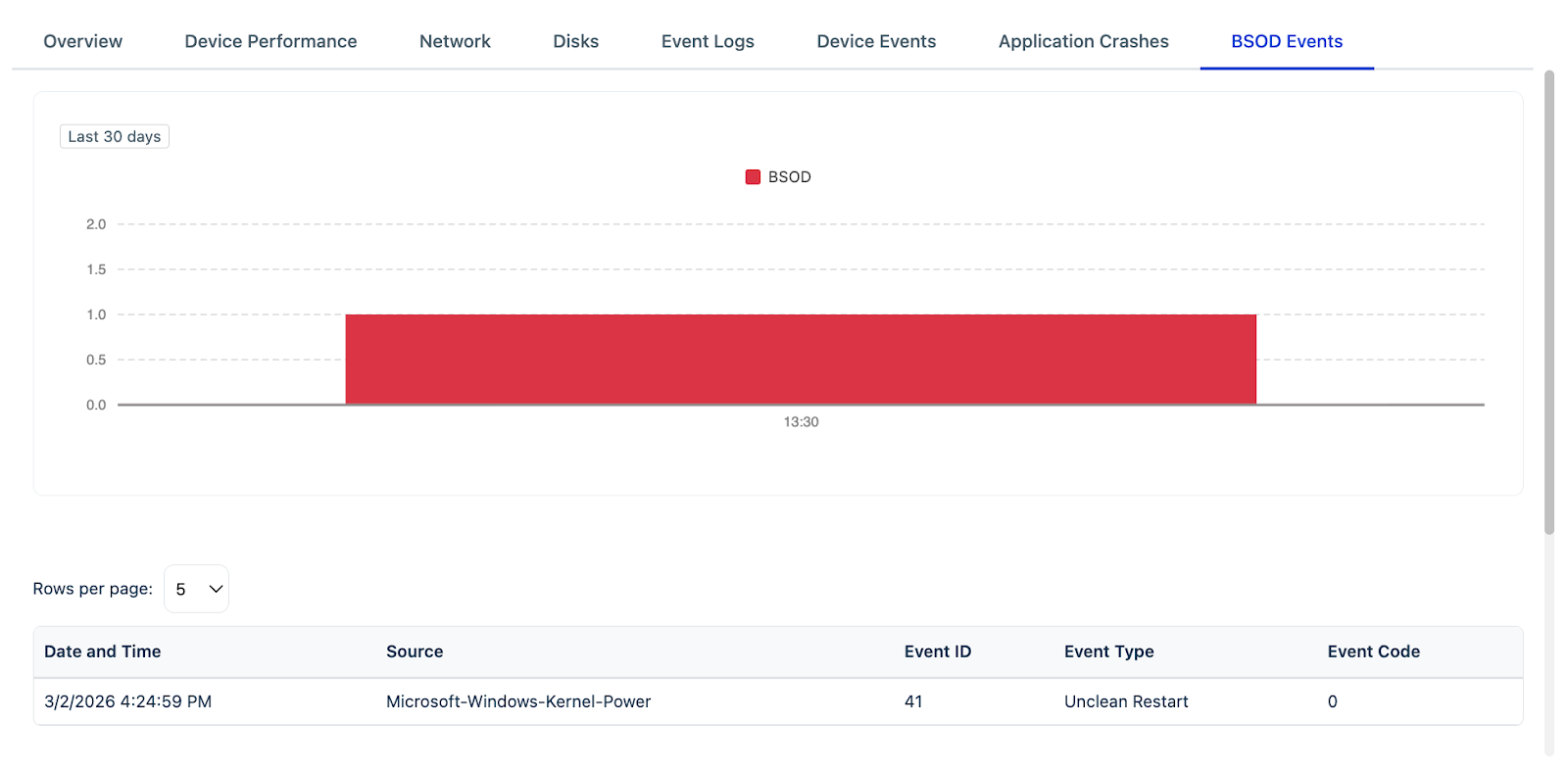
The following figures highlight the scope of device information captured through the integration in separate tabs: Overview, Device Performance, Network, Disks, Event Logs, Device Events, Application Crashes, and BSOD Events.
How to add device and run remediations
To add device to a service desk ticket and run remediations, follow these steps:
Log in to your Freshservice account.
Go to Tickets > List.
Click any ticket Subject to open the ticket Details page.
Note: The ControlUp Integration for Freshservice app is displayed as a widget on the right side of the ticket details page.
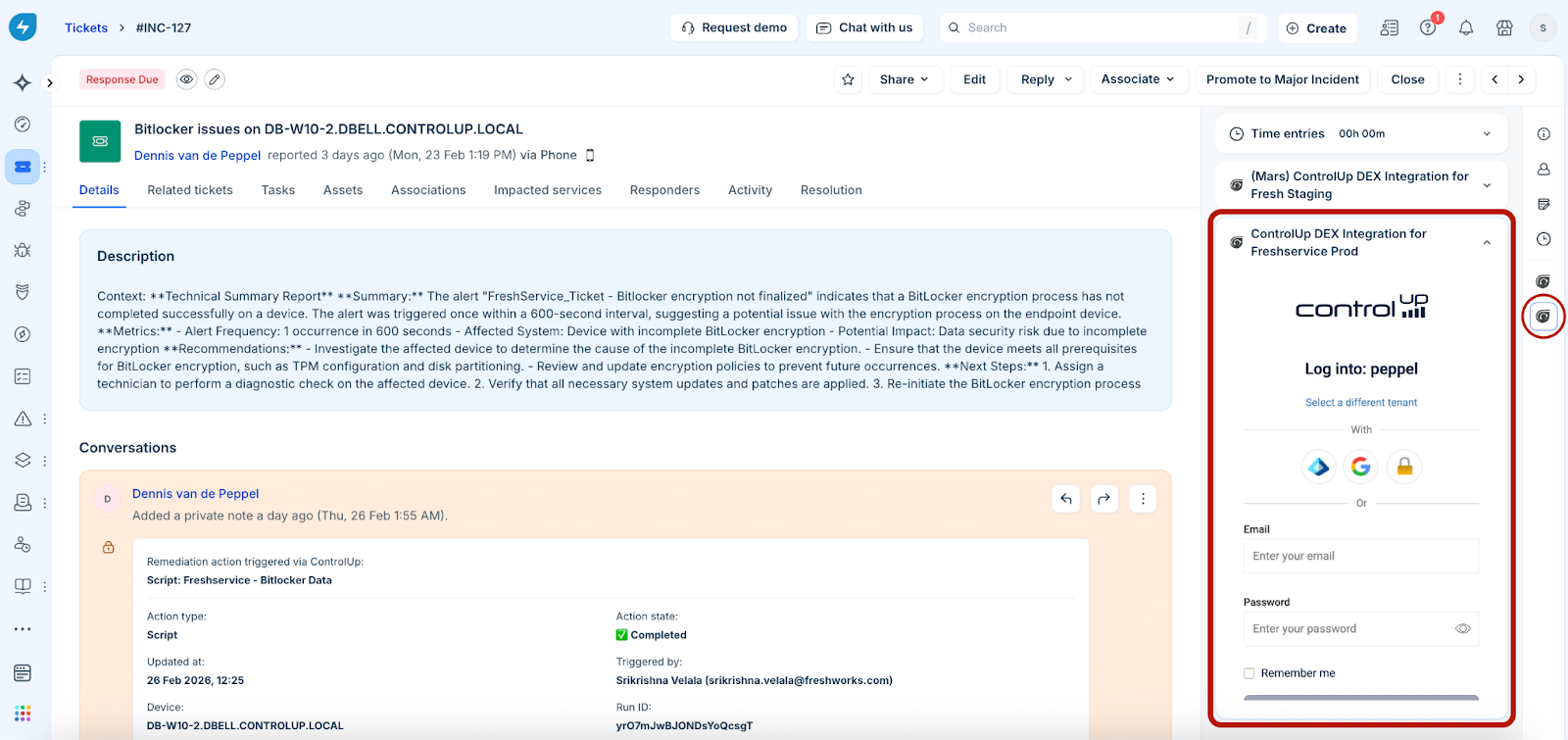
Log in to the ControlUp tenant/Organization Name you used to configure the app during installation (see ‘How to install the app’ section for tenant/Organization Name details).
Note:
Click Select a different tenant to log in with a different tenant.
You can use other login options (for example, your Google account).
Search a device with the Device Name, or click a device under the Device Found option (if available).
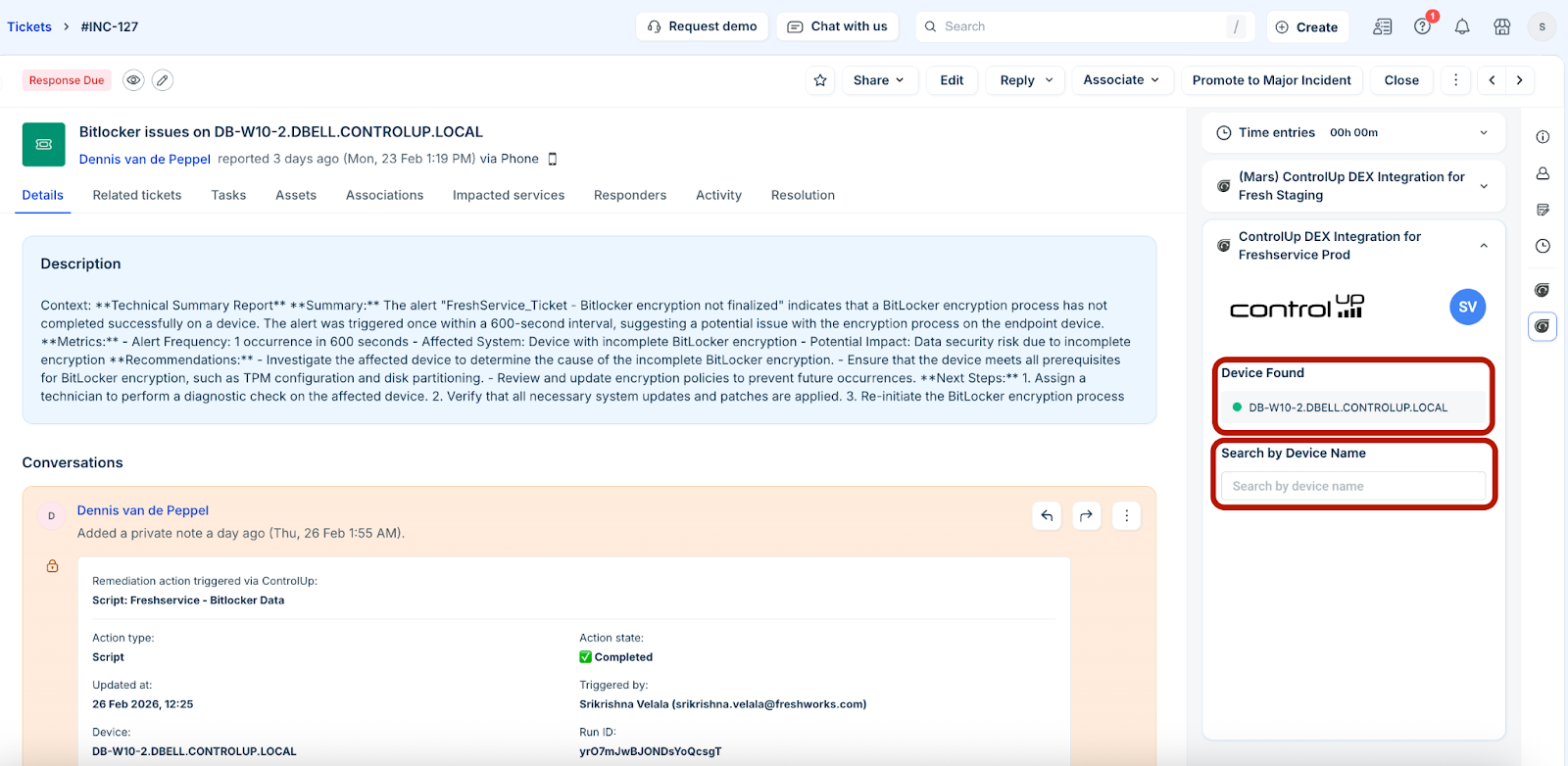
Note: Online devices display a green dot as an indication that the device is online, whereas offline devices display a red dot. Any action (such as, running scripts or remote control) cannot be performed on offline devices.
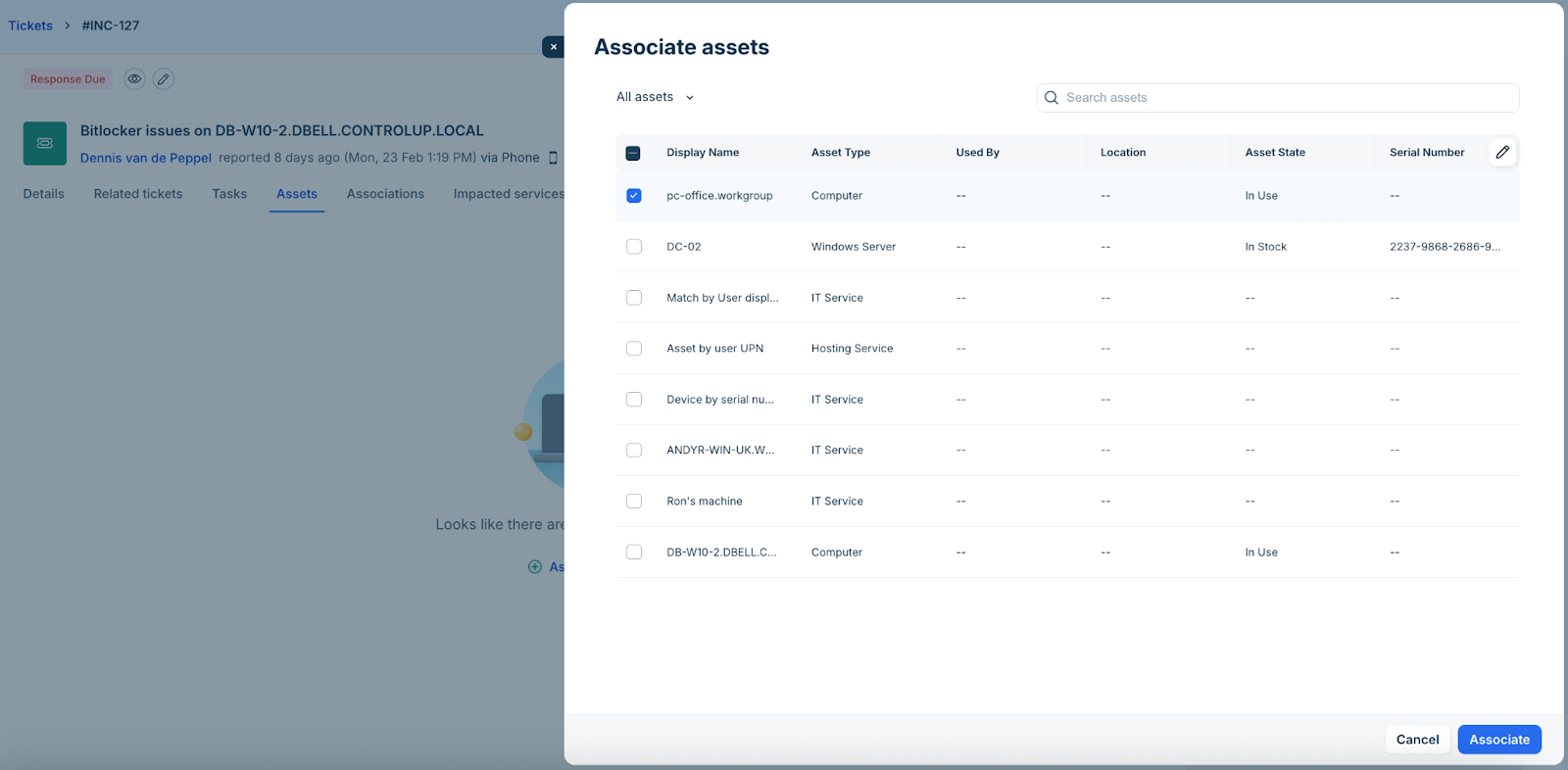
(To manually associate assets) Go to the Assets tab and click Associate assets.
In the Associate assets slider, select All assets from the dropdown.
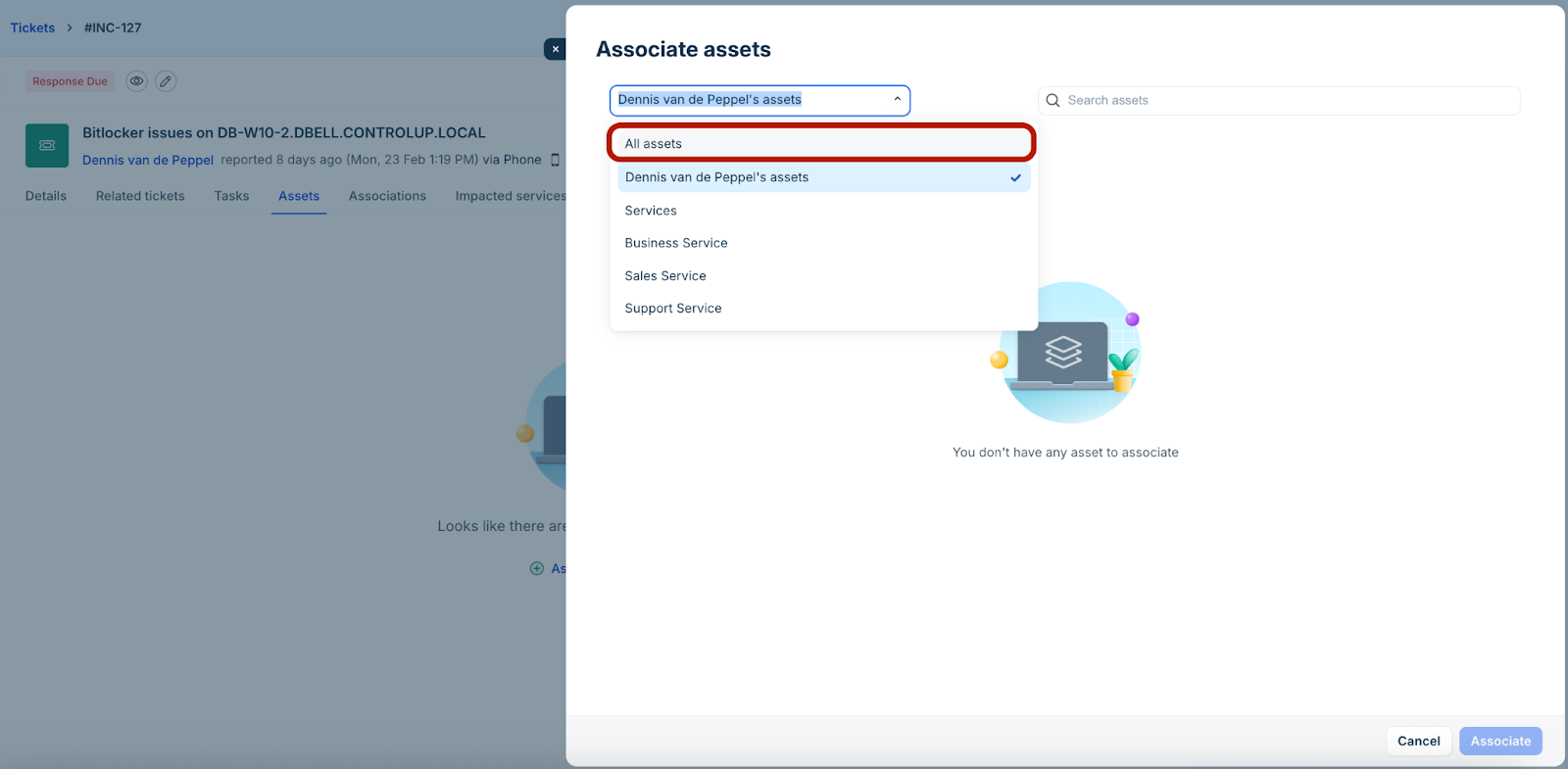
Select an asset, and click Associate.
The associated asset is added to the Devices list.
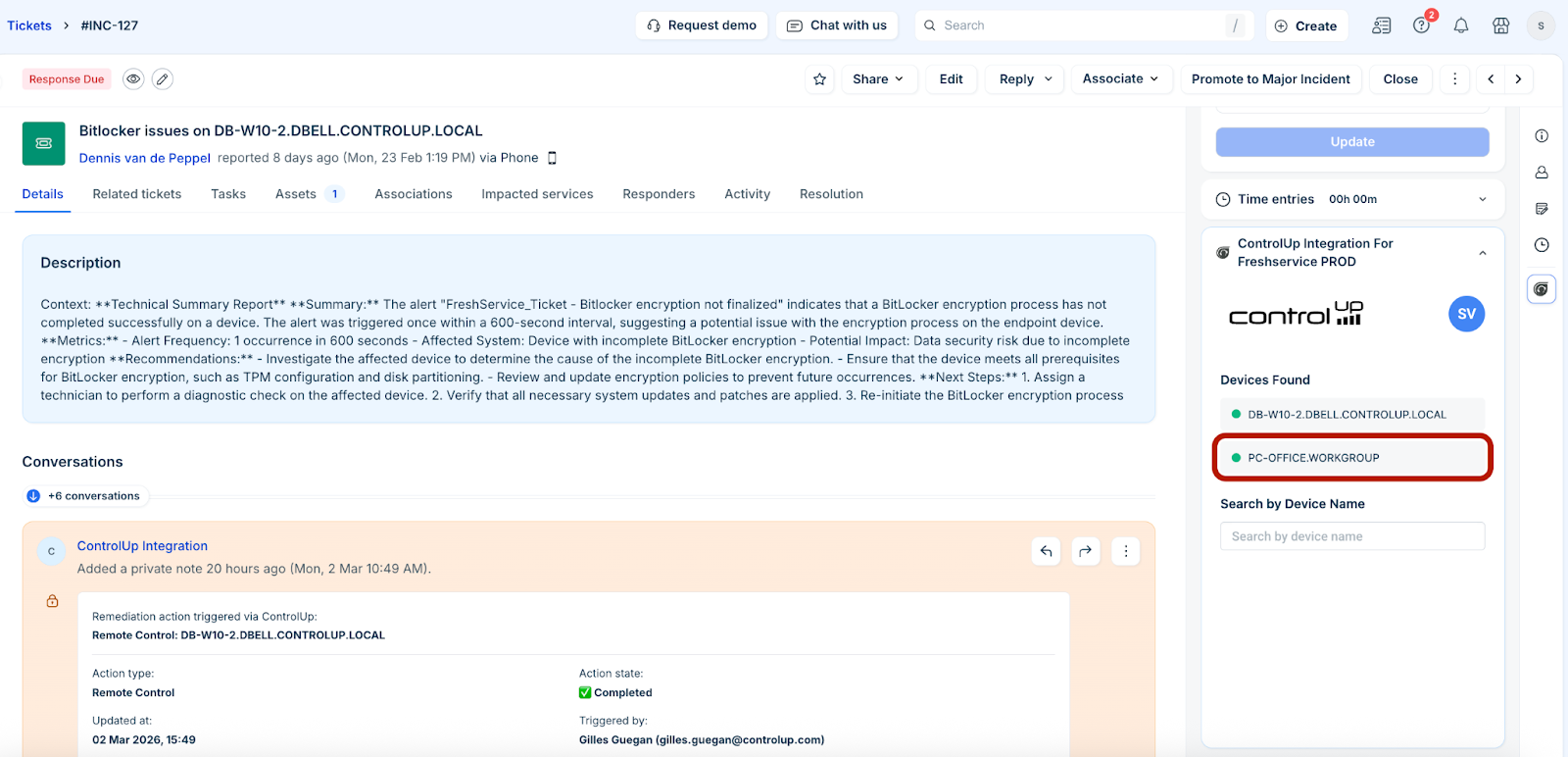
Note: You can associate multiple devices to a ticket.
Click any device in the ControlUp widget to view device information or run remediations.
In the ControlUp Connector/ControlUp Integration slider, you can view all the device details in the following tabs: Overview, Device Performance, Network, Disks, Event Logs, Device Events, Application Crashes, and BSOD Events. See ‘Metrics and health data available through the integration’ section for more information on the device details available in each tab.
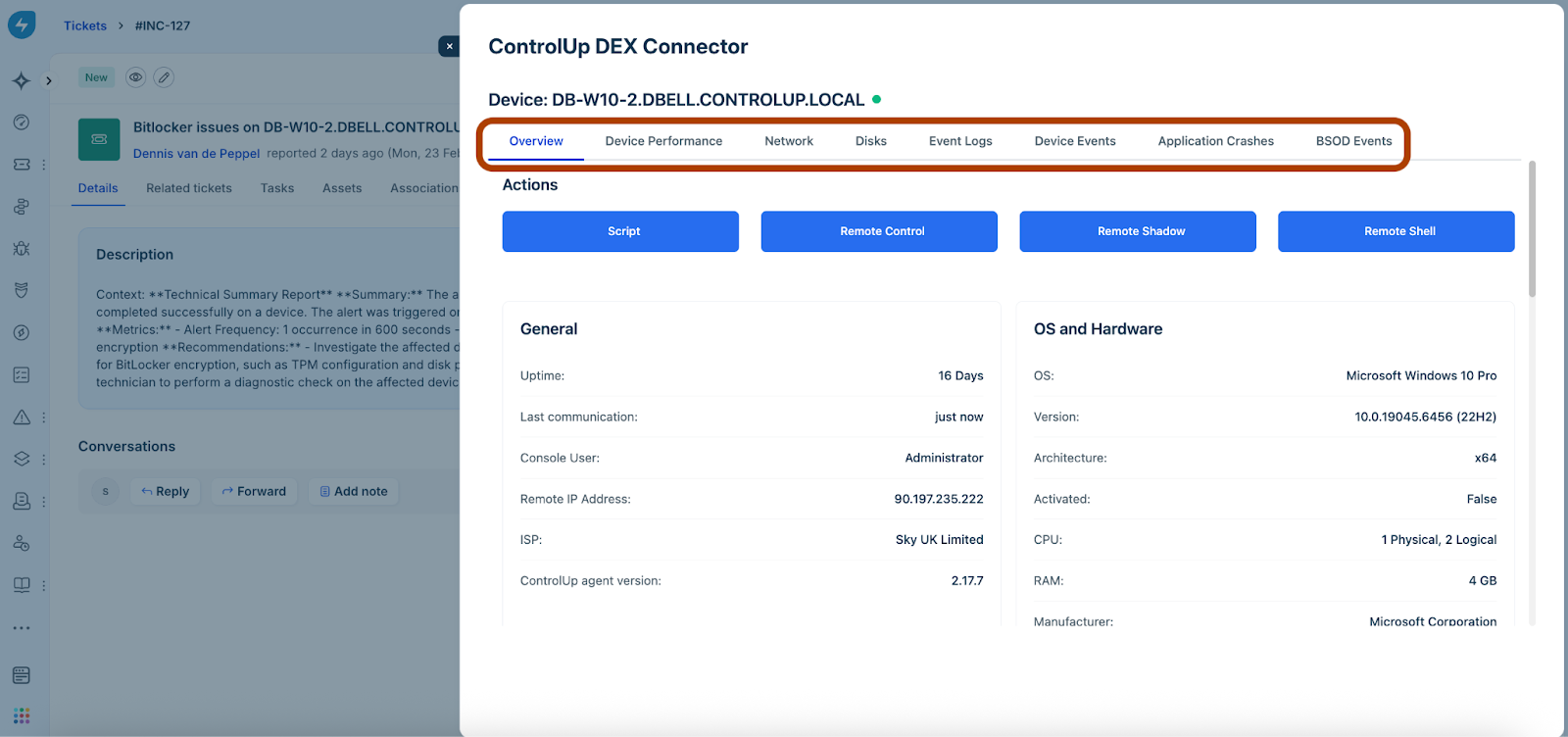
In the Overview tab:
Click Script to run any system or user scripts to perform remediations (such as CPU check or Internet Speedtest).
Click Remote Control to start a remote control session with a device.
Click Remote Shadow to start a remote shadow session with a device.
Click Remote Shell to execute commands on a remote device using the command-line interface.
Or, view various details of a device, such as general information, OS and hardware, device score, top processes, and top active applications.
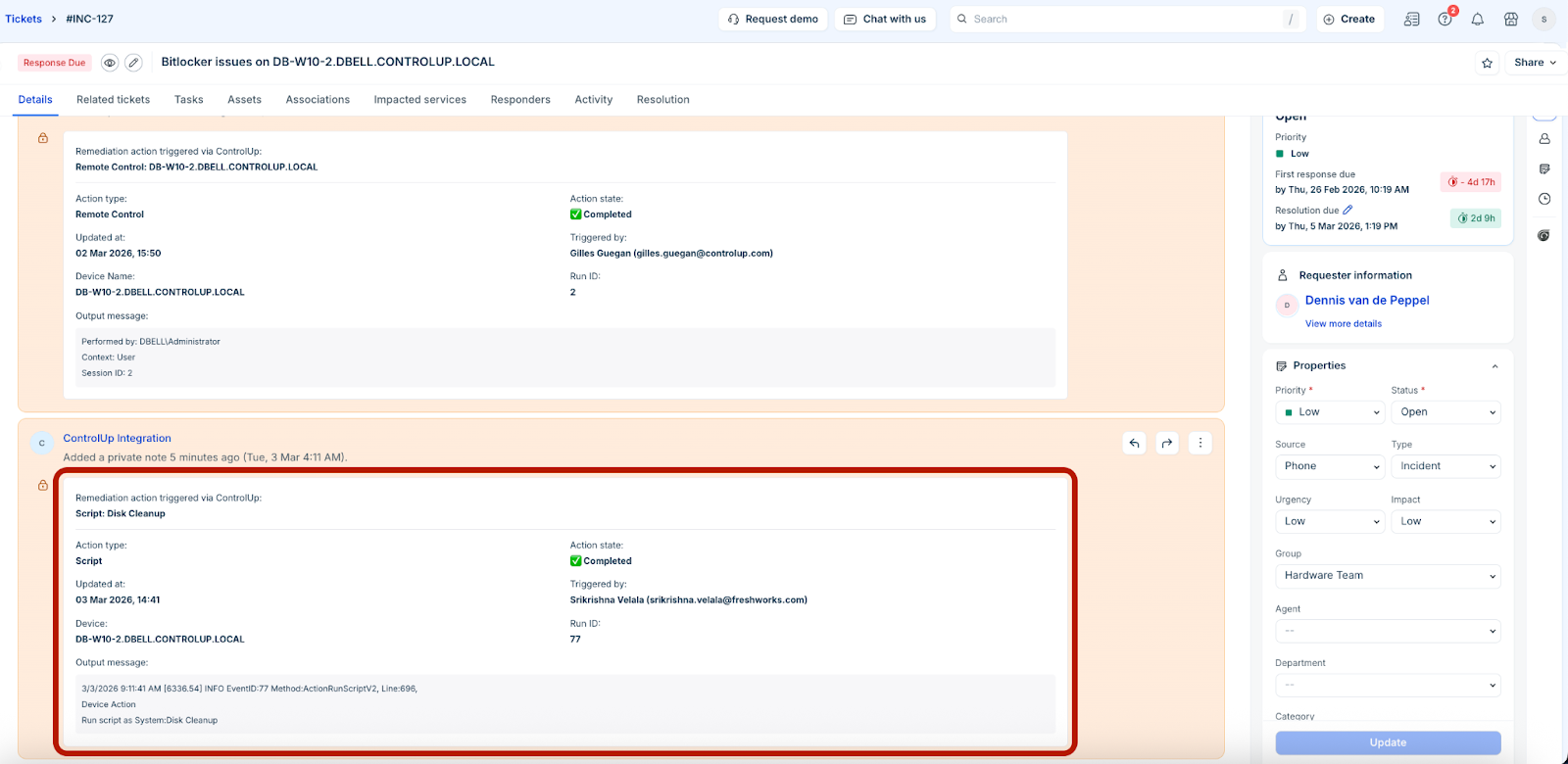
Note: Whenever you run any remediation action in the Overview tab, a conversation is added to the ticket with details, such as ‘Action type’, ‘Action state’, ‘Updated at’, ‘Triggered by’.
In the Device Performance tab, view the device performance related information, such as CPU usage percentage, memory usage, Wi-Fi signal, and so on.
In the Network tab, view the network related information, such as network interfaces, network usage, latency, and so on.
In the Disks tab, view the disks related information, such as hard drive or other storage medium.
In the Event Logs tab, view all the event logs for the device.
In the Device Events tab, view all the device events for the device.
In the Application Crashes tab, view information of all the application crashes related to the device.
In the BSOD Events tab, view information of all the BSOD events related to the device.
Remediation examples
Some of the remediation examples related to IT applications, endpoints, or security incidents identified and flagged by the ControlUp-Freshservice integration are as follows:
An application cache reaches a higher limit.
A device (such as Laptop) is consistently on high CPU usage or memory.
A device (such as Desktop) is running out of free disk space.
The web browser (such as Google Chrome) on a device has multiple crash events.
The email client (such as Microsoft Outlook) on a device has crash events.