
 Community
 Video Library
 Agent Training
 Freshservice
 Freshdesk
 Freshchat
 Freshcaller
 Freshsales
 Freshteam
 Freshworks Neo
 Freshsurvey
 Freshservice for MSP
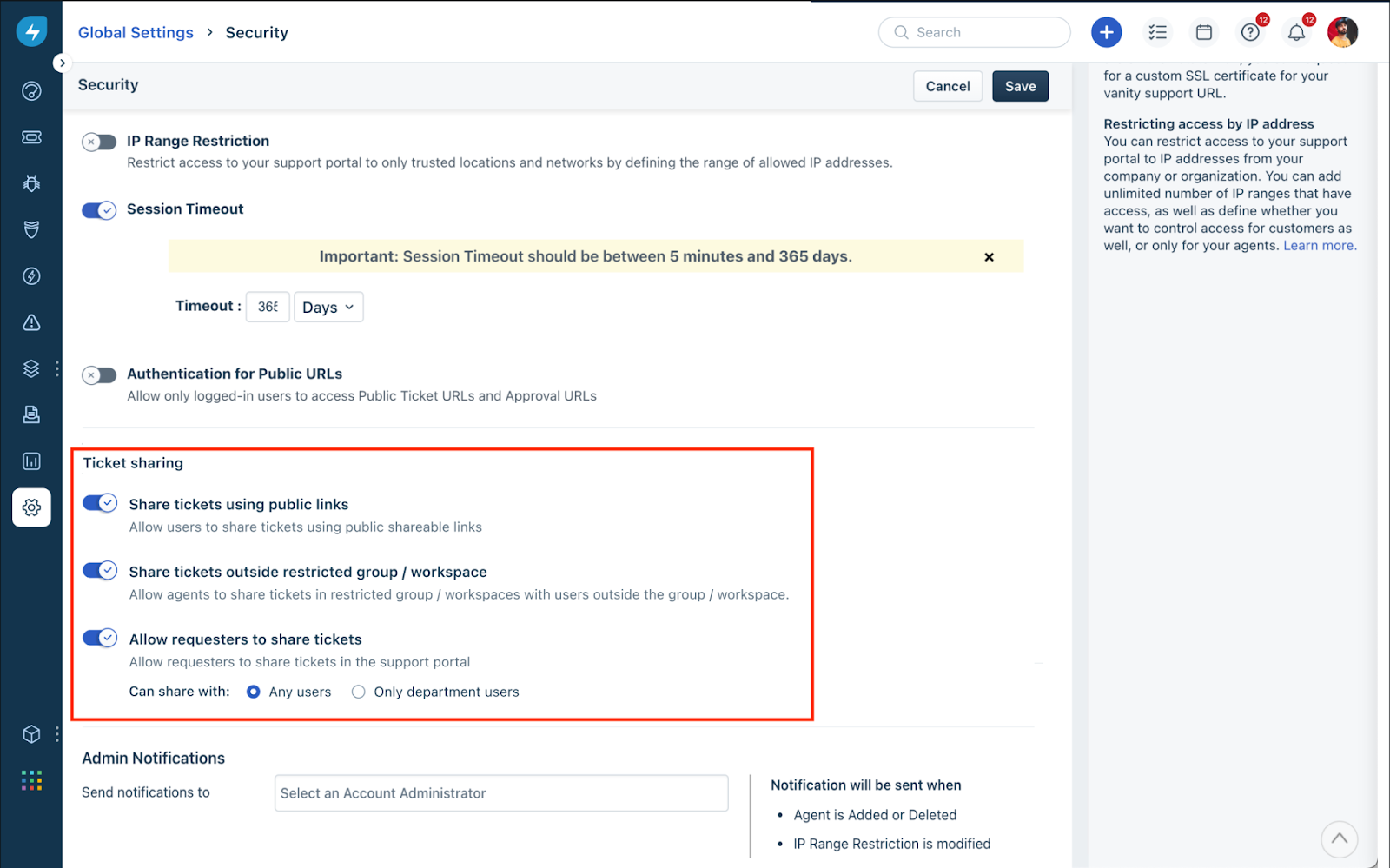
 Admins or users with necessary permissions can configure ticket sharing settings, which help requesters share service requests and tickets with their subordinates. With this setting configured, requesters will be able to view and update the details of a ticket. For example, employees can raise tickets to procure a few assets, and they can loop in managers to look at the ticket status.
How to set up ticket sharing
Go to Admin > Global Settings > Account Settings > Service Desk Security to configure ticket-sharing capabilities. Additionally, you’ll be able to configure ticket sharing with any user or restrict it to users within the same department.
FAQs
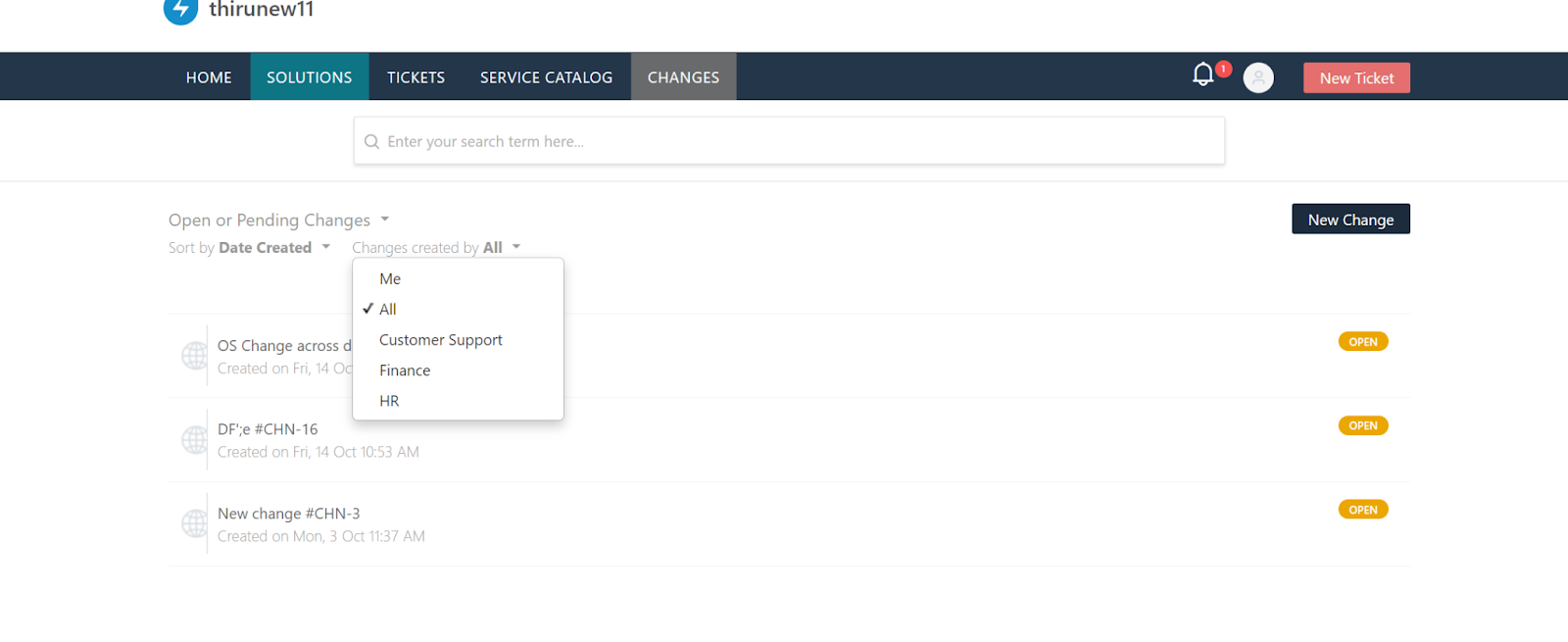
1. Can requesters view changes associated with their department?
Yes, admin has to additionally enable it on a user level.
Go to Admin > Global Settings > User Management > Requesters.
Click any Requester name > Edit > Department > Enable tickets and changes.
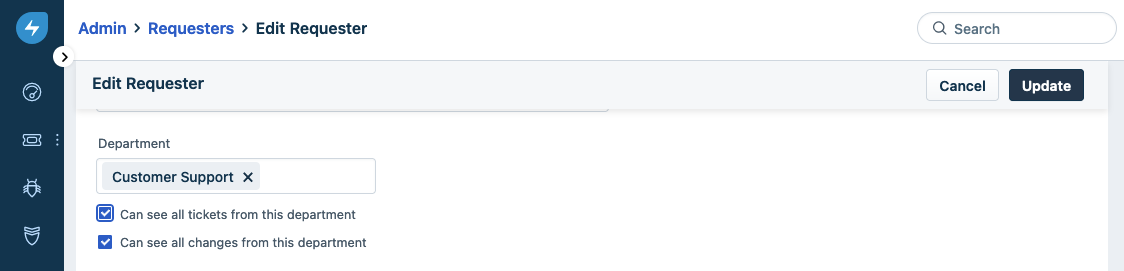
Once this option is enabled, the user can view the tickets associated with that specific department.
2. Can agents view all changes within their department?
No, only requesters can be enabled to view all the changes in the department.
3. What happens when admin disables ticket sharing in the account for requesters?
This will be reflected in all the subsequent actions, and the tickets that are shared will continue to be shared with the respective people.