 Community
 Video Library
 Agent Training
 Freshservice
 Freshdesk
 Freshchat
 Freshcaller
 Freshsales
 Freshteam
 Freshworks Neo
 Freshsurvey
 Freshservice for MSP
For both Freshservice (Pro and Enterprise plans) and Freshservice for Business Teams (FSBT), Freddy AI Copilot is available as an add-on. Copilot features work the same way across all Freshservice products. Learn more about the pricing here.TABLE OF CONTENTS
- See how agents use Freddy AI Copilot
- Enable Freddy AI Copilot features
- Freddy AI Copilot features
- Conversational Copilot
- Copilot actions
- Ticket summariser
- Reply suggester
- Field autofill suggester
- Writing assistant
- Ticket Translator
- Sentiment Analysis
- Similar tickets suggester
- Resolution Insights
- Resolution note generator
- Post-incident report generation
- Find initiating changes for a ticket
- Find similar changes for a change request
- Help article generator
Freddy AI Copilot is an AI-powered assistant designed to help business and IT teams work more efficiently. It reduces time spent on repetitive manual tasks by automating routine responses, improving consistency, and supporting faster service delivery. Freddy AI Copilot can be used across multiple departments, including HR, Facilities, Finance, Legal, Marketing, and IT, enabling teams to focus on higher-value work.
See how agents use Freddy AI Copilot
Watch this video to explore how Freddy AI Copilot helps agents resolve tickets faster, from understanding ticket context and summarizing conversations to drafting replies, suggesting resolutions, and improving knowledge articles. Discover how its AI-powered capabilities streamline ticket resolution and help agents work with greater speed and confidence.
Enable Freddy AI Copilot features
Depending on your account, you may see either the new AI settings experience or the existing Admin settings page. Follow the steps that match the interface available in your account.
Using AI Agent Studio
To enable Freddy AI Copilot features from AI Agent Studio, follow these steps:
Navigate to AI Agent Studio.
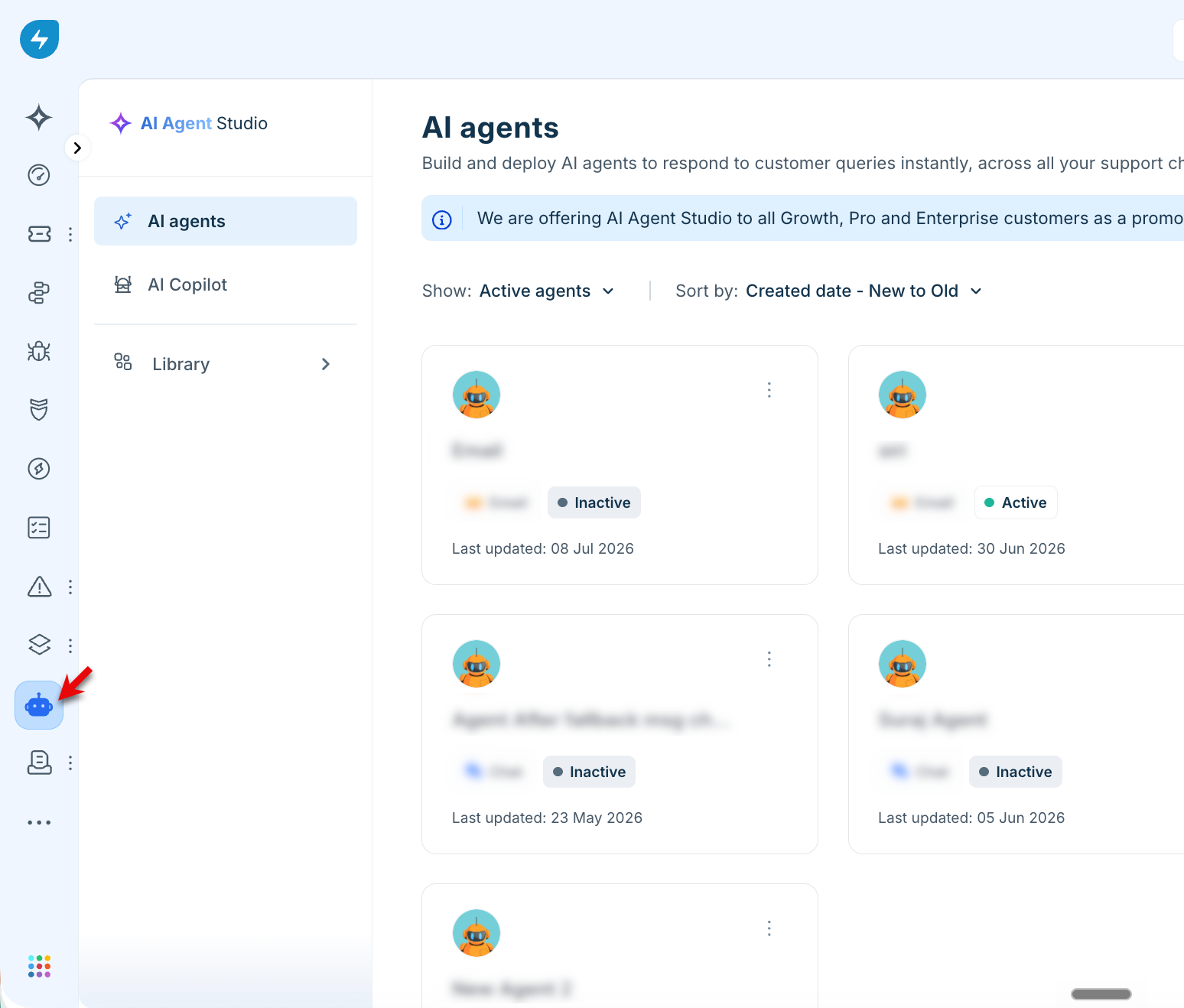
In the left navigation pane, click AI Copilot.
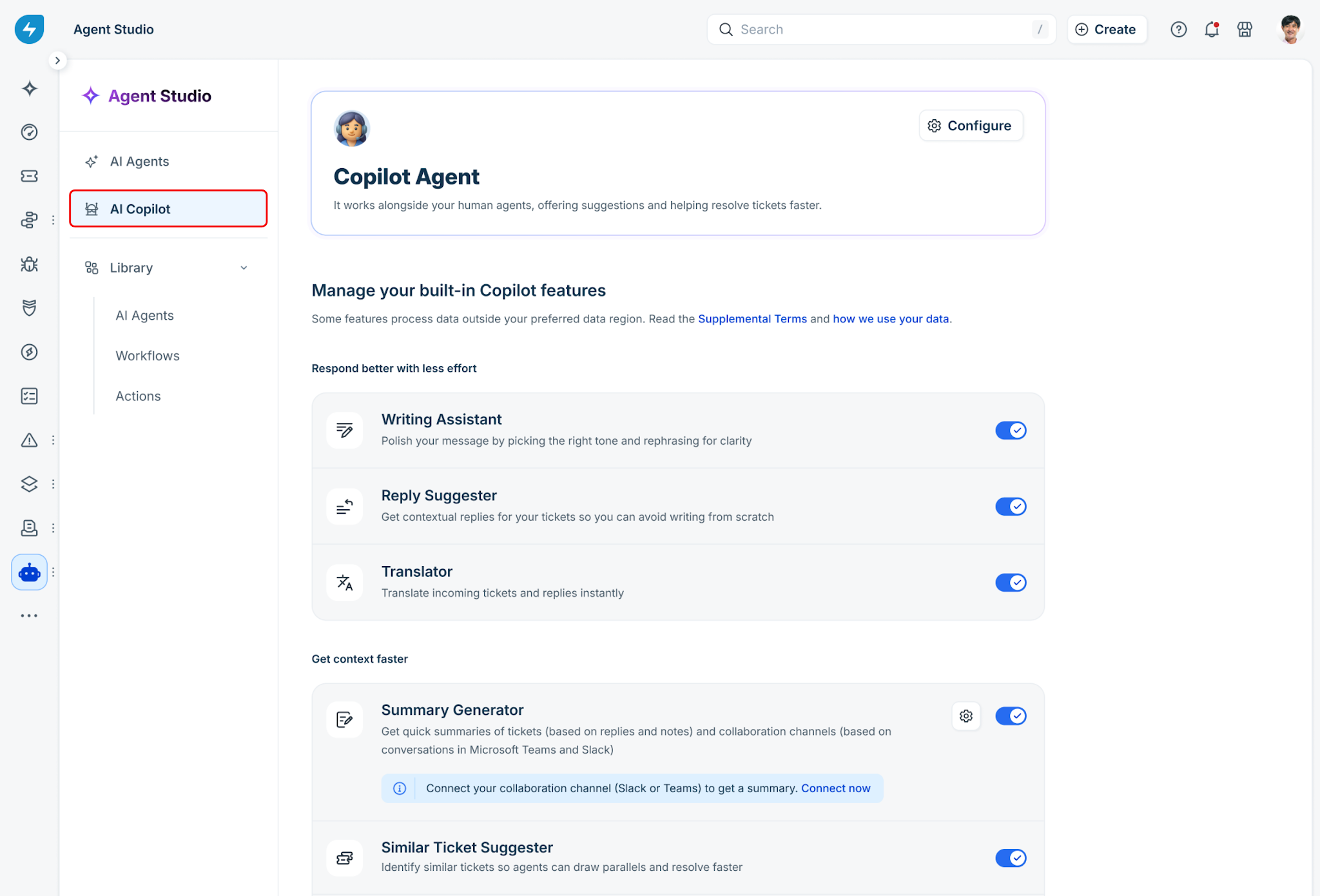
Enable the toggle for the features you want to use.
Using the Admin settings page
To enable Freddy AI Copilot features from the Admin settings page, follow these steps:
Navigate to Admin > Freddy AI > Freddy.
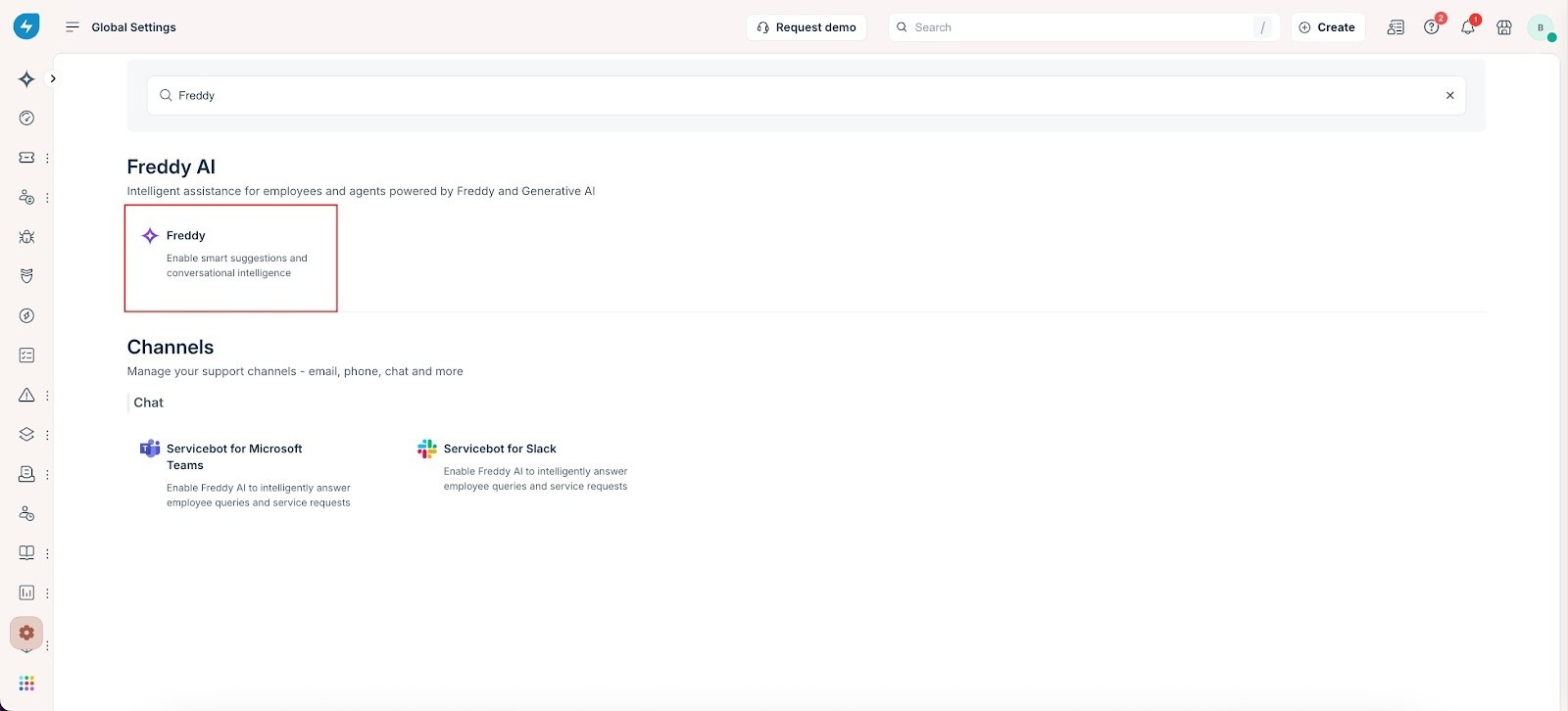
Enable the toggle for the features you want to use.
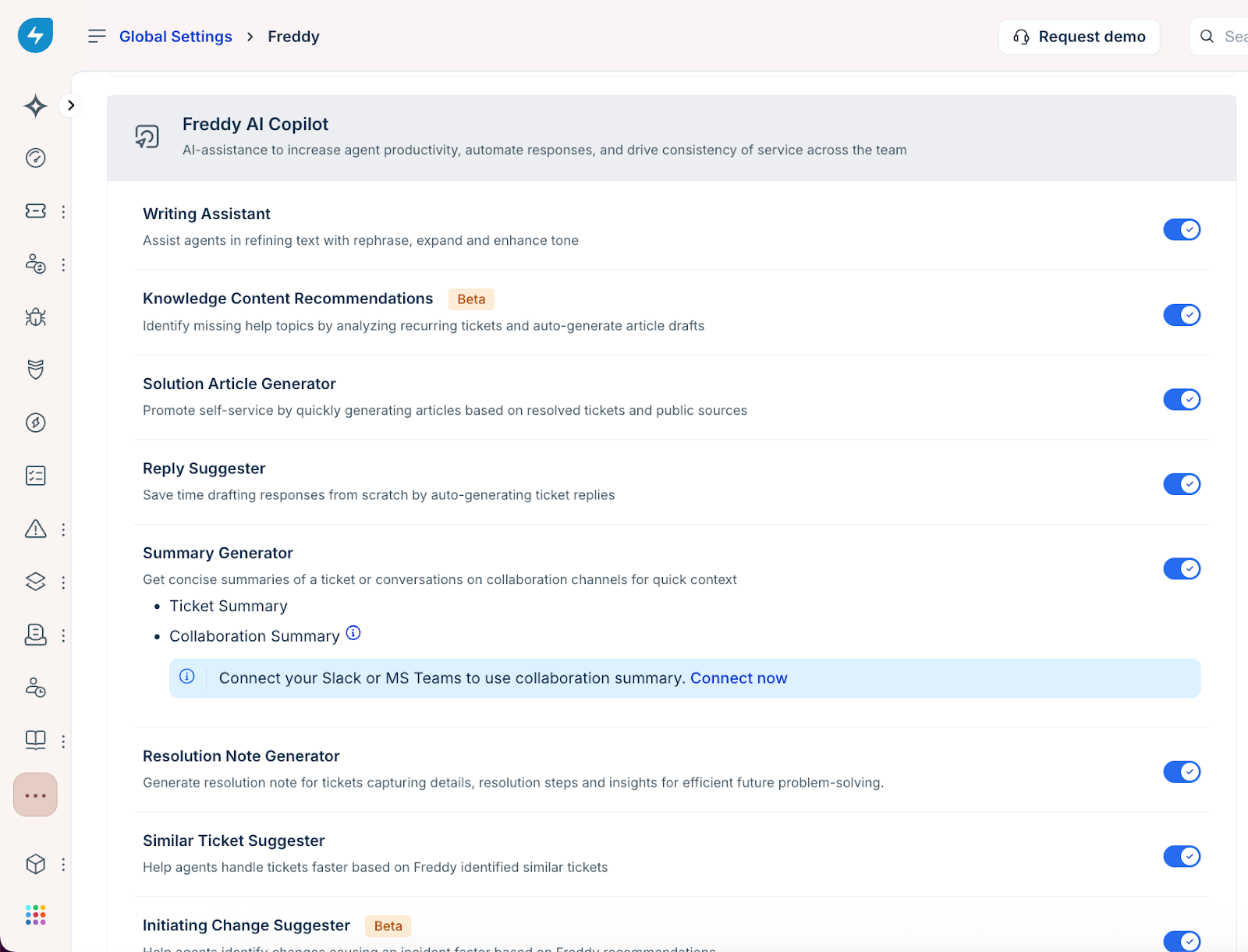
Freddy AI Copilot features
The following AI Copilot features are available for configuration:
Freddy Copilot is currently supported in English, German, French, Spanish, Portuguese (Brazil), Dutch, Swedish, and Spanish (LATAM). The Similar Ticket Suggester feature is currently supported only in English.
Conversational Copilot
The Conversational Copilot, powered by Freddy AI, helps you resolve tickets faster by bringing together information and actions in one place. Instead of manually searching for similar tickets, knowledge articles, or other sources, you can use the Ask me anything field to ask questions in natural language.
Based on your organization's Conversational Copilot configuration and available knowledge, it can surface insights from similar tickets, find related tickets, retrieve relevant information, generate resolution suggestions, and draft replies for requesters. Each response includes citations so that you can review the referenced sources and verify the information. Learn more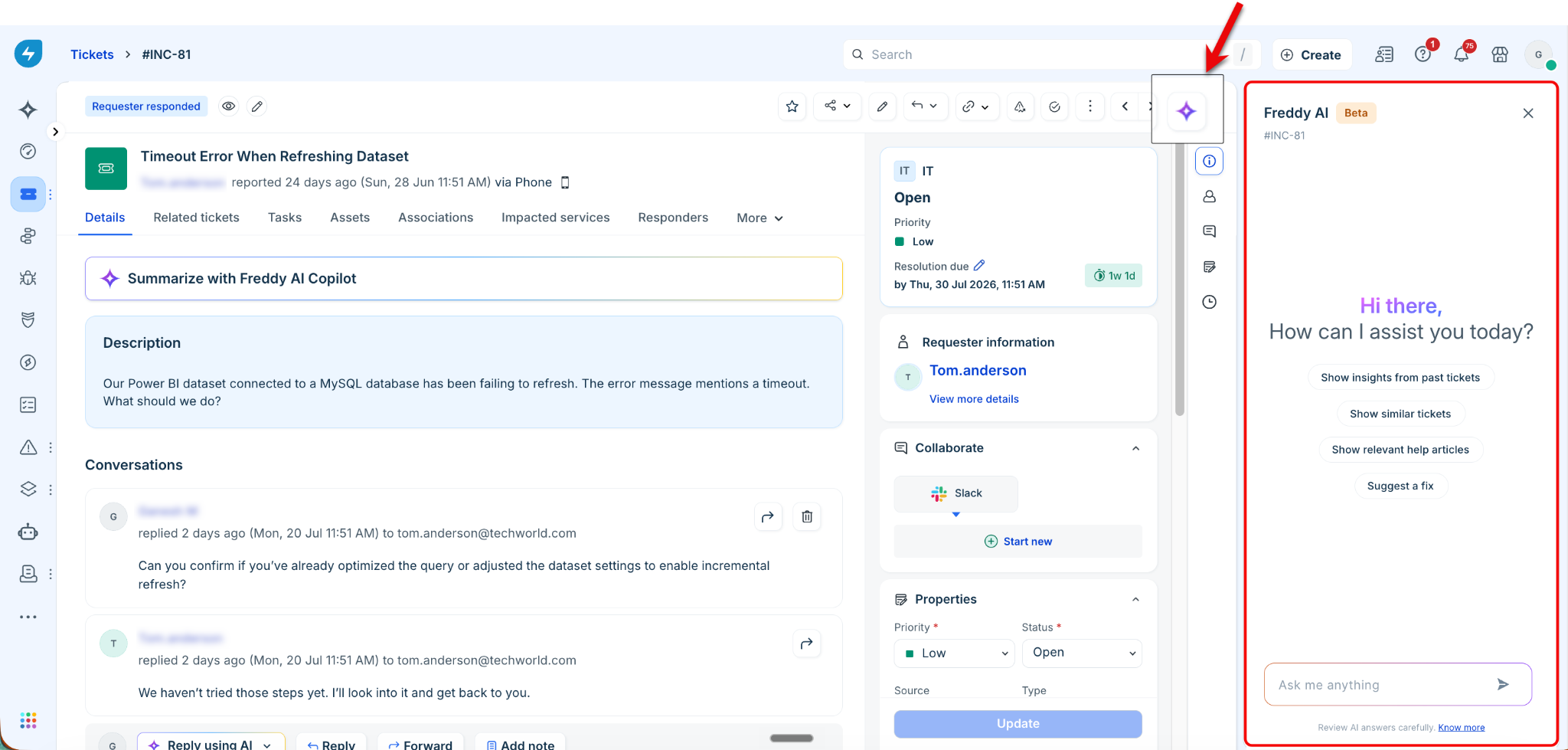
Copilot actions
Copilot Agent Actions helps you perform actions across connected apps while working on a ticket. Copilot Agent proactively recommends relevant actions based on the ticket context and lets you request actions using natural language. Review and approve actions before they are executed.
This helps you complete tasks with less manual effort and reduces the need to switch between applications while working on a ticket. Learn more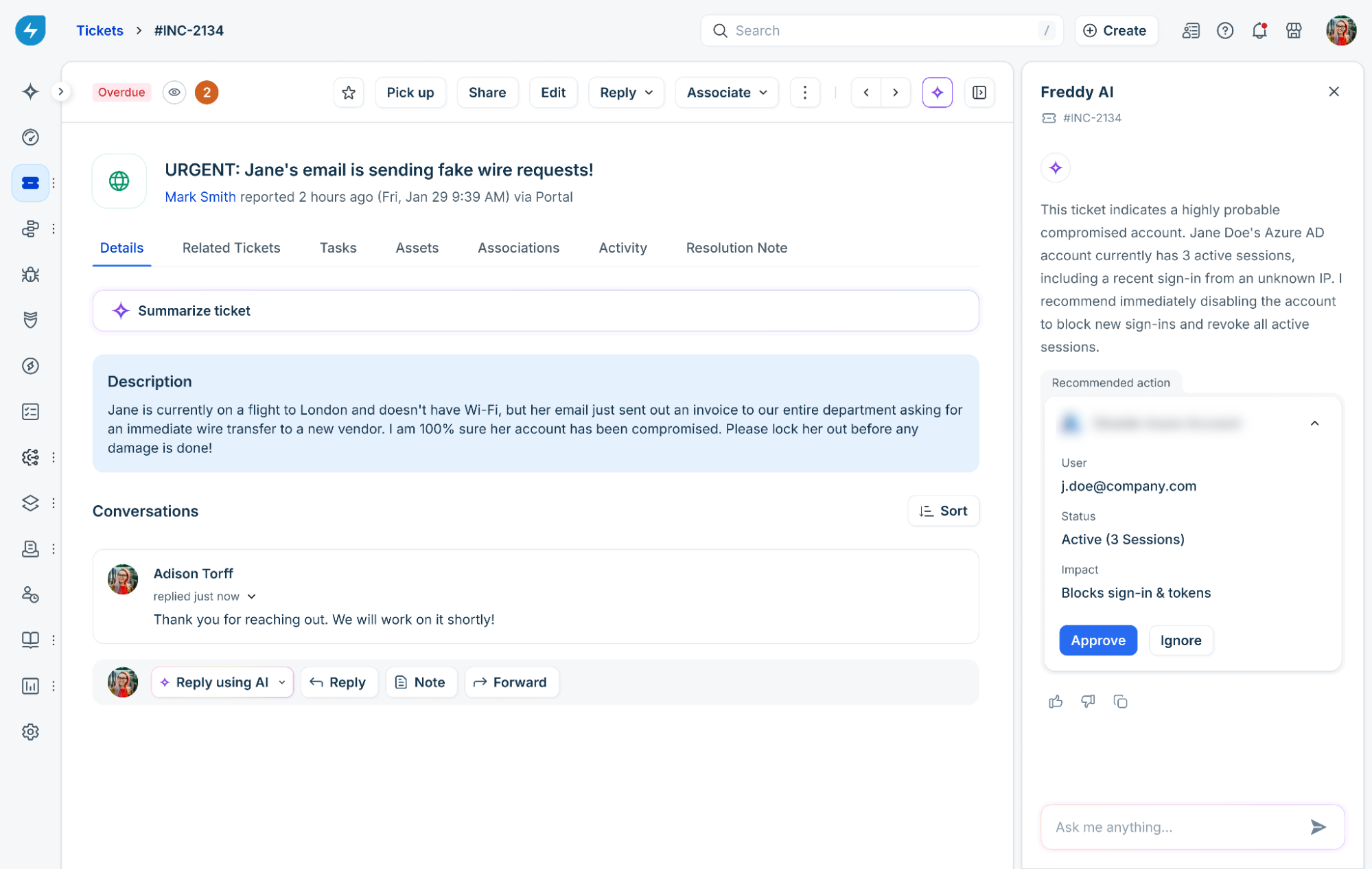
Ticket summariser
Throughout a ticket’s lifecycle, multiple communications occur through ticket replies, often resulting in substantial context. Freddy AI analyzes the ticket subject, description, and conversations, and presents key details in a readable format. This helps agents quickly understand the ticket context and take action faster. Learn more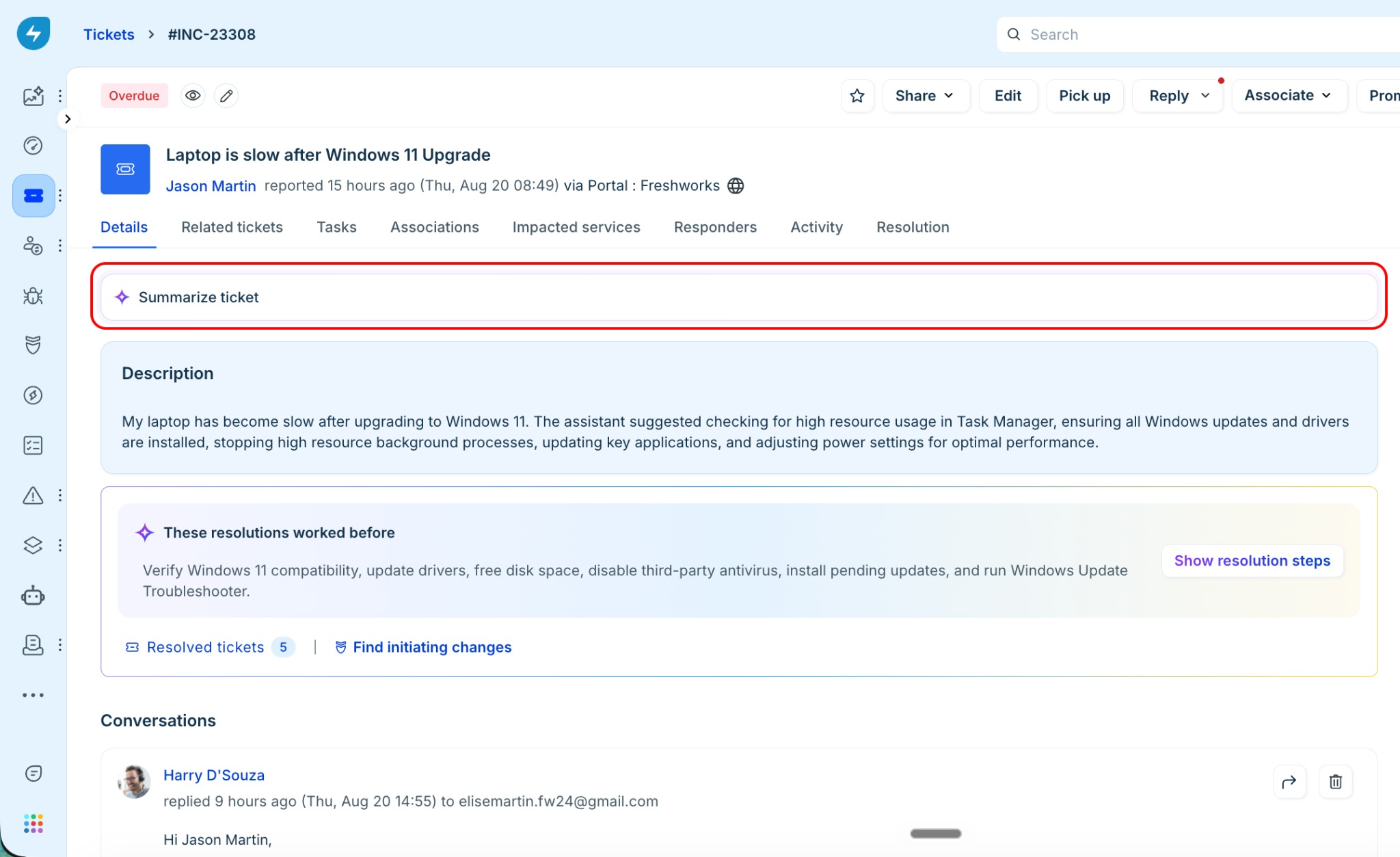
Reply suggester
Freddy AI enables agents to respond to tickets quickly with auto-generated replies sourced from help articles maintained in your knowledge base. Replies are curated based on the reported issue and summarized from relevant articles that match the request. Learn more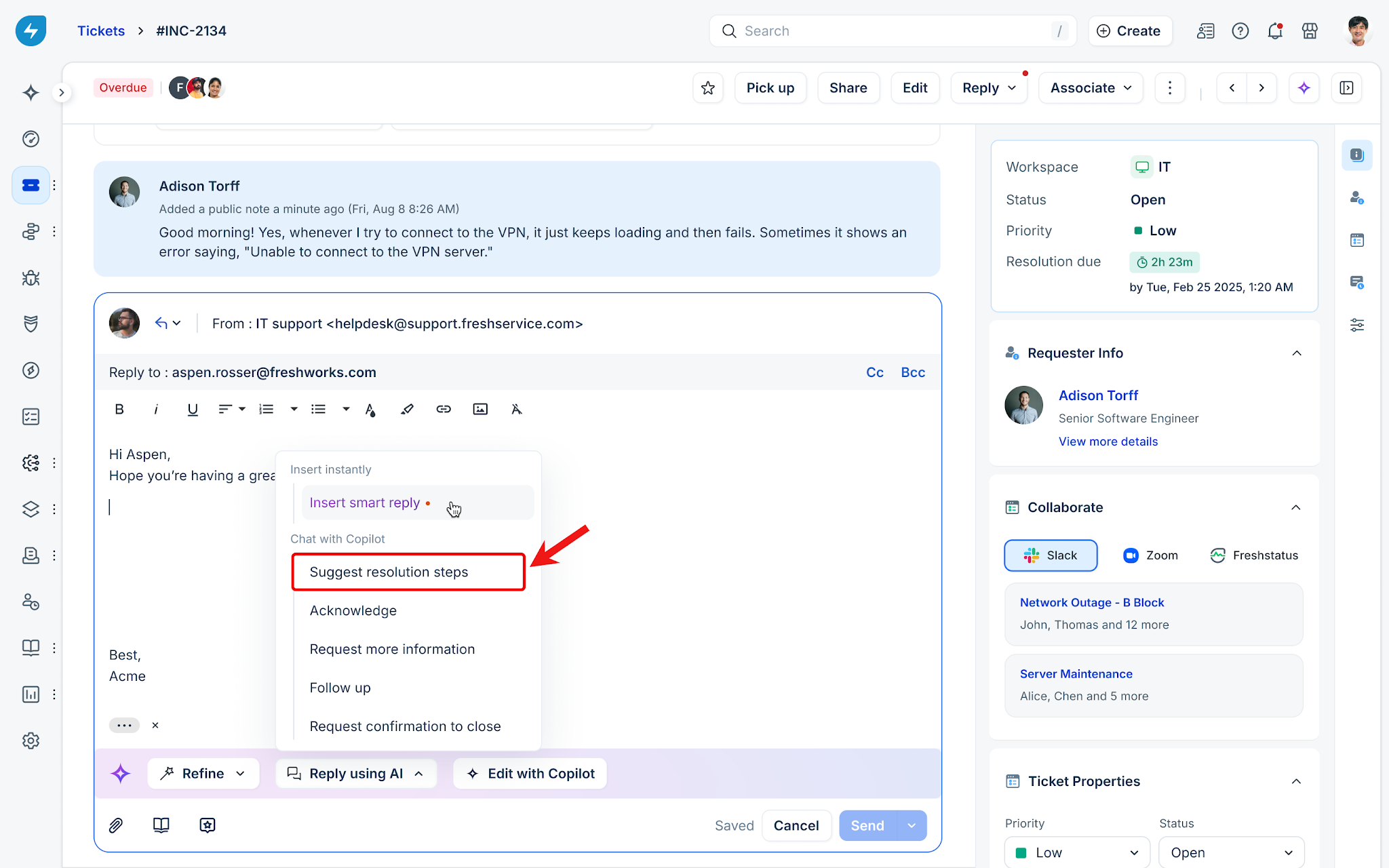
Field autofill suggester
Freddy AI helps save time by automatically assigning ticket field values. It uses AI-powered suggestions to categorize tickets with the appropriate parameters. Learn more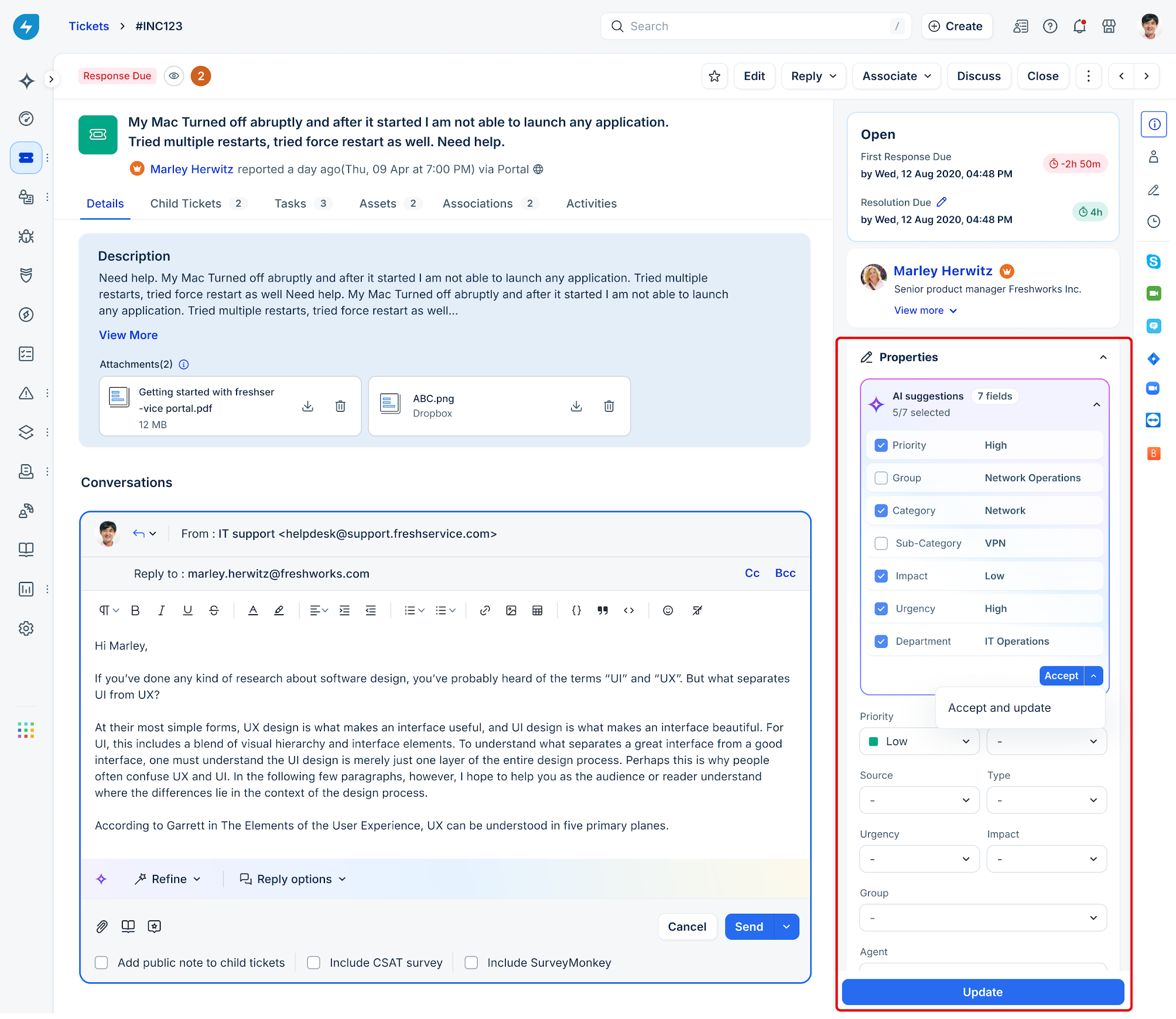
Writing assistant
Freddy AI helps improve service desk communication by optimizing the quality, tone, and clarity of written content. Learn more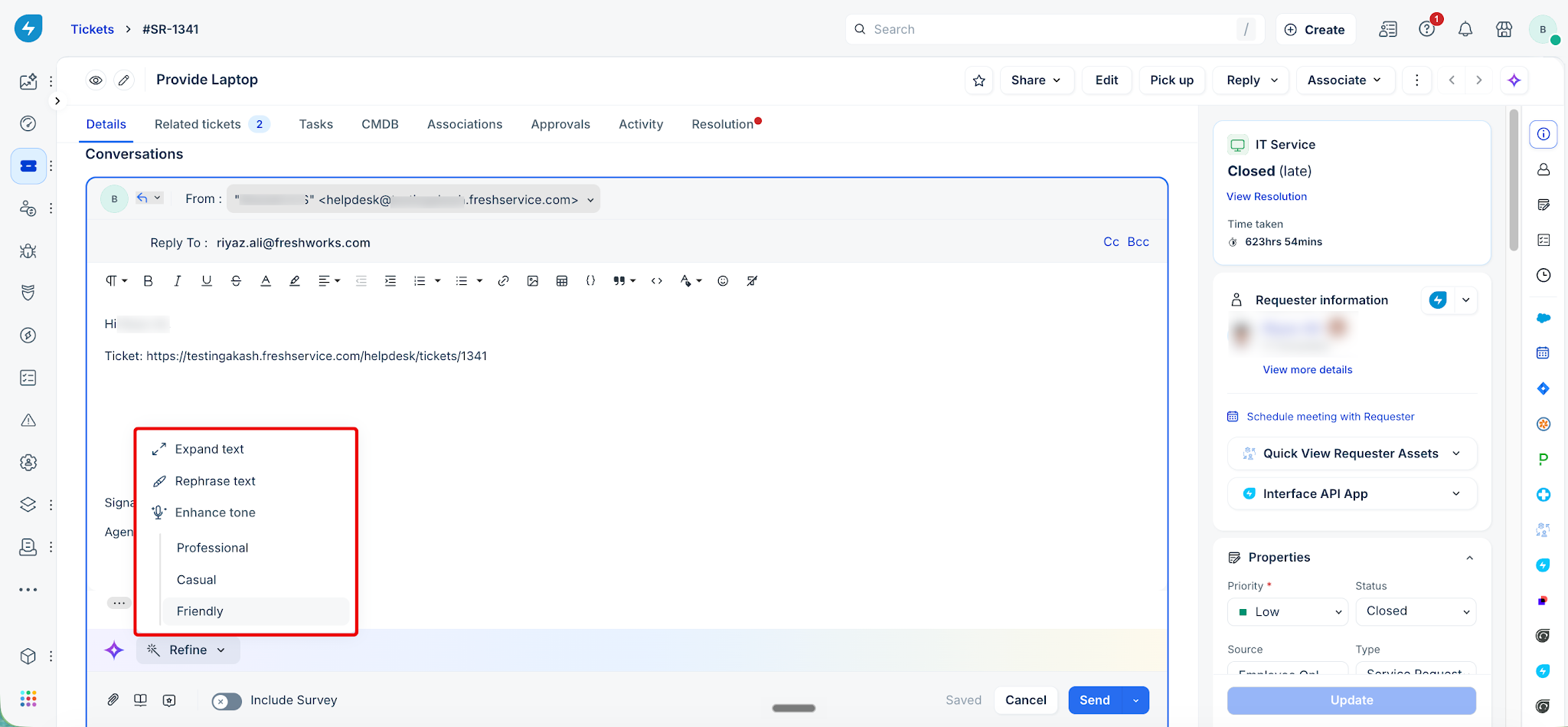
Ticket Translator
Freddy AI Copilot Translator helps translate ticket conversations for globally distributed teams. It allows agents to view incoming tickets in their preferred language, simplifying cross-regional communication, reducing response times, and improving employee satisfaction. Learn more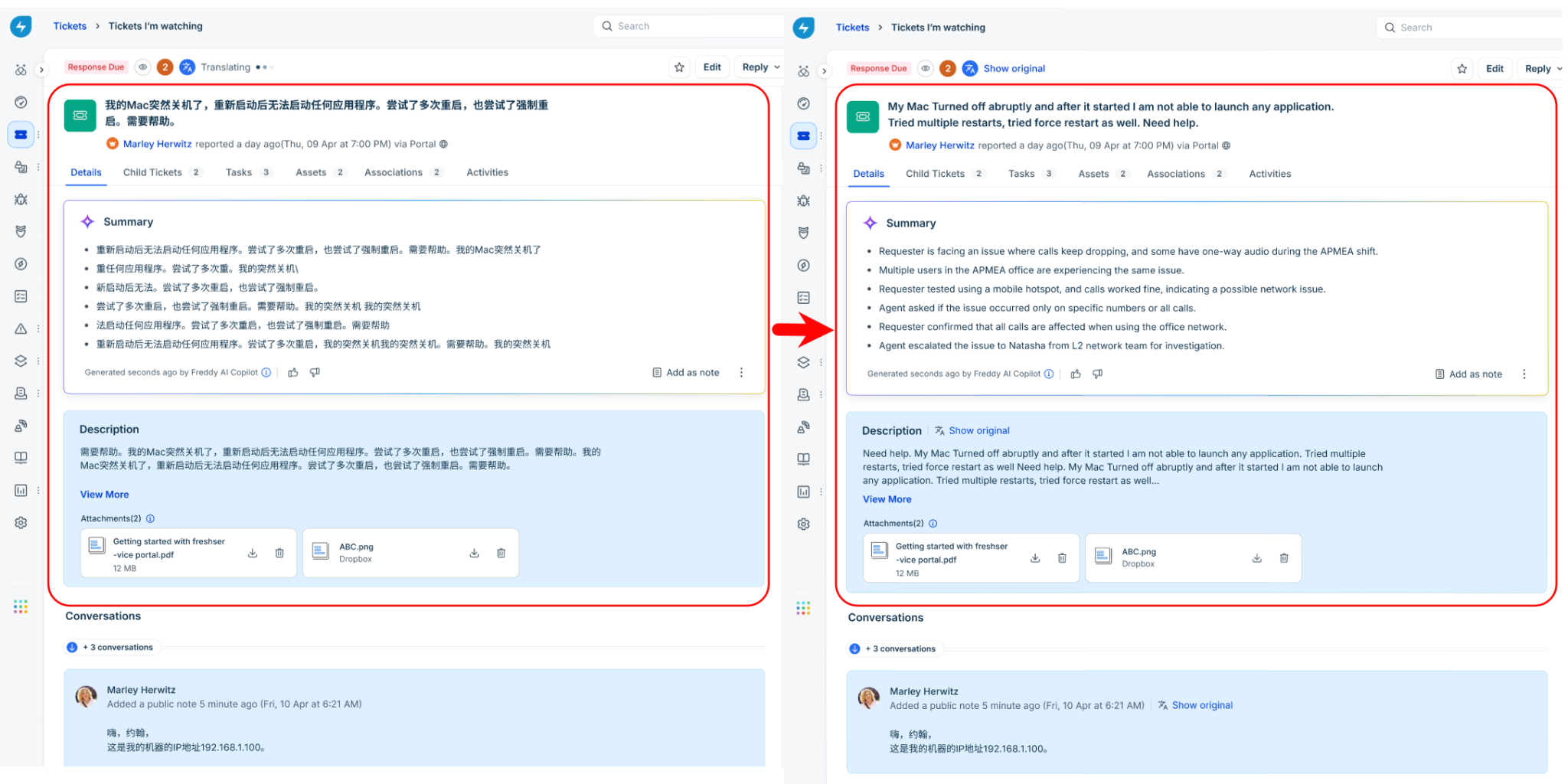
Sentiment Analysis
Sentiment analysis uses Freddy AI to analyze the requester’s messages in a ticket and classify the sentiment as Negative, Neutral, or Positive. It also shows how the sentiment has changed since the ticket started and, when enabled, explains the factors that influenced the prediction. Learn more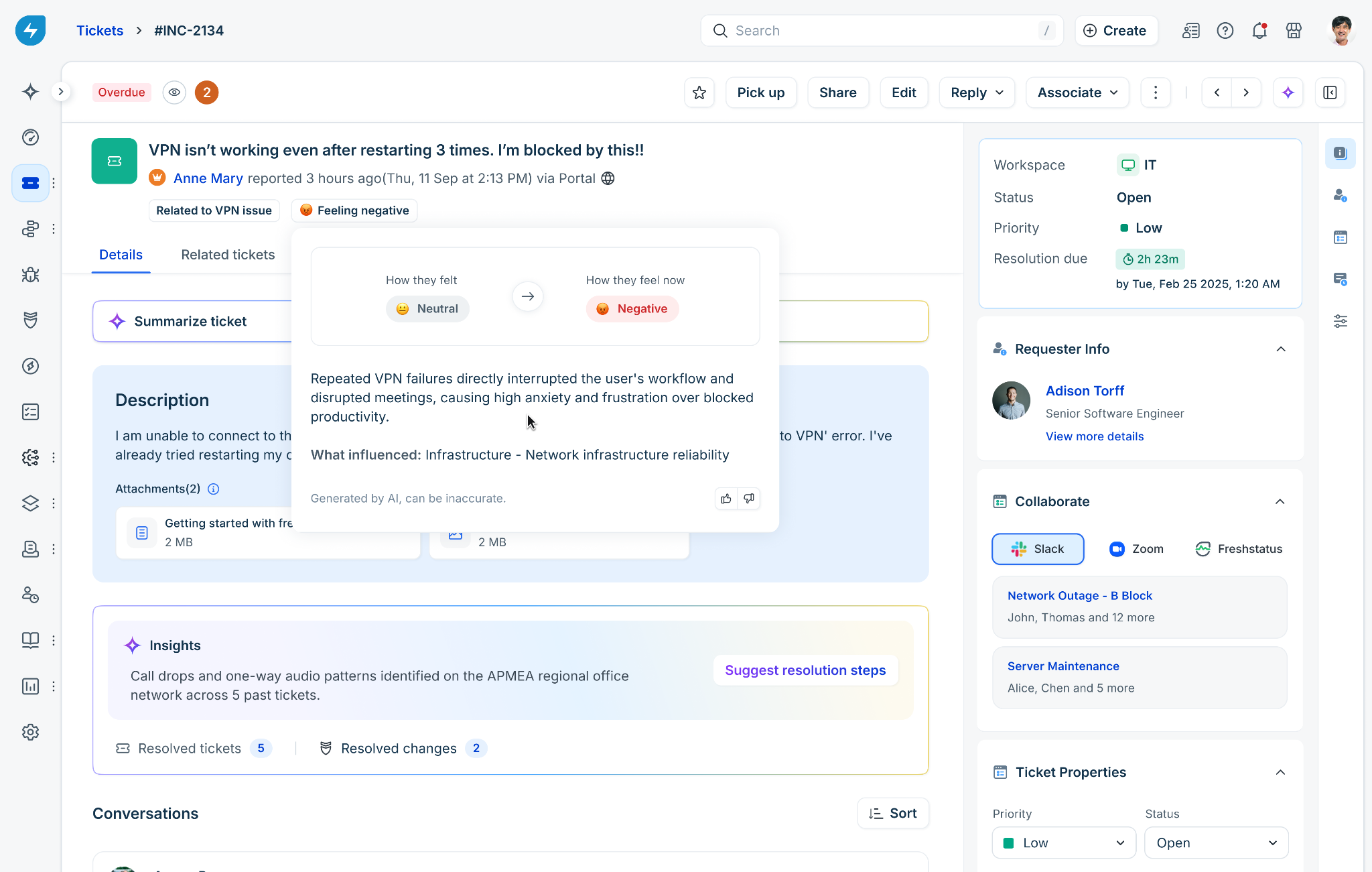
Similar tickets suggester
Freddy AI helps identify similar tickets raised for the same issue and enables agents to resolve tickets more effectively by referencing relevant context. Learn more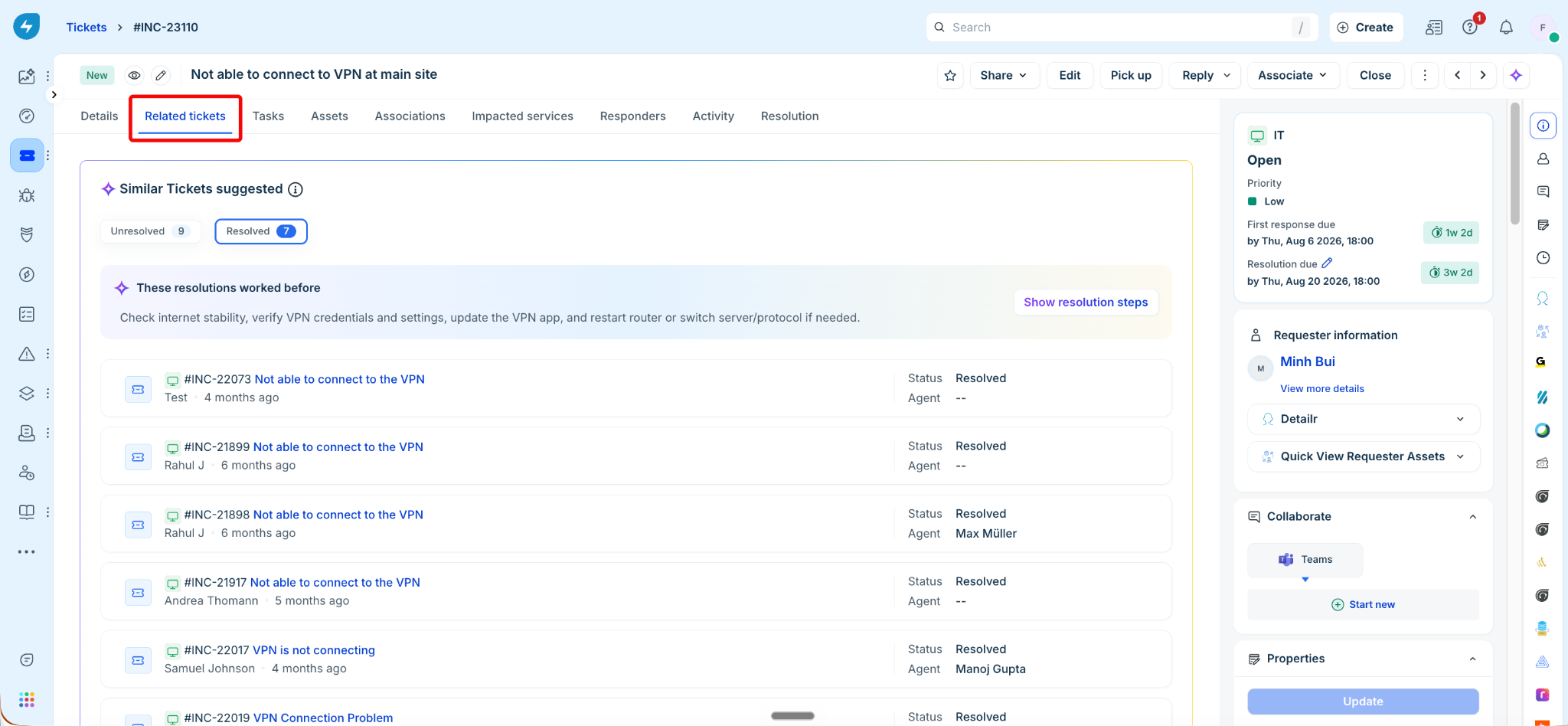
Resolution Insights
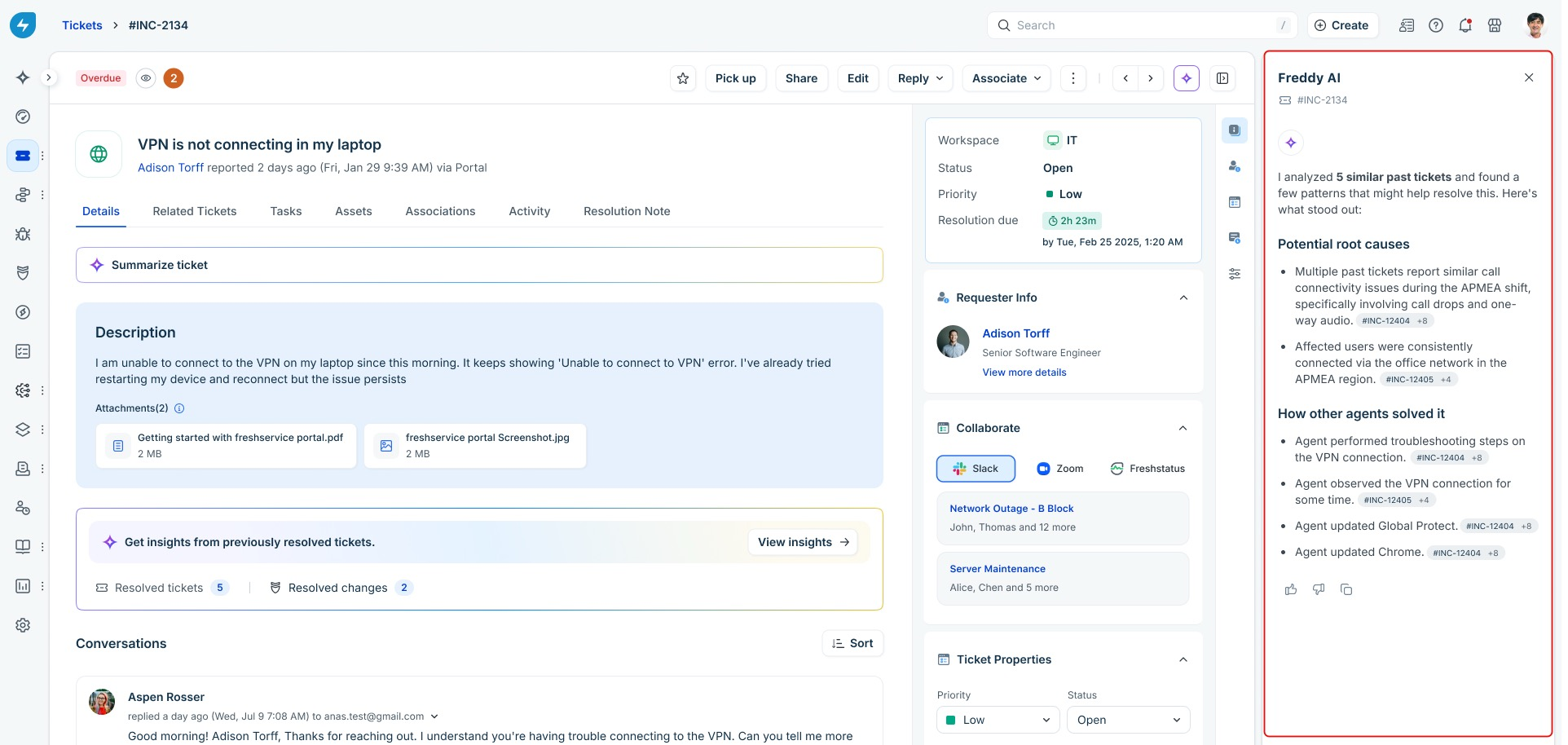
Instead of pointing you to a list of past tickets, this Freddy AI Copilot capability reads through similar resolved tickets, identifies the likely root cause, and outlines the steps other agents used to fix the issue. Learn more
Resolution note generator
Agents can create resolution notes for each ticket to support quick reference and faster service delivery. Resolution notes are internal records that document the steps to reproduce an issue, the troubleshooting process, and other relevant details. These notes help agents resolve similar issues more efficiently in the future. Learn more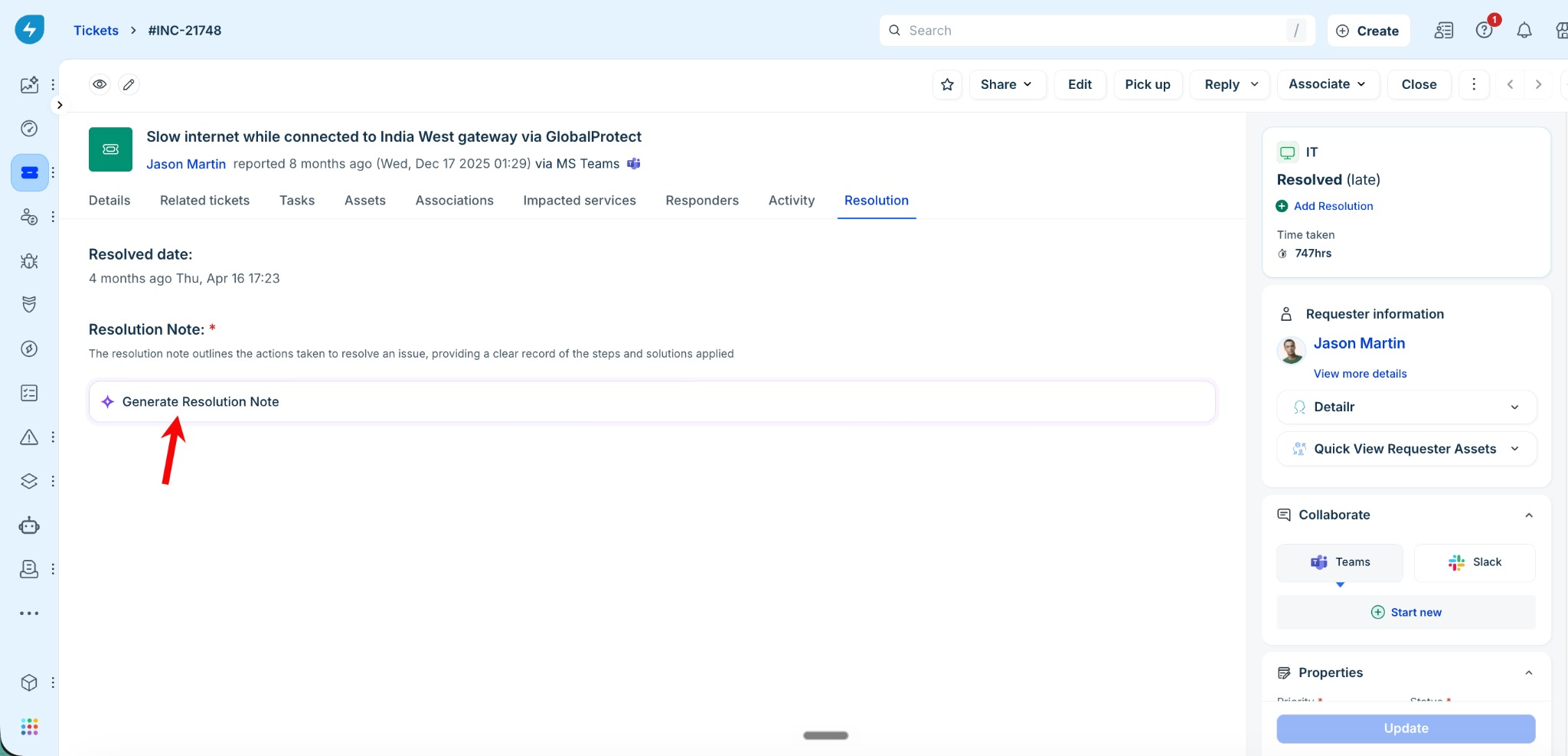
Post-incident report generation
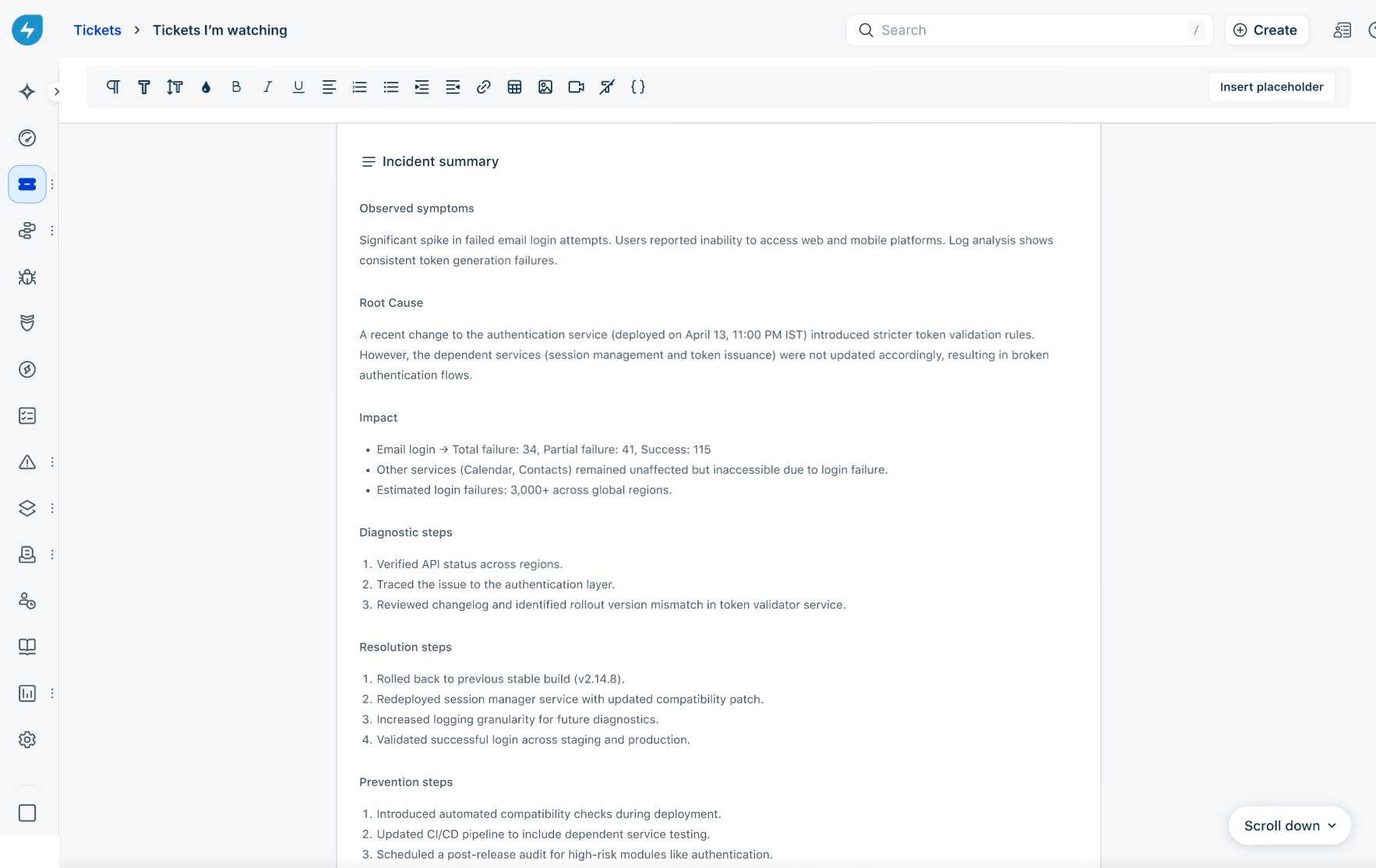
Freddy AI Copilot helps generate post-incident reports, reducing the time and effort required after incident resolution. When the Freddy Copilot license is enabled, Freddy AI remains engaged throughout the incident lifecycle, from major incident creation to resolution, allowing it to generate accurate and detailed post-incident reports. Learn more
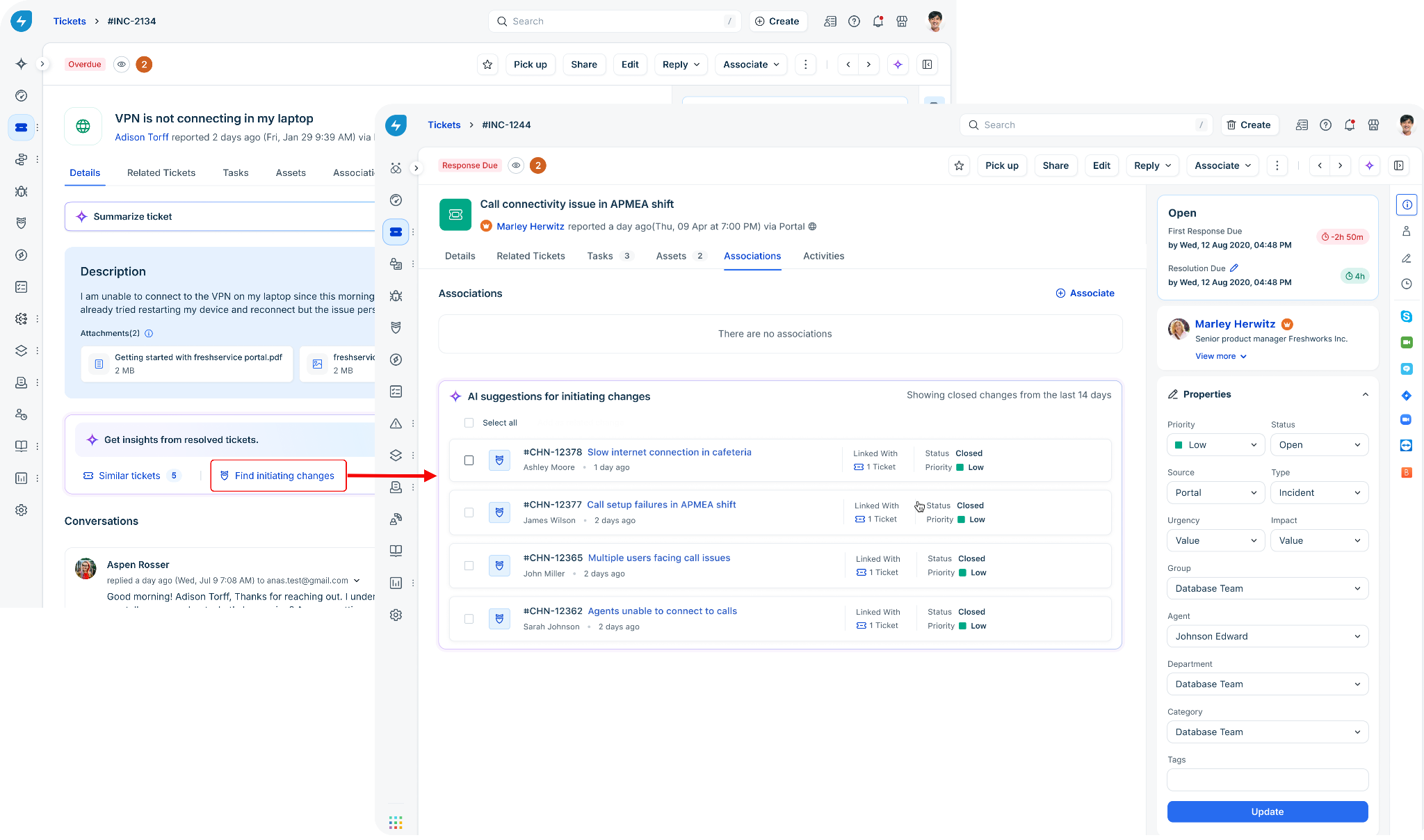
Find initiating changes for a ticket
Previously, agents had to manually search through change records to find the change responsible for an incident. The Initiating Change Suggester simplifies this process by analyzing changes closed within the last 14 days and ranking the ones most likely related to the incident. From the ticket view, you can review the suggestions, inspect change details, and link the relevant changes directly to the ticket. Learn more
Find similar changes for a change request
Previously, agents had to manually search through change records to find similar past changes. The Similar Change Suggester simplifies this process by analyzing recent changes and surfacing the ones most relevant to the current change request. From the change details page, you can review the suggestions, inspect change details, and provide feedback on the results. Learn more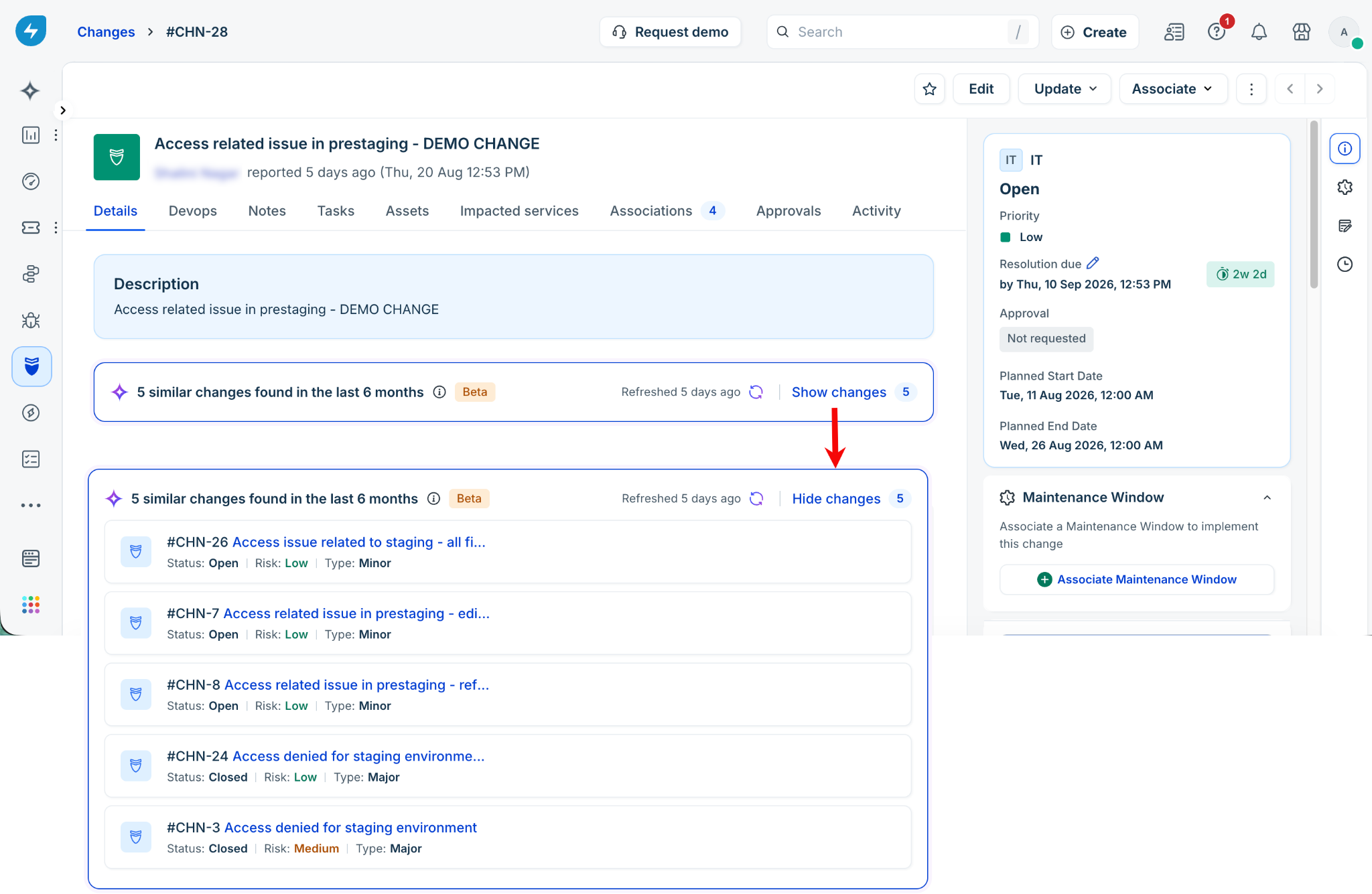
Help article generator
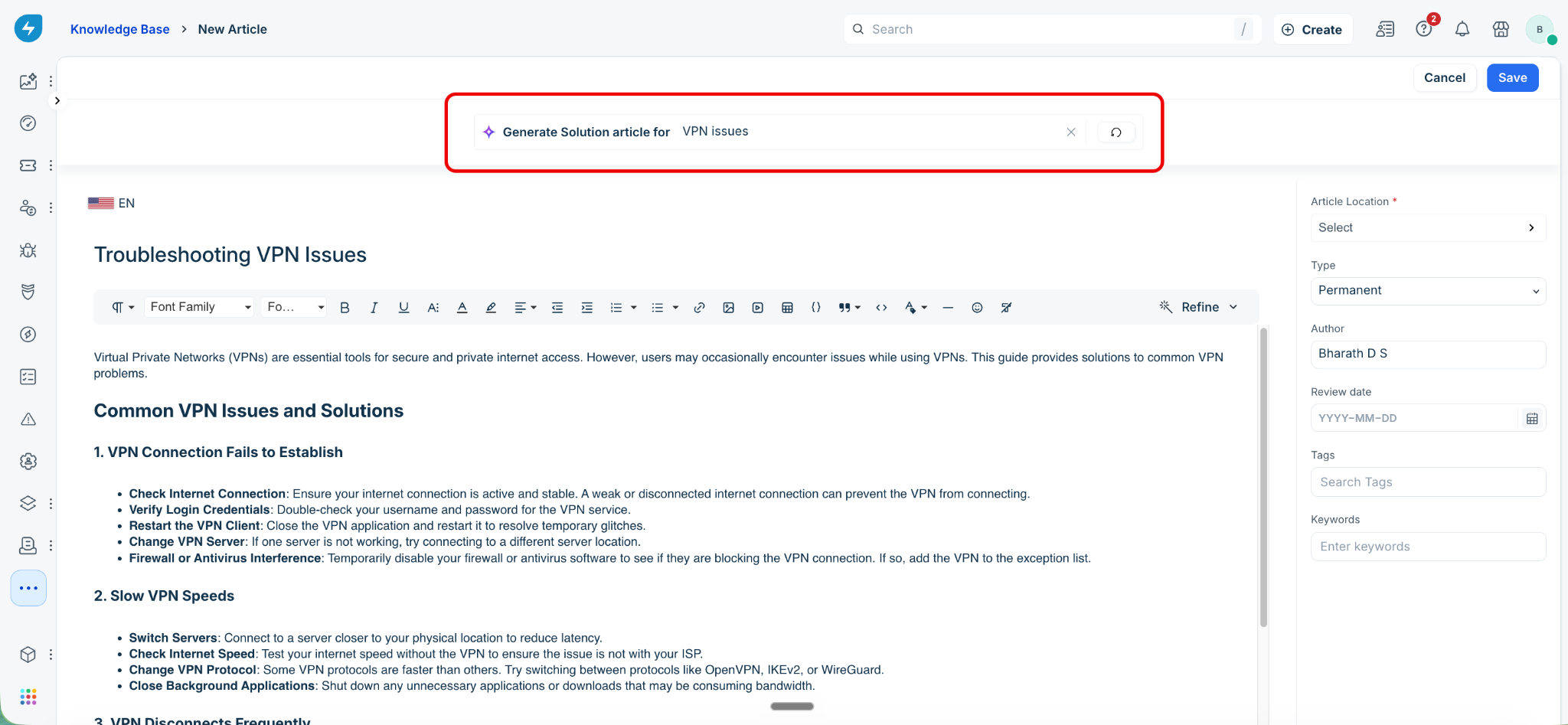
Freddy AI automatically generates solution articles from public sources and existing tickets to help deflect commonly occurring issues. Learn more