Resources

Products

Manage email notifications

Modified on: Tue, 30 Jun, 2026 at 3:57 PM

You can configure and customize automated email notifications to keep requesters, agents, and stakeholders informed about updates. Depending on your organization's setup, you can manage these notifications at two levels:

  • Global settings: Account-wide configurations that apply across all workspaces. For example: core account activations, global journeys.

  • Workspace settings: Workspace-specific configurations tailored to individual department workflows (for example: IT, HR, Facilities) for modules like Tickets, Problems, Changes, and Releases.

This article provides a list of available email notifications for the ProblemsChanges, and Releases modules at the workspace level. 

TABLE OF CONTENTS

Enable email notifications

To enable email notification, follow these steps:

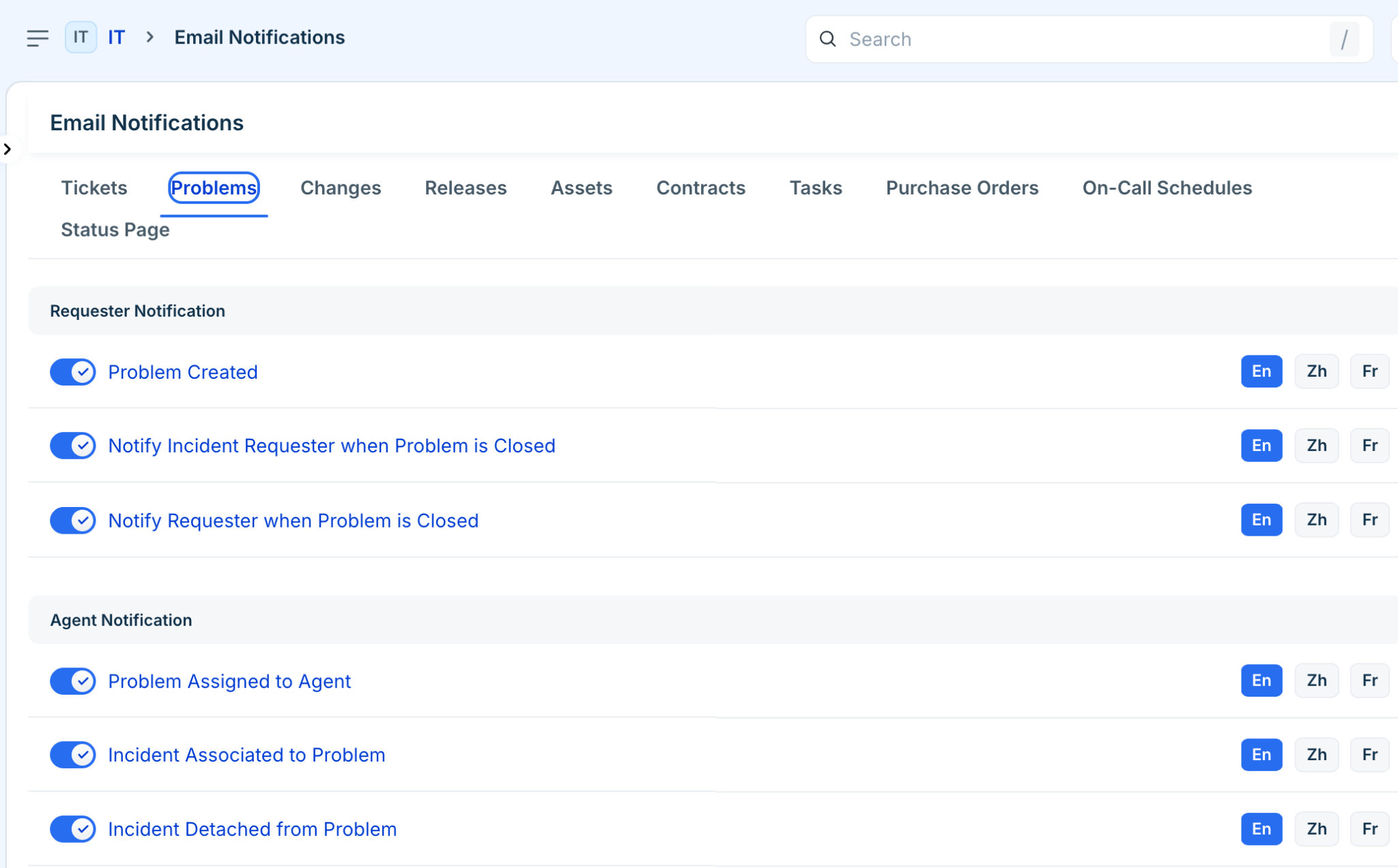
  1. Go to Admin > Workspace Settings > [Workspace Name] > Workspace Settings > Email Notifications.

  2. Enable notifications for ProblemsChanges, and Releases from the respective tabs based on your requirements. For more details on each notification, refer to the sections below. 


Problem notifications

These notifications keep your service desk team and related incident owners aligned during root-cause investigations and problem resolutions.

Audience

Notification Name

One-Liner Description

Requester

Problem Created

Alerts the requester that a major underlying problem has been officially logged.

Requester

Notify Incident Requester when Problem is Closed

Informs the original incident's requester that the root problem is now resolved.

Requester

Notify Requester when Problem is Closed

Alerts the problem's primary requester that the problem record has been closed.

Agent

Problem Assigned to Agent

Notifies an IT agent that they have been assigned ownership of a problem.

Agent

Incident Associated to Problem

Alerts the problem owner when an active incident is linked to their problem record.

Agent

Incident Detached from Problem

Alerts the problem owner when a linked incident is unlinked from the problem.

Agent

Problem Created

Notifies the service desk team that a new problem record has been generated.

Agent

Problem Closed

Alerts the assigned team that the problem record is successfully resolved and closed.

Agent

Notify Incident Agent when Problem is Closed

Alerts agents handling linked incidents that the underlying root problem is closed.

Agent

Note added to Problem

Notifies relevant agents when a public or private note is appended to the problem record.

Agent

Added as Watcher

Alerts an agent that they have been added to monitor the problem's progress.

Agent

Removed as Watcher

Alerts an agent that they have been removed from tracking the problem.

Agent

Completion SLA Notification

Warns or notifies agents when a problem task or resolution SLA is approaching or breached.

Agent

Task Dependency Setting Update

Notifies task owners when a blocking task or dependency sequence is updated.


Change notifications

These alerts track configuration modifications and authorization steps through the change management lifecycle, including updates sent to Change Advisory Board (CAB) members.


Audience

Notification Name

 Description

Requester

Change Created

Informs the requester that their change request has been successfully submitted.

Requester

Change Approved or Rejected

Notifies the requester of the CAB or manager's final decision on their change request.

Requester

Notify Problem Requester when Change is closed

Informs the problem requester that the implementing change request is now complete.

Requester

Notify Requester when Change is closed

Alerts the direct change requester that their change has been executed and closed.

Requester

Note added to Change

Notifies the requester when a public comment or update is made on their change request.

Agent

Change Assigned to Agent

Alerts an IT agent that a new change request has been assigned to them.

Agent

Incident Associated to Change

Notifies the change owner when an active incident is linked to the change workflow.

Agent

Incident Detached from Change

Notifies the change owner when a linked incident is unlinked from the change workflow.

Agent

Problem Associated to Change

Notifies the change owner when a root problem record is linked to the change workflow.

Agent

Problem Detached from Change

Notifies the change owner when a problem record is unlinked from the change workflow.

Agent

Change Created

Alerts the IT engineering team that a new change request has been logged.

Agent

Change Closed

Notifies the assigned agents that the change request lifecycle is fully complete.

Agent

Change Approved or Rejected

Alerts the change owner immediately when an approval status update occurs.

Agent

Submit Change to CAB

Alerts the change owner or team that the change has been forwarded for board review.

Agent

Notify Problem Agent when Change is Closed

Alerts the agent managing the root problem that the implementing change is finished.

Agent

Notify CAB Member

Alerts Change Advisory Board members that a pending change requires their review and vote.

Agent

Note added to Change

Alerts assigned agents when a public or private note is added to the change record.

Agent

Completion SLA Notification

Warns or notifies agents when a change task or phase SLA is approaching or breached.

Agent

Task Dependency Setting Update

Notifies task owners when task prerequisites or sequences within the change are modified.

Agent

Added as Watcher

Alerts an agent that they have been added to follow the change request's progress.

Agent

Removed as Watcher

Alerts an agent that they are no longer following the change request.

CC / Share

CC Email Added To Change

Notifies a stakeholder that they have been copied into the change request communication.

CC / Share

Note added to Change

Notifies CC'd external stakeholders or users when a new public note is shared.


Release notifications

These events coordinate implementation rollouts, build deployments, and final handoffs back to change owners.

Audience

Notification Name

Description

Requester

Release Created

Notifies the requester that a new rollout or deployment build has been logged.

Requester

Notify Change Requester when Release is Closed

Informs the original change requester that the deployment phase is fully complete.

Requester

Notify Requester when Release is Closed

Notifies the release requester that the deployment build has been successfully closed.

Agent

Release Assigned to Agent

Alerts an infrastructure or deployment agent that they are responsible for this release.

Agent

Change Associated to Release

Notifies the release agent when an approved change is linked to the release build.

Agent

Change Detached from Release

Notifies the release agent when a change is unlinked from the release build.

Agent

Release Created

Alerts deployment teams that a new release record has been initialized in the workspace.

Agent

Release Closed

Notifies agents that the rollout or build deployment is officially completed.

Agent

Notify Change Agent when Release is Closed

Informs the change manager that the underlying release deployment has been successfully executed.

Agent

Note added to Release

Notifies relevant agents when a public or private note is added to the release record.

Agent

Task Dependency Setting Update

Alerts task owners when a prerequisite deployment task or rollout sequence step is altered.

Agent

Added as Watcher

Alerts an agent that they have been added to watch the release rollout.

Agent

Removed as Watcher

Alerts an agent that they are no longer watching the release rollout.


Key configurations and customization

Once you have configured the relevant notifications, you can modify their operational behavior, content layout, and language localizations to align with your business workflows.


Enable and disable notifications

You can use the toggle switches next to any notification name to enable or disable it instantly.

Customize email templates

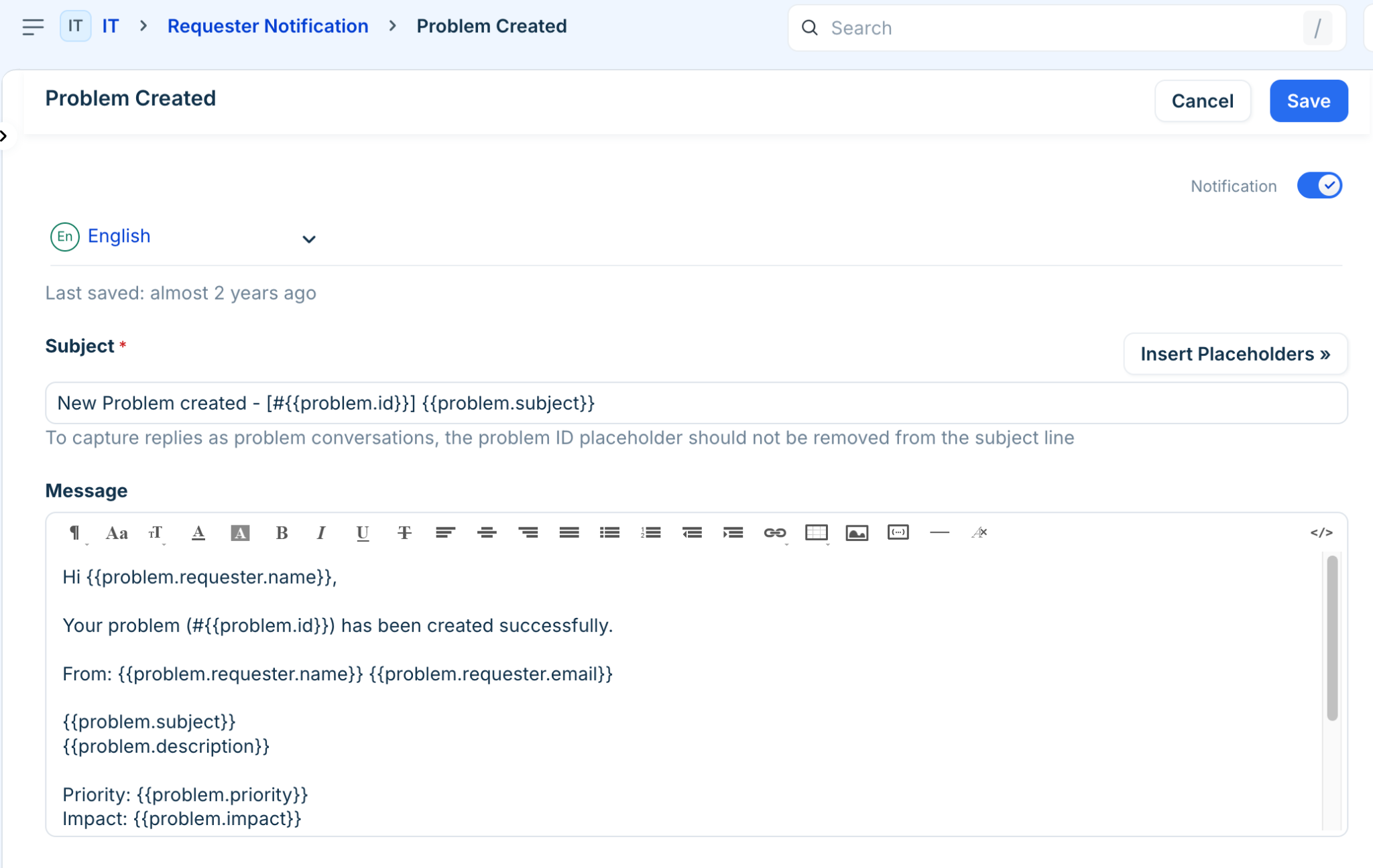
Click on any notification title to open the template editor. Here you can edit the email body, modify the subject line, incorporate placeholders (dynamic data fields like Ticket ID or Requester Name), and match the styling with your organization's branding. For more details, refer to How to edit the automatic email notifications in Freshdesk.

Multilingual support

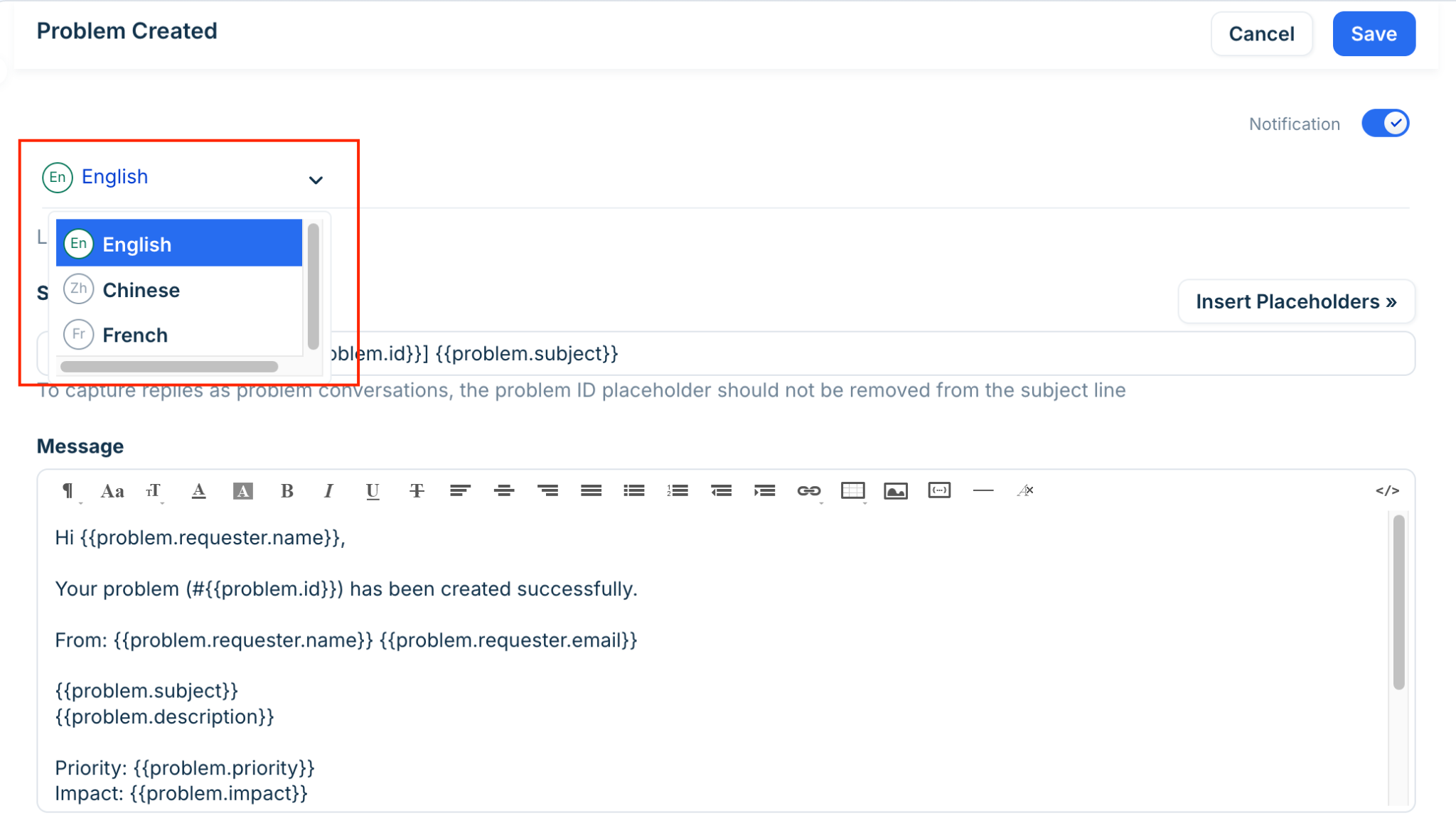
If your service desk supports global teams across multiple regions, you can translate your automated email notifications. Click En (Language) and change the email language based on your requirements. 
Note: Only languages configured as supported languages in your system settings will appear in the dropdown menu. For more information, refer to Configuring Multilingual Email Notifications.