
 Community
 Video Library
 Agent Training
 Freshservice
 Freshdesk
 Freshchat
 Freshcaller
 Freshsales
 Freshteam
 Freshworks Neo
 Freshsurvey
 Freshservice for MSP
TABLE OF CONTENTS
- Changes to billing frequency
- Information for existing subscribers
- Offline subscription activation
- Subscriptions under contract negotiation
- Get help with your subscription
This article provides an overview of the upcoming changes to monthly billing availability in Freshservice, including the affected subscription scenarios and the billing options that will remain available.
Starting December 1, 2026, monthly billing will not be available for:
New Freshservice subscriptions.
Trial-to-paid conversions.
Changes from another billing frequency to monthly billing.
This change applies to all Freshservice plans (Starter, Growth, Pro, and Enterprise), including add-ons, across all Freshservice offerings: IT service management (ITSM), Freshservice for Business Teams, IT asset management (ITAM), and Freshservice for MSPs.
Quarterly, semi-annual, and annual billing options will continue to be available.
Note: If you already have a monthly subscription, this change does not immediately affect your subscription or its scheduled renewals.
Changes to billing frequency
The following table explains how the billing changes affect different subscription types:
Information for existing subscribers
Existing subscriptions with quarterly, semi-annual, or annual billing
Your existing subscription will remain unchanged. However, you cannot change your billing frequency to monthly through self-service subscription management.
You can continue managing your subscription using the available options under Plans & Billing.
If you have further questions about your subscription or billing options, contact your Customer Success Manager (CSM).
Existing monthly subscriptions
If you already have an active monthly subscription, your existing subscription and scheduled renewals will remain unchanged. You do not need to take any immediate action.
You can continue making other permitted changes to your account and subscription, including changing your subscription plan while retaining monthly billing.
You can also continue converting your subscription to a different currency.
To review the available plans and billing options, follow these steps:
Go to Admin > Global Settings.
Under Account Settings, select Plans & Billing.
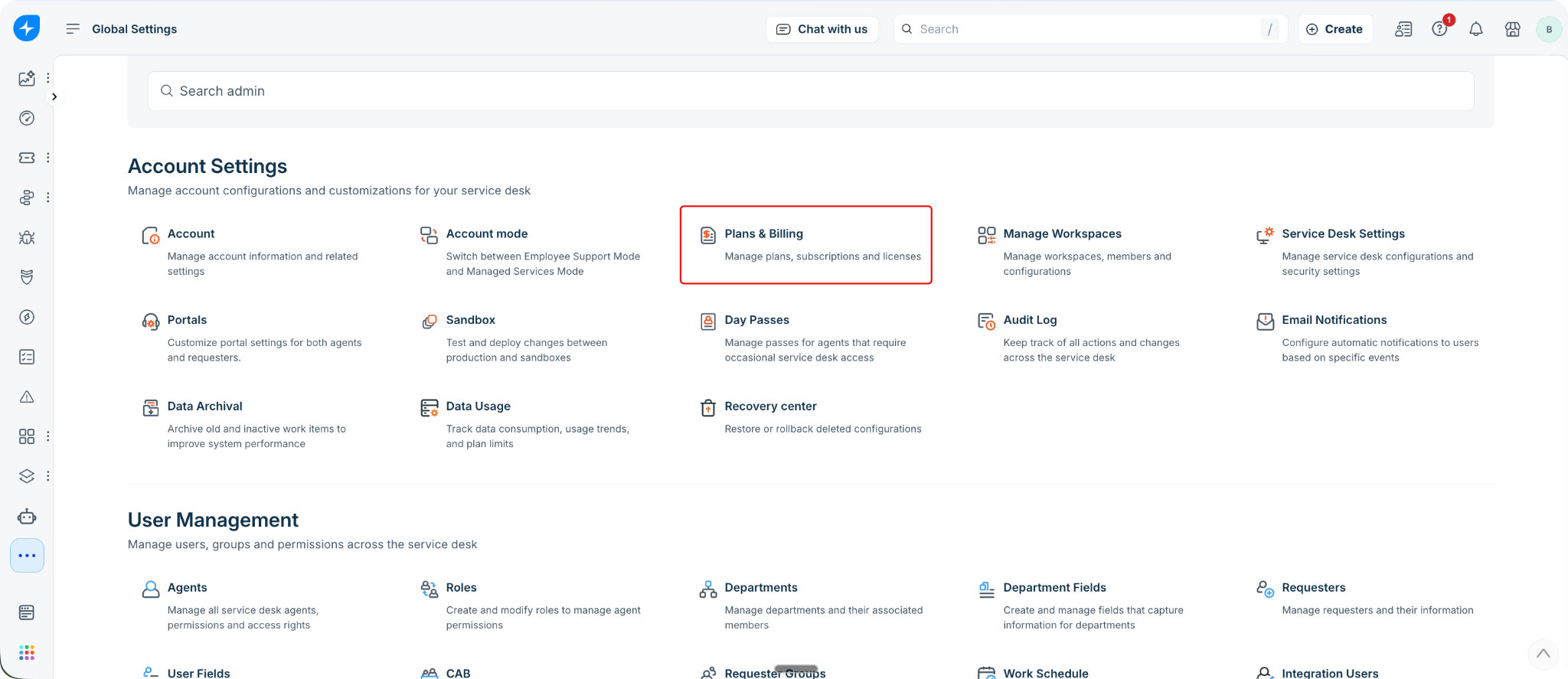
On the Plans & Billing page, click Manage Plan or Manage Trial, depending on your account type.
On the subscription details page, review the available plans and add-ons, and select the options that meet your requirements.
Click Confirm to proceed.
Offline subscription activation
If your subscription is activated through an offline process, monthly billing will not be available as an option when you change your subscription through Chargebee-based activation workflows.
You can select from the available quarterly, semi-annual, and annual billing options.
Subscriptions under contract negotiation
If you have an ongoing subscription deal that has already reached the contract stage with monthly billing, the existing agreement will be honored. If you have questions about the billing options for your proposed subscription, contact your Account Executive (AE) or Account Manager (AM).
Get help with your subscription
If you are an existing customer and have questions about the billing changes or need help with your subscription, contact your Customer Success Manager (CSM).
If you are evaluating Freshservice or considering a new subscription, contact your Account Executive (AE) or Account Manager (AM) for assistance with available plans and billing options.