Community
 Video Library
 Agent Training
 Freshservice
 Freshdesk
 Freshchat
 Freshcaller
 Freshsales
 Freshteam
 Freshworks Neo
 Freshsurvey
 Freshservice for MSP
 Cloud Collector enables you to run cloud and API-based discovery jobs without deploying local collector infrastructure or virtual appliances.
TABLE OF CONTENTS
Overview of Cloud Collector
Cloud Collector runs within your cloud environment and functions similarly to a remote collector. It executes inventory scans on target environments and communicates with targets through public APIs accessible over the WAN.
Supported discovery platforms
The following table lists the job types and platforms supported by the Cloud Collector.
Assign cloud discovery jobs
You can assign supported cloud discovery jobs to the Cloud Collector directly from the discovery page.
Assign a Microsoft Intune discovery job
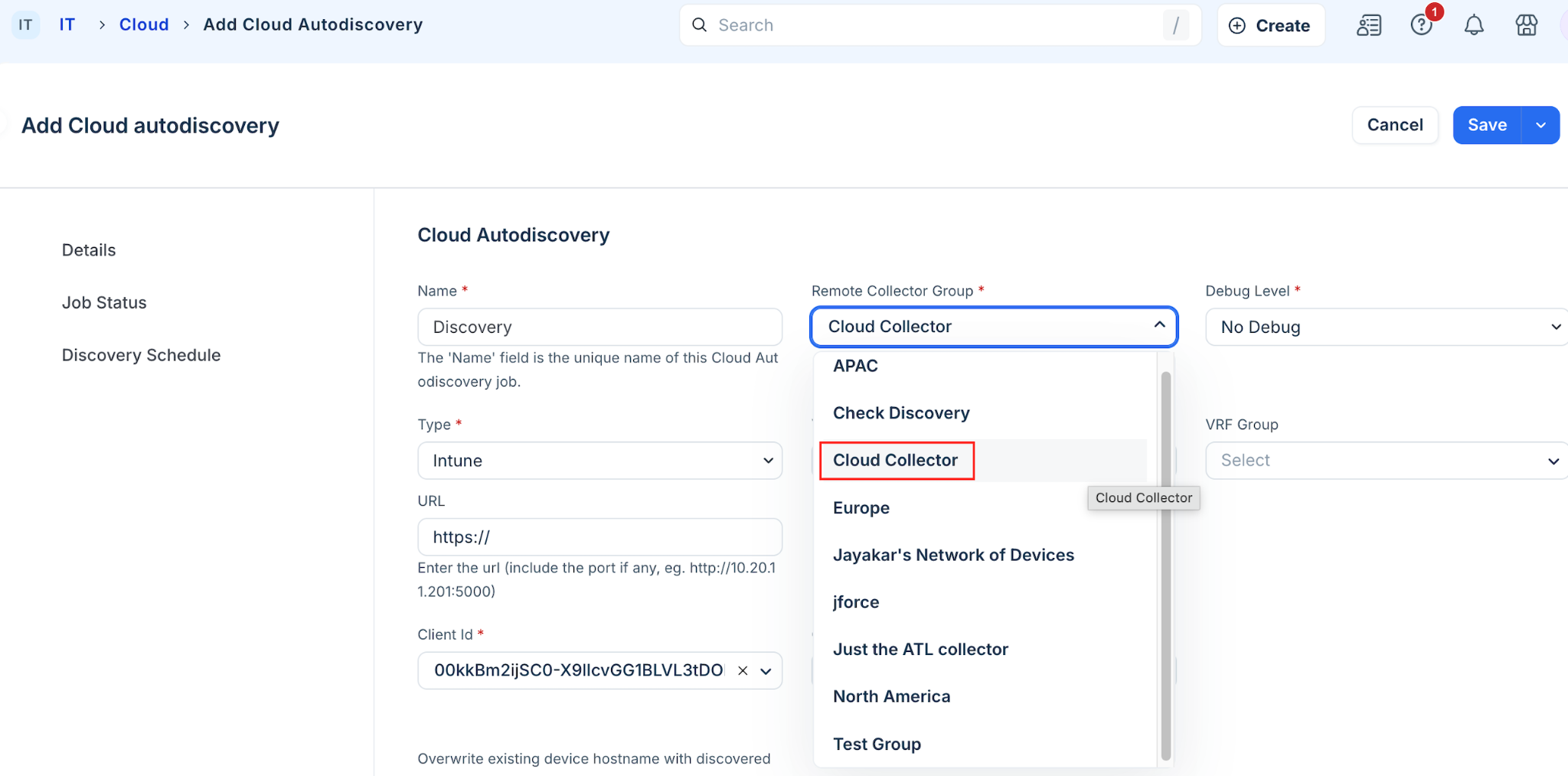
Follow these steps to assign a Microsoft Intune discovery job to the Cloud Collector:
Go to Admin > Asset Management > Discovery Hub.
Go to Discovery Jobs and click Add new, or select an existing Microsoft Intune discovery job.
In the Remote Collector Group dropdown, select Cloud Collector from the available options.
Enter the tenant configuration details and API credentials for your Microsoft Intune account.
Click Save and Run.