Community
 Video Library
 Agent Training
 Freshservice
 Freshdesk
 Freshchat
 Freshcaller
 Freshsales
 Freshteam
 Freshworks Neo
 Freshsurvey
 Freshservice for MSP
 TABLE OF CONTENTS
Overview
Grafana is an open-source platform that visualizes system metrics, logs, and traces. Integrating it with Freshservice alert management enables you to centralize alerts from various sources, transforming them into structured, enriched notifications. This helps minimize alert noise through intelligent grouping, ensuring that critical issues are prioritized and handled with informed, timely decisions.
Prerequisites
Supported version: Grafana version 11 or above
Payload compatibility: Only the modern Grafana alerting payload format is supported by this integration. Legacy payload formats are explicitly unsupported.
Note: Monitoring tools can be set up only at the workspace level in Freshservice.
Configure the integration in Freshservice
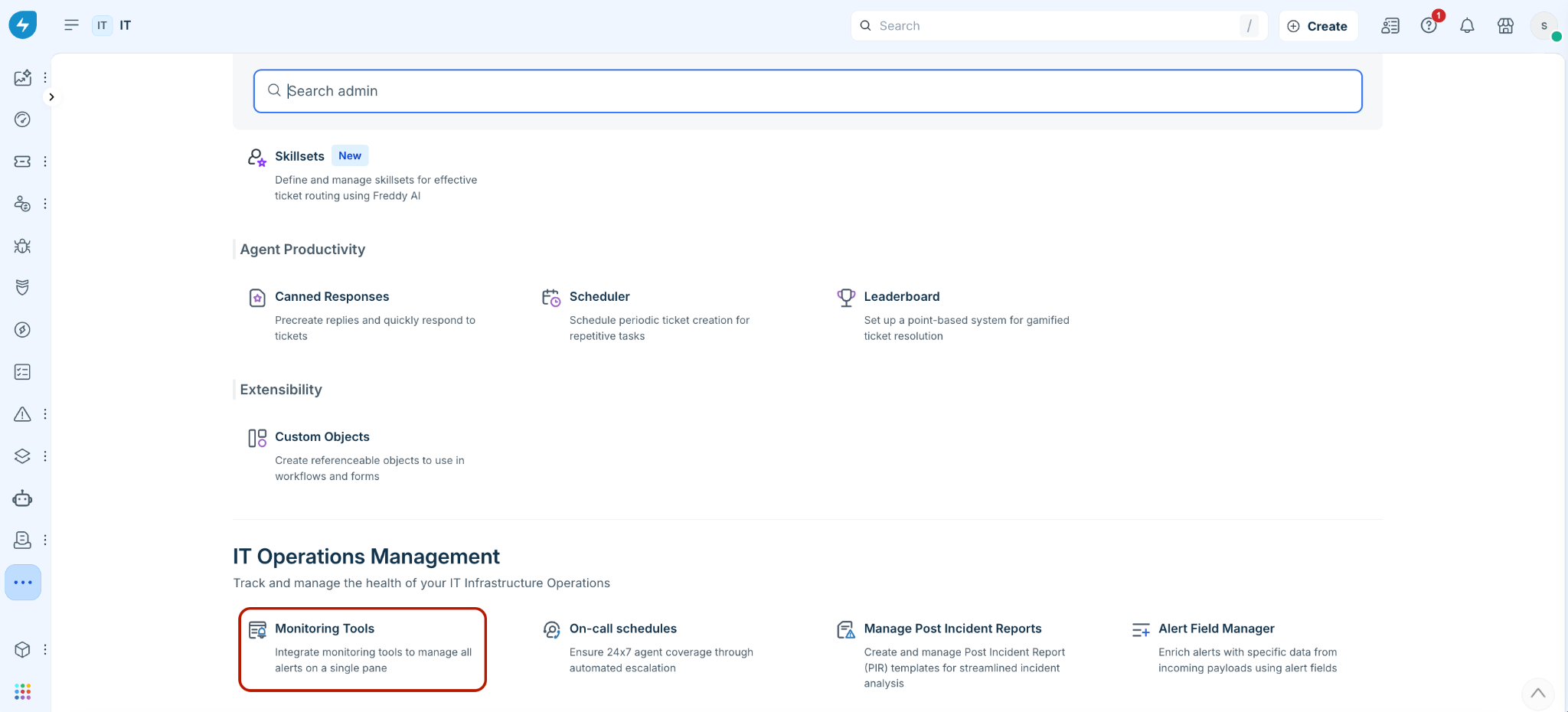
Step 1: Log in to your Freshservice account. Go to Admin > {Workspace settings} > IT Operations Management > Monitoring Tools.
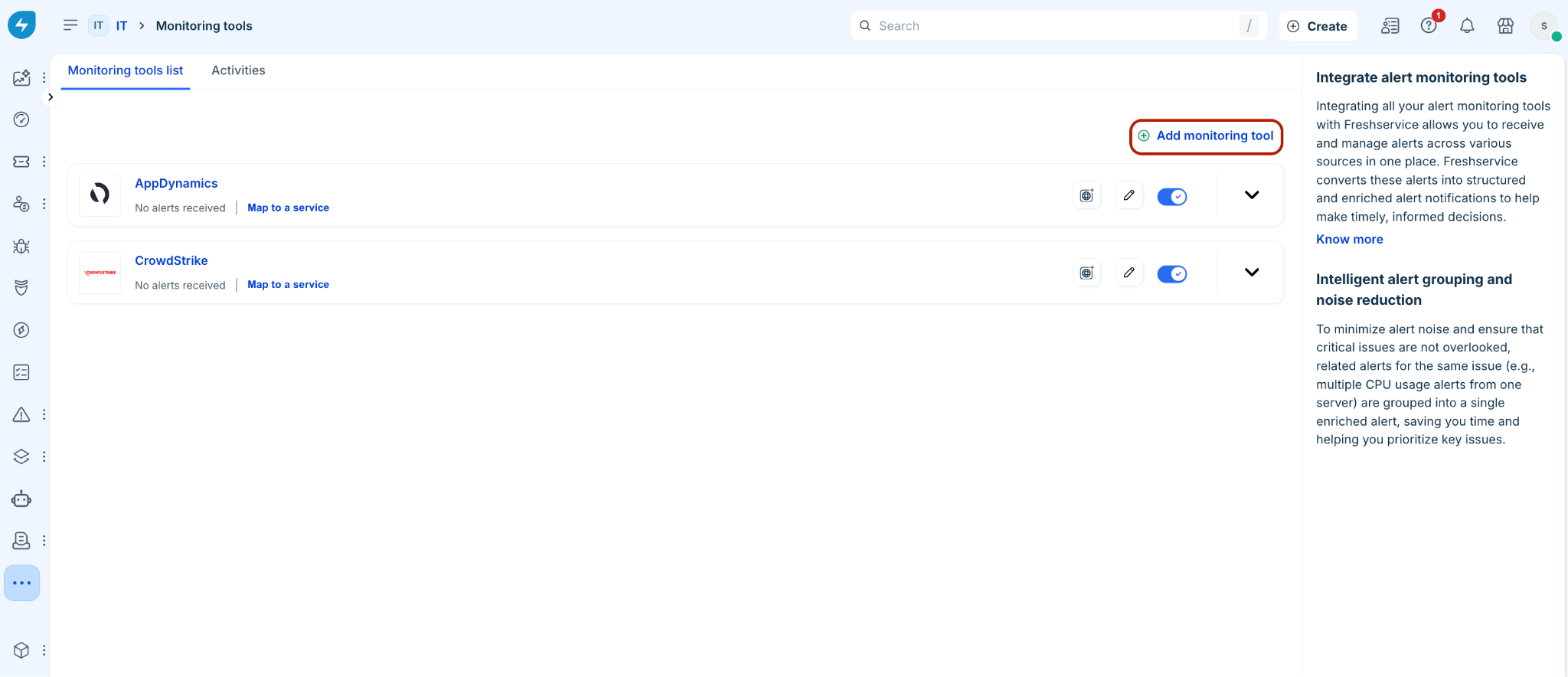
Step 2: Click Add monitoring tool to add a new integration.
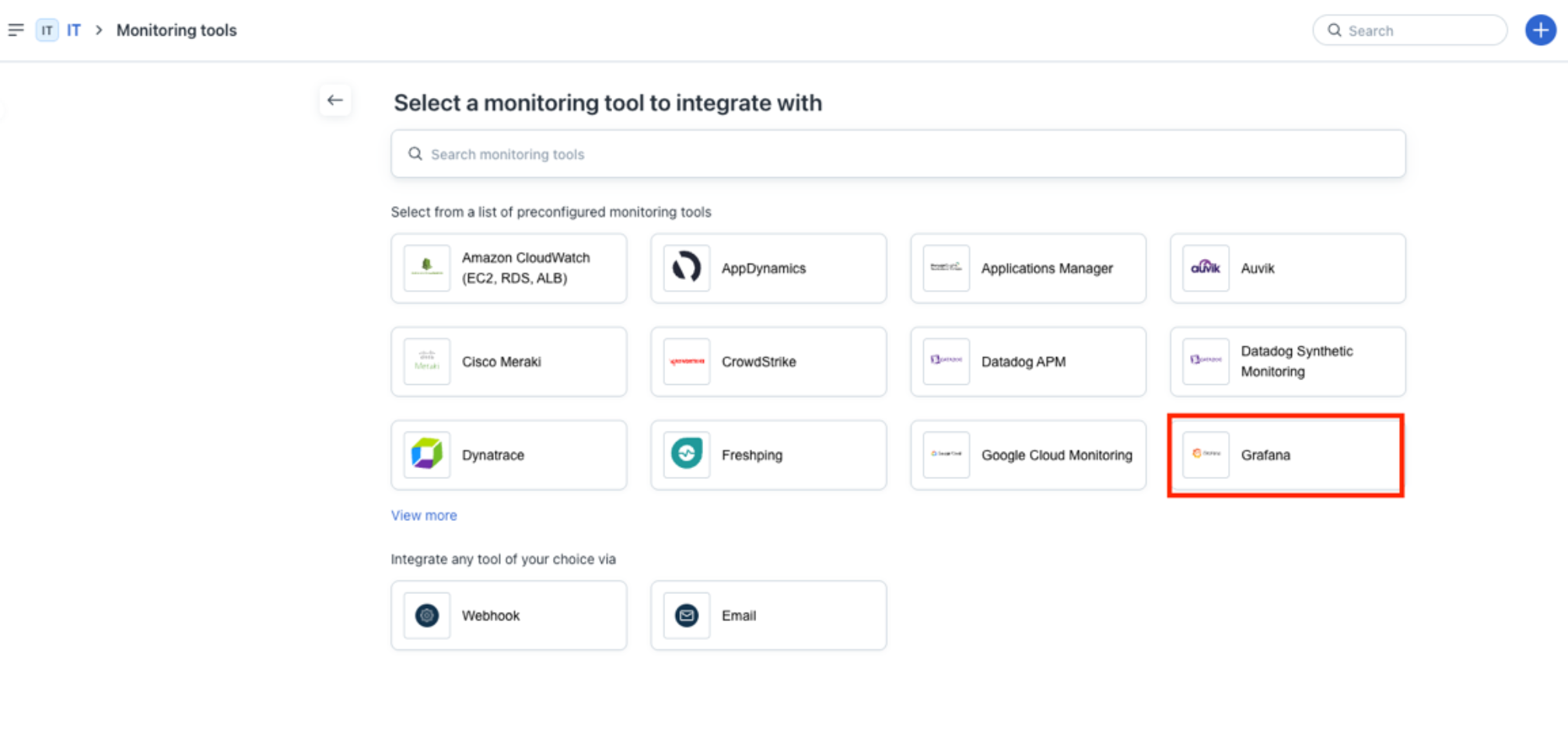
Step 3: Search and select Grafana from the list of pre-configured integrations.
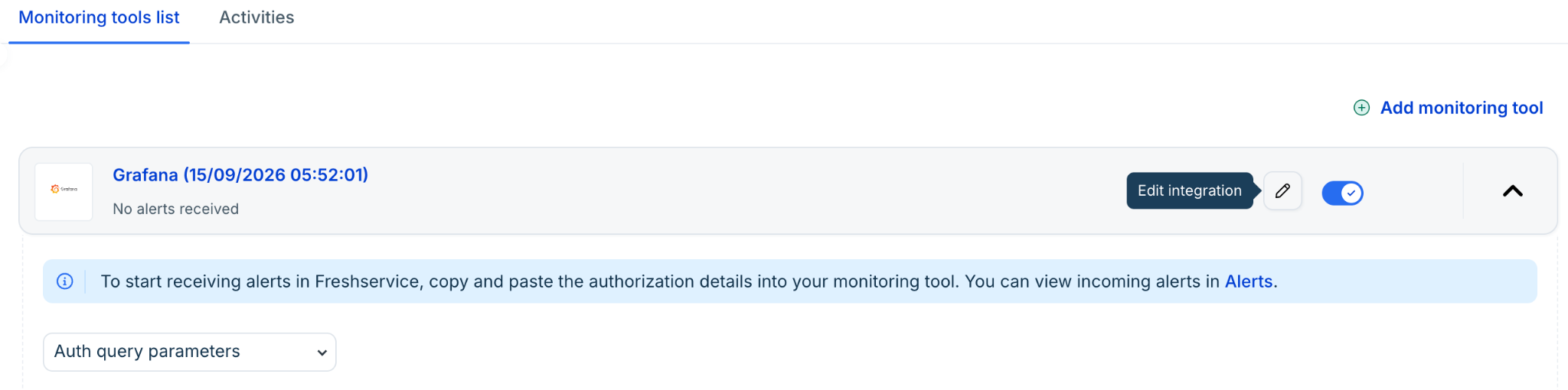
Step 4: Copy the generated URL (this is required for Grafana configuration).
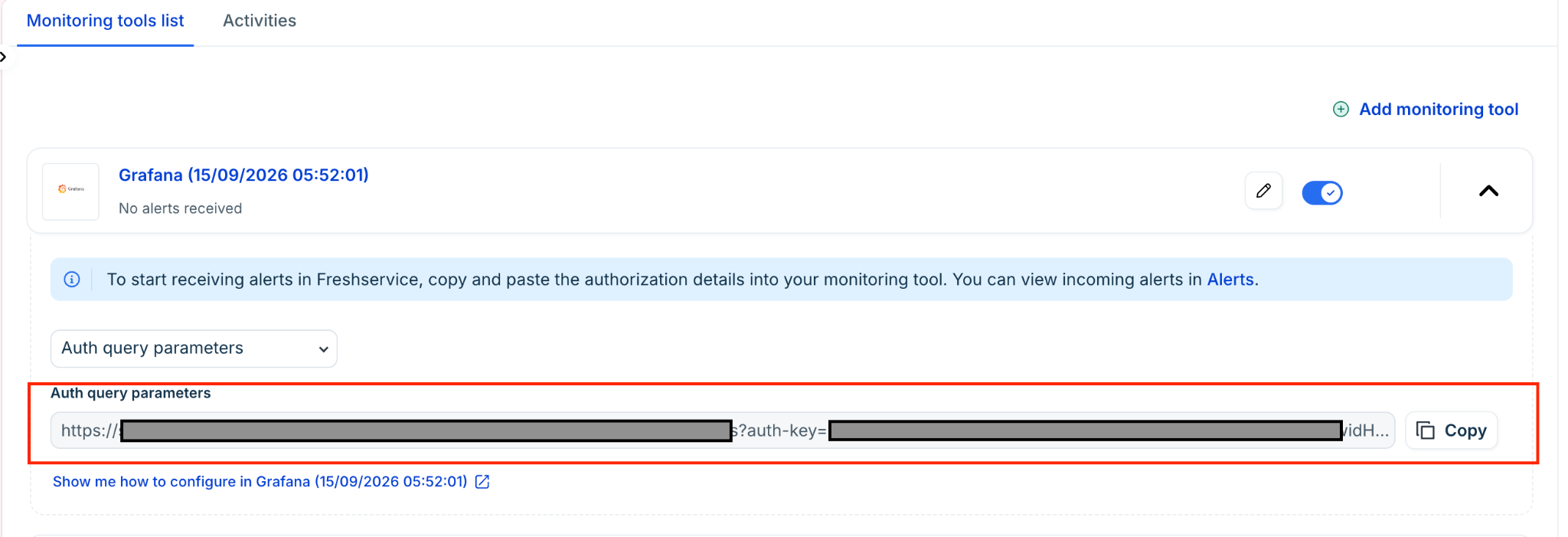
Configure the integration in Grafana
Step 1: Log in to your Grafana account. On the Dashboard page, go to Alerts & IRM > Alerting > Notification configuration. Then, click + New contact point.
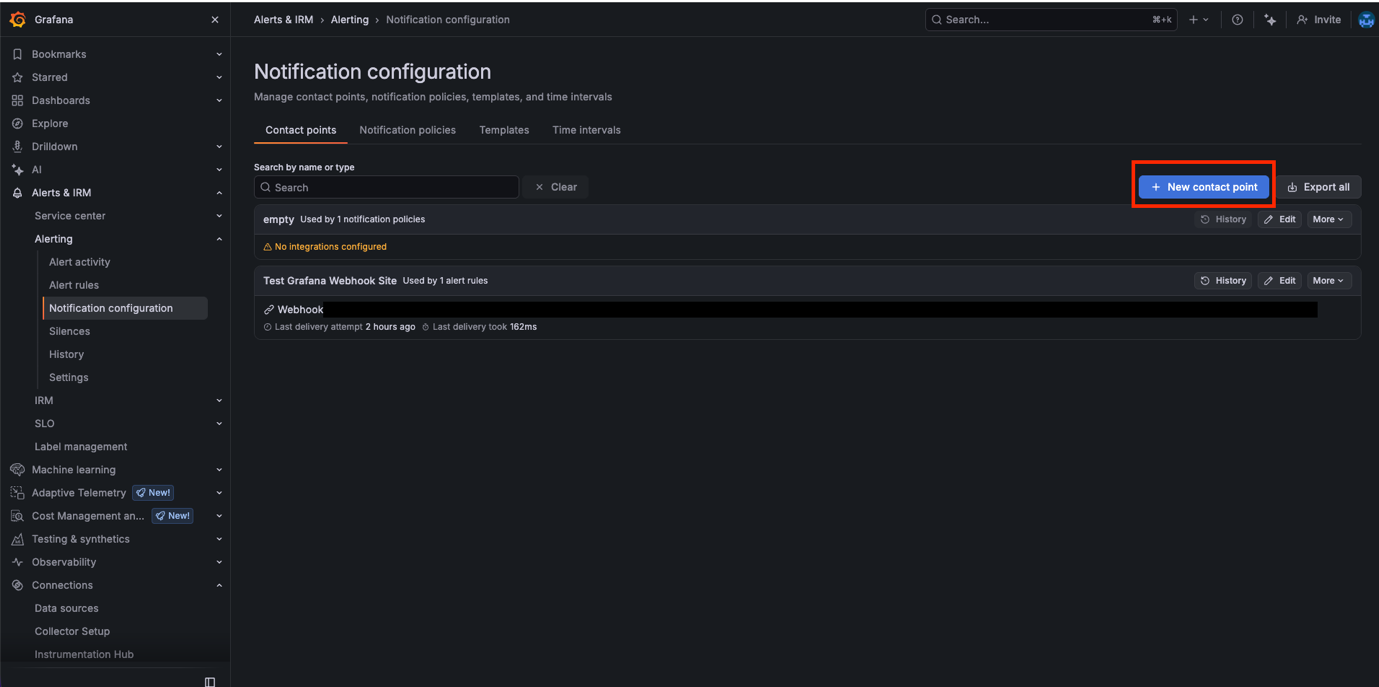
Step 2:
Enter the contact point name in the Name field.
Select Webhook from the Integration dropdown.
Paste the URL generated from Freshservice (step 4 in ‘Configure the integration in Freshservice’ section) in the URL field.
Click Save contact point, then click Test. A test notification is sent to Freshservice Alerts.
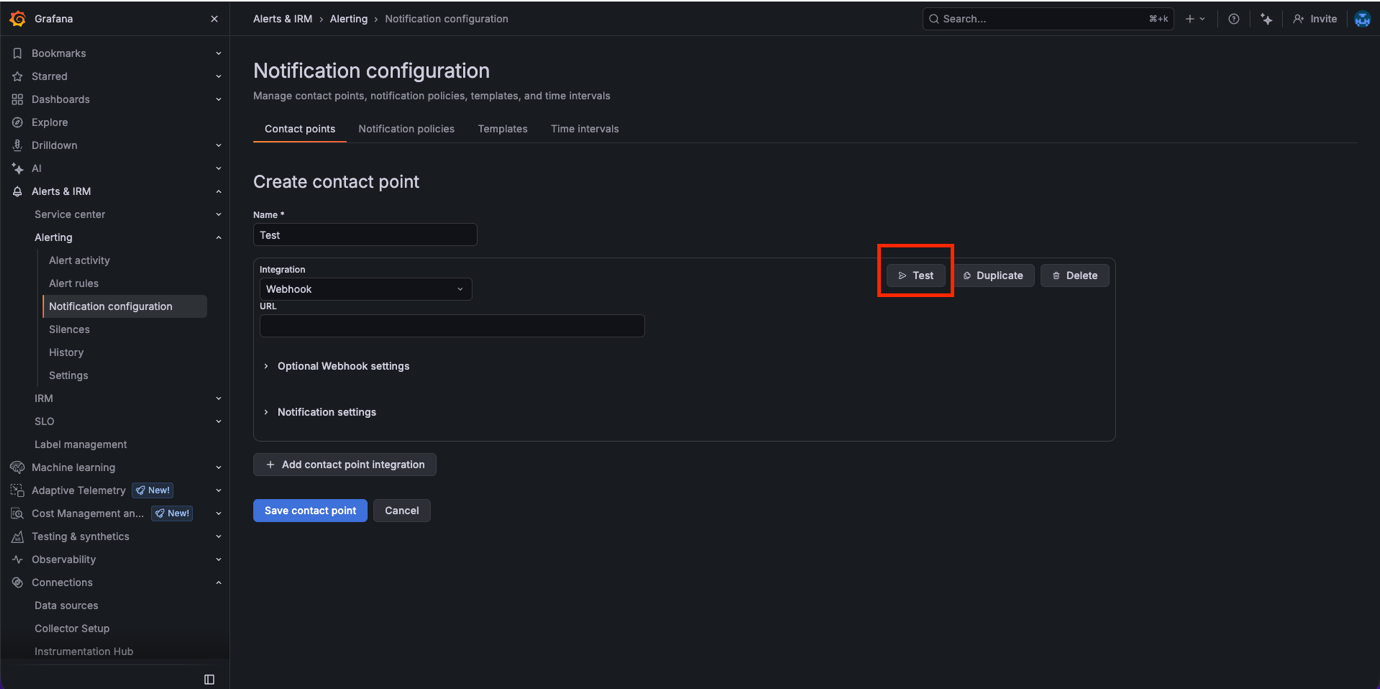
Step 3:
Go to Alerting > Alert rules to edit your pre-configured alert.
In the Configure notifications section, select the relevant contact from the Contact point dropdown.
Click Save.
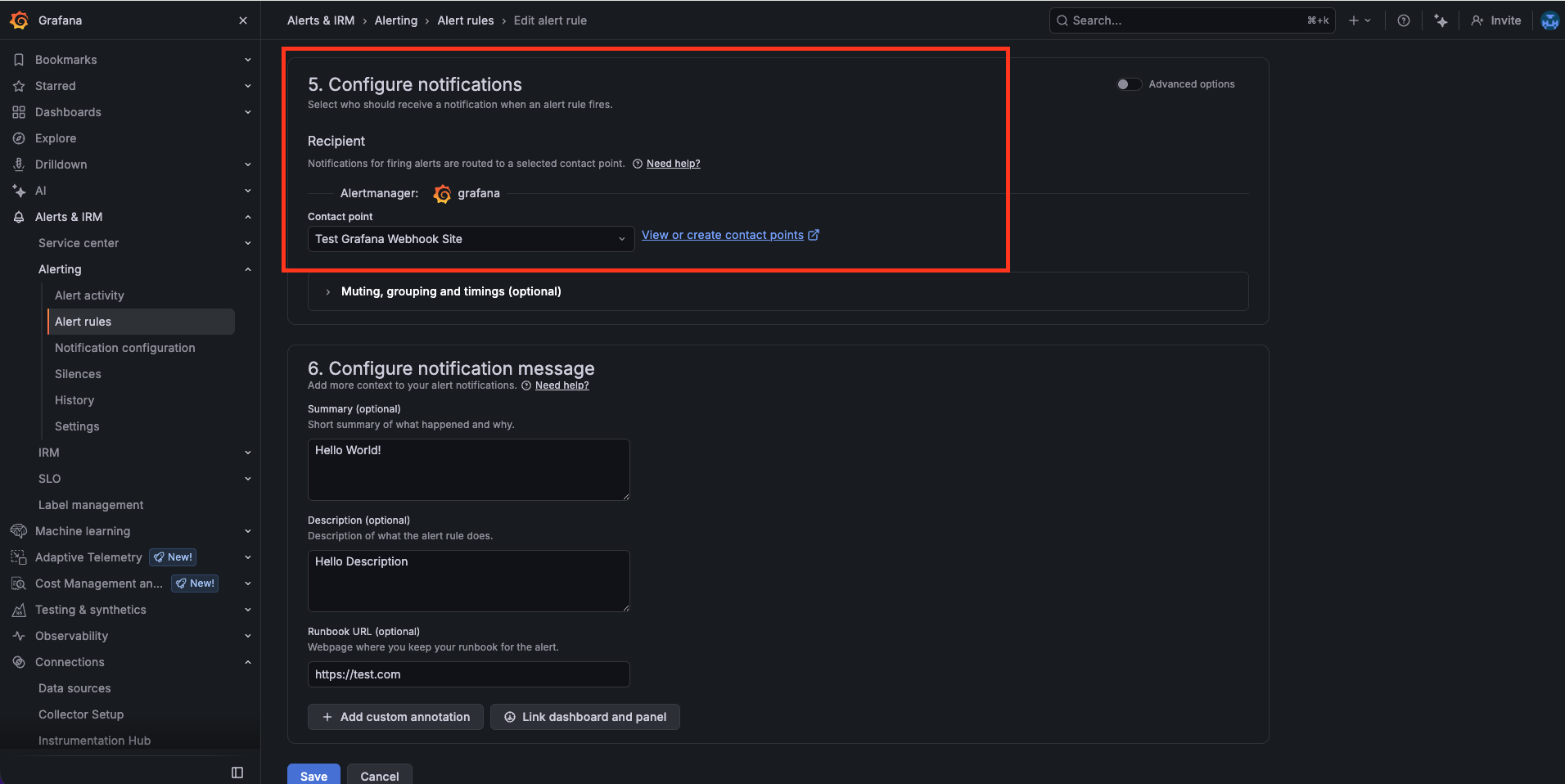
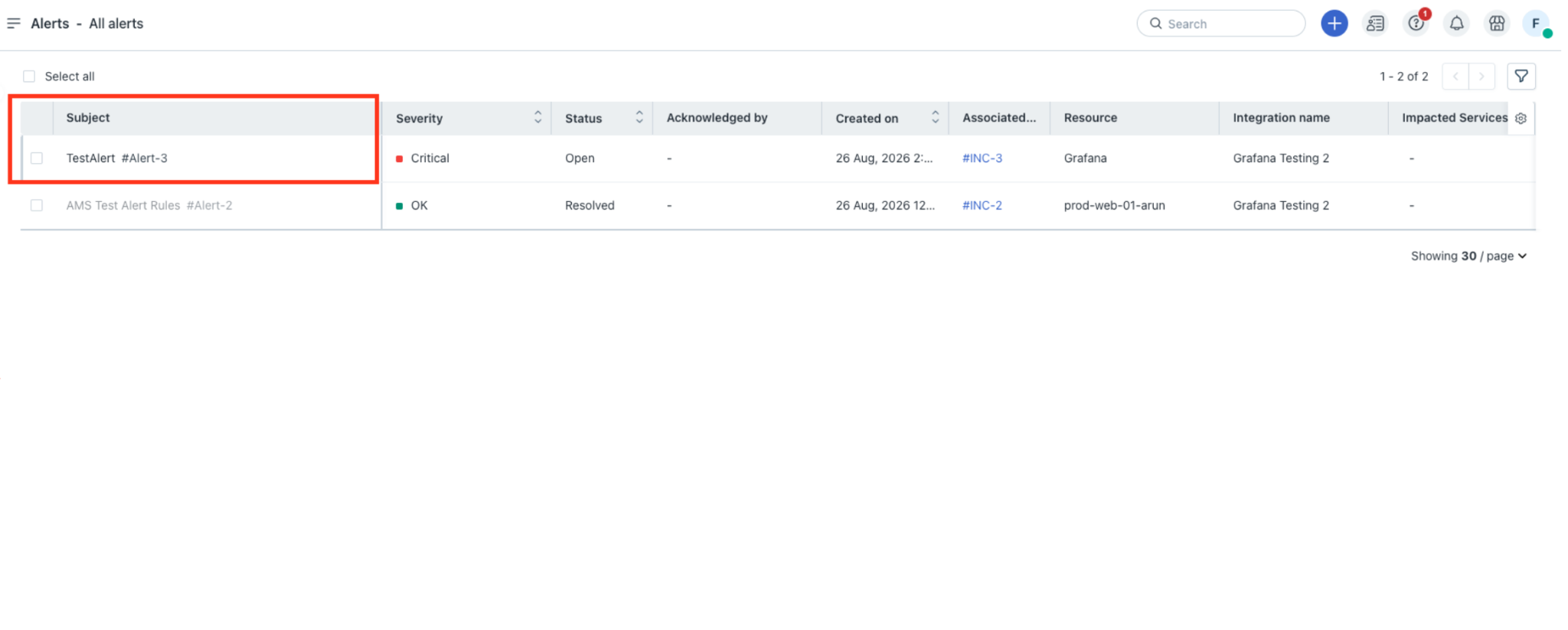
Any alert triggered by this alert rule will now reflect in the Freshservice Alerts page.
Note: To change the default mapping configuration for any monitoring tool in Freshservice, select the Edit integration option within the Monitoring tools list.