
 Community
 Video Library
 Agent Training
 Freshservice
 Freshdesk
 Freshchat
 Freshcaller
 Freshsales
 Freshteam
 Freshworks Neo
 Freshsurvey
 Freshservice for MSP
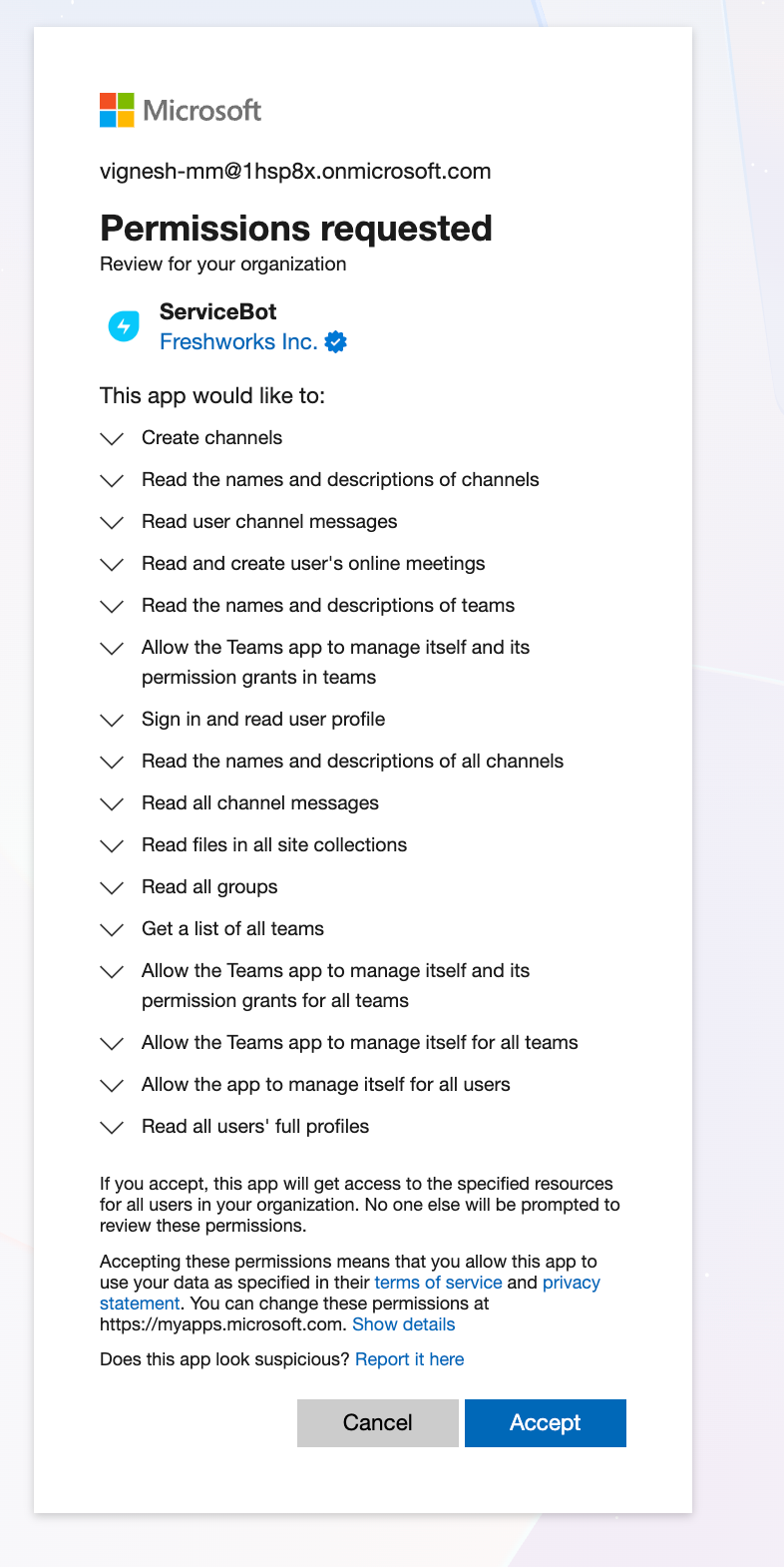
 Microsoft Teams integration uses Microsoft Graph permissions to support Freddy AI Agent, ticket collaboration, notifications, and other Teams-based capabilities.
This article describes the Microsoft Graph permissions used by the Freshservice Microsoft Teams integration, the features enabled by each permission, and the access required for security review and approval.
TABLE OF CONTENTS
- Prerequisites
- Overview
- Bot installation
- Directory sync (read-only)
- Collaborate features (as the signed-in agent)
Prerequisites
You need the following before the installation:
Global Admin credentials in your Microsoft tenant to provide consent for application permissions.
Administrator privileges in Freshservice to configure the Microsoft Teams integration.
Overview
The Microsoft Teams integration uses a single Teams app, Servicebot, to support Freddy AI Agent, ticket collaboration, surveys, and on-call notifications.
The following table maps each feature to its supporting Freshservice documentation.
Bot installation
The following table lists the Microsoft Graph permissions required to install and manage the bot.
Directory sync (read-only)
The following table details the read-only Microsoft Graph permissions required for directory synchronization.
Collaborate features (as the signed-in agent)
These permissions support ticket collaboration when an agent uses the Teams integration.