
 Community
 Video Library
 Agent Training
 Freshservice
 Freshdesk
 Freshchat
 Freshcaller
 Freshsales
 Freshteam
 Freshworks Neo
 Freshsurvey
 Freshservice for MSP
 TABLE OF CONTENTS
- User management and visibility
- Ticket assignment and lifecycle rules
- Agent collaboration and prevention of overlapping replies
- Automatic human handover triggers
- Configure AI Agents in workflow automations
- Monitor and audit AI tickets
The Freshservice Email AI Agent, powered by AI Agent Studio, functions as an autonomous assistant within your service desk lifecycle. It interprets incoming email context, holds multi-turn conversations, and leverages your knowledge base to resolve customer issues.
To support these operations without consuming your available human agent licenses, the platform provisions Email AI Agents. These specialized entities also retain full parity pertaining to workflow automations, reporting, analytics, and audit trail.
To get started with setting up AI Agent Studio, see the following topics:
User management and visibility
When you build and deploy an Email AI Agent inside Agent Studio, Freshservice automatically initializes it in the background.
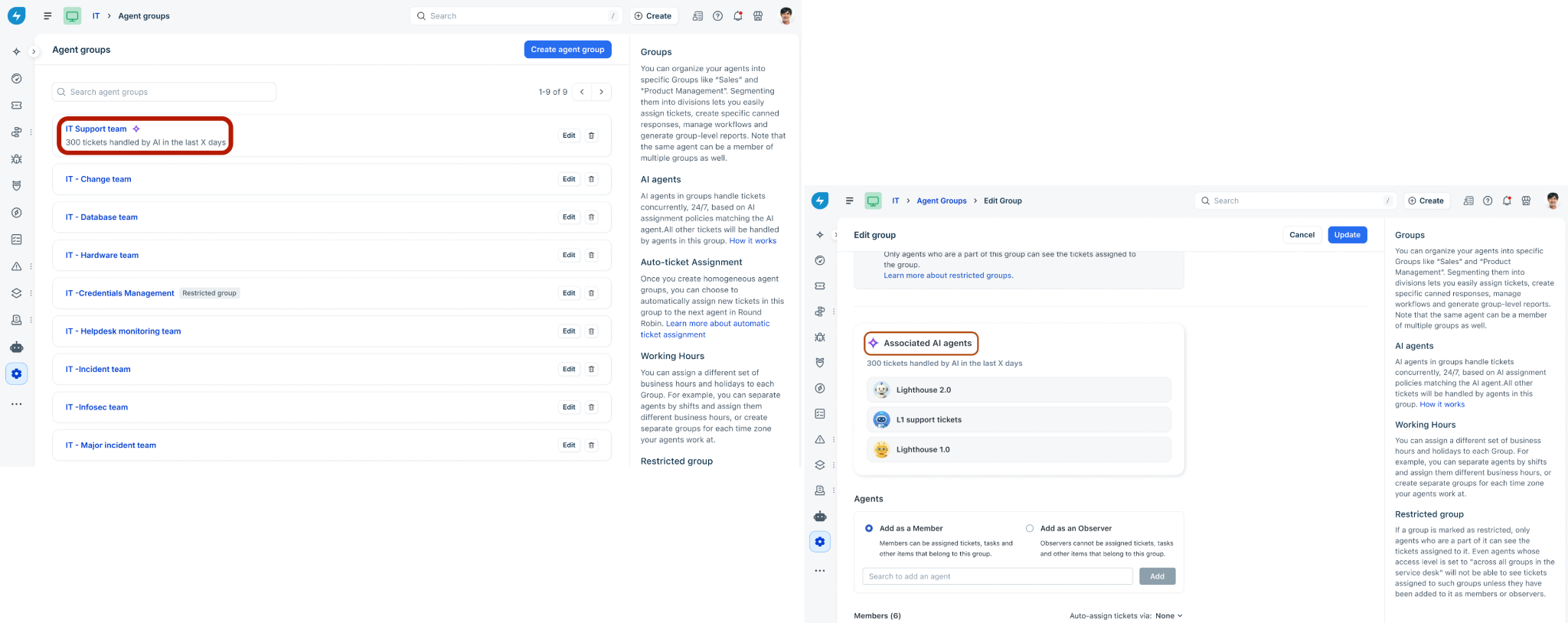
Agent Directory: To keep your workspace organized, AI agents are hidden from the primary human agent directory list.
Agent Groups: Once you deploy an Email AI Agent to a specific workspace, it appears within its designated Agent Group view as a distinct visual card. This card displays the AI agent's active status, assigned workspace, roles, and underlying routing permissions.
Ticket assignment and lifecycle rules
Email AI Agents interact dynamically with ticket lifecycles, but follow specific assignment guardrails to prevent conflict with human operations.
Assignment mechanisms
To streamline operations, ticket assignment is handled automatically, making manual selection via the standard agent dropdown unnecessary on the Ticket List or Ticket Details pages. Instead, assignment is handled dynamically via:
AI Agent Studio rules: Global property criteria sent directly to AI Agent Studio upon ticket creation (for example, automatically routing low-priority hardware tickets).
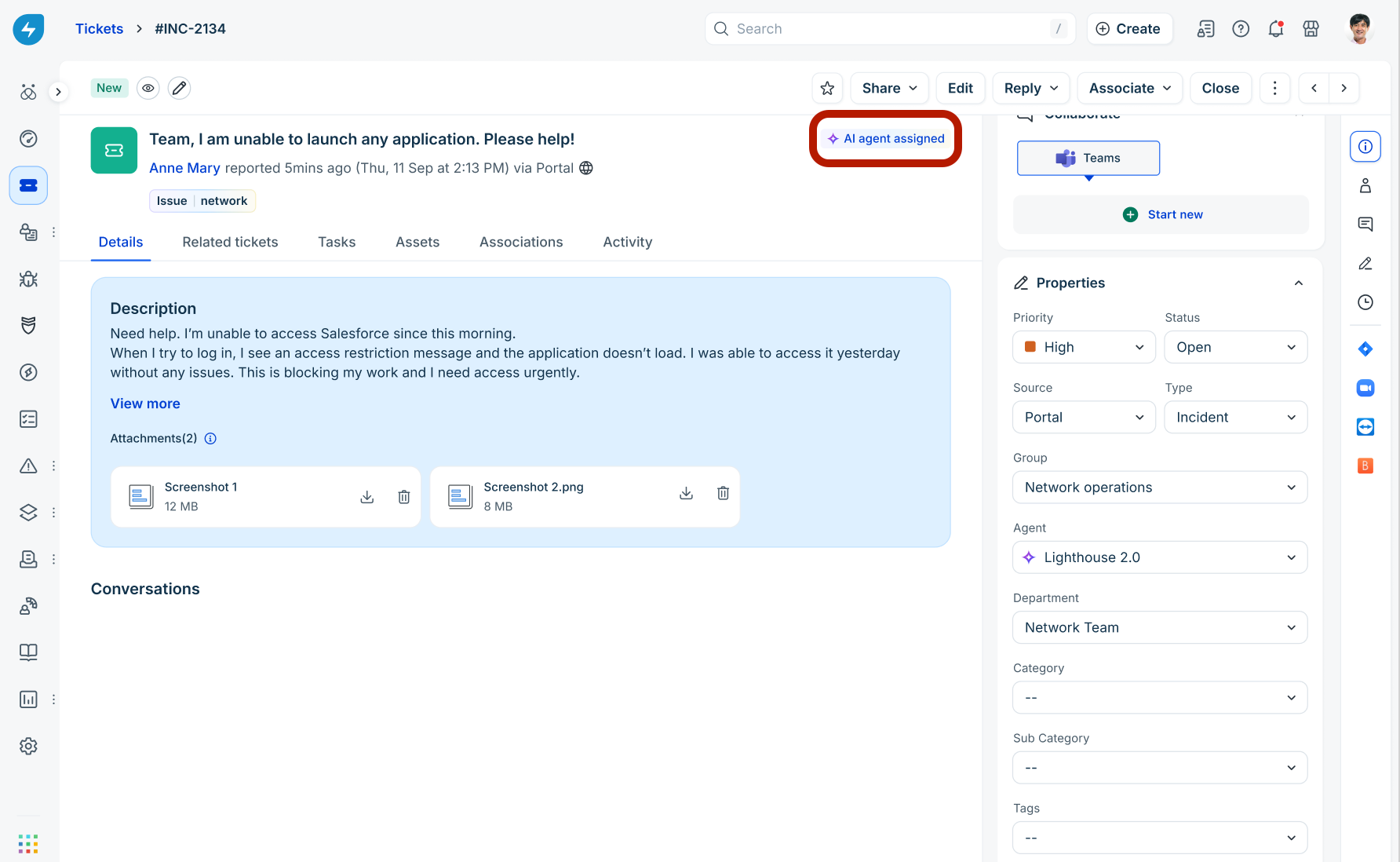
Workflow automations: Routing rules configured via workflow automations.
SLA impact
Unlike standard automated template alerts or workflow notes, public conversational responses generated by an AI Agent are recognized as authentic agent interactions. These actions successfully satisfy First Response SLA and Resolution SLA deadlines.
Ticket statuses
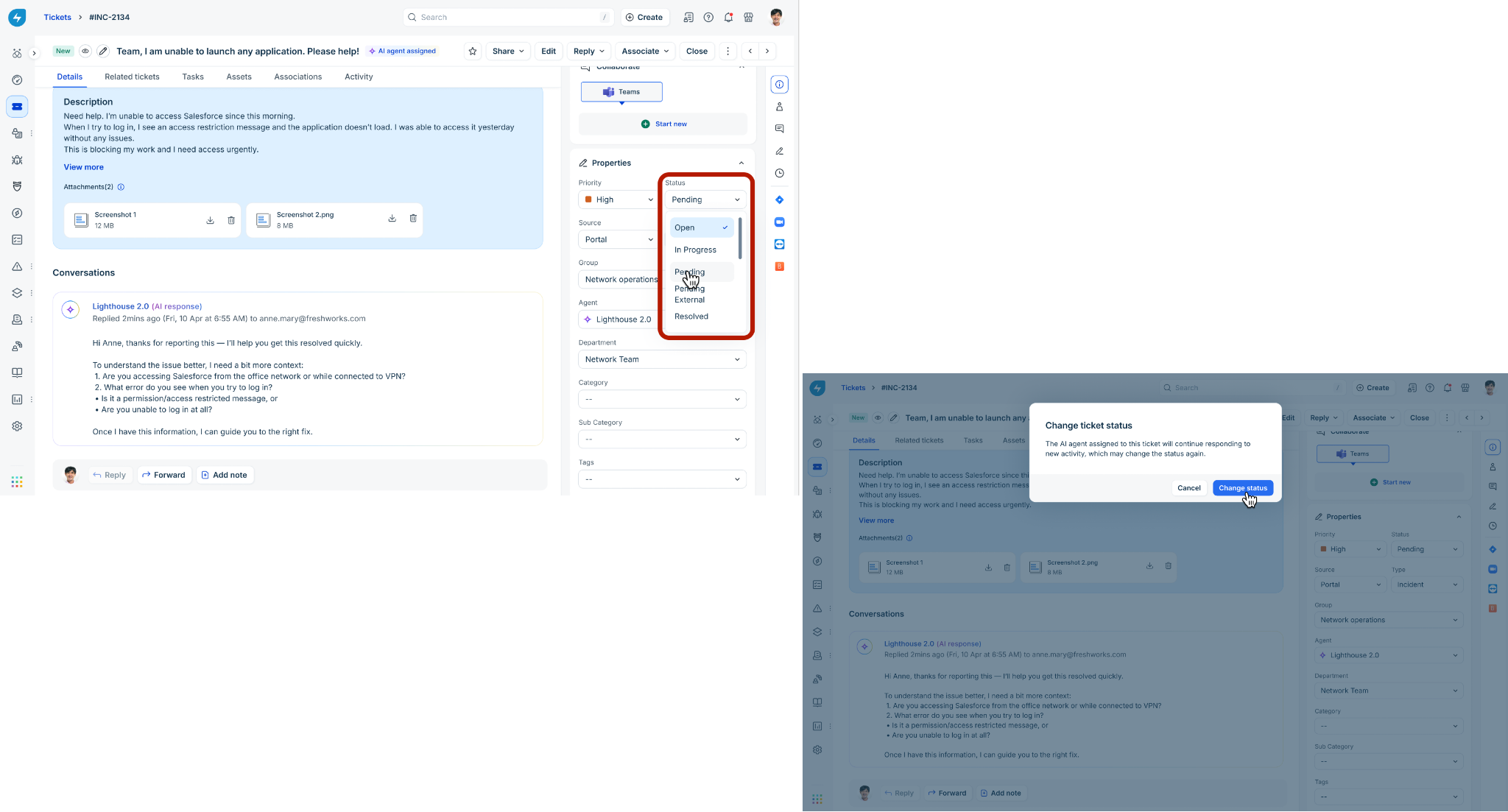
Human agents can manually update the status of an AI-owned ticket at any time. However, if the ticket remains assigned to the AI Agent and the requester submits a new reply, the AI Agent's processing logic will automatically reset the ticket status to Open. Similarly, any AI Agent responses will also set the ticket status to Pending.
Agent collaboration and prevention of overlapping replies
To prevent "split-brain" scenarios where a human agent and an AI agent draft conflicting messages simultaneously, Freshservice enforces strict interface locks.
Best-in-class responsiveness: The Email AI Agent delivers high-quality, contextual thread replies in just 2 to 3 minutes, offering a superior experience for requesters compared to typical human response times.
Visual drafting indicator: During active processing, an explicit top-level interface banner reading "[AI Agent Name] is drafting a reply" appears to alert active dashboard users.
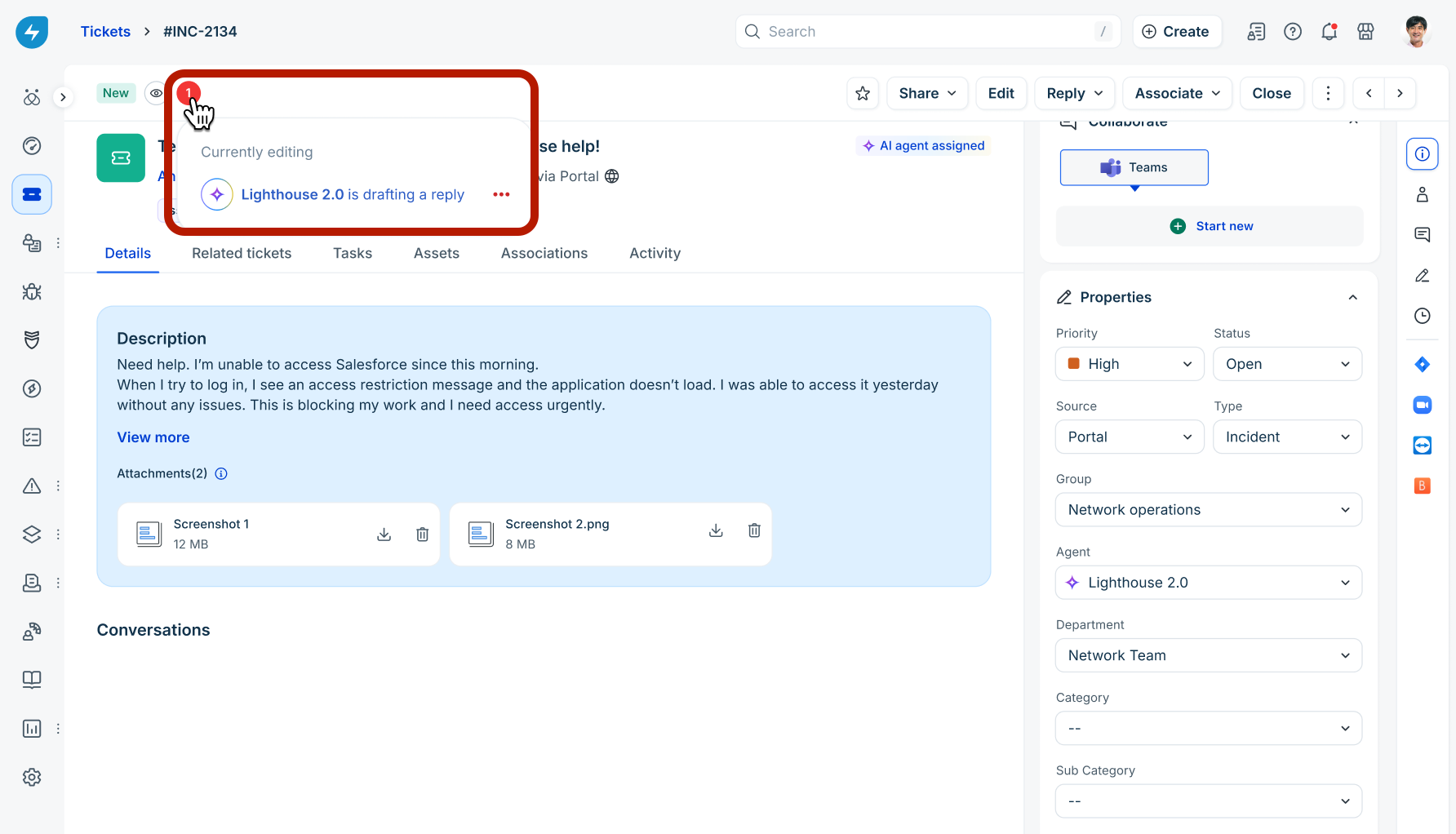
Blocked UI controls: While an AI agent is actively processing a ticket or drafting a response, the Public Reply and Add Public Note options are disabled for human agents on the Ticket Details screen and during Bulk Updates.
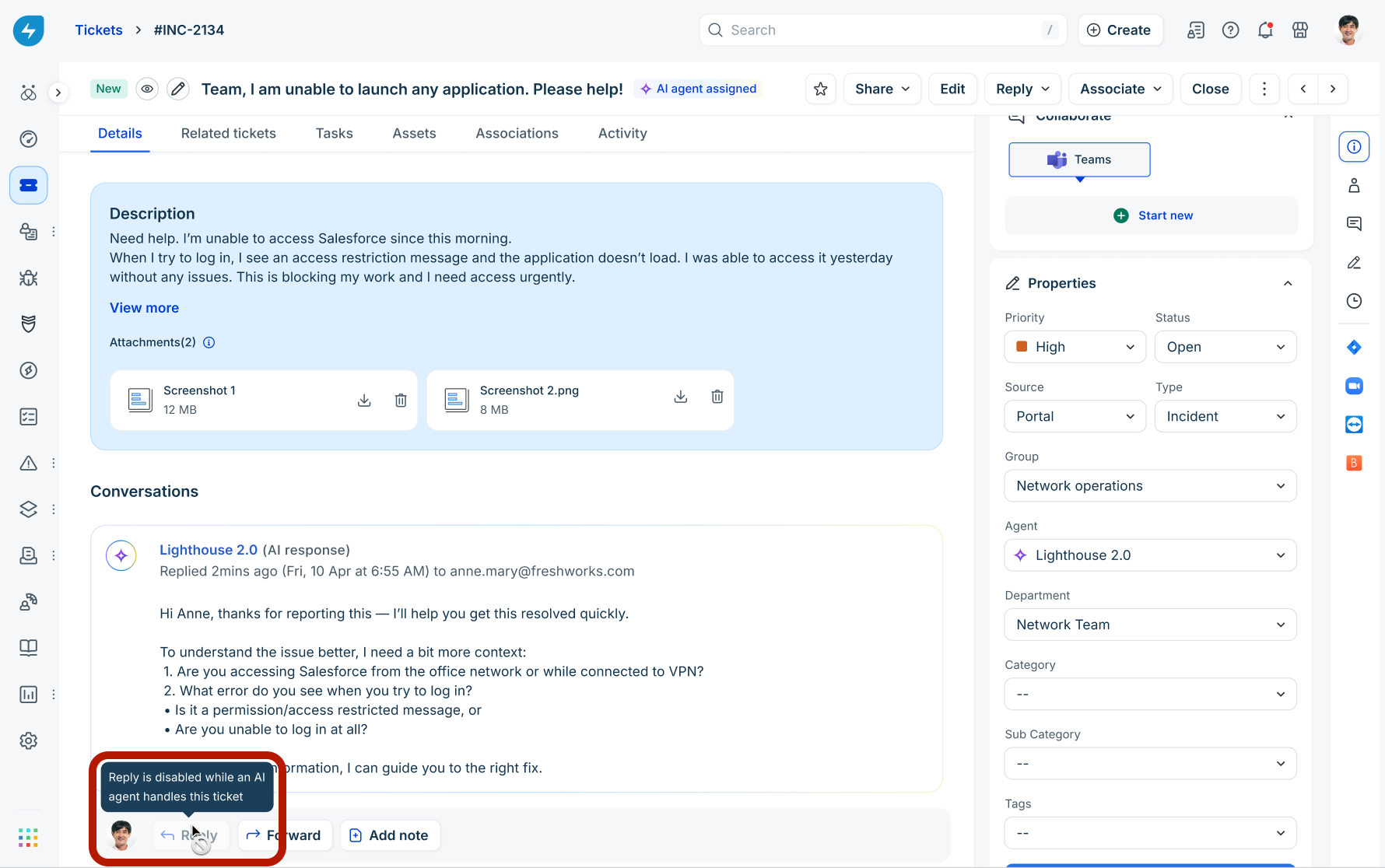
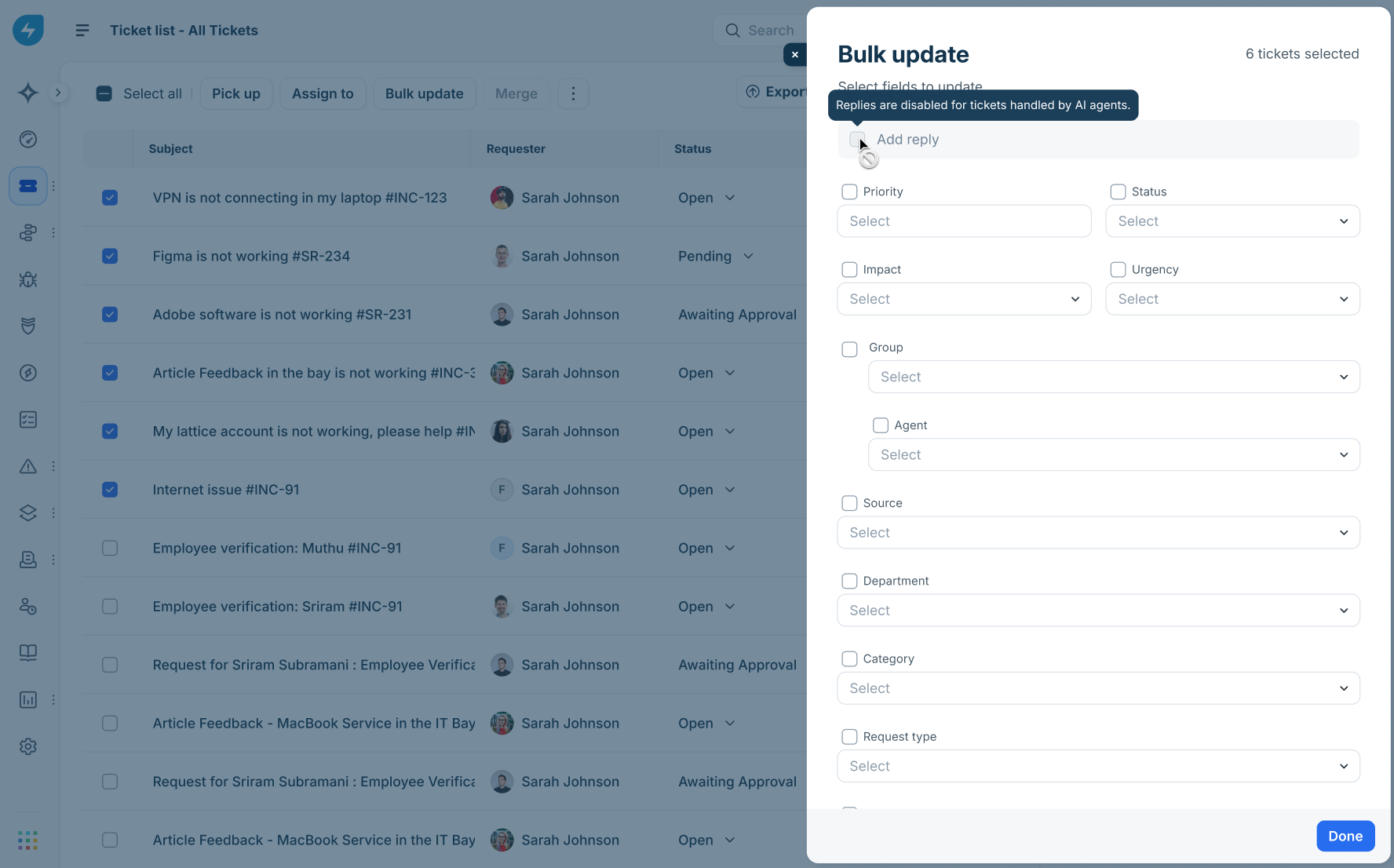
Internal collaboration: Human agents can still post Private Notes to collaborate or document findings without interrupting the AI agent’s processing cycle.
Human overrides: A human agent can override an AI Agent at any point by manually reassigning the ticket to a human owner or group.
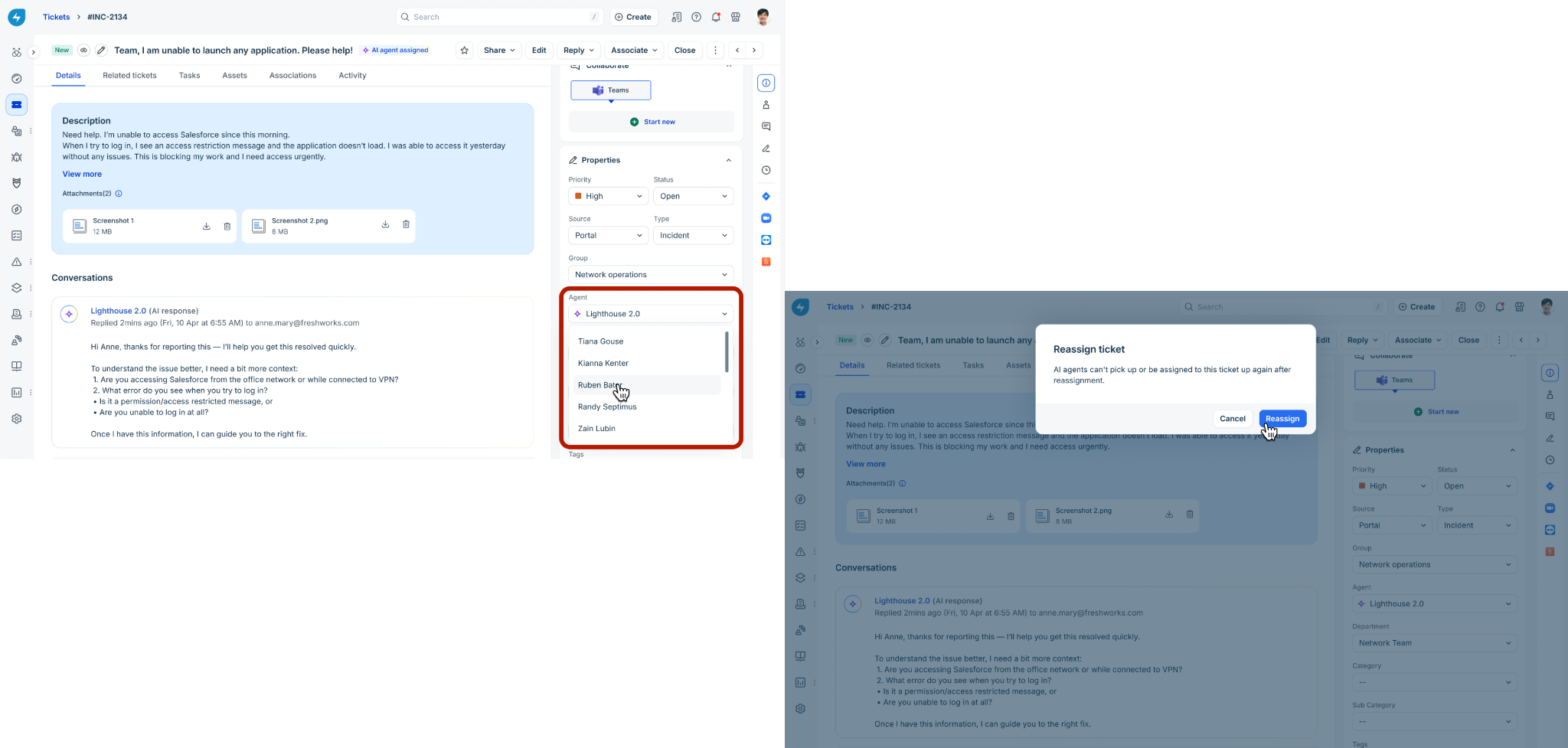
Important note:
Handover permanence: Once a ticket shifts from an Email AI Agent to a human agent, it cannot be reassigned back to any AI Agent during the duration of the ticket lifecycle. Human-to-Email AI Agent or Email AI Agent-to-Email AI Agent handover are not natively supported.
Automatic human handover triggers
The AI agent will automatically stop processing a ticket and initiate an immediate handover to a human queue under the following conditions:
Non-requester interruptions: Any reply received from an address that is not the original ticket creator (such as a CC'd or BCC'd user).
Multi-turn loop failures: The conversation exceeds the maximum allowed multi-turn thresholds without a resolution.
Processing timeouts: The AI agent fails to generate a response within configured processing parameters.
Configure AI Agents in workflow automations
You can integrate AI Agents into your existing Freshservice configurations across Workflow Automations.
Note: Email AI Agent conditional configurations can also be set up in Supervisor Rules and Business Rules.
Event nodes
You can trigger workflows based on distinct AI agent behaviors by selecting the new AI Agent performer category. Available events include:
AI Agent Replied
AI Agent Handed Over
AI Agent Timed Out
Condition nodes
To evaluate whether a ticket is currently under AI management, build a condition using the Ticket Fields.Agent property. The configuration dropdown lists your active AI agents alongside human operators, allowing you to establish customized fallback procedures or secondary routing logic.
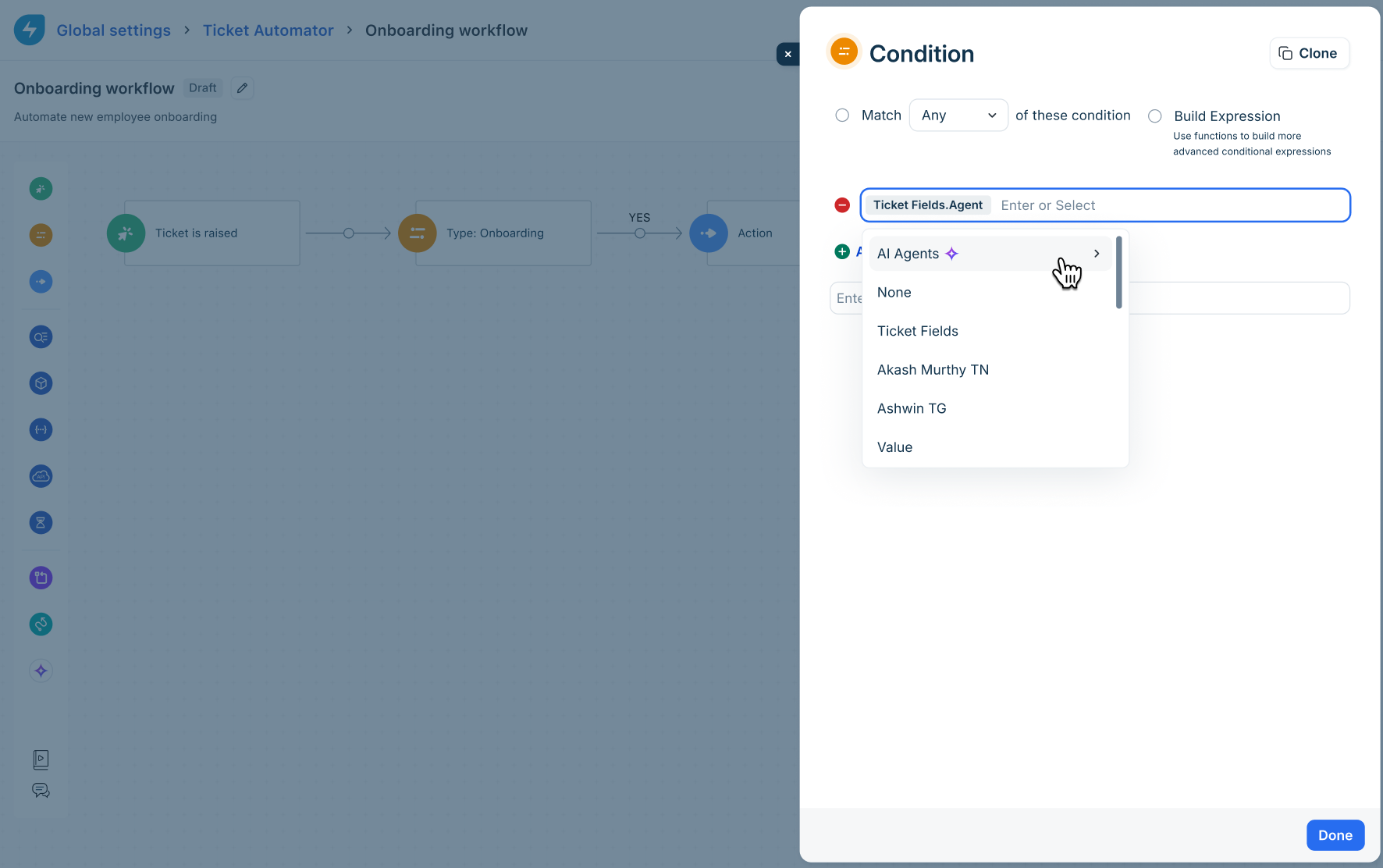
Note: This same Condition evaluation behavior is also supported for both Business Rules and Supervisor Rules.
Action nodes
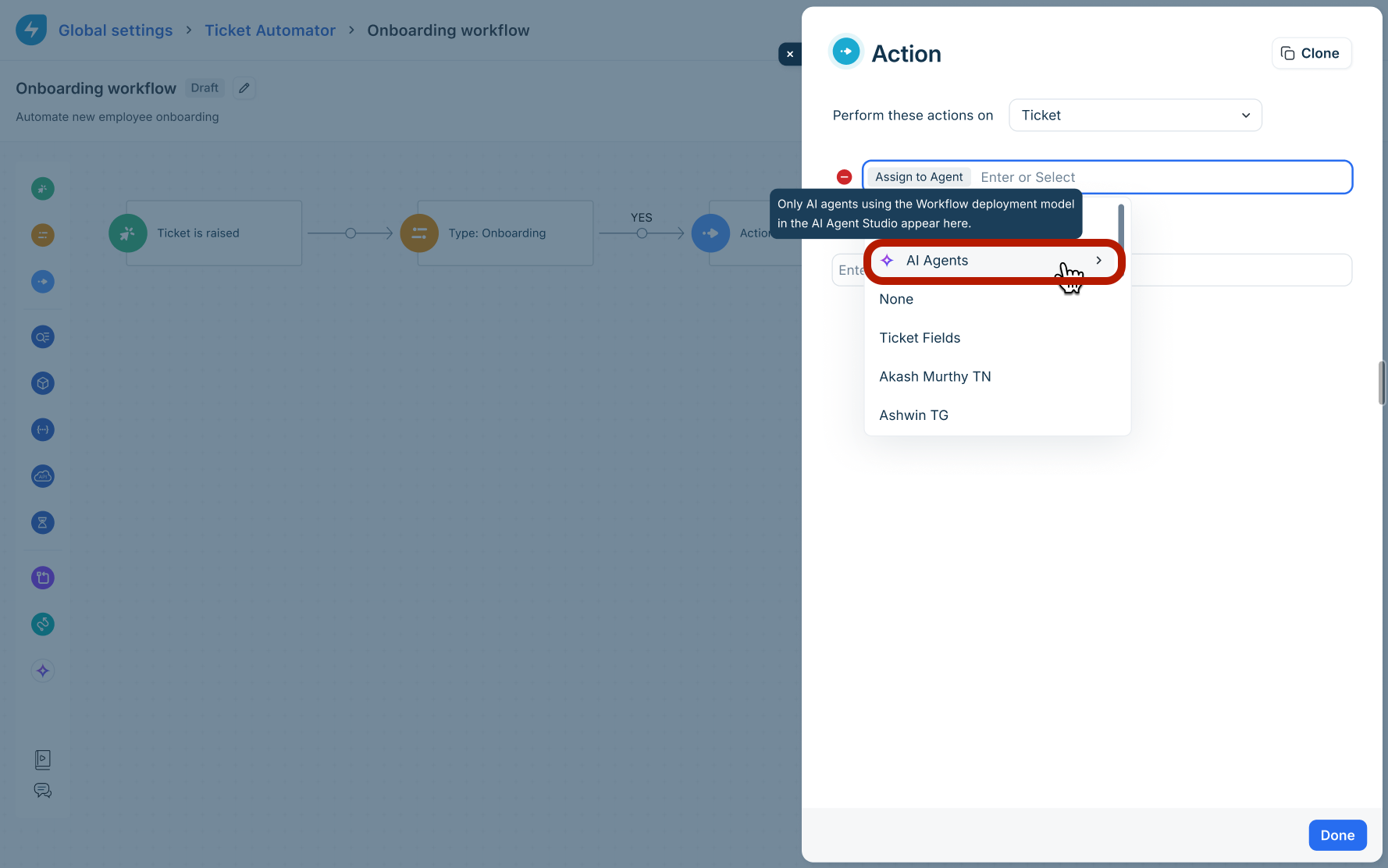
To route tickets to an AI agent systematically, navigate to the Action block of your workflow, choose Assign to Agent, and select the desired AI agent from the list.
Monitor and audit AI tickets
Default list views
Freshservice includes a default, out-of-the-box filtered list view titled Tickets handled by AI agents. This view allows teams to monitor active AI conversations globally.
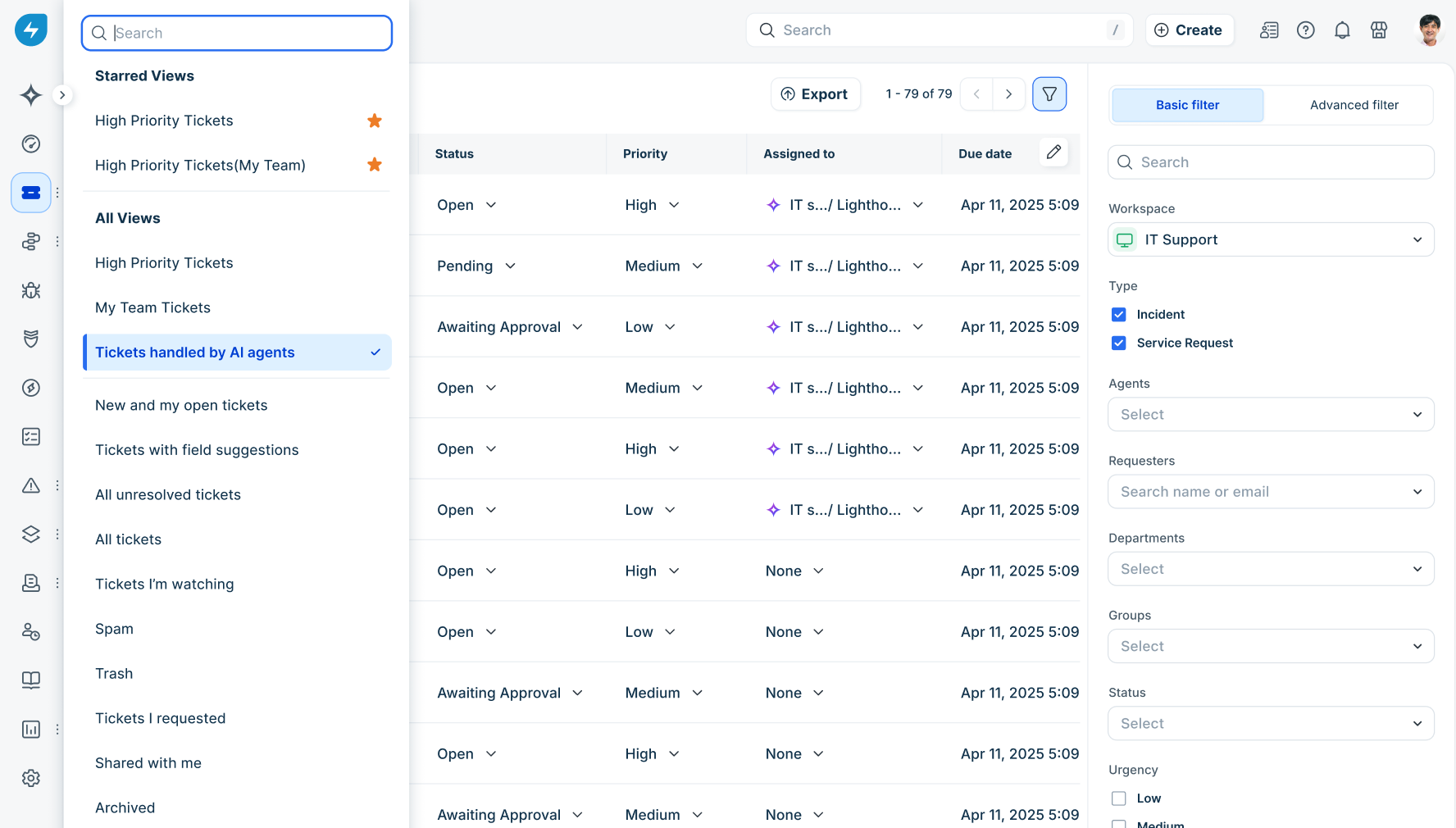
This default view contains no role-based access control (RBAC) limitations and is fully accessible to any agent with standard ticket viewing permissions.
Custom filtering
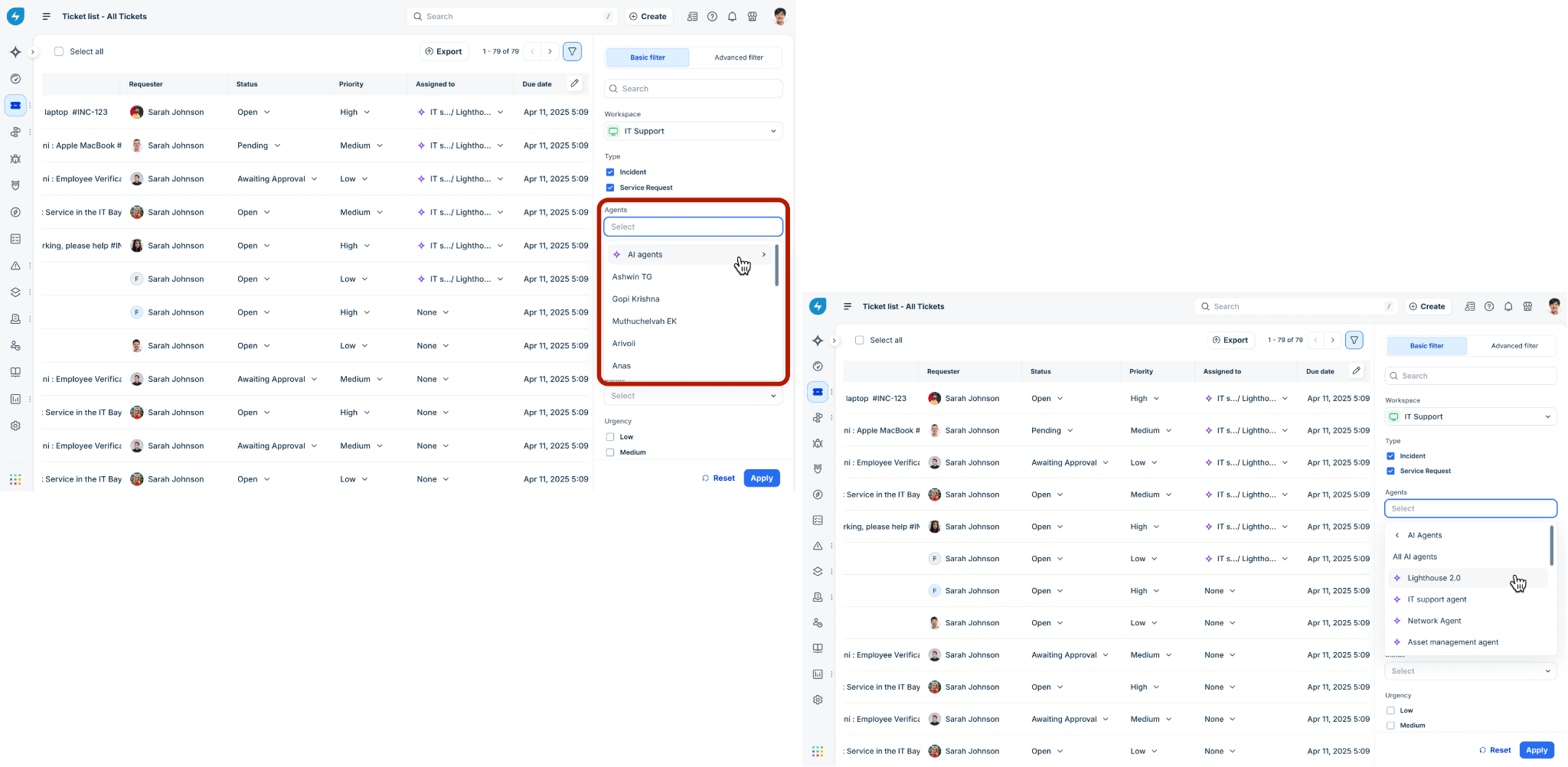
You can use the Advanced Filter panel on your Ticket List page to isolate specific AI operations. Under the Agent filter criteria, select individual AI agents to generate custom dashboard views.
Audit trail
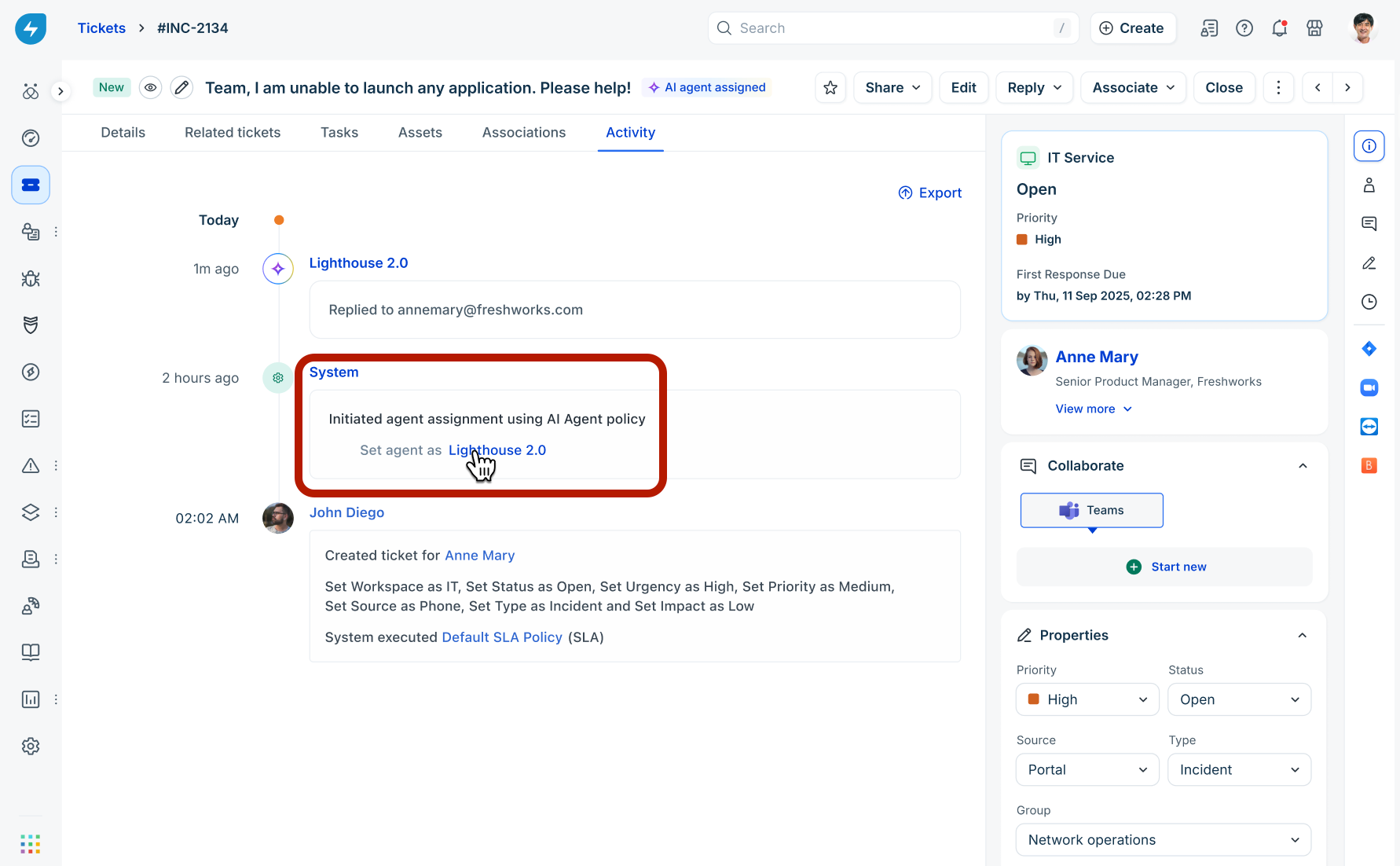
Every action performed by an AI agent—including automated assignments, conversational updates, public responses, and human handovers—is explicitly logged in the ticket's Activity tab as a system-tracked event for absolute auditability.
Note: The lifecycle of Email AI Agents is also tracked in the Freshservice Admin settings: Admin > Account Settings > Audit Log.