
 Community
 Video Library
 Agent Training
 Freshservice
 Freshdesk
 Freshchat
 Freshcaller
 Freshsales
 Freshteam
 Freshworks Neo
 Freshsurvey
 Freshservice for MSP
 | Note: If you have checked 'Enable email approvals' prior to September 15, 2023, refer to this article to know how to transition to the new experience. |
Emails are the primary source of communication and notification in Freshservice. One of the most common cases for email is approval notifications, where a Service Request(SR) or Change request needs to be approved by one or more stakeholders before the agents can work on it. Under this, it’s possible the approver might not be an agent in the system and doesn’t have access to the actual Service Request or Change.
Today it can be done only through sharing a public approval link (which many are not comfortable sharing), and the approver needs to click on the link in the email to review the details before approving or rejecting the request. This adds another step to navigate across multiple screens to login into the product before approving/rejecting the item, and there are requests to support this from within the email.
With this approval enhancement, change and service request approvers can respond to the requests directly from their inboxes. Freshservice will send an email to approval recipients where they can just reply with certain keywords in order to approve/reject the request.
Configuration of approval through email
In order to configure email approval,
Step 1: Navigate to the Admin -> Email Notifications -> Under Tickets -> Ticket Approval. 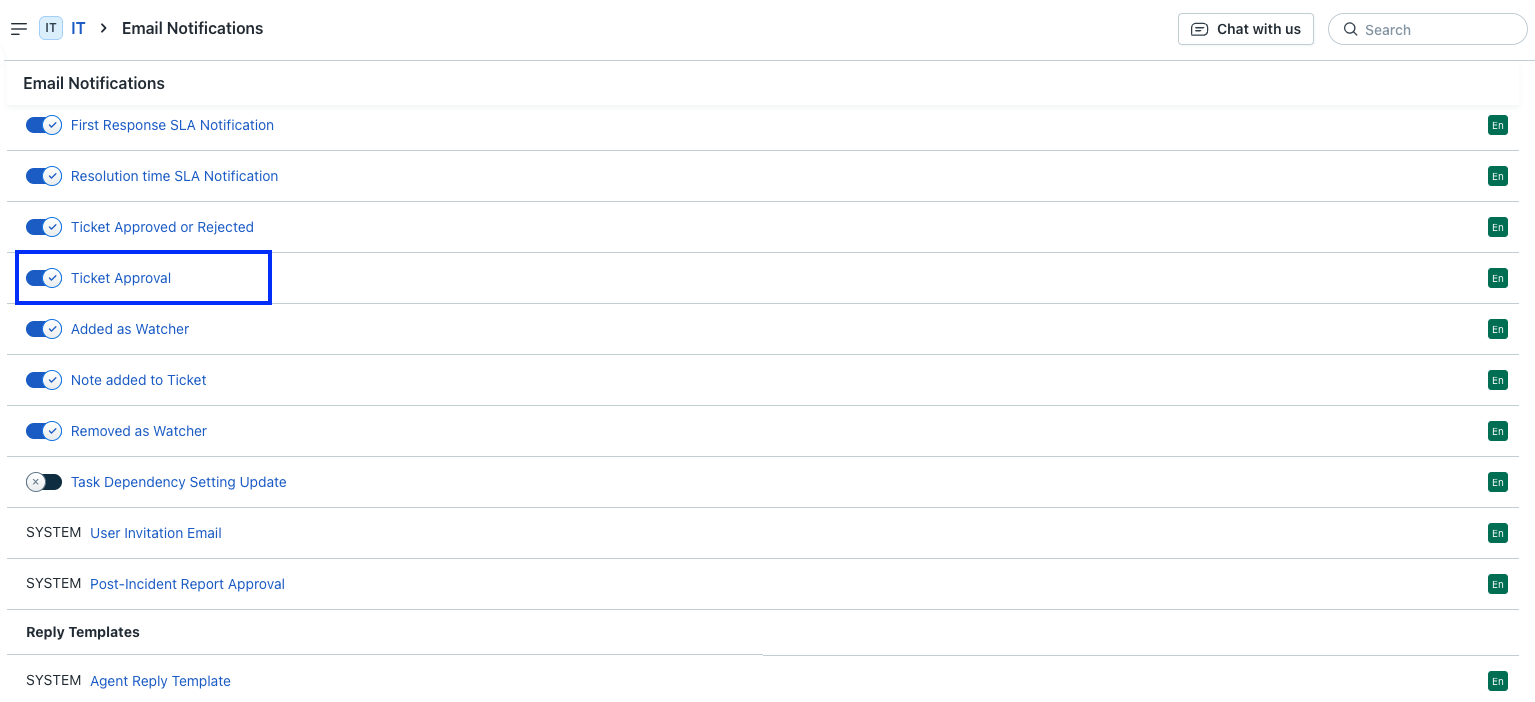
Step 2: Select Enable Email Approval checkbox.

Step 3: Selecting “Enable Email Approval” will automatically add the Approve/Reject buttons to the email body. Optionally, you can define the reminders for approvers.

Hit the save button to get started with the email approvals for tickets.
Similarly, for Change approvals:
Step 1&2: Navigate to the Admin -> Email Notifications -> Under Changes -> Select Notify CAB member


Step 3: Selecting “Enable Email Approval” will automatically add the Approve/Reject buttons to the email body. Optionally, you can define the reminders for approvers.
Click the save button to get started with the email approvals for changes.
Responding to a Service Request Approval
Approvers will receive an email for service request approval or change approvals.

When responding to the email, the approver is required to include additional remarks in the second line when rejecting the request.
The approver will additionally receive an email to reject and add remarks in case the approver fails to add the reason for rejection.

Tracking Approvals in Freshservice
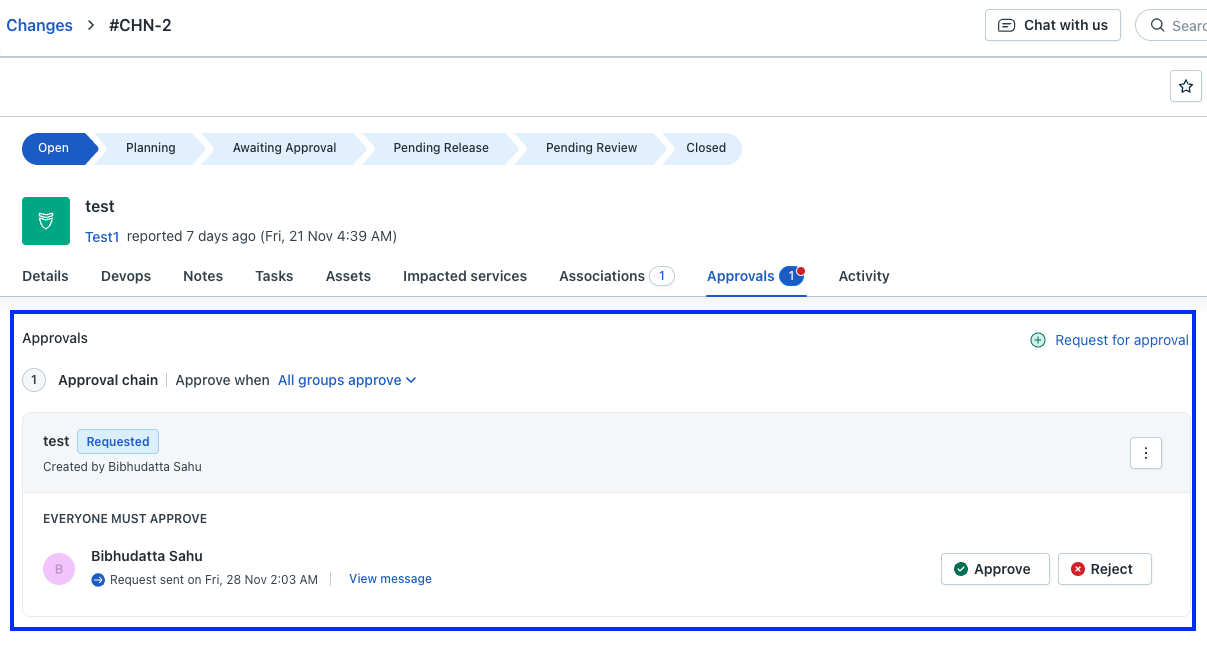
All the requests handled by email are also captured inside Freshservice change/service management card view.
Disabling email approval for change and service requests
If you want to disable this feature. You need to uncheck the “Enable Email Approval" box.